
1. Wprowadzenie
This manual provides detailed instructions for the setup, operation, maintenance, and troubleshooting of your HP KE203 300 DPI Direct Thermal Shipping Label Printer. This printer is designed for efficient and high-quality label printing for various applications, including shipping, barcodes, and product labels. It utilizes direct thermal technology, eliminating the need for ink or toner cartridges.

The HP KE203 printer features a 5 inches per second (ips) printing speed and 300 dots per inch (dpi) resolution for clear, fast label output.
2. Co znajduje się w pudełku
Przed przystąpieniem do instalacji sprawdź, czy w opakowaniu znajdują się wszystkie elementy:
- HP KE203 Label Printer
- Przewód zasilający
- Zasilacz sieciowy
- Kabel USB
- Szybki przewodnik
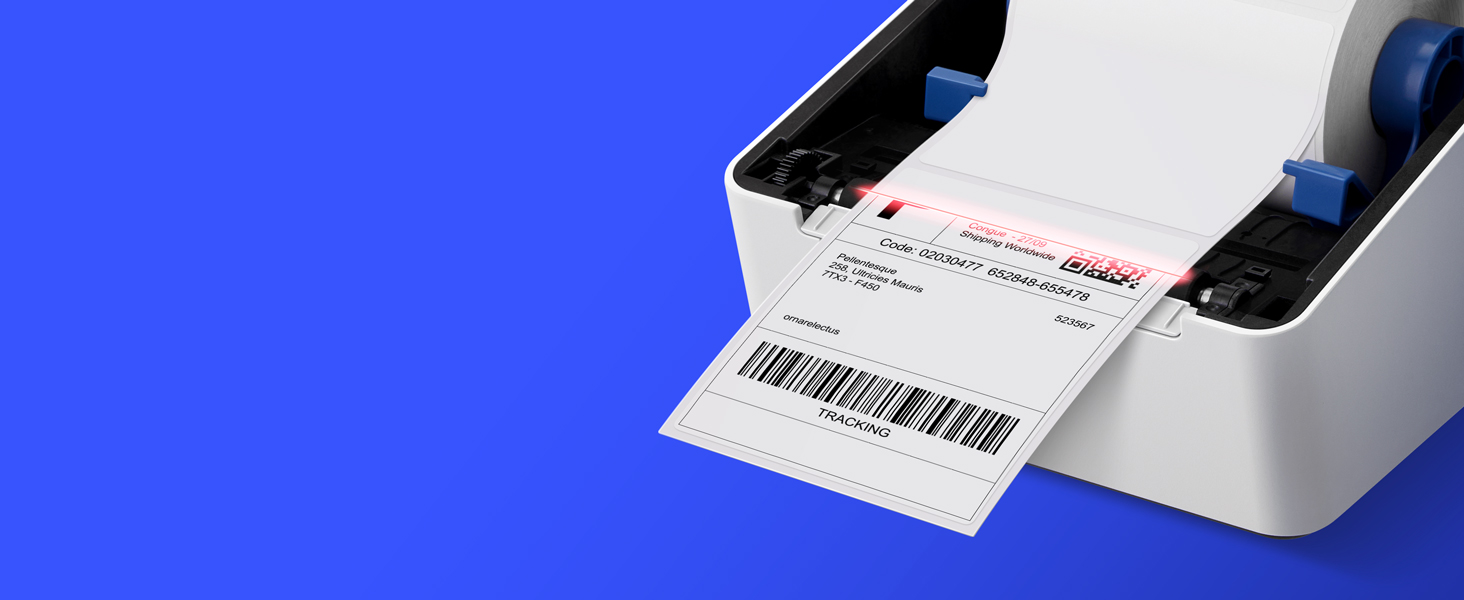
Image showing the HP KE203 printer and its included accessories: power cord, AC adapter, USB cable, and quick start guide.
3. Konfiguracja
Follow these steps to set up your HP KE203 label printer:
- Podłącz zasilanie: Connect the AC adapter to the printer and then plug the power cord into a power outlet.
- Połącz z komputerem: Podłącz kabel USB do drukarki i komputera.
- Załaduj etykiety: Open the printer cover and position the label roll properly within the adjustable media holder guides. Ensure the labels feed smoothly.
- Zainstaluj sterowniki: Download the appropriate drivers for your operating system (Windows or Mac) from the official HP Work Solutions website. Follow the on-screen instructions to complete the driver installation. The printer should be automatically detected if connected via USB.
- Wydruk testowy: After driver installation, go to your computer's printer settings, select the HP KE203, and perform a test print to ensure proper functionality.

Ensure all power components are securely connected.

Podłącz drukarkę do komputera za pomocą dostarczonego kabla USB.

Properly load the label roll and adjust the guides to prevent jams.

Download and install the printer drivers from the official HP webstrona.
Przewodnik po konfiguracji wideo
This video provides a visual guide on how to set up your HP Label Printer, including connecting cables, loading labels, and installing drivers.
4. Instrukcja obsługi
The HP KE203 printer is designed for ease of use. Once set up, you can print labels directly from your computer using various applications and platforms.
Drukowanie etykiet
- Sprawdź, czy drukarka jest włączona i podłączona do komputera.
- Otwórz dokument lub aplikację, z której chcesz drukować (np. oprogramowanie do wysyłki, edytor tekstu).
- Select the print option and choose the HP KE203 printer from the list of available printers.
- Adjust print settings as needed, such as label size (e.g., 4x6 inches) and orientation.
- Rozpocznij zadanie drukowania.

The printer seamlessly integrates with your computer for direct label printing.
Compatible Platforms and Label Types
This printer is compatible with various shipping platforms and can print different types of labels up to 4 inches in width.
- Shipping Labels: Ideal for major carriers like Amazon, UPS, FedEx, USPS, DHL, and platforms such as Shopify, Etsy, eBay, and ShipStation.
- Barcode Labels: Print clear and scannable barcodes.
- Etykiety produktów: Create custom labels for products.
- Etykiety adresowe: Generate address stickers for mail.

The HP KE203 is compatible with all major shipping platforms.
5. Konserwacja
Regularna konserwacja zapewnia optymalną wydajność i długowieczność drukarki.
Czyszczenie głowicy drukującej
- Przed czyszczeniem wyłącz drukarkę i odłącz ją od zasilania.
- Otwórz pokrywę drukarki.
- Delikatnie przetrzyj głowicę drukującą niestrzępiącą się szmatką.ampnasączone alkoholem izopropylowym.
- Przed zamknięciem pokrywy i włączeniem drukarki należy odczekać, aż głowica drukująca całkowicie wyschnie.
Opieka ogólna
- Przechowuj drukarkę w czystym i wolnym od kurzu miejscu.
- Aby zapobiec uszkodzeniu głowicy drukującej, należy używać wyłącznie wysokiej jakości etykiet termicznych.
- Unikaj wystawiania drukarki na działanie ekstremalnych temperatur i bezpośredniego światła słonecznego.
6. Rozwiązywanie Problemów
Zapoznaj się z poniższymi częstymi problemami i ich rozwiązaniami:
| Wydanie | Możliwa przyczyna | Rozwiązanie |
|---|---|---|
| Drukarka nie odpowiada | Loose cable connection, printer off, driver issue. | Sprawdź zasilanie i połączenia USB. Upewnij się, że drukarka jest włączona. W razie potrzeby zainstaluj ponownie sterowniki. |
| Niska jakość druku | Dirty print head, incorrect label type, print settings. | Clean the print head. Use recommended thermal labels. Adjust print density or turn off dithering in printer settings. |
| Etykiety nie są podawane prawidłowo | Improper label loading, media guides not adjusted. | Ensure labels are loaded correctly and media guides are snug against the roll. |
| Komputer nie wykrył drukarki | Problem z kablem USB, sterownik nie został zainstalowany lub jest uszkodzony. | Spróbuj użyć innego portu USB lub kabla. Zainstaluj ponownie sterowniki drukarki. |
7. Specyfikacje
| Funkcja | Szczegół |
|---|---|
| Marka | HP |
| Numer modelu | HPKE203 |
| Technologia łączności | USB |
| Technologia druku | Termiczny bezpośredni |
| Wyjście drukarki | Monochromia |
| Maksymalna prędkość drukowania (monochromatyczny) | 5 ips (50 ppm) |
| Rezolucja | 300 x 300 DPI |
| Maksymalny rozmiar nośnika | 4 x 6 cali |
| Wymiary przedmiotu (gł. x szer. x wys.) | 8.2" gł. x 7.29" szer. x 6.63" wys. |
| Waga przedmiotu | 1340 gram |
| Pobór mocy | 60 watów |
| Kompatybilne urządzenia | PC (Windows), Mac |
8. Gwarancja i wsparcie
The HP KE203 Direct Thermal Shipping Label Printer comes with a 2-year limited warranty. For technical support, driver downloads, and further assistance, please visit the official HP Work Solutions webodwiedź witrynę lub skontaktuj się z działem obsługi klienta HP.
For the most up-to-date support information, please refer to the Quick Start Guide included with your product or visit the HP support portal online.