
Wstęp
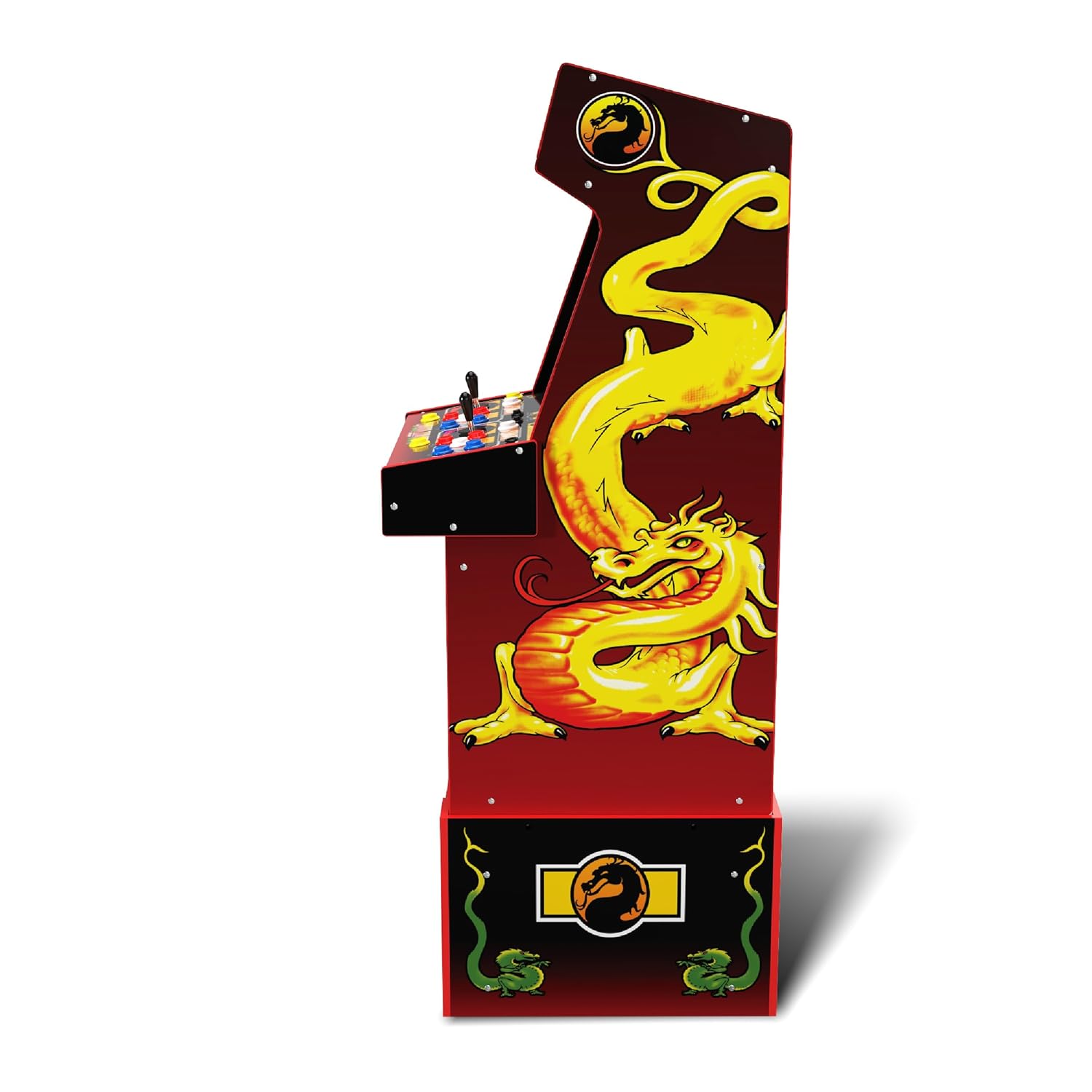
The Arcade1Up Mortal Kombat Midway Legacy 30th Anniversary Edition arcade machine brings classic arcade gaming into your home. This unit features 14 iconic games, including various Mortal Kombat titles, and supports live online play. Designed for easy assembly, it offers an authentic arcade experience with a 17-inch LCD screen, real-feel joysticks, and buttons.

Rycina 1: Przód view of the Arcade1Up Mortal Kombat Midway Legacy 30th Anniversary Edition arcade machine.
Wideo 1: Overview of the Arcade1Up Mortal Kombat Arcade Machine, highlighting its features and gameplay.
Organizować coś
Montaż
The Arcade1Up machine is designed for easy assembly. Follow the detailed instructions provided in the separate assembly guide included with your product. Ensure all components are present before beginning assembly.
Podłączenie zasilania
Once assembled, connect the power cord to the designated port on the back of the machine. Plug the other end into a standard wall outlet. The machine is ready for use once powered on.
Rysunek 2: Tył view of the arcade machine, illustrating the power connection point.
Instrukcja obsługi
Włączanie/wyłączanie i regulacja głośności
Locate the ON/OFF switch and volume controls on the control panel. Flip the switch to the 'ON' position to power on the machine. Adjust the volume using the dedicated volume control knob.
Wybór gry
Upon startup, a menu displaying the 14 included games will appear on the 17-inch LCD screen. Use the joysticks and buttons to navigate through the game list and select your desired game. Press the 'Start' button to begin gameplay.
Sterownica
The machine features a two-player control panel with real-feel joysticks and multiple buttons for various actions such as high punch, low punch, high kick, low kick, and block. Refer to the on-screen game instructions for specific move sets and button configurations for each game.

Rysunek 3: Szczegółowy view of the two-player control panel.
Gra online
The Arcade1Up Mortal Kombat Midway Legacy Edition supports Wi-Fi enabled online play. Connect the machine to your home Wi-Fi network to compete with other players, post scores to leaderboards, and access online features. A companion app may be available for enhanced online community interaction.
Video 2: Demonstration of the Arcade1Up Mortal Kombat Arcade Machine's operation, including game selection and controls.
Dołączone gry
The Arcade1Up Mortal Kombat Midway Legacy 30th Anniversary Edition includes a library of 14 classic games:
- Mortal Kombat
- Mortal Kombat 2
- Mortal Kombat 3
- Ultimate Mortal Kombat 3
- Toobin'
- Rampwiek
- Joust
- Rootbeer Tapper
- Obrońca
- Rękawica
- Paperboy
- Wizard of Wor
- Bąbelki
- Klax
Konserwacja
Czyszczenie
To clean the arcade machine, use a soft, dry cloth. For stubborn marks, a slightly damp cloth with mild soap can be used, followed by drying thoroughly. Avoid abrasive cleaners or solvents that may damage the finish or screen. Ensure the machine is powered off and unplugged before cleaning.
Składowanie
Store the machine in a dry, temperature-controlled environment. Avoid direct sunlight or extreme temperatures, which can affect electronic components and cabinet materials.
Rozwiązywanie problemów
Brak zasilania
If the machine does not power on, ensure the power cord is securely plugged into both the machine and a working wall outlet. Check if the ON/OFF switch is in the 'ON' position. Test the outlet with another device to confirm it has power.
Problemy z wyświetlaniem
If the screen is blank or flickering, ensure all internal connections are secure (if applicable and accessible per assembly instructions). Power cycle the machine by turning it off, unplugging it for 30 seconds, and then plugging it back in and turning it on.
Kontroluj awarie
If joysticks or buttons are unresponsive, ensure they are free from debris. For persistent issues, contact customer support.
Online Connectivity Problems
If experiencing issues with Wi-Fi or online play, ensure your home Wi-Fi network is active and the machine is within range. Check the machine's network settings to confirm it is connected to the correct network. Restart your router if necessary.
Specyfikacje
- Wymiary produktu: 20.5" dł. x 19.75" szer. x 57.8" wys.
- Waga przedmiotu: 81.8 funta
- Rozmiar ekranu: 17 cali
- Typ wyświetlacza: LCD
- Rodzaj kontrolera: Sterowanie przyciskami, joystick
- Tworzywo: Plastikowy
- Numer modelu: 1220000276338
- Kod UPC: 195570015131
- Producent: Arcade1Up
- Dołączone akcesoria: Pion

Figure 4: Arcade machine dimensions relative to a person.
Gwarancja i wsparcie
For warranty information, technical support, or replacement parts, please refer to the documentation included with your product or visit the official Arcade1Up webZachowaj dowód zakupu na wypadek roszczeń gwarancyjnych.