
1. Wprowadzenie
This manual provides detailed instructions for the proper use and maintenance of your Obbug Bluetooth Headset, Model YYK-530. Please read this manual thoroughly before using the product to ensure optimal performance and longevity.
2. Zawartość opakowania
Sprawdź, czy w przesyłce znajdują się wszystkie elementy:
- 1 x Obbug Bluetooth Headset
- 1 x etui ładujące
- Kabel ładujący 1 x USB Type-C
- 1 x Ear Hat (replacement ear tip)
- 1 x Instrukcja obsługi
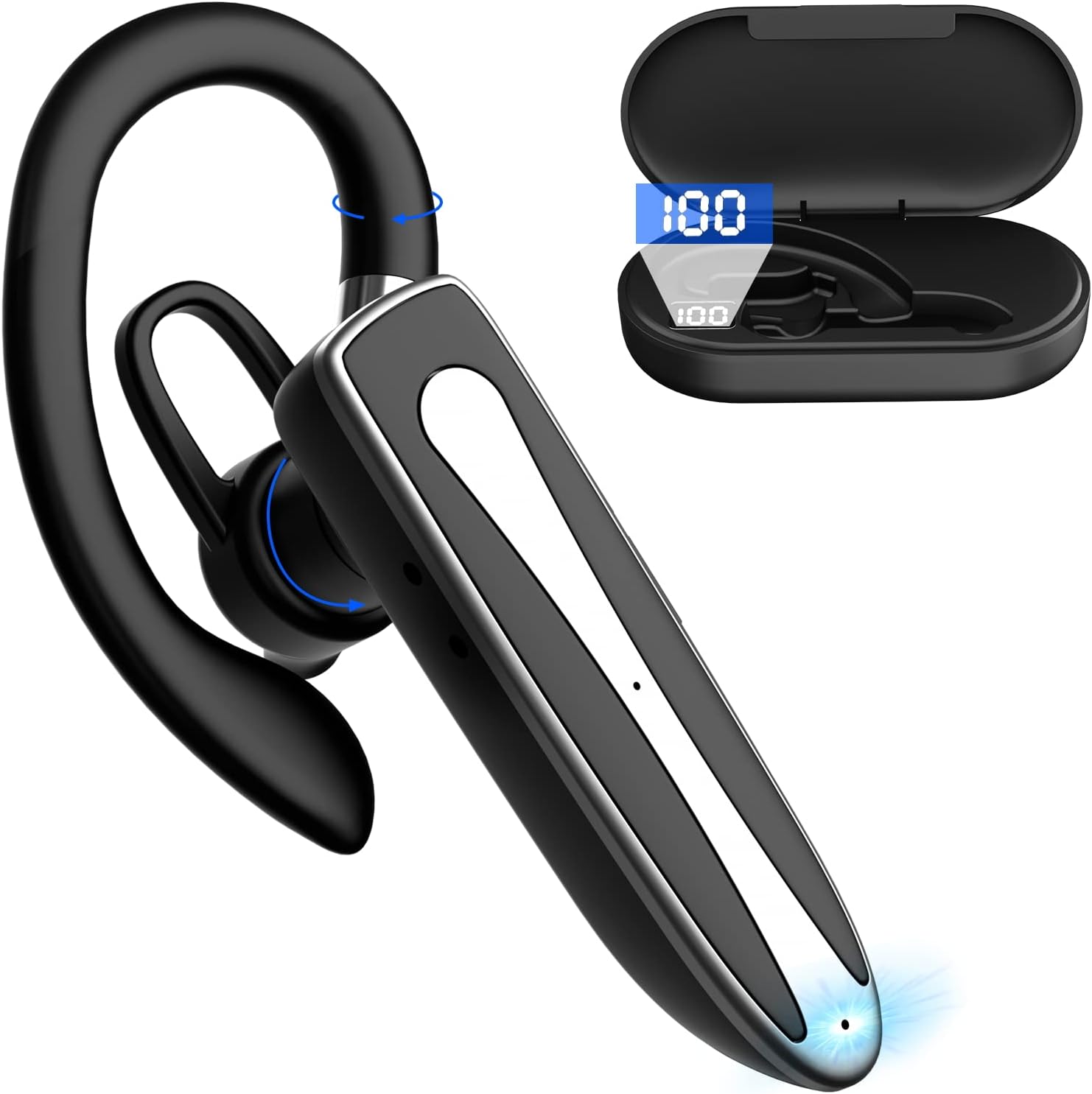
Image 2.1: Obbug Bluetooth Headset YYK-530 and its charging case.
3. Funkcje produktu
- Technologia Bluetooth 5.1: Provides stable connection and clear audio.
- Dłuższa żywotność baterii: Do 80 godzin ciągłego użytkowania z etui ładującym.
- Wygodna i regulowana konstrukcja: Flexible earhook and rotatable boom mic for left or right ear wear.
- CVC8.0 Noise Reduction: Poprawia klarowność rozmów poprzez redukcję szumów tła.
- Szeroka kompatybilność: Connects with most Bluetooth-enabled devices including smartphones, tablets, and computers.
- Rozmowy bez użycia rąk: Integrated microphone for convenient communication.

Image 3.1: Illustration of CVC8.0 Noise Reduction for clear audio.
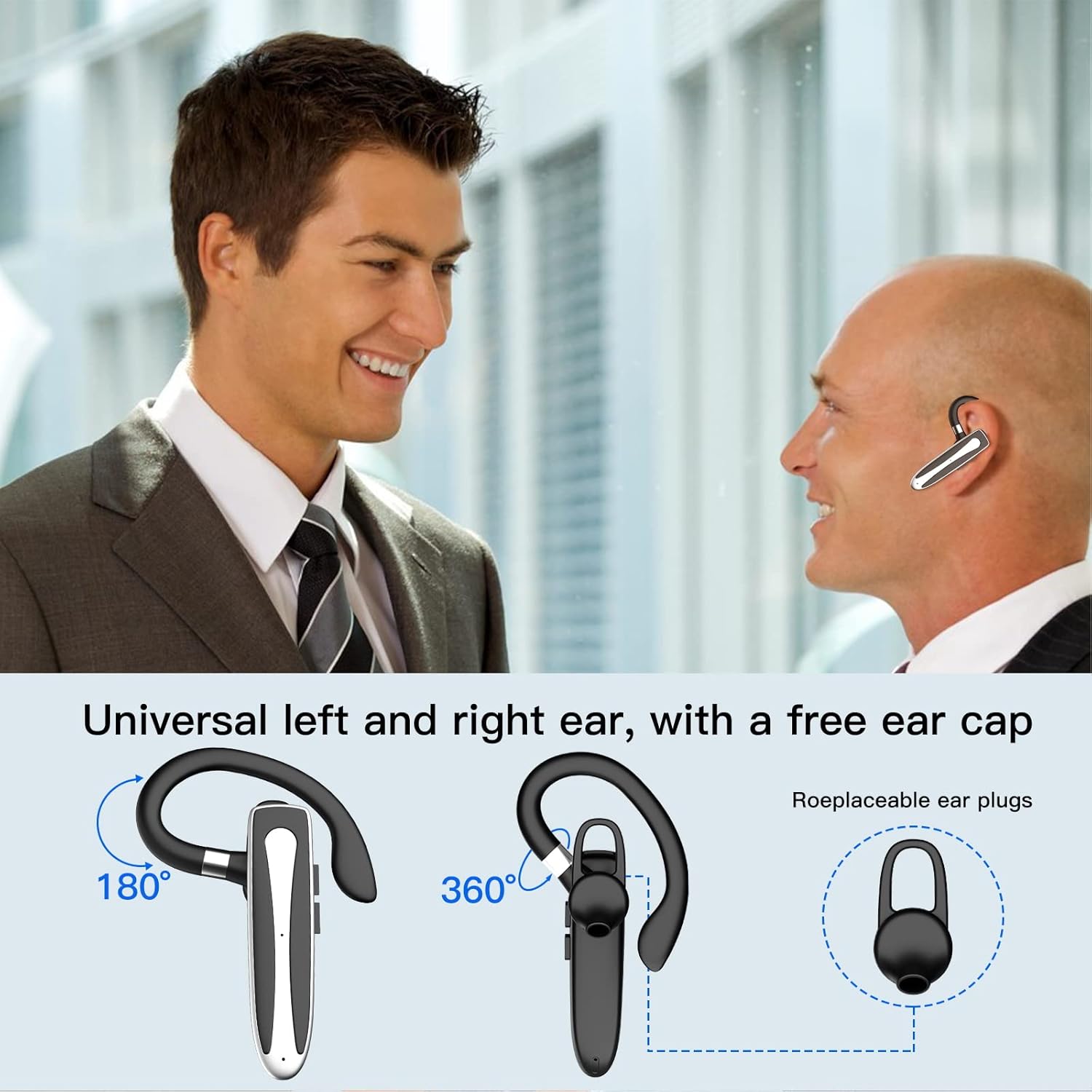
Image 3.2: Diagram illustrating the dual microphone noise reduction processing.
4. Konfiguracja
4.1 Ładowanie zestawu słuchawkowego i etui
Before first use, fully charge the headset and its charging case.
- Place the headset into the charging case.
- Connect the USB Type-C cable to the charging port on the case and to a power source (e.g., USB wall adapter, computer USB port).
- The charging indicator on the case will show charging status. A full charge typically takes 1.5 hours.

Image 4.1: The Type-C charging port on the charging case.

Image 4.2: Battery life and charging time information for the headset and case.
4.2 Parowanie z urządzeniem
Zestaw słuchawkowy wykorzystuje technologię Bluetooth 5.1 do połączenia bezprzewodowego.
- Włączanie: Take the headset out of the charging case, or press and hold the Multi-function Button until the indicator light flashes blue and red, indicating pairing mode.
- Aktywuj Bluetooth: Na swoim urządzeniu (smartfonie, tablecie itp.) przejdź do ustawień Bluetooth i włącz Bluetooth.
- Wybierz urządzenie: In the list of available devices, select "YYK-530".
- Potwierdź połączenie: Once connected, the headset indicator light will flash blue slowly, and your device will show "Connected".

Image 4.3: Illustration of optimal Bluetooth connection distance (within 10 meters).
4.3 Connecting to Two Devices Simultaneously
The headset supports connecting to two Bluetooth devices at the same time.
- Connect the headset to the first device (e.g., Phone A) as described in Section 4.2.
- Turn off Bluetooth on the first device. The headset will re-enter pairing mode.
- Connect the headset to the second device (e.g., Phone B) as described in Section 4.2.
- Turn on Bluetooth on the first device. The headset should automatically reconnect to both devices.
You can now answer calls or play music from either connected device.

Image 4.4: Step-by-step guide for connecting the headset to two devices.
4.4. Noszenie zestawu słuchawkowego
The headset is designed for comfortable wear on either the left or right ear.
- The earhook can rotate 360° vertically and 360° horizontally to fit your preferred angle.
- The retractable earhook can be adjusted to fit the shape of your ear.

Image 4.5: The headset's adjustable design for left or right ear wearing.
5. Instrukcja obsługi
5.1 Włączanie/wyłączanie zasilania
- Włączanie: Take the headset out of the charging case, or press and hold the Multi-function Button for approximately 3 seconds until the indicator light flashes blue.
- Wyłączone: Place the headset back into the charging case, or press and hold the Multi-function Button for approximately 5 seconds until the indicator light flashes red and then turns off.
5.2 Zarządzanie połączeniami
- Odbieranie/kończenie połączeń: Naciśnij przycisk wielofunkcyjny jeden raz.
- Odrzuć połączenie: Naciśnij i przytrzymaj przycisk wielofunkcyjny przez około 2 sekundy.
- Ponowne wybieranie ostatniego numeru: Naciśnij dwukrotnie przycisk wielofunkcyjny.
5.3 Odtwarzanie muzyki
- Odtwórz/Pauza: Naciśnij przycisk wielofunkcyjny jeden raz.
- Następny utwór: Naciśnij i przytrzymaj przycisk zwiększania głośności.
- Poprzedni utwór: Naciśnij i przytrzymaj przycisk zmniejszania głośności.
5.4 Regulacja głośności
- Zwiększ głośność: Naciśnij przycisk zwiększania głośności.
- Zmniejsz głośność: Naciśnij przycisk zmniejszania głośności.
5.5 Aktywacja asystenta głosowego
Aktywuj asystenta głosowego swojego urządzenia (Siri, Asystent Google) bezpośrednio z zestawu słuchawkowego.
- Aktywuj asystenta głosowego: Naciśnij przycisk wielofunkcyjny trzykrotnie.

Image 5.1: The headset supports activation of Siri and Google Assistant.
6. Konserwacja
- Clean the headset and charging case regularly with a soft, dry cloth.
- Unikaj narażania urządzenia na działanie ekstremalnych temperatur, wilgoci i substancji żrących.
- Store the headset in its charging case when not in use to protect it and keep it charged.
- Nie próbuj samodzielnie demontować ani naprawiać urządzenia. Skontaktuj się z obsługą klienta, aby uzyskać pomoc.
7. Rozwiązywanie Problemów
7.1 Zestaw słuchawkowy nie włącza się
- Ensure the headset is fully charged. Place it in the charging case and connect the case to a power source.
- Press and hold the Multi-function Button for 3-5 seconds to power on.
7.2 Nie można sparować z urządzeniem
- Ensure the headset is in pairing mode (indicator flashes blue and red).
- Wyłącz funkcję Bluetooth w urządzeniu, a następnie włącz ją ponownie.
- Ensure the headset is within 10 meters of your device and there are no significant obstacles.
- Wyczyść listę parowania Bluetooth na swoim urządzeniu i spróbuj sparować ponownie.
7.3 Brak dźwięku lub słaba jakość dźwięku
- Dostosuj głośność zarówno zestawu słuchawkowego, jak i podłączonego urządzenia.
- Sprawdź, czy zestaw słuchawkowy jest prawidłowo podłączony do urządzenia.
- Zbliż się do urządzenia, aby upewnić się, że jesteś w zasięgu Bluetooth.
- Sprawdź, czy nie występują zakłócenia ze strony innych urządzeń bezprzewodowych.
8. Specyfikacje
| Funkcja | Specyfikacja |
|---|---|
| Nazwa modelu | YYK-530 |
| Marka | Obbug |
| Technologia łączności | Bezprzewodowy (Bluetooth) |
| Wersja Bluetooth | 5.1 |
| Zasięg Bluetooth | Do 33 stóp (10 metrów) |
| Kontrola hałasu | Sound Isolation (CVC8.0 Noise Reduction) |
| Kształt słuchawki | Hak na ucho |
| Czas pracy baterii (zestaw słuchawkowy) | 5 godziny (w przybliżeniu) |
| Czas pracy baterii (z etui ładującym) | Do 80 godziny (w przybliżeniu) |
| Czas ładowania | 1.5 godzin |
| Port ładowania | USB typu C |
| Poziom wodoodporności | Wodoodporny |
| Waga przedmiotu | 4.9 uncji (0.14 kilograma) |
| Zakres częstotliwości | 20Hz - 20,000Hz |
| Kompatybilne urządzenia | Cellphones, Desktops, Laptops, Telephones |

Image 8.1: The headset is compatible with a wide range of Bluetooth-enabled devices.
9. Gwarancja i obsługa klienta
The Obbug Bluetooth Headset comes with a 1-month replacement warranty.
For any questions, issues, or support needs, please contact our customer service. We offer 24-hour customer service to assist you.
Szczegółowe dane kontaktowe znajdziesz w dokumentacji zakupu.