
1. Wprowadzenie
Thank you for choosing the MAJORITY Quadriga Internet Radio with CD Player. This device offers a comprehensive audio experience, combining traditional and modern listening options. Enjoy access to thousands of internet radio stations, DAB+ and FM broadcasts, CD playback, Bluetooth streaming, Spotify Connect, and podcasts. With its powerful 120W 2.1 stereo sound and integrated subwoofer, the Quadriga delivers rich and clear audio.

Obraz: Przód view of the MAJORITY Quadriga Internet Radio with CD Player.
2. Instrukcje bezpieczeństwa
- Przed użyciem należy uważnie przeczytać wszystkie instrukcje i zachować je do wykorzystania w przyszłości.
- Nie narażaj urządzenia na działanie kapiących lub rozpryskujących się płynów.
- Zapewnij odpowiednią wentylację wokół urządzenia. Nie blokuj żadnych otworów wentylacyjnych.
- Nie umieszczaj urządzenia w pobliżu źródeł ciepła, takich jak grzejniki, kratki wentylacyjne, piece lub inne urządzenia (w tym amp(lifiers) wytwarzające ciepło.
- Chroń przewód zasilający przed deptaniem i przytrzaśnięciem, zwłaszcza przy wtyczkach, gniazdkach i miejscach, w których wychodzi z urządzenia.
- Stosować wyłącznie dodatki/akcesoria wskazane przez producenta.
- Odłączaj urządzenie od zasilania podczas burzy z piorunami lub jeśli nie jest używane przez dłuższy czas.
- Wszelkie czynności serwisowe należy powierzyć wykwalifikowanemu personelowi serwisowemu. Serwis jest wymagany, gdy urządzenie zostało w jakikolwiek sposób uszkodzone.
3. Co znajduje się w pudełku
Carefully unpack your MAJORITY Quadriga and ensure all items listed below are present:
- 1x MAJORITY Quadriga Unit
- 1x Kabel zasilający
- 1x Pilot zdalnego sterowania
- Kabel 1x AUX
- 1x antena RF
- 2 baterie AAA (do pilota)
- 1x Instrukcja obsługi

Image: All components included in the MAJORITY Quadriga package.
4. Koniec produktuview
4.1 Panel przedni
The front panel features the main display, control knob, function buttons, and CD slot.

Obraz: Szczegółowy view of the front panel controls and display.
4.2 Panel tylny
The rear panel provides various connectivity options for external devices and the antenna connection.
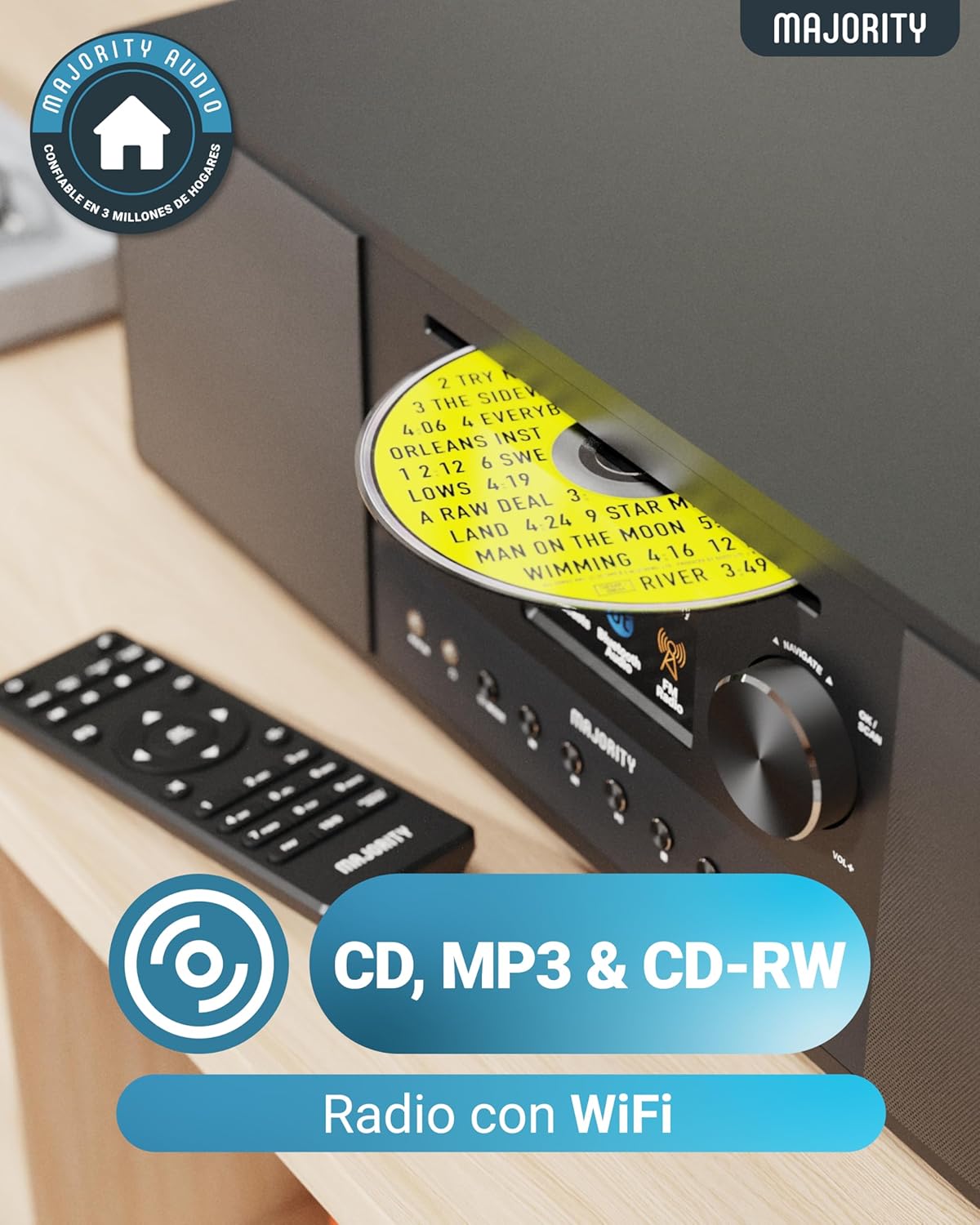
Image: Rear panel with input/output ports and antenna connector.
4.3 Pilot zdalnego sterowania
The included remote control allows convenient operation of all functions from a distance.

Image: The remote control unit.
5. Konfiguracja
5.1 Rozpakowywanie i umieszczanie
Remove the unit from its packaging. Place the Quadriga on a stable, flat surface away from direct sunlight, heat sources, and moisture. Ensure there is sufficient space around the unit for proper ventilation.
5.2 Podłączanie zasilania
Connect the power cable to the DC IN port on the rear of the unit, then plug the other end into a wall socket.
5.3 Connecting Antenna
For optimal DAB+ and FM reception, connect the supplied RF antenna to the DAB/FM ANTENNA port on the rear panel. Extend the antenna fully for best signal.
5.4 Konfiguracja początkowa i połączenie sieciowe
Upon first power-on, the unit will guide you through an initial setup process. This typically includes:
- Wybór języka: Wybierz preferowany język z menu ekranowego.
- Ustawienia sieci: The unit will scan for available Wi-Fi networks. Select your network and enter the password using the control knob and buttons. A stable internet connection is required for Internet Radio, Spotify Connect, and podcast features.
- Czas i data: Set the correct time and date, or allow the unit to synchronize automatically via the internet.
6. Instrukcja obsługi
6.1 Podstawowe sterowanie
- Przycisk zasilania: Naciśnij, aby włączyć lub wyłączyć urządzenie.
- Pokrętło sterujące: Rotate to navigate menus and adjust volume. Press to confirm selections.
- Przycisk trybu: Press to cycle through available modes (Internet Radio, DAB+, FM, CD, Bluetooth, USB, AUX, Optical, RCA).
- Zaprogramowane przyciski: Use to save and recall your favorite radio stations.
6.2 Radio internetowe
Select 'Internet Radio' mode. You can browse stations by location, genre, or search for specific stations. Save your favorite stations to presets for quick access.

Image: The Quadriga unit highlighting its radio capabilities.
Radio 6.3 DAB+
Switch to 'DAB+' mode. The unit will automatically scan for available digital radio stations. Use the control knob to select a station from the list.
6.4 Radio FM
Select 'FM' mode. You can manually tune to frequencies or perform an auto-scan to find available stations.
6.5 Tryb Bluetooth
Select 'Bluetooth' mode. The unit will enter pairing mode. On your smartphone or other Bluetooth device, search for 'MAJORITY Quadriga' and connect. Once paired, you can stream audio wirelessly.

Image: The Quadriga unit showcasing Bluetooth and Spotify features.
6.6 Odtwarzanie płyt CD
Insert a CD into the CD slot on the front panel. The unit will automatically switch to 'CD' mode and begin playback. Supports CD, CD-R, and CD-RW discs.

Image: Close-up of the CD player slot with a disc inserted.
6.7 Odtwarzanie USB
Insert a USB drive into the USB port on the rear panel. Select 'USB' mode. The unit will display the contents of the USB drive, allowing you to browse and play audio files.
6.8 AUX, RCA, and Optical Input
Connect external audio devices using the appropriate cables to the AUX IN, RCA IN, or OPTICAL IN ports on the rear panel. Select the corresponding input mode on the Quadriga to play audio from the connected device.
6.9 Połącz Spotify
To use Spotify Connect, ensure your Quadriga is connected to the internet and you have a Spotify Premium account. Open the Spotify app on your smartphone or tablet, play music, and select the Quadriga from the 'Devices Available' list. This allows direct streaming over Wi-Fi for superior sound quality.
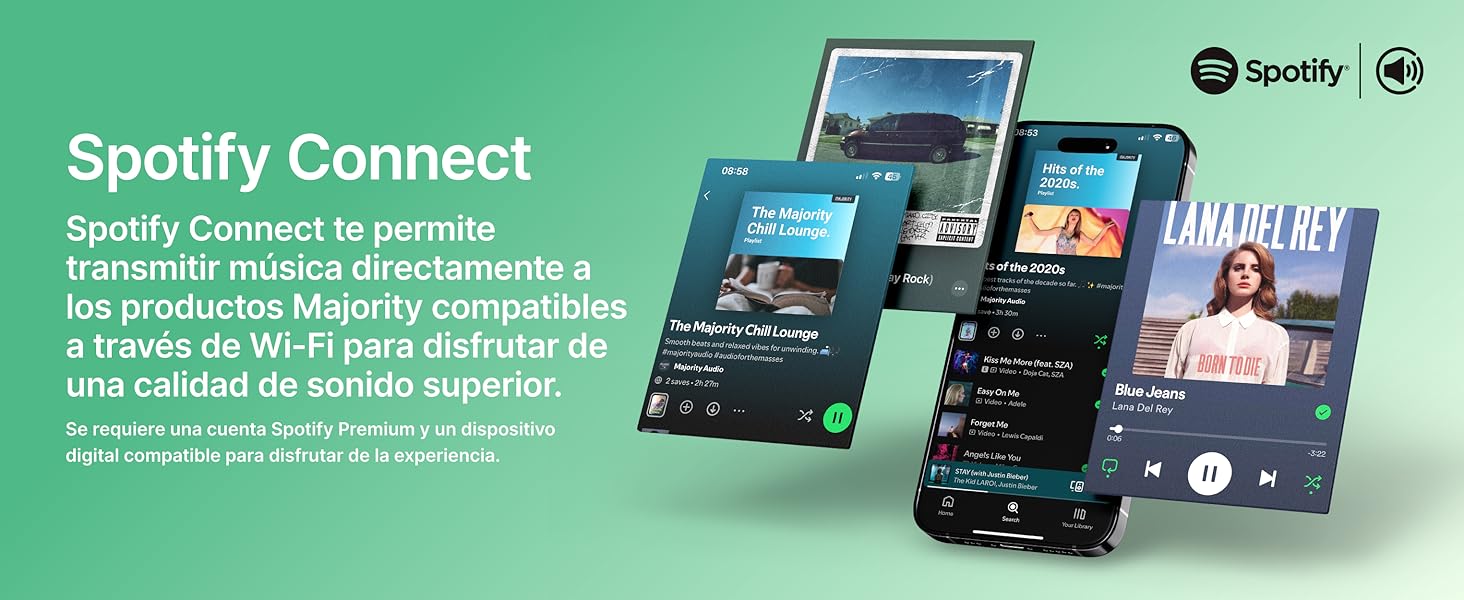
Image: Visual guide to using Spotify Connect with the Quadriga.
6.10 Podcasty
In 'Internet Radio' mode, navigate to the 'Podcasts' section. You can browse and listen to a wide variety of podcasts from around the world.
6.11 Kontrola aplikacji OKTIV
The OKTIV app allows wireless control of your Majority product via Wi-Fi, enabling you to adjust settings and manage music from anywhere in your home. The app is compatible with iOS and Android devices.
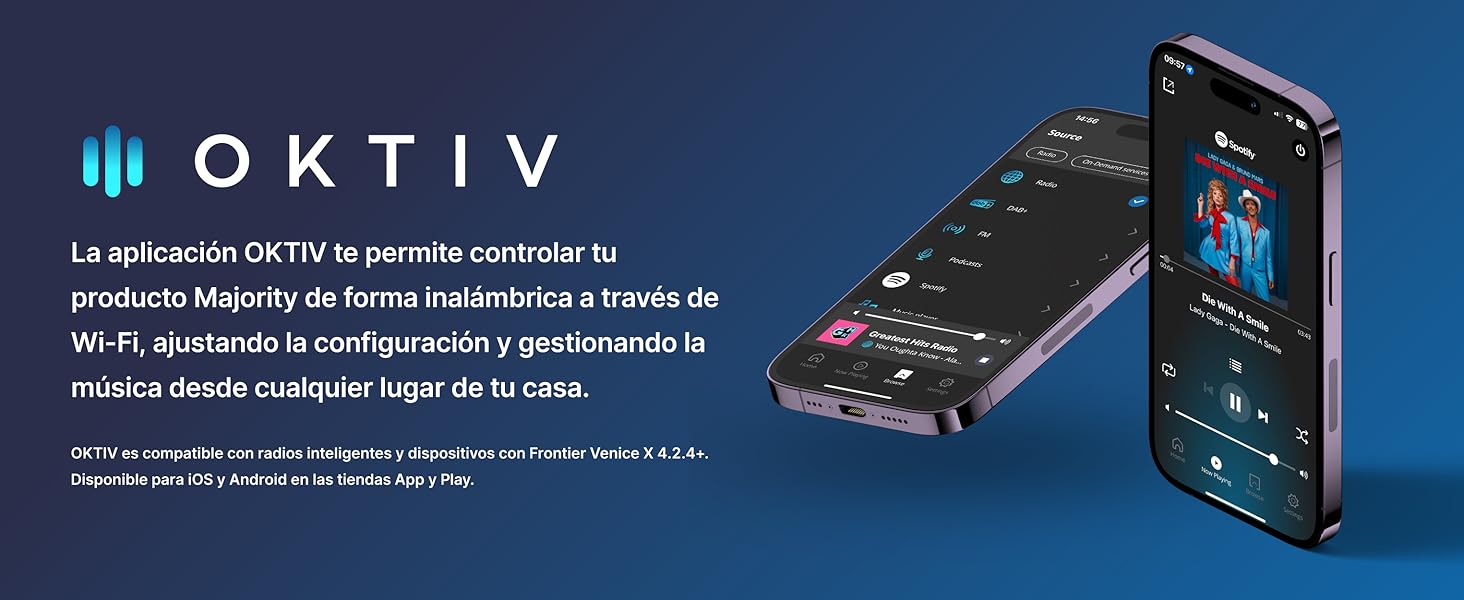
Image: Smartphones displaying the OKTIV app for remote control.
7. Konserwacja
- Czyszczenie: Do czyszczenia urządzenia należy używać miękkiej, suchej ściereczki. Nie należy używać środków czyszczących o właściwościach ściernych ani rozpuszczalników.
- Pielęgnacja odtwarzacza CD: Handle CDs by the edges to avoid fingerprints. If the CD player experiences reading errors, try cleaning the disc with a soft, lint-free cloth.
- Wentylacja: Aby zapobiec przegrzaniu, należy upewnić się, że otwory wentylacyjne są wolne od kurzu i zanieczyszczeń.
8. Rozwiązywanie Problemów
| Problem | Możliwa przyczyna | Rozwiązanie |
|---|---|---|
| Brak zasilania | Power cable not connected; Wall socket faulty | Check power cable connection; Try a different wall socket. |
| Brak dźwięku | Volume too low; Incorrect input mode selected; Mute activated | Increase volume; Select correct input mode; Deactivate mute. |
| Słaby odbiór radia | Antenna not extended; Weak signal; Interference | Extend antenna fully; Reposition the unit; Move away from other electronic devices. |
| Nie można połączyć się z siecią Wi-Fi | Nieprawidłowe hasło; Router jest za daleko; Problem z siecią | Verify Wi-Fi password; Move unit closer to router; Restart router. |
| Płyta CD nie odtwarza się/nie odczytuje | Disc dirty/scratched; Disc type not supported | Clean the CD; Ensure it is a supported CD, CD-R, or CD-RW. |
9. Specyfikacje
- Model: Kwadryga
- Wymiary (dł. x szer. x wys.): Wymiary 43 x 27 x 12.8 cm
- Waga: 5.4 kilogramów
- Moc wyjściowa audio: 120W (2.1 Stereo with Subwoofer)
- Łączność: Wi-Fi, Bluetooth, Ethernet
- Tuner radiowy: Radio internetowe, DAB+, FM
- Kompatybilność płyt: Płyta CD, płyta CD-R, płyta CD-RW
- Wejścia: AUX (3.5mm), RCA, Optical, USB
- Cechy szczególne: Spotify Connect, Podcasts
- Źródło zasilania: Przewodowa sieć elektryczna (240 V)
- Typ wyświetlacza: LCD
- Tworzywo: Plastikowy

Obraz: View of the integrated subwoofer and 120W audio output.
10. Gwarancja
The MAJORITY Quadriga comes with a 3-letnia rozszerzona gwarancja. Product registration may be required to activate the full warranty period. Please refer to the warranty card included in your package or visit the official MAJORITY website for detailed terms and conditions regarding warranty claims and registration.
11. Wsparcie
For further assistance, technical support, or to access additional resources, please visit the official MAJORITY website. You can find FAQs, updated manuals, and contact information for customer service there.
Webstrona: www.większość.pl


