
Nitho MLT-EXAG-K
NiTHO HEXAGON Wireless RGB Controller User Manual
Model: MLT-EXAG-K
1. Wprowadzenie
The NiTHO HEXAGON Wireless RGB Controller is designed for an enhanced gaming experience across multiple platforms. This manual provides detailed instructions for setting up, operating, customizing, and maintaining your controller. Please read this manual thoroughly before use to ensure optimal performance and longevity of your device.

Figure 1: NiTHO HEXAGON Wireless RGB Controller showcasing jego ergonomicznej konstrukcji.
2. Co znajduje się w pudełku
Sprawdź, czy w opakowaniu znajdują się wszystkie komponenty:
- NiTHO HEXAGON Wireless RGB Controller (Gamepad)
- Kabel ładujący USB
- Instrukcja obsługi
- Customizable Parts (D-pads, Thumbsticks, Triggers)
3. Zgodność
The NiTHO HEXAGON Wireless RGB Controller offers broad compatibility:
- PlayStation 4 (PS4): Fully compatible.
- PlayStation 5 (PS5): Compatible only when playing PlayStation 4 games.
- Komputer (Windows): Compatible via wireless connection.
- Urządzenia z systemem Android: Compatible via wireless connection.
- Urządzenia iOS: Compatible via wireless connection.
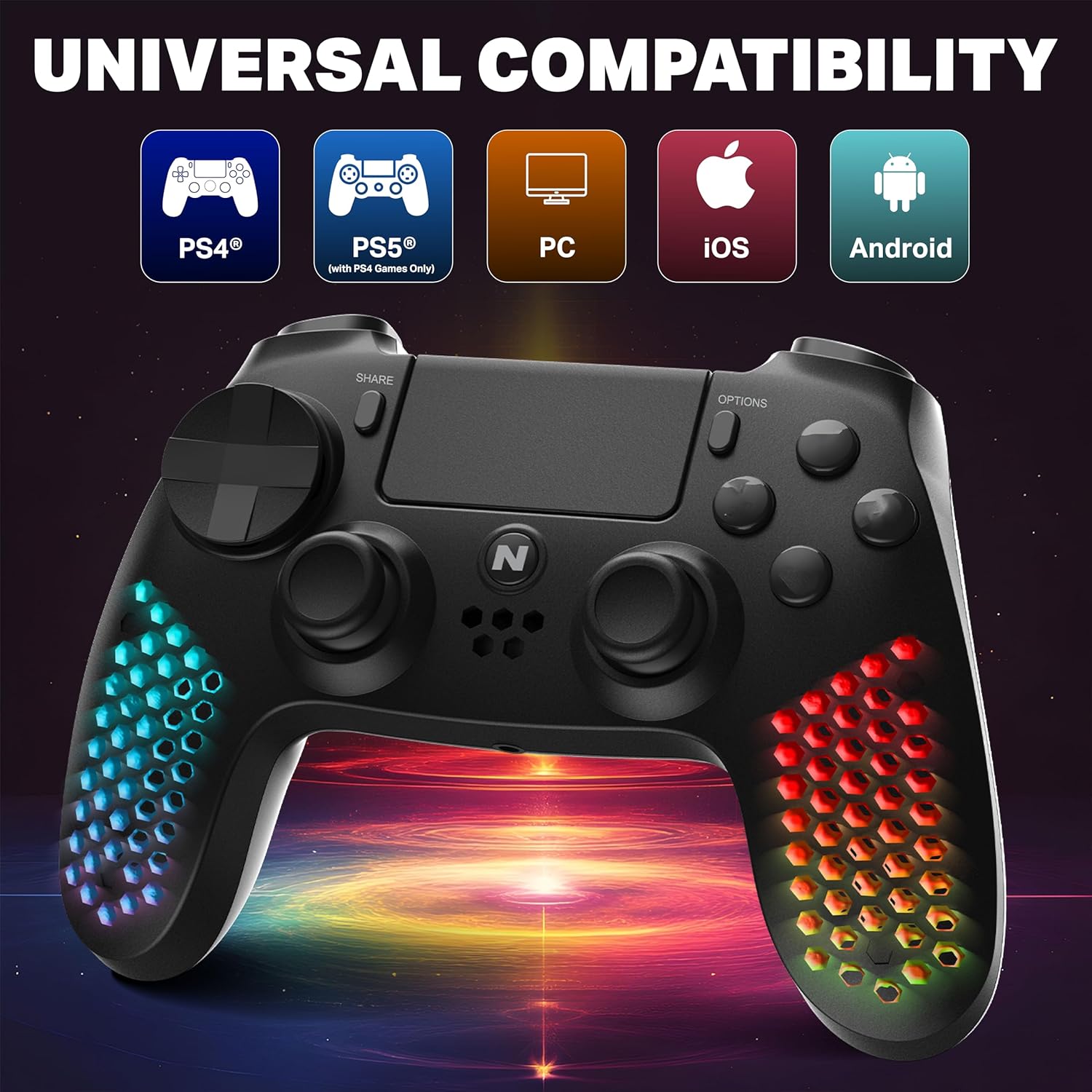
Figure 2: Visual representation of the controller's multi-platform compatibility.
4. Konfiguracja i połączenie
4.1 Initial Pairing (Wireless)
- Sprawdź, czy kontroler jest odpowiednio naładowany.
- For PS4/PS5 (PS4 games): Connect the controller to the console using the provided USB cable. Press the PS button on the controller. Once paired, you can disconnect the cable for wireless use.
- For PC/Android/iOS: Activate Bluetooth on your device. Put the controller into pairing mode (refer to device-specific instructions, usually holding a combination of buttons like PS + Share). Select "NiTHO HEXAGON Controller" from the available Bluetooth devices.
4.2 Połączenie przewodowe
Connect the controller directly to your console or PC using the USB charging cable. The controller will function as a wired device and charge simultaneously.
5. Obsługa kontrolera
5.1 Podstawowe sterowanie
The controller features standard gamepad buttons, analog sticks, and triggers. Refer to your game's instructions for specific button mappings.
5.2 Funkcjonalność touchpada
The integrated multi-touch and clickable touchpad functions as a navigation and input device in compatible PS4 games.

Figure 3: Demonstrating the use of the controller's multi-touch pad.
5.3 Motion Sensing and Vibration
The built-in 6-axis motion sensor (accelerometer and gyroscope) detects the controller's movement, tilt, and rotation, providing immersive gameplay. The lightweight vibration system offers realistic feedback during gameplay.

Figure 4: Illustration of the controller's 6-axis motion sensing capability.

Figure 5: Controller in use, highlighting the vibration mode for realistic feedback.
5.4 Funkcje audio
The controller includes a built-in speaker for in-game audio cues and a stereo headset jack for connecting headphones or a headset for private audio and voice chat.
6. Personalizacja
The NiTHO HEXAGON controller offers customizable components to suit your gaming style:
- Detachable L2/R2 Trigger Sets: Swap out the triggers for different tactile feedback.
- Two Types of D-pads: Choose the D-pad that best fits your preference for directional input.
- Three Styles of Thumbsticks: Select from various thumbstick shapes for optimal grip and control.
To change a component, gently pull the existing part off and align the new part with the slot, then push it firmly into place until it clicks.

Rysunek 6: Koniecview of the customizable parts for the controller, including analog sticks, triggers, and D-pad.
7. Efekty świetlne RGB
The hexagonal grip features integrated RGB lighting with multiple modes and colors:
- 4 tryby oświetlenia: Rainbow, Carousel, Breathe, Fixed.
- 8 opcje kolorów: Cycle through various colors to match your preference.
Press the dedicated RGB button (location may vary, refer to controller diagram if available) to cycle through the lighting modes and colors.
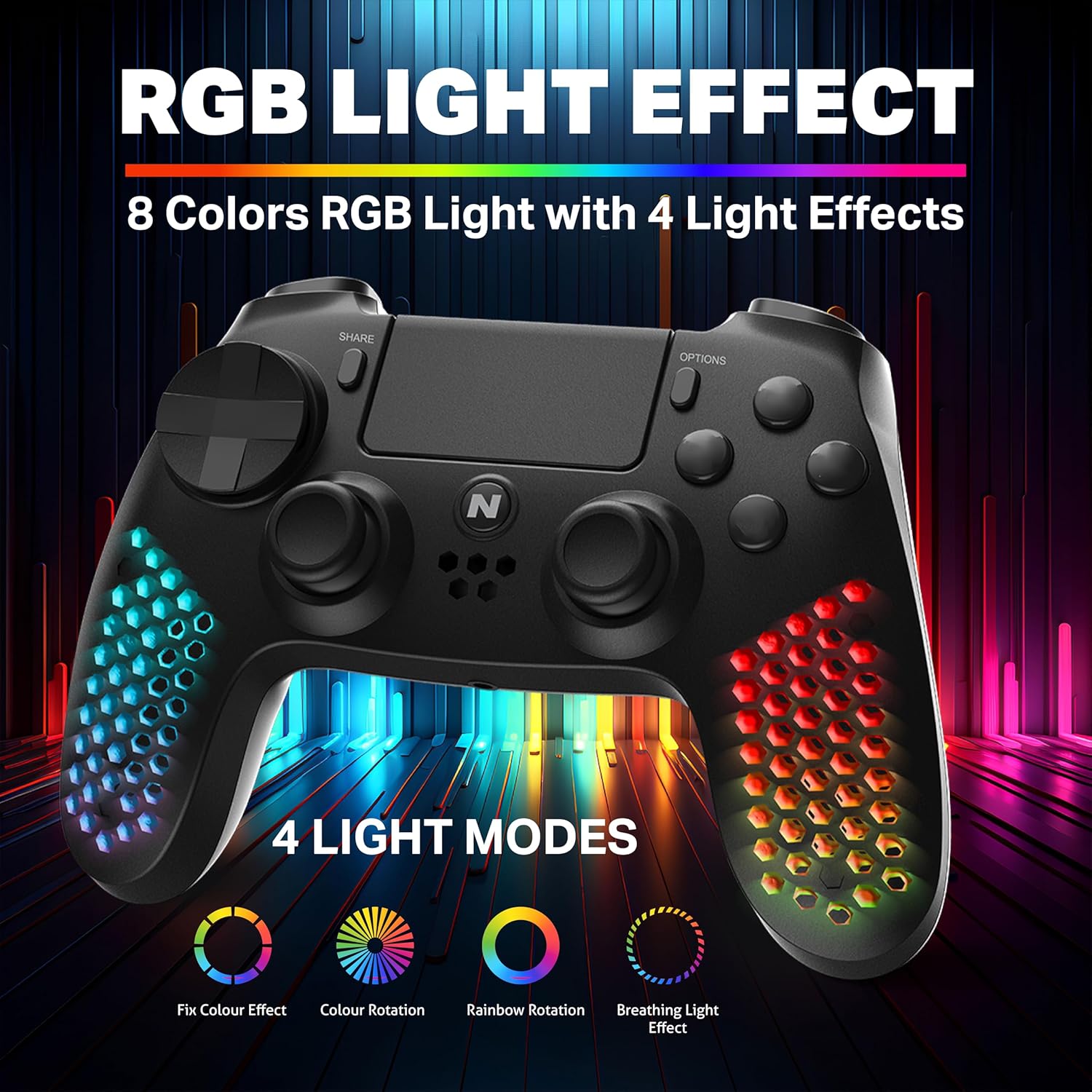
Figure 7: The controller showcasing its RGB light effects with different modes and colors.
8. Ładowanie kontrolera
The controller is equipped with a high-capacity built-in rechargeable battery, providing up to 9 hours of playtime on a single charge.
8.1 Procedura ładowania
- Connect the provided USB charging cable to the USB-C port on the controller.
- Plug the other end of the USB cable into your console, PC, or any standard USB charger.
- The front LED indicator on the controller will show the charging status. It will typically change color or pattern to indicate charging and full charge.

Figure 8: The controller connected for charging, highlighting its large battery capacity.
9. Konserwacja
- Kontroler należy utrzymywać w czystości, przecierając go miękką, suchą ściereczką.
- Unikaj wystawiania kontrolera na działanie ekstremalnych temperatur, wilgoci lub bezpośredniego światła słonecznego.
- Do not attempt to disassemble the controller, as this may void the warranty.
- Gdy nie używasz kontrolera, przechowuj go w bezpiecznym miejscu, aby zapobiec jego uszkodzeniu.
10. Rozwiązywanie Problemów
| Problem | Możliwe rozwiązanie |
|---|---|
| Kontroler nie włącza się. | Upewnij się, że kontroler jest w pełni naładowany. Podłącz go do źródła zasilania za pomocą kabla USB. |
| Controller does not pair wirelessly. | Ensure the controller is in pairing mode. Check your device's Bluetooth settings. Try re-pairing by connecting with a USB cable first. |
| Opóźnienie wejściowe lub brak reakcji przycisków. | Ensure the controller is fully charged. Move closer to the console/device to reduce interference. Try a wired connection to rule out wireless issues. |
| Oświetlenie RGB nie działa. | Press the RGB button to cycle through modes. Ensure the controller is powered on. |
11. Specyfikacje
| Funkcja | Szczegół |
|---|---|
| Numer modelu | MLT-EXAG-K |
| Wymiary produktu (dł. x szer. x wys.) | 17.5 x 7.5 x 12 centymetrów |
| Waga przedmiotu | 270 gramów |
| Typ baterii | 1 bateria typu C (w zestawie) |
| Kraj pochodzenia | Chiny |
| Producent | MTM Industrial Sp. z o.o. |
| Łączność | Wireless (Bluetooth), USB-C Wired |
| Cechy specjalne | RGB LED Lights, Vibration, 6-Axis Motion Sensor, Touchpad, Detachable Triggers, Interchangeable D-Pad & Thumbsticks, Built-in Speaker, Stereo Headset Jack |
12. Informacje o gwarancji
The NiTHO HEXAGON Wireless RGB Controller is covered by a 1-roczna ograniczona gwarancja from the date of purchase. This warranty protects against defects in materials and workmanship.
Gwarancja nie obejmuje szkody powstałe w wyniku:
- Nadużywanie
- Wypadki
- Nieautoryzowane modyfikacje
Dowód zakupu jest wymagany w przypadku wszystkich roszczeń gwarancyjnych.
13. Wsparcie
If you encounter any issues or have questions regarding your NiTHO HEXAGON Wireless RGB Controller, please contact our customer support team:
- E-mail: wsparcie@nitho.com
We are committed to providing excellent customer service and will assist you in resolving any product-related concerns.