
Wstęp
The FEITIAN BioPass K26 Plus is a USB security key designed for robust multi-factor authentication. It integrates FIDO2 specifications and PIV capabilities, offering a secure and convenient way to protect your digital accounts. This device utilizes biometric fingerprinting for enhanced security, helping to prevent unauthorized access and account takeovers. It is compatible with various platforms and services that support FIDO2 and FIDO U2F standards.
This manual provides essential information for setting up, operating, and maintaining your FEITIAN K26 Plus security key.
Produkt ponadview
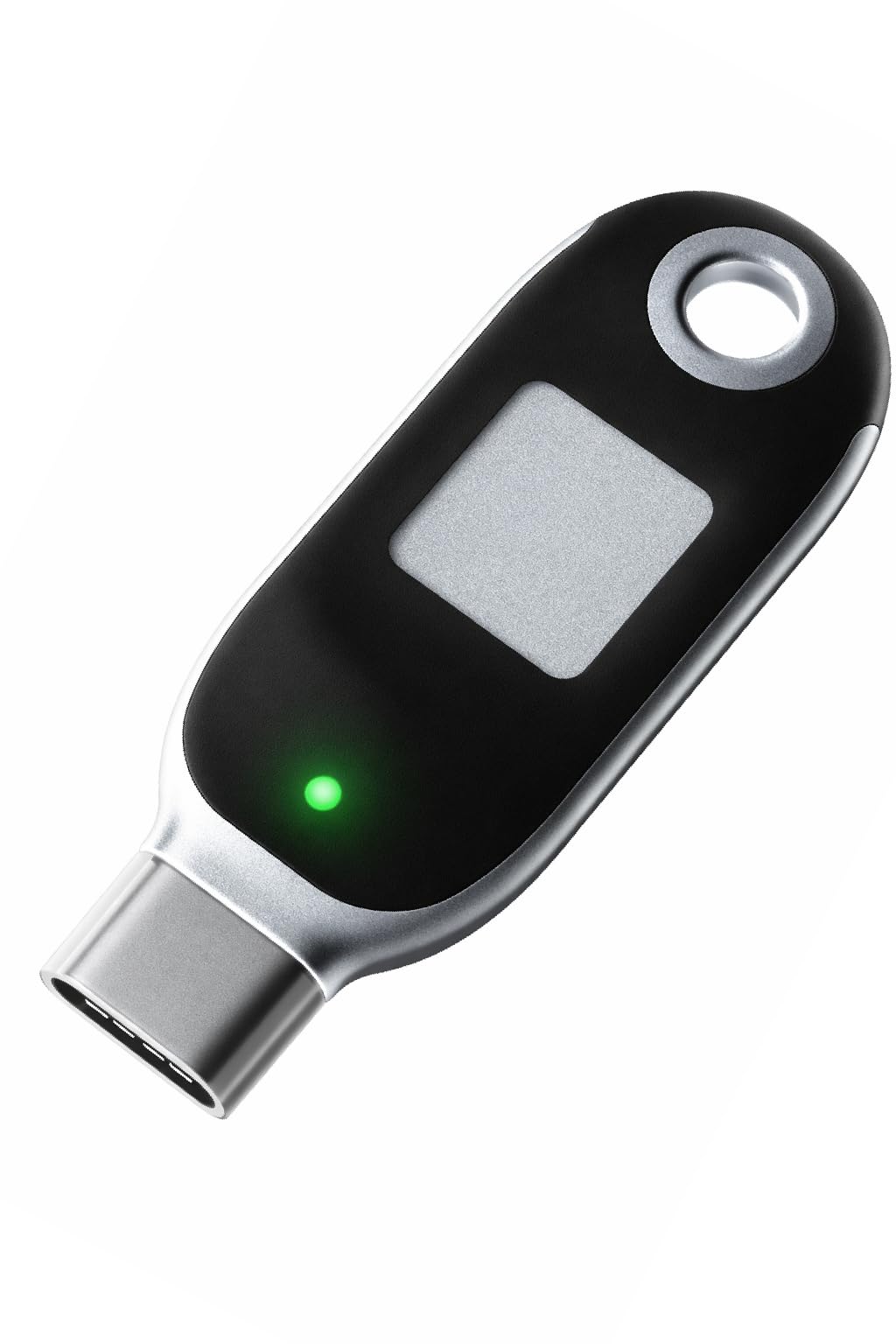
Rysunek 1: FEITIAN K26 Plus USB Security Key. This image shows the FEITIAN K26 Plus USB Security Key. It features a USB-C connector on the left, a green LED indicator, a square fingerprint sensor in the center, and a circular keyring hole on the right. The device has a black body with silver accents.
The FEITIAN K26 Plus security key is a compact device featuring a USB-C connector for broad compatibility. It includes a built-in fingerprint sensor for biometric authentication and an LED indicator for status feedback. The design also incorporates a keyring hole for portability.
Instrukcje konfiguracji
- Download Fingerprint Registration Application: Before using the biometric features, download the necessary fingerprint registration application from the official FEITIAN webStrona. Odwiedzać FEITIAN's Official Webstrona for software and detailed instructions.
- Connect the Security Key: Insert the FEITIAN K26 Plus into an available USB-C port on your computer or compatible device.
- Zarejestruj odciski palców: Follow the on-screen instructions provided by the downloaded application to enroll your fingerprints. You will typically be prompted to place your finger on the sensor multiple times from different angles to ensure accurate recognition.
- Zarejestruj się w serwisie: Once your fingerprints are enrolled, you can register the security key with various online services (e.g., Google, Microsoft, Twitter, Salesforce) that support FIDO2 or FIDO U2F. During the service's security setup, you will be guided to use your security key.
Ważny: Ensure you enroll multiple fingers for convenience and as a backup. Your fingerprint data is securely stored within the key's module and is not revealed externally.
Instrukcja obsługi
To use your FEITIAN K26 Plus for authentication:
- Rozpocznij logowanie: When logging into a compatible service or application, proceed with your username and password (if required).
- Prompt for Security Key: The service will prompt you to use your security key for two-factor authentication.
- Touch Fingerprint Sensor: Place your enrolled finger on the fingerprint sensor of the FEITIAN K26 Plus when prompted. The green LED indicator will typically illuminate during this process.
- Dostęp przyznany: Upon successful fingerprint verification, access to your account will be granted.
The security key simplifies the authentication process, replacing complex passwords or one-time codes with a simple touch.
Funkcje i kompatybilność
Główne cechy:
- Pierwszy klucz bezpieczeństwa FIDO2 z uwierzytelnianiem biometrycznym (odcisk palca).
- Dane odcisków palców są przechowywane i dopasowywane wewnątrz modułu klucza i nigdy nie zostaną ujawnione.
- Obsługuje FIDO2 (WebAuthn and CTAP) and FIDO U2F standards.
- Includes PIV capabilities.
- NIST-FIPS 140-2 compliant.
- Supports up to 50 maximum residential credentials.
- Allows up to 32 maximum fingerprint templates.
- Advanced cryptographic algorithms: RSA 1024, RSA 2048, ECC P256, ECC P384, AES, ECDSA, SHA256.
- Kompaktowa i lekka konstrukcja.
Zgodność:
The FEITIAN K26 Plus is compatible with a wide range of services and platforms, including:
- Windows Log-In
- Konta Google
- Microsoft Accounts
- Microsoft Azure Entra ID
- Usługa Microsoft Active Directory
- Świergot
- Sprzedaż
- Zoho
- Dropbox
- DUO Security
- Baza monet
- Bank of America
- Okta
- Ping Identity
- eBay
- And many other webwitryny, aplikacje, komputery, laptopy i urządzenia akceptujące klucze bezpieczeństwa USB.
Konserwacja
To ensure the longevity and optimal performance of your FEITIAN K26 Plus security key, follow these maintenance guidelines:
- Zachowaj czystosc: Regularly wipe the fingerprint sensor and the device body with a soft, dry, lint-free cloth. Avoid using abrasive cleaners or solvents.
- Chroń przed elementami: Keep the security key away from water, excessive moisture, extreme temperatures, and direct sunlight.
- Unikaj uszkodzeń fizycznych: Do not drop, bend, or apply excessive force to the device. Protect the USB-C connector from dust and debris when not in use.
- Przechowywać bezpiecznie: When not in use, store the key in a safe place where it won't be damaged or lost. The keyring hole allows for attachment to a keychain for convenience.
Rozwiązywanie problemów
If you encounter issues with your FEITIAN K26 Plus, consider the following troubleshooting steps:
- Odcisk palca nie został rozpoznany:
- Upewnij się, że twój palec jest czysty i suchy.
- Umieść palec mocno i dokładnie na czujniku.
- Try a different enrolled finger.
- Re-enroll your fingerprints if recognition issues persist, ensuring you capture various angles.
- Key Not Detected by Device/Computer:
- Sprawdź, czy klucz jest całkowicie włożony do portu USB-C.
- Wypróbuj inny port USB-C w swoim urządzeniu.
- Test the key on another computer or device to rule out a port issue.
- Uruchom ponownie komputer lub urządzenie.
- Login Issues with Specific Services:
- Verify that the service you are trying to access fully supports FIDO2 or FIDO U2F and that the key is properly registered with that service.
- Check the service's support documentation for specific security key setup instructions.
- Ensure your browser is up to date and supports FIDO standards.
- Problemy z oprogramowaniem/sterownikami:
- Ensure you have the latest fingerprint management application and drivers installed from the official FEITIAN webstrona.
For further assistance, refer to the official FEITIAN support resources.
Specyfikacje
| Atrybut | Wartość |
|---|---|
| Nazwa modelu | BioPass K26 Plus |
| Wymiary produktu (Gł. x Szer. x Wys.) | 2" x 0.73" x 0.28" (5.08 cm x 1.85 cm x 0.71 cm) |
| Waga przedmiotu | 0.212 uncji (6 grama) |
| Technologia łączności sprzętowej | USB typu C |
| Typ pamięci flash | USB |
| Marka | FeiTian |
| Funkcja specjalna | Kompaktowy, lekki |
| Kolor | Czarny |
| Producent | Feitian Technologies Co., Ltd. |
Gwarancja i wsparcie
For detailed warranty information, technical support, and the latest software downloads, please visit the official FEITIAN website. The user manual in PDF format can be downloaded from: http://download.ftsafe.com/files/FIDO/Manual/BioPass%20FIDO2%20Manual.pdf
FEITIAN Technologies is committed to providing secure and reliable authentication solutions. If you experience issues not covered in this manual, please contact FEITIAN customer support through their official channels.


