
Wstęp
This manual provides essential information for the installation, operation, and maintenance of your Hikvision DS-2CD1043G0-IUF 4MP IP Bullet Camera. Please read it thoroughly before using the product to ensure correct and safe operation.
The Hikvision DS-2CD1043G0-IUF is a 4-megapixel IP bullet camera designed for both indoor and outdoor surveillance. It features a 2.8mm lens, built-in microphone, 30-meter night vision, and Power over Ethernet (PoE) capability for simplified installation.
Informacje dotyczące bezpieczeństwa
- Upewnij się, że napięcie zasilaniatage jest poprawne przed podłączeniem kamery.
- Do not expose the camera to extreme temperatures, dust, or moisture.
- Avoid pointing the lens directly at strong light sources.
- Use only Hikvision-approved accessories.
- Wszelkie prace serwisowe powierzaj wykwalifikowanemu personelowi.
Zawartość opakowania
Sprawdź, czy wszystkie przedmioty są obecne i w dobrym stanie:
- Hikvision DS-2CD1043G0-IUF IP Bullet Camera
- Śruby montażowe i kołki ścienne
- Wodoodporne złącze do kabla sieciowego
- Szybki przewodnik (jeśli dotyczy)
Produkt ponadview
The DS-2CD1043G0-IUF camera features a robust metal enclosure, suitable for various environments.
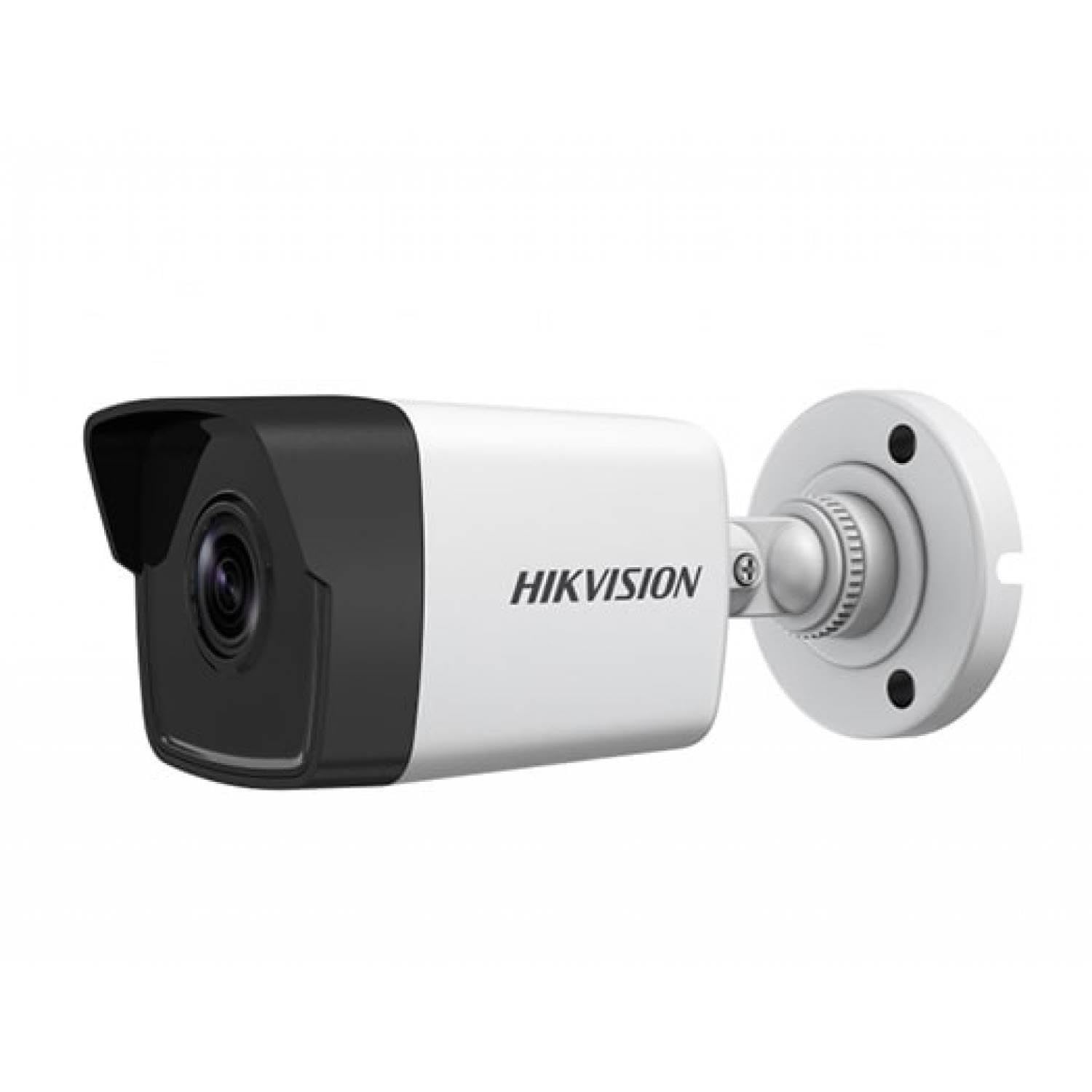
Figure 1: Hikvision DS-2CD1043G0-IUF 4MP IP Bullet Camera. This image shows the front view of the bullet-style camera, highlighting its lens and robust casing.
Kluczowe komponenty:
- Obiektyw: Obiektyw stałoogniskowy 2.8 mm do zdjęć szerokokątnych viewing.
- Diody podczerwieni: Do widzenia w nocy do 30 metrów.
- Mikrofon: Built-in for audio capture.
- Port sieciowy (RJ45): Supports Power over Ethernet (PoE).
- Pobór mocy: For optional 12V DC power supply (if not using PoE).
Organizować coś
1. Montaż kamery
The camera is designed for both indoor and outdoor use and has an IP67 waterproof rating. Choose a suitable location that provides the desired surveillance coverage.
- Mark the positions for drilling using the provided mounting template (if included).
- W przypadku montażu na murze wywierć otwory wstępne i włóż kołki rozporowe.
- Przymocuj podstawę kamery do powierzchni montażowej za pomocą dołączonych śrub.
- Dostosuj kąt kamery, aby uzyskać optymalny viewing.
2. Zasilanie i połączenie sieciowe
The camera supports Power over Ethernet (PoE) for simplified installation, allowing both power and data to be transmitted over a single Ethernet cable. Alternatively, it can be powered via a 12V DC power adapter (sold separately).
- Połączenie PoE: Connect an Ethernet cable from a PoE-enabled switch or NVR to the camera's network port.
- Połączenie bez PoE: Connect a 12V DC power adapter to the camera's power input and an Ethernet cable from your router/switch to the camera's network port.
- Use the waterproof connector for the network cable when installing outdoors to protect against moisture.
3. Wstępna konfiguracja
After connecting the camera, you will need to activate and configure it using the Hikvision client software or mobile application.
- Download and install the Hik-Connect app or iVMS-4200 client software on your device.
- Ensure your device is on the same local network as the camera.
- Follow the on-screen instructions in the app/software to discover and activate the camera. You will be prompted to set a strong password.
- Once activated, you can access the live view i skonfiguruj różne ustawienia.
Obsługa aparatu
Na żywo View
Access the live video feed through the Hik-Connect app or iVMS-4200 software. This allows real-time monitoring of the camera's view.
Nagranie
The camera can record video to a Network Video Recorder (NVR) or a MicroSD card (if supported by the specific model and installed). Configure recording schedules and modes (continuous, motion-triggered) via the client software or app.
Wizja nocna
The camera automatically switches to night vision mode in low-light conditions, utilizing its infrared LEDs to provide clear black-and-white images up to 30 meters. The "Night Color" feature, if enabled and supported, may provide enhanced color images in very low light.
Wykrywanie ruchu
Configure motion detection settings to trigger alerts and recordings only when movement is detected within the camera's field of view. Adjust sensitivity and detection zones to minimize false alarms.
Wbudowany mikrofon
The integrated microphone allows for audio monitoring of the surveillance area. Ensure local regulations permit audio recording before enabling this feature.
Konserwacja
Czyszczenie
Regularly clean the camera lens and housing with a soft, dry cloth. For stubborn dirt, use a mild detergent and a damp cloth, then wipe dry. Do not use strong chemicals or abrasive cleaners.
Aktualizacje oprogramowania układowego
Okresowo sprawdzaj oficjalną stronę Hikvision website or your client software for available firmware updates. Keeping your camera's firmware up-to-date ensures optimal performance, security, and access to new features.
Rozwiązywanie problemów
| Problem | Możliwa przyczyna | Rozwiązanie |
|---|---|---|
| Brak obrazu/wideo | Brak zasilania; Problem z połączeniem sieciowym; Nieprawidłowy adres IP | Check power supply/PoE connection; Verify network cable and router; Ensure correct IP settings. |
| Niska jakość obrazu | Dirty lens; Insufficient lighting; Incorrect camera settings | Clean the lens; Ensure adequate lighting or enable night vision; Adjust image settings (brightness, contrast). |
| Wykrywanie ruchu nie działa | Detection zone not configured; Sensitivity too low; Firmware outdated | Configure detection zones; Increase sensitivity; Update firmware. |
| Cannot connect to camera via app | Network issues; Camera not activated; Incorrect login credentials | Verify network connectivity; Activate the camera; Double-check username/password. |
Specyfikacje
| Funkcja | Szczegół |
|---|---|
| Model | DS-2CD1043G0-IUF |
| Rozdzielczość przechwytywania wideo | 4 MP |
| Obiektyw | 2.8mm |
| Technologia łączności | Wireless (IP), Corded Electric (PoE) |
| Zastosowanie wewnątrz/na zewnątrz | Wewnątrz, Na zewnątrz |
| Zakres noktowizora | 30 metrów |
| Funkcja specjalna | Night Vision, Built-in Microphone |
| Źródło zasilania | Przewodowe zasilanie elektryczne (PoE) |
| Stopień wodoodporności | IP67 |
| Materiał obudowy | Metal |
| Tryb pracy | Tylko ruch |
| Metoda kontroli | Aplikacja |
| Technologia czujnika fotograficznego | CMOS |
Gwarancja i wsparcie
Aby uzyskać informacje dotyczące gwarancji i pomocy technicznej, zapoznaj się z oficjalną stroną Hikvision webOdwiedź witrynę lub skontaktuj się z autoryzowanym dealerem Hikvision. Zachowaj paragon jako dowód zakupu na wypadek roszczeń gwarancyjnych.
Zasoby internetowe: Visit the official Hikvision support page for FAQs, software downloads, and additional documentation.