
1. Wprowadzenie
Dziękujemy za zakupasing the ORCC 10-in-1 Turntable Record Player. This versatile audio system combines a classic vinyl turntable with modern functionalities including CD, cassette, USB, SD/MMC card playback, Bluetooth connectivity, FM/AM radio, and MP3 recording. This manual provides detailed instructions to help you set up, operate, and maintain your device for optimal performance and enjoyment.
Przed użyciem produktu należy dokładnie przeczytać instrukcję i zachować ją do wykorzystania w przyszłości.
2. Informacje dotyczące bezpieczeństwa
Aby zapewnić bezpieczną obsługę i zapobiec uszkodzeniom, należy przestrzegać następujących środków ostrożności:
- Nie wystawiaj urządzenia na działanie deszczu, wilgoci ani ekstremalnych temperatur.
- Należy unikać umieszczania urządzenia w pobliżu źródeł ciepła, takich jak grzejniki, kratki wentylacyjne, piece i inne urządzenia wytwarzające ciepło.
- Zapewnij odpowiednią wentylację. Nie blokuj żadnych otworów wentylacyjnych.
- Używaj wyłącznie dodatków/akcesoriów wskazanych przez producenta.
- Odłącz urządzenie od zasilania podczas burzy z piorunami lub gdy nie jest używane przez dłuższy czas.
- Wszelkie prace serwisowe należy powierzać wykwalifikowanemu personelowi.
- Trzymaj urządzenie z dala od silnych pól magnetycznych.
3. Konfiguracja
Follow these steps to set up your ORCC 10-in-1 Turntable Record Player:
- Rozpakowywanie: Ostrożnie wyjmij urządzenie z opakowania. Zachowaj wszystkie materiały opakowaniowe do transportu lub przechowywania w przyszłości.
- Umieszczenie: Place the unit on a stable, level surface away from direct sunlight, heat sources, and excessive dust or vibration.
- Podłączenie zasilania: Connect the power adapter to the DC input jack on the unit and then plug it into a wall outlet.
- Osłona przeciwpyłowa: Ensure the dust cover is properly attached to protect the turntable.
- Turntable Setup: Remove the stylus protector from the needle. Unlock the tone arm clip.
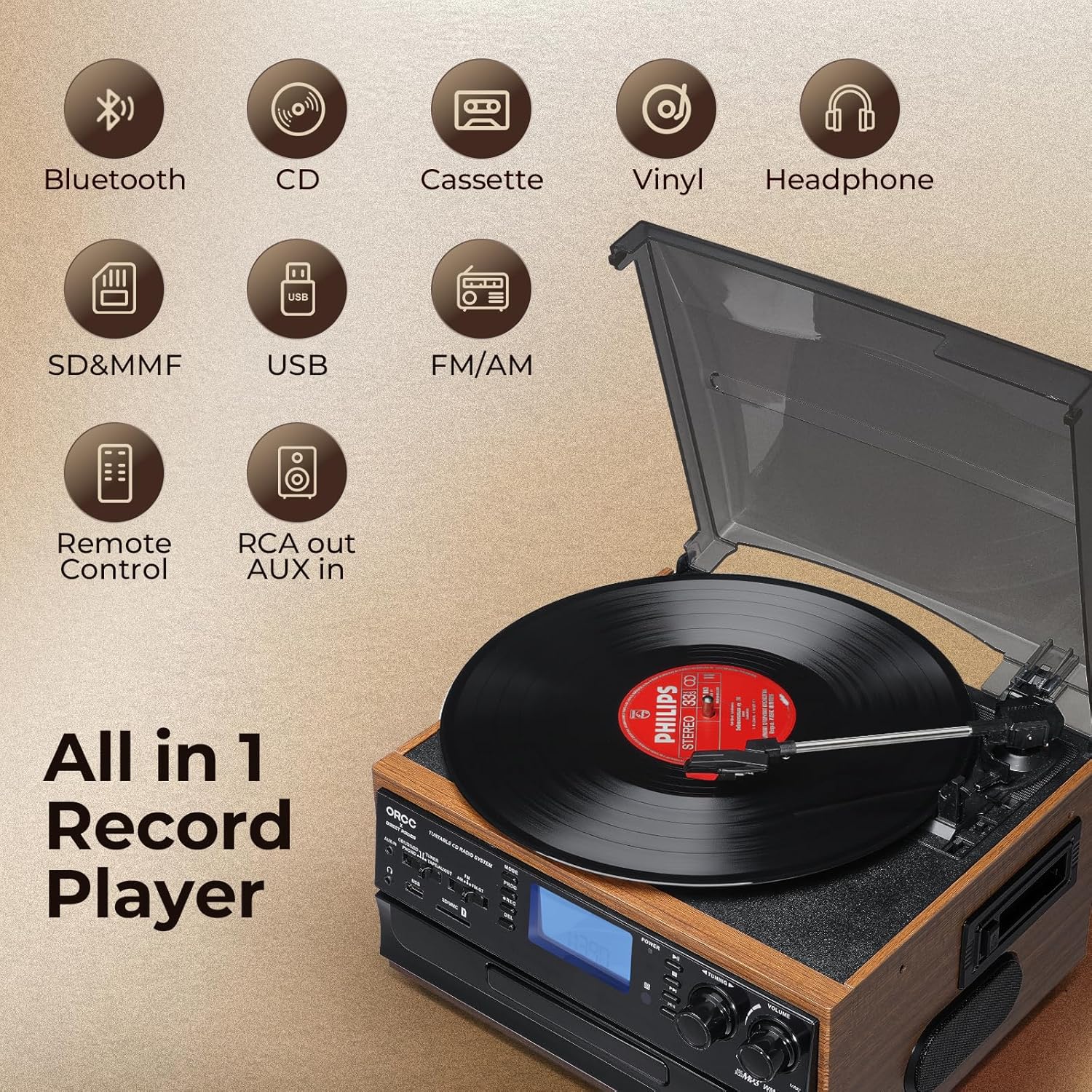
Obraz: Ponadview of the ORCC 10-in-1 Turntable Record Player, highlighting its various functions including Bluetooth, CD, Cassette, Vinyl, Headphone, SD/MMC, USB, FM/AM Radio, Remote Control, and RCA out/AUX in.
4. Instrukcja obsługi
4.1. Obsługa gramofonu
This unit supports 33, 45, and 78 RPM records in 7", 10", and 12" sizes.
- Połóż płytę na talerzu gramofonu.
- Select the appropriate speed (33/45/78 RPM) using the speed selector switch. Use the included 45 RPM adapter for 7-inch records.
- Lift the tone arm using the cue lever and position it over the desired track on the record.
- Lower the tone arm gently onto the record using the cue lever. Playback will begin.
- At the end of the record, the auto-stop function will automatically stop the platter rotation. Lift the tone arm and return it to its rest.

Obraz: Szczegółowy view of the turntable section, illustrating the 45 RPM adapter, 3-speed control, auto-stop feature, and tone arm lock lever for vinyl record playback.
4.2. Obsługa odtwarzacza CD
- Naciśnij przycisk MODE, aby wybrać tryb CD.
- Naciśnij przycisk OTWÓRZ/ZAMKNIJ, aby otworzyć tackę na płyty CD.
- Umieść płytę CD w podajniku etykietą do góry.
- Press the OPEN/CLOSE button again to close the tray. The unit will read the CD.
- Press the PLAY/PAUSE button to start playback. Use the SKIP buttons to navigate tracks.

Image: The built-in CD player with a disc partially inserted into the tray, ready for playback.
4.3. Obsługa odtwarzacza kaset
- Naciśnij przycisk MODE, aby wybrać tryb TAPE.
- Włóż kasetę do gniazda kasety znajdującego się z boku urządzenia.
- Press the PLAY button to start playback. Use the FAST FORWARD/REWIND buttons as needed.
- Naciśnij przycisk STOP, aby zakończyć odtwarzanie.

Image: A cassette tape being inserted into the dedicated cassette player slot on the side of the unit.
4.4. Łączność Bluetooth
- Press the MODE button to select Bluetooth (BT) mode. The display will show "BT" and flash, indicating it's in pairing mode.
- Na urządzeniu z włączoną funkcją Bluetooth (np. smartfonie, tablecie) włącz Bluetooth i wyszukaj dostępne urządzenia.
- Select "ORCC" from the list of devices to pair. Once connected, the "BT" indicator will stop flashing.
- You can now stream audio wirelessly from your device to the ORCC system.

Image: A smartphone displaying a Bluetooth connection to the ORCC turntable, illustrating wireless audio streaming.
4.5. Obsługa radia FM/AM
- Press the MODE button to select TUNER mode.
- Use the FM/AM switch to select your desired band.
- Rotate the TUNING knob to manually search for radio stations.
- For automatic scanning, press and hold the SCAN button. The unit will search and stop at the next available station.

Image: A hand adjusting the tuning knob on the ORCC turntable, which displays an FM radio frequency on its screen.
4.6. USB & SD Card Playback
- Włóż dysk flash USB do portu USB lub kartę SD/MMC do gniazda karty.
- Press the MODE button to select USB or SD mode.
- The unit will automatically detect and play MP3 files. Use the PLAY/PAUSE and SKIP buttons to control playback.

Obraz: Zbliżenie view of the USB port and SD/MMC card slot on the front panel of the ORCC turntable, indicating digital media playback options.
4.7. MP3 Recording Function
The unit allows direct recording from Vinyl, CD, Cassette, or AUX-in to a USB flash drive or SD card in MP3 format.
- Włóż dysk flash USB lub kartę SD do odpowiedniego gniazda.
- Select the desired source (Vinyl, CD, Cassette, or AUX-in) using the MODE button.
- Rozpocznij odtwarzanie materiału źródłowego.
- Press the REC button to begin recording. The recording indicator will illuminate.
- Press the REC button again to stop recording. The recorded MP3 file zostanie zapisany na dysku USB lub karcie SD.

Image: A visual representation of the recording function, demonstrating how audio from vinyl, CD, or cassette can be converted and saved as MP3 filena dysk USB.
4.8. Headphone Jack & RCA Output
- Gniazdo słuchawkowe: Plug 3.5mm headphones into the headphone jack for private listening. The built-in speakers will mute automatically.
- Wyjście RCA: Use RCA cables (not included) to connect the RCA LINE OUT ports to an external ampwzmacniacz lub głośniki aktywne zapewniające lepszą jakość dźwięku.
- Wejście AUX: Connect external audio devices (e.g., MP3 players, smartphones) to the 3.5mm AUX IN jack using an audio cable (not included) to play their audio through the ORCC system.

Image: A pair of black headphones connected to the built-in headphone jack on the ORCC turntable, indicating private listening capability.

Image: A close-up of the rear panel of the ORCC turntable, showing the AUX In and RCA Line Out ports for connecting external devices or speakers.
5. Konserwacja
Proper care and maintenance will ensure the longevity of your ORCC audio system:
- Czyszczenie: Przetrzyj urządzenie miękką, suchą ściereczką. Nie używaj środków czyszczących o właściwościach ściernych ani rozpuszczalników.
- Pielęgnacja rysika: Handle the stylus carefully. Clean it periodically with a soft brush, brushing from back to front. Replace the stylus when sound quality deteriorates.
- Osłona przeciwpyłowa: Gdy gramofon nie jest używany, należy trzymać osłonę przeciwkurzową zamkniętą, aby zapobiec gromadzeniu się kurzu na talerzu gramofonu i igle.
- Pielęgnacja płyt CD/kaset: Keep CDs and cassette tapes clean and free of scratches or damage.
6. Rozwiązywanie Problemów
If you encounter issues with your ORCC 10-in-1 Turntable, refer to the following common problems and solutions:
| Problem | Możliwa przyczyna | Rozwiązanie |
|---|---|---|
| Brak zasilania | Przewód zasilający nie jest podłączony; gniazdko elektryczne nie jest aktywne. | Sprawdź, czy przewód zasilający jest prawidłowo podłączony. Sprawdź gniazdko, podłączając inne urządzenie. |
| Brak dźwięku | Zbyt niski poziom głośności; Wybrano niewłaściwy tryb; Podłączono słuchawki. | Increase volume. Select correct input mode. Disconnect headphones if using speakers. |
| Gramofon się nie kręci | Power off; Auto-stop engaged; Belt issue. | Ensure unit is on. Check auto-stop switch. If belt is dislodged or broken, contact support. |
| Bluetooth nie łączy się | Unit not in BT mode; Device too far; Device already paired. | Ensure unit is in BT mode. Move device closer. Forget device on your phone and re-pair. |
| Słaba jakość dźwięku z płyt winylowych | Dirty record; Worn stylus; Incorrect speed. | Clean record. Replace stylus. Verify correct RPM speed. |
7. Specyfikacje
- Nazwa modelu: 19-WD
- Marka: ORCC
- Wymiary produktu: 127.95 x 116.14 x 78.74 cala
- Waga przedmiotu: 10.63 funta
- Tworzywo: Drewno
- Kolor: Brązowy
- Maksymalna prędkość obrotowa: 78 obr./min.
- Typ silnika: Silnik prądu przemiennego
- Zawartość zestawu: Wbudowany głośnik
- Cechy szczególne: AUX Input, Built-In Bluetooth Receiver, RCA Output
- Zgodne urządzenia: Słuchawki, głośniki
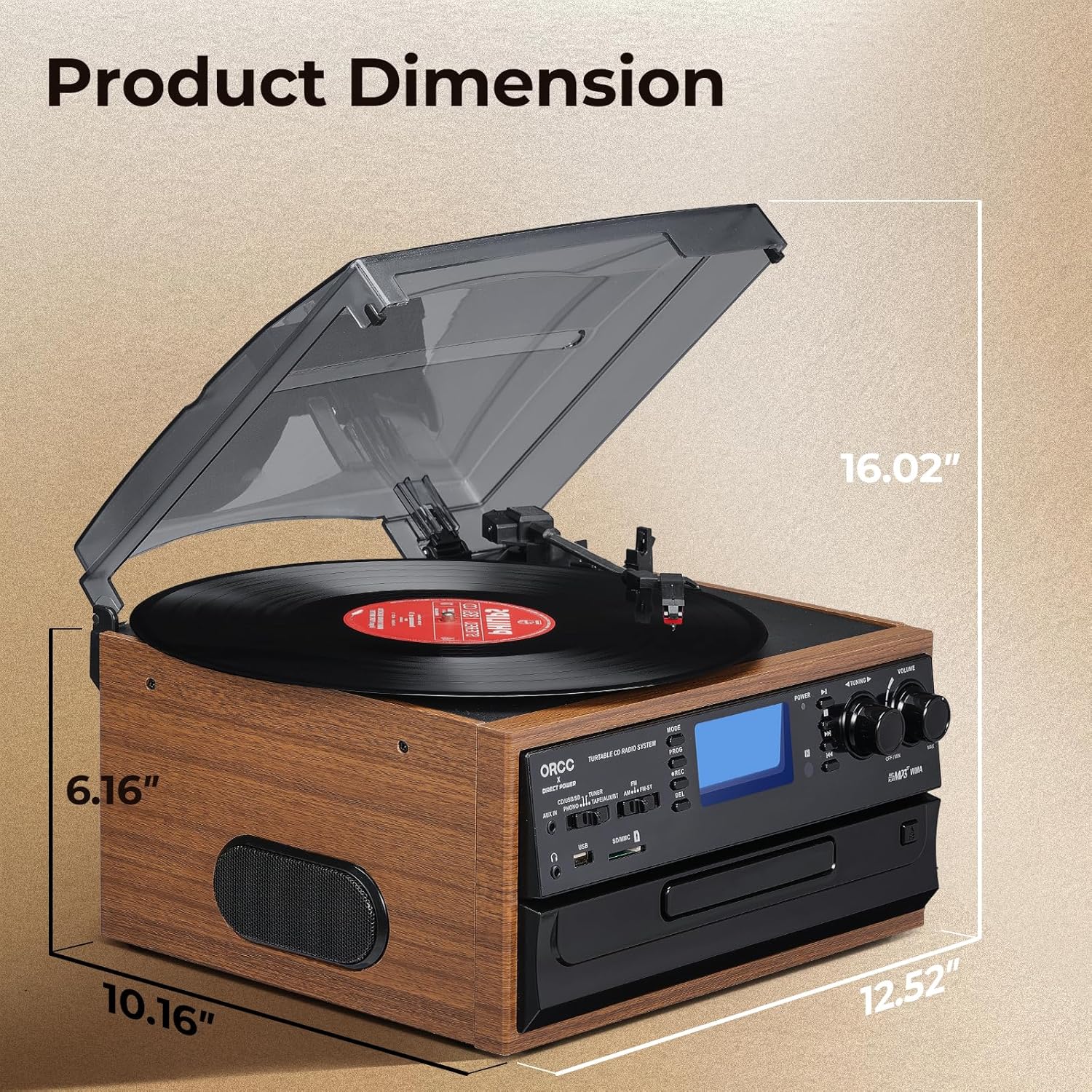
Image: A diagram illustrating the product dimensions of the ORCC turntable, showing height, width, and depth measurements.
8. Gwarancja i wsparcie
For warranty information and customer support, please refer to the warranty card included with your product or visit the official ORCC webZachowaj paragon jako dowód zakupu.
If you experience any issues not covered in the troubleshooting section, please contact ORCC customer service for assistance.
