
1. Wprowadzenie
Thank you for choosing the boAt Wave Call Smart Watch. This manual provides essential information for setting up, operating, and maintaining your device. Please read it thoroughly to ensure optimal performance and a seamless user experience.
The boAt Wave Call Smart Watch is designed to keep you connected and track your fitness with ease. It features Bluetooth calling, a vibrant HD display, multiple sports modes, and comprehensive health monitoring capabilities.
2. Co znajduje się w pudełku
- boAt Wave Call Smart Watch
- Magnetyczny kabel ładujący USB
- Instrukcja obsługi
- Karta gwarancyjna
3. Urządzenie ponadview
Familiarize yourself with the key components of your boAt Wave Call Smart Watch.
Obraz: Przód view of the boAt Wave Call Smart Watch in Active Black.

Image: The ultra-slim and lightweight design of the smartwatch, highlighting its sleek metal body and 45-gram weight.
4. Konfiguracja i parowanie
To begin using your smartwatch, follow these steps:
- Naładuj urządzenie: Before first use, fully charge your smartwatch using the provided USB magnetic charging cable. Connect the magnetic end to the charging pins on the back of the watch and the USB end to a 3.7V-5V adapter or a laptop's USB port.
- Włączanie: Naciśnij i przytrzymaj przycisk boczny, aby włączyć smartwatch.
- Pobierz aplikację: Scan the QR code in the quick start guide or search for the "boAt Wearables" app on your smartphone's app store (Android & iOS compatible).
- Łączenie w pary: Open the app, create an account, and follow the on-screen instructions to pair your smartwatch via Bluetooth. Ensure Bluetooth is enabled on your phone.
- Enable Bluetooth Calling: After initial pairing, navigate to the Bluetooth settings on your phone and connect to "boAt Wave Call_BT" to enable the calling feature.
5. Instrukcja obsługi
5.1. Wyświetlacz i nawigacja
The boAt Wave Call features a 1.69-inch HD display with a 2.5D curved touch interface and 550 nits of brightness for clear visibility.

Image: Close-up of the smartwatch display showing its 1.69" HD screen with 2.5D curved touch and 550 nits brightness.
- Przesuń w górę/w dół: Uzyskaj dostęp do szybkich ustawień i powiadomień.
- Przesuń w lewo/w prawo: Navigate through widgets and main menu options.
- Uzyskiwać: Wybierz opcję lub otwórz aplikację.
- Przycisk boczny: Naciśnij, aby powrócić do ekranu głównego lub wybudzić wyświetlacz.
5.2. Połączenia Bluetooth
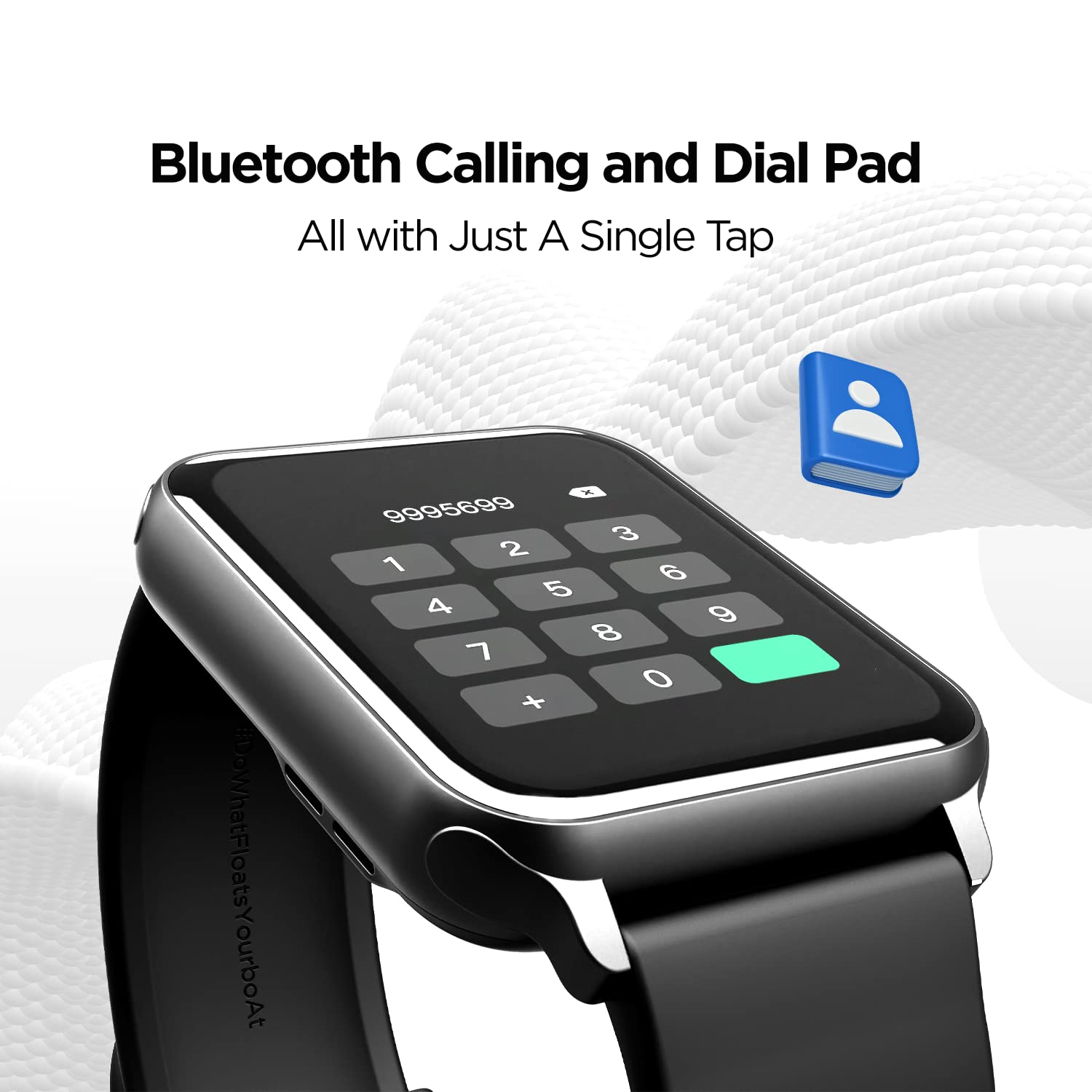
With the built-in speaker and microphone, you can make and receive calls directly from your wrist. The dial pad is responsive, and you can save up to 10 contacts for quick access.

Image: The smartwatch display showing the Bluetooth calling interface with a dial pad and contact icon.
Video: A demonstration of the Bluetooth calling feature, showing how to answer and manage calls directly from the smartwatch.
5.3. Tarcze zegarka
Personalize your smartwatch with over 150 cloud watch faces available through the companion app. You can also create custom watch faces using the DIY Watch Face Studio.

Image: Smartwatch displaying notification alerts, the 'Find My Phone' feature, and a selection of watch faces.
Video: A user customizing watch faces using the companion app, demonstrating the DIY Watch Face Studio and applying a custom background.
5.4. Tryby sportowe
The smartwatch supports multiple sports modes to track your workouts accurately. These include Walking, Running, Cycling, Climbing, Yoga, Basketball, Football, Badminton, Skipping, and Swimming.

Image: A man playing football, illustrating the multi-sport tracking capabilities of the smartwatch.
Video: A user navigating through the various sports modes on the smartwatch, including walking, running, cycling, and more.
5.5. Monitorowanie stanu zdrowia
Monitor your health with integrated sensors for Heart Rate (HR) and Blood Oxygen (SpO2) levels. The watch also includes a fitness tracker, pedometer, and guided breathing exercises. Note: HR and SpO2 readings are not for medical usage.

Image: Three smartwatches displaying Heart Rate, SpO2, and Guided Breathing interfaces.
5.6. Powiadomienia i alerty
Receive notifications for calls, messages, and social media alerts directly on your wrist. The watch also provides sedentary and hydration alerts to help you maintain a healthy lifestyle.
Image: Smartwatch displaying notification alerts, the 'Find My Phone' feature, and a selection of watch faces.
5.7. Sterowanie muzyką
Control music playback on your connected smartphone directly from your smartwatch. Play, pause, skip tracks, and adjust volume without reaching for your phone.
5.8. Cricket Scores
For cricket enthusiasts, the boAt Wave Call can provide live cricket scores, keeping you updated on matches directly from your wrist.
6. Żywotność baterii i ładowanie
The smartwatch is equipped with a 220 mAh Lithium Polymer battery. It offers:
- Up to 7 days of battery life on extensive usage.
- Up to 2 days of battery life with Bluetooth calling activated.
Use the provided USB magnetic charging cable to charge the device. Ensure the charging pins align correctly.
Wideo: Ogólny produktview of the boAt Wave Call Smart Watch, highlighting its features and design.
7. Wodoodporność
The boAt Wave Call Smart Watch has an IP68 rating, making it dust, sweat, and splash resistant. This allows you to wear it during workouts and in various weather conditions without concern.

Image: Smartwatches shown with water splashes, illustrating the IP68 dust, sweat, and splash resistance.
8. Specyfikacje
| Funkcja | Szczegół |
|---|---|
| Marka | łódź |
| Numer modelu | Wezwanie do fali |
| Rozmiar wyświetlacza | 1.69 Inches (4.2 cm) HD Display |
| Jasność | 550 NITS |
| Gama kolorów | 70% Color Gamut |
| Łączność | Bluetooth |
| Pojemność baterii | 220 mAh litowo-polimerowy |
| Czas pracy baterii (typowy) | Do 7 dni |
| Czas pracy baterii (połączenia Bluetooth) | Do 2 dni |
| Odporność na wodę | IP68 Dust, Sweat, and Splash Resistant |
| Monitorowanie zdrowia | HR, SpO2, Fitness Tracker, Pedometer |
| Tryby sportowe | Walking, Running, Cycling, Climbing, Yoga, Basketball, Football, Badminton, Skipping, Swimming |
| Zgodność z systemem operacyjnym | Android i iOS |
| Waga przedmiotu | 45 gramów |
| Wymiary | Wymiary 26 x 5 x 1 cm |
9. Rozwiązywanie Problemów
- Zegarek się nie włącza: Upewnij się, że zegarek jest w pełni naładowany. Podłącz go do ładowarki na co najmniej 30 minut.
- Nie można sparować z telefonem:
- Sprawdź, czy Bluetooth jest włączony w telefonie i zegarku.
- Upewnij się, że zegarek znajduje się w zasięgu telefonu.
- Uruchom ponownie telefon i zegarek, a następnie spróbuj sparować je jeszcze raz.
- Check if the "boAt Wearables" app has necessary permissions.
- Połączenia Bluetooth nie działają:
- Ensure you have connected to "boAt Wave Call_BT" in your phone's Bluetooth settings in addition to the main device pairing.
- Check the volume settings on both the watch and your phone.
- Niedokładne odczyty stanu zdrowia: Ensure the watch is worn snugly on your wrist, not too tight or too loose. Clean the sensors regularly. Remember, readings are not for medical use.
- Powiadomienia się nie wyświetlają:
- Verify that app notifications are enabled in the "boAt Wearables" app.
- Sprawdź ustawienia powiadomień w telefonie, aby upewnić się, że aplikacja ma uprawnienia do wysyłania powiadomień.
- Upewnij się, że zegarek jest połączony z telefonem przez Bluetooth.
10. Gwarancja i wsparcie
Your boAt Wave Call Smart Watch comes with a 1-year standard brand warranty from the date of purchase. Please refer to the included Warranty Card for detailed terms and conditions.
For further assistance, technical support, or warranty claims, please visit the official boAt website or contact their customer service. Keep your purchase receipt and warranty card handy.
Producent: Imagine Marketing Limited, Unit no. 204 & 205, 2nd floor, D-wing & E-wing, Corporate Avenue, Andheri Ghatkopar Link Road, Mumbai, Maharashtra-400093, India.


