
Podpis SPKA24
Singsation Karaoke Machine User Manual
Model: SPKA24
Wstęp
Dziękujemy za zakupasing the Singsation Karaoke Machine. This portable speaker system is designed to provide dynamic sound and an engaging karaoke experience with its built-in light show, Bluetooth connectivity, and multiple audio input options. This manual will guide you through the setup, operation, and maintenance of your device to ensure optimal performance and enjoyment.
Informacje dotyczące bezpieczeństwa
Przed użyciem urządzenia należy uważnie przeczytać wszystkie instrukcje bezpieczeństwa. Zachowaj tę instrukcję do wykorzystania w przyszłości.
- Aby uniknąć pożaru lub porażenia prądem, nie wystawiaj urządzenia na działanie deszczu i wilgoci.
- Nie blokuj żadnych otworów wentylacyjnych. Zapewnij prawidłowy przepływ powietrza wokół urządzenia.
- Używaj wyłącznie dodatków/akcesoriów wskazanych przez producenta.
- Odłącz urządzenie od zasilania podczas burzy z piorunami lub gdy nie jest używane przez dłuższy czas.
- Nie próbuj samodzielnie naprawiać urządzenia. Wszelkie naprawy zlecaj wykwalifikowanemu personelowi serwisowemu.
- Trzymaj urządzenie z dala od źródeł ciepła, takich jak grzejniki, kratki wentylacyjne, piece i inne urządzenia wytwarzające ciepło.
Zawartość opakowania
Carefully unpack your Singsation Karaoke Machine and ensure all items are present:
- Singsation Karaoke Speaker
- Mikrofon przewodowy
- Zdalne sterowanie
- Kabel ładujący USB
- Pasek do noszenia

Image: Included accessories: wired microphone, remote control, and USB charging cable.
Produkt ponadview
The Singsation Karaoke Machine features an intuitive control panel and various ports for versatile use.

Obraz: Przód view of the Singsation Karaoke Machine.
Funkcje panelu sterowania:
- Wyświetlacz LED: Pokazuje aktualny tryb, numer utworu lub częstotliwość FM.
- Regulacja głośności mikrofonu: Adjusts the microphone input level.
- Kontrola echa: Adds an echo effect to the microphone sound.
- Główna regulacja głośności: Dostosowuje ogólny poziom dźwięku.
- Przycisk trybu: Switches between Bluetooth, AUX, USB, Micro SD, and FM Radio modes.
- Przycisk Odtwórz/Pauza: Steruje odtwarzaniem multimediów.
- Przyciski poprzedniego/następnego utworu: Umożliwia nawigację pomiędzy utworami lub stacjami FM.
- Port USB: Do odtwarzania muzyki z dysków USB.
- TF Card Slot (Micro SD): For playing music from Micro SD cards.
- Wejście AUX: Do podłączania zewnętrznych urządzeń audio za pomocą kabla 3.5 mm.
- Wejście mikrofonowe: Do podłączenia przewodowego mikrofonu.
- Przycisk zasilania: Włącza/wyłącza urządzenie.

Image: The built-in handle allows for easy portability.
Organizować coś
Ładowanie urządzenia:
Before first use, fully charge the karaoke machine. Connect the provided USB charging cable to the unit's charging port and the other end to a USB power adapter (not included) or a computer USB port. The charging indicator light will show the charging status.

Image: The unit provides up to 4 hours of playtime on a single charge.
Włączanie/wyłączanie:
Locate the Power switch on the unit and slide it to the 'ON' position to power on the device. Slide it to 'OFF' to power off.
Podłączanie mikrofonu:
Insert the plug of the wired microphone into the Microphone Input jack on the control panel.
Instrukcja obsługi
Parowanie Bluetooth:
- Turn on the Singsation Karaoke Machine. It will automatically enter Bluetooth pairing mode, indicated by a flashing Bluetooth icon on the LED display.
- Włącz Bluetooth w swoim smartfonie, tablecie lub innym urządzeniu obsługującym technologię Bluetooth.
- Szukaj "Singsation" or the specific model name (e.g., "SPKA24") in your device's Bluetooth list.
- Select the device to pair. Once connected, the Bluetooth icon on the display will stop flashing.
- Teraz możesz bezprzewodowo przesyłać strumieniowo dźwięk ze swojego urządzenia do maszyny karaoke.
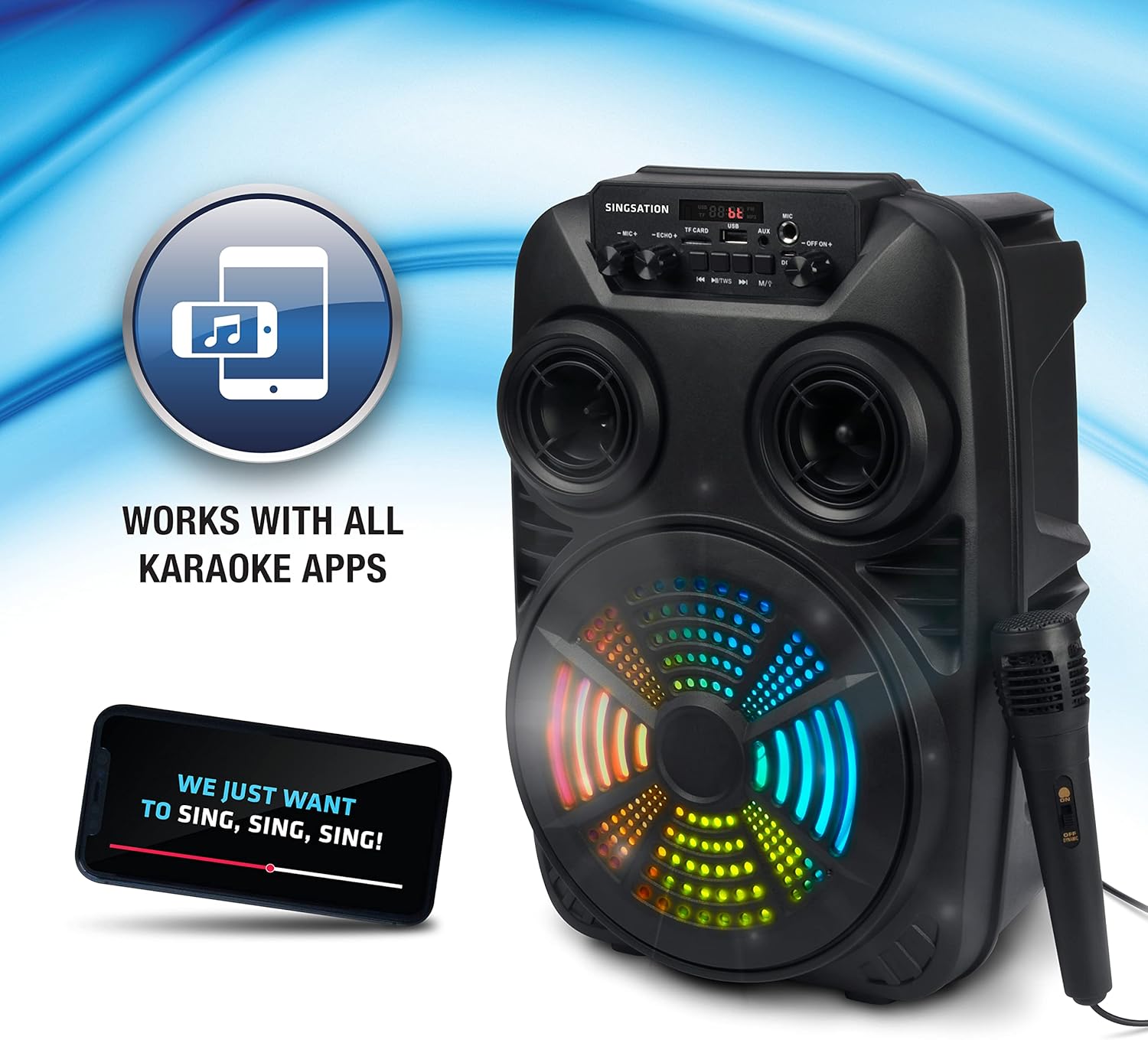
Image: The Singsation Karaoke Machine works seamlessly with all karaoke applications.
Using Other Audio Inputs (AUX, USB, Micro SD, FM Radio):
Press the 'Mode' button repeatedly to cycle through the available input modes: Bluetooth, AUX, USB, Micro SD, and FM Radio.
- Tryb AUX: Connect an external audio device (e.g., MP3 player, computer) to the AUX input using a 3.5mm audio cable.
- Tryb USB/Micro SD: Insert a USB drive or Micro SD card (TF card) containing MP3 audio files into the respective port/slot. The unit will automatically begin playing music.
- Tryb radia FM: In FM mode, press the Play/Pause button to auto-scan and save available radio stations. Use the Previous/Next Track buttons to navigate between saved stations.

Image: Multiple connectivity options for enjoying your music.
Użycie mikrofonu:
Once the microphone is connected, adjust the 'MIC VOL' knob to control the microphone's volume. Use the 'ECHO' knob to add an echo effect for a more professional vocal sound.
Light Show Features:
The Singsation Karaoke Machine features multi-color LED lights that synchronize with the music, creating a dynamic light show. These lights automatically activate when the unit is powered on.

Image: Features include vibrant color-changing lights and an adjustable echo effect.
Funkcje pilota zdalnego sterowania:
The included remote control allows you to manage playback, volume, and other settings from a distance.
- Przycisk zasilania: Włącza/wyłącza urządzenie.
- Przycisk trybu: Przełącza między trybami wprowadzania danych.
- Głośność +/-: Reguluje głośność główną.
- Przycisk korektora: Przełącza między ustawieniami korektora.
- Play/Pause, Previous/Next: Steruje odtwarzaniem multimediów.
- Przyciski numeryczne: Do bezpośredniego wyboru utworu w trybie USB/Micro SD lub wyboru stacji FM.
Wzmocnienie basów:
The unit is designed with an 8-inch dynamic driver and a rear heavy bass guide tube to deliver impressive bass tones and strong stereo sound. No specific button for bass boost, it's an inherent feature of the speaker design.

Image: Enjoy singing along with your favorite tunes.
Konserwacja
- Czyszczenie: Do czyszczenia zewnętrznej części urządzenia należy używać miękkiej, suchej ściereczki. Nie należy używać środków czyszczących o właściwościach ściernych ani rozpuszczalników.
- Składowanie: Gdy urządzenie nie jest używane, należy je przechowywać w chłodnym i suchym miejscu, z dala od bezpośredniego światła słonecznego i ekstremalnych temperatur.
- Pielęgnacja baterii: Aby przedłużyć żywotność baterii, unikaj częstego całkowitego rozładowywania baterii. Ładuj urządzenie regularnie, nawet jeśli nie jest używane przez dłuższy czas.
Rozwiązywanie problemów
If you encounter issues with your Singsation Karaoke Machine, refer to the table below for common problems and solutions.
| Problem | Możliwa przyczyna | Rozwiązanie |
|---|---|---|
| Brak zasilania | Battery is depleted; Power switch is OFF. | Charge the unit; Ensure the power switch is in the 'ON' position. |
| Brak dźwięku | Volume is too low; Incorrect input mode selected; Device not paired (Bluetooth). | Increase master volume; Press 'Mode' button to select correct input; Re-pair Bluetooth device. |
| Mikrofon nie działa | Microphone not properly connected; Microphone volume too low. | Ensure microphone is fully plugged into the input jack; Increase 'MIC VOL' knob. |
| Połączenie Bluetooth niestabilne | Device is too far from the unit; Interference from other devices. | Move the Bluetooth device closer to the karaoke machine; Turn off other Bluetooth devices nearby. |
| Charging port feels loose/damaged | Physical damage to the port. | Handle charging cable with care. If damaged, contact customer support for repair options. |
Specyfikacje
| Funkcja | Szczegół |
|---|---|
| Numer modelu | SPKA24 |
| Rozmiar głośnika | 8-inch Dynamic Driver |
| Łączność | Bluetooth 5.0, AUX, USB, Micro SD, FM Radio |
| Źródło zasilania | Akumulator do ponownego ładowania |
| Pauza w szkole | Do 4 godzin (na jednym ładowaniu) |
| Wymiary (w przybliżeniu) | 16.6 x 10.2 x 8.1 cala |
| Waga (w przybliżeniu) | 4.14 funta |
| Zawarte komponenty | Karaoke Machine, Microphone, Remote Control, USB Charging Cable, Carrying Strap |
Gwarancja i wsparcie
Singsation products are manufactured with high-quality standards. For warranty information, technical support, or service inquiries, please refer to the warranty card included with your product or visit the official Singsation webZachowaj paragon jako dowód zakupu.
Ask a question about this manual
Ask about setup, troubleshooting, compatibility, parts, safety, or missing instructions. Manuals+ will review the question and use this page’s manual context to help answer it.