
Night Owl BTN8-82-6L
Instrukcja obsługi systemu kamer bezpieczeństwa Night Owl 8 Channel Bluetooth Home Security
Model: BTN8-82-6L
Wstęp
This manual provides comprehensive instructions for the installation, operation, and maintenance of your Night Owl 8 Channel Bluetooth Video Home Security Camera System. This system includes a Wired NVR with a 2TB Hard Drive and six 4K HD Wired IP Spotlight Cameras with Audio. Please read this manual thoroughly before setup and operation to ensure proper functionality and safety.
Zawartość systemu
Sprawdź, czy w Twoim pakiecie znajdują się wszystkie wymienione poniżej elementy:
- 1 x Wired NVR with 2TB Hard Drive
- 1 x zasilacz NVR
- 1 x 6-stopowy kabel HDMI
- 1 x kabel RJ-45 (Ethernet)
- Mysz 1 x USB
- 1 x Support Material & Window Sticker
- 6 x 4K HD Wired IP Cameras
- 6 x 60 ft. RJ-45 Ethernet Camera Cables
- 6 x Mounting Hardware and Screw Packets
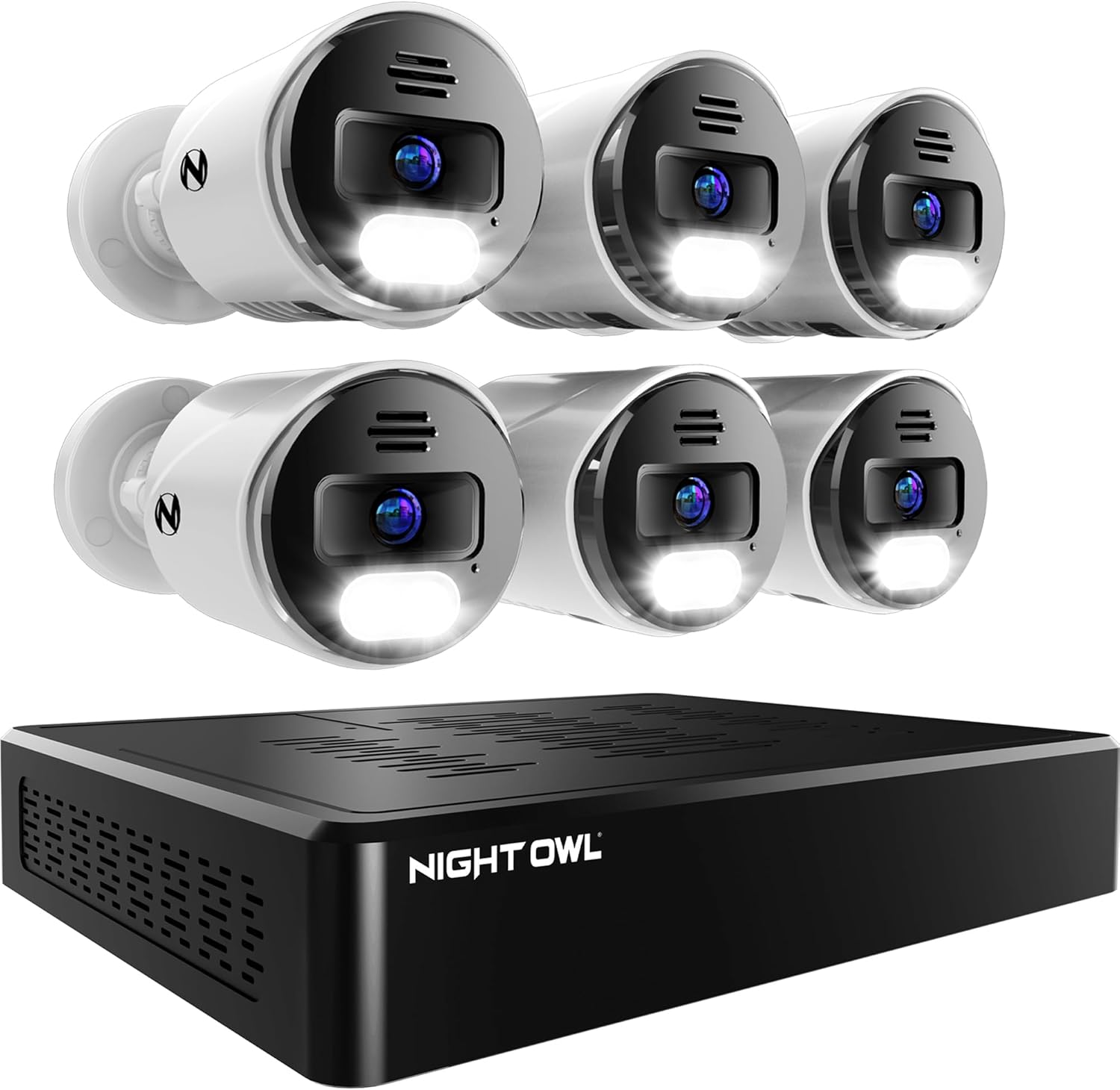
Obraz: Ponadview of the Night Owl 8 Channel Security System components, showing the NVR unit and six wired IP cameras.
Przewodnik po konfiguracji
1. Początkowa konfiguracja rejestratora NVR
- Podłącz NVR: Connect the NVR Power Adapter to the NVR and plug it into a power outlet.
- Podłącz mysz USB: Plug the included USB Mouse into one of the USB ports on the NVR.
- Network Connection (Optional for initial setup, recommended for remote access): Connect the RJ-45 Ethernet cable from the NVR's LAN port to your router.
- Bluetooth Setup (App-Based):
The system features secure app-based Bluetooth setup, eliminating the need for a TV or monitor for initial configuration. Download the Night Owl Protect app on your smart device.

Image: A Night Owl NVR unit on a table with a hand holding a smartphone showing the Night Owl Protect app's device setup screen, highlighting the easy Bluetooth setup.
Follow the in-app instructions to pair your smart device with the NVR via Bluetooth and complete the initial system configuration.
2. Instalacja kamery
The 4K HD Wired IP Cameras connect to the NVR using a single RJ-45 Ethernet cable for both power and video signal (Power over Ethernet - PoE).
- Montowanie: Select suitable indoor or outdoor locations for your cameras. Use the included mounting hardware to securely attach each camera. Ensure the camera has a clear line of sight to the area you wish to monitor.
- Połączenie kablowe: Connect one end of the 60 ft. RJ-45 Ethernet Camera Cable to the camera and the other end to an available "CAMERAS" port on the back of the NVR.
- Włączanie: Once all cameras are connected, ensure the NVR is powered on. The cameras will automatically power up and connect to the NVR.

Obraz: Tył view of the Night Owl NVR, illustrating the 8 channel camera ports (PoE), USB ports, HDMI, and LAN connections. This system supports up to 8 wired cameras.
Instrukcja obsługi
1. Using the Night Owl Protect App
Aplikacja Night Owl Protect to podstawowy interfejs umożliwiający zarządzanie i monitorowanie systemu bezpieczeństwa.
- Na żywo View: Uzyskaj dostęp do transmisji wideo w czasie rzeczywistym ze wszystkich podłączonych kamer.
- Odtwarzanie nagranego dźwięku: Review nagrano footage stored on the 2TB hard drive.
- Dwukierunkowe audio: Utilize the built-in microphone and speaker on the cameras to listen and talk through the app.
- Preset Voice Alerts & Siren: Trigger pre-recorded messages or a loud siren through the camera speakers to deter intruders or communicate with visitors.
- Powiadomienia: Receive real-time alerts on your smart device for motion detection or other events.
- Funkcje bezpieczeństwa: The app supports 2-Step Verification and Single Sign-On for enhanced account security.

Image: Illustration of the 2-way audio feature, showing a person communicating with a delivery driver at their front door using the Night Owl Protect app on a smartphone.

Image: A Night Owl camera with its spotlight and siren activated, deterring a hooded figure in front of a garage, with the scene simultaneously displayed on a smartphone app.

Image: Screenshots of the Night Owl Protect mobile app interface, demonstrating real-time alerts, live view, playback options, and sharing capabilities.
2. Local Storage and Privacy
Your security camera recordings are stored securely on the pre-installed 2TB hard drive within the NVR. This system prioritizes your privacy by keeping data local and not relying on mandatory cloud storage or subscriptions.

Obraz: Wybuch view of the Night Owl NVR, showing the internal 2TB hard drive, highlighting the system's free local storage capability.
Konserwacja
- Czyszczenie obiektywu aparatu: Okresowo czyść obiektywy aparatu miękką,amp ściereczką, aby zapewnić wysoką jakość obrazu. Unikaj środków czyszczących o działaniu ściernym.
- Aktualizacje oprogramowania układowego: Check the Night Owl Protect app regularly for available firmware updates for your NVR and cameras. Updates can improve performance and add new features.
- Zarządzanie dyskiem twardym: Dysk twardy o pojemności 2TB zapewnia amppamięć masowa. System zazwyczaj nadpisuje najstarsze footage when the drive is full. You can configure recording settings (e.g., motion-activated recording) to optimize storage usage.
- Kontrola kabla: Periodically inspect all Ethernet cables for any signs of wear or damage, especially for outdoor installations.
Rozwiązywanie problemów
| Problem | Możliwa przyczyna | Rozwiązanie |
|---|---|---|
| Brak obrazu z kamery |
|
|
| Problemy z łącznością aplikacji |
|
|
| Niska jakość obrazu |
|
|
| No audio or poor 2-way audio |
|
|
Specyfikacje
| Funkcja | Szczegół |
|---|---|
| Marka | Nocny Marek |
| Numer modelu | BTN8-82-6L |
| Technologia łączności | Przewodowy (PoE) |
| Rozdzielczość przechwytywania wideo | 2160p (4K HD) |
| Liczba kanałów | 8 (Expandable up to 12 cameras: 8 wired IP + 4 Wi-Fi) |
| Pojemność pamięci masowej | 2 TB Hard Drive (Pre-installed) |
| Źródło zasilania | Elektryczny przewodowy |
| Pozycja Wymiary (dł. x szer. x wys.) | 10 x 15 x 5 cala |
| Kompatybilne urządzenia | Kamery bezpieczeństwa |
| Format sygnału | Cyfrowy |
| Technologia słabego oświetlenia | Wizja nocna |
| Szybkość klatek | 30 klatek na sekundę |
| Tryb nagrywania | Wideo |
| Technologia czujnika optycznego | CMOS |
| Interfejs sprzętowy | Bluetooth, RJ45, USB, HDMI |
| Typ soczewki | Szeroki kąt |
| Viewing kąt | 82 stopni |
| Waga przedmiotu | 17.22 funta |
| UPC | 816522025038 |
Gwarancja i wsparcie
Night Owl products typically come with a 1-year limited warranty from the date of purchase. For detailed warranty information, technical support, or to register your product, please visit the official Night Owl website or contact their customer service. Support materials and window stickers are included in your package for quick reference.
Notatka: All Night Owl products are proudly designed and engineered in the U.S.A.