
Wstęp
The Cooler Master MasterBox 520 Mesh is a mid-tower ATX chassis designed for optimal airflow and component compatibility. It features a full-mesh front panel, three pre-installed ARGB fans, and a tempered glass side panel to showcase your build. This manual provides essential information for setting up, operating, maintaining, and troubleshooting your PC case.
Komponent nadview
The MasterBox 520 Mesh is engineered for ease of use and versatility. Key features include:
- Siatkowy panel przedni: Designed for unrestricted airflow, featuring 3 x CF120 ARGB fans.
- Panel boczny ze szkła hartowanego: Zapewnia wyraźny view of internal components and is easily removable.
- Przestronne wnętrze: Accommodates E-ATX, ATX, micro-ATX, and mini-ITX motherboards, large CPU coolers, and graphics cards.
- Versatile Cooling Options: Supports multiple fan and radiator configurations on the front, top, and rear panels.
- Rich Connectivity I/O Panel: Includes USB 3.2 Gen 1 Type-A, USB 3.2 Gen 2 Type-C, audio jack, and ARGB button.

Rycina 1: Przód view of the Cooler Master MasterBox 520 Mesh PC Case, highlighting the mesh panel and three illuminated ARGB fans.
Organizować coś
Follow these steps to set up your Cooler Master MasterBox 520 Mesh PC Case:
- Przygotuj sprawę:
- Połóż obudowę na stabilnej, płaskiej powierzchni.
- Carefully remove the tempered glass side panel by pulling it upwards after loosening the rear screw (if installed).
- Remove the top panel by sliding it backward and lifting.
- The front mesh panel can be easily detached by pulling from the bottom for access to front fans/radiator mounts.
- Instalacja płyty głównej:
- Install the necessary standoffs onto the motherboard tray according to your motherboard's form factor (E-ATX, ATX, Micro-ATX, Mini-ITX).
- Carefully place your motherboard onto the standoffs and secure it with screws.
- Instalacja karty graficznej (GPU):
- Remove the appropriate PCIe slot covers from the rear of the case.
- Insert your graphics card into the PCIe slot on the motherboard and secure it with screws.
- The case supports vertical GPU mounting with an optional riser cable (sold separately).
- Instalacja dysku pamięci masowej (HDD/SSD):
- For 3.5" HDDs, use the removable HDD cage located in the PSU shroud area.
- For 2.5" SSDs, mounts are available on the rear of the motherboard tray.
- Instalacja zasilacza (PSU):
- Mount your ATX PSU into the dedicated compartment at the bottom rear of the case.
- Przymocuj zasilacz za pomocą śrub znajdujących się z tyłu obudowy.
- Zarządzanie kablami:
- Wykorzystaj wycięcia na kable i punkty mocowania znajdujące się za tacką płyty głównej, aby uporządkować kable.
- Podłącz wszystkie niezbędne kable zasilania i transmisji danych do podzespołów.

Rysunek 2: Kątowy view of the MasterBox 520 Mesh, showcasing the tempered glass side panel and overall chassis design.
Operacyjny
Once your system is assembled, operating the MasterBox 520 Mesh is straightforward:
- Włączanie: Press the large power button on the top I/O panel to start your system.
- Przedni panel I/O:
- Connect USB devices to the 1 x USB 3.2 Gen 1 Type-A port or 1 x USB 3.2 Gen 2 Type-C port.
- Plug in your headphones or microphone into the 1 x audio jack.
- Sterowanie oświetleniem ARGB:
- The pre-installed ARGB fans are connected to an included ARGB controller.
- Use the dedicated Reset/ARGB button on the I/O panel to cycle through various lighting effects and colors.
- Alternatively, connect the ARGB controller to a compatible motherboard header for software control.
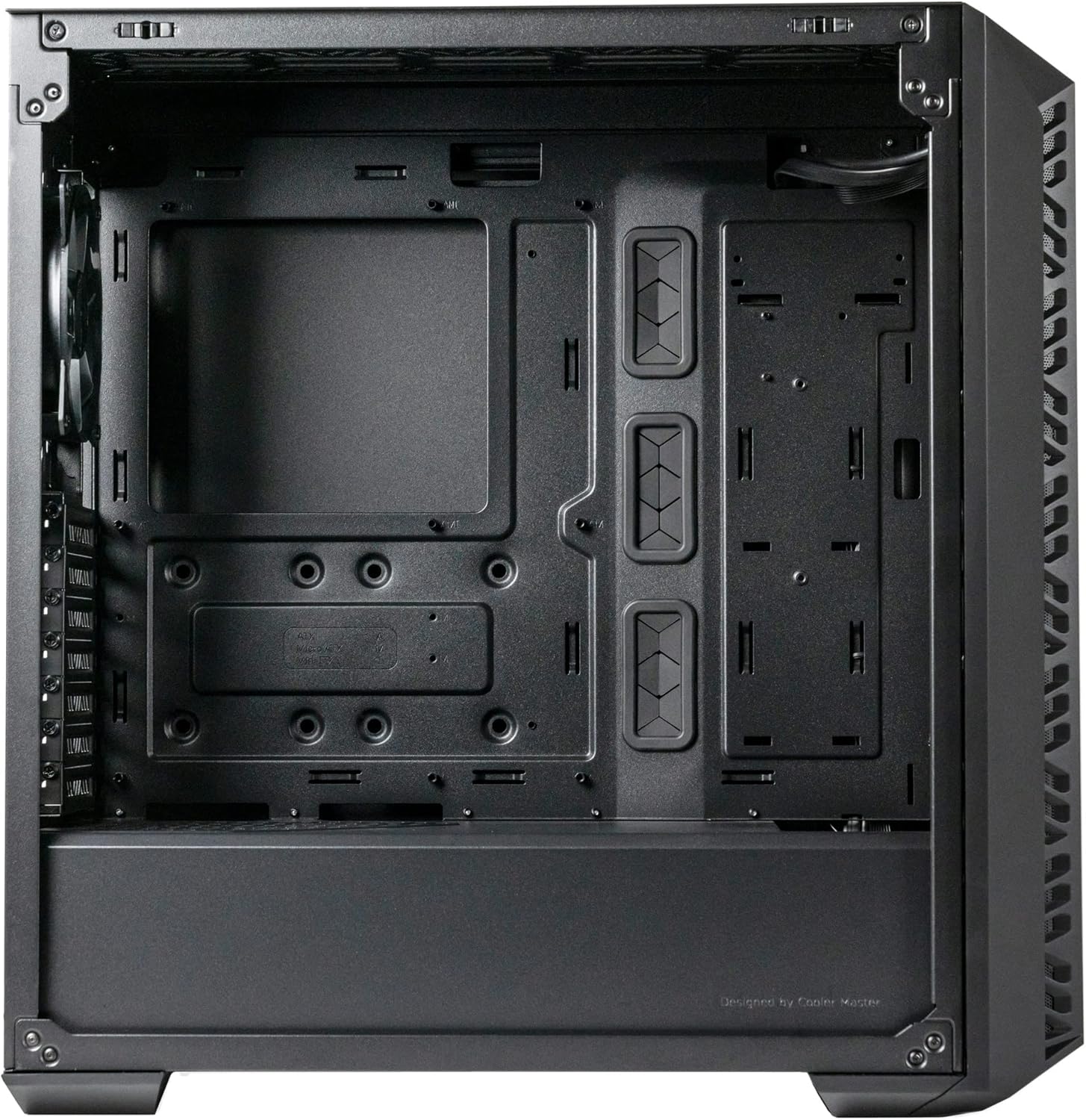
Rysunek 3: Widok z góry z przodu view of the MasterBox 520 Mesh, showing the accessible I/O panel with USB ports, audio jack, and ARGB control button.
Konserwacja
Regularna konserwacja zapewnia optymalną wydajność i długowieczność obudowy komputera:
- Czyszczenie filtra przeciwpyłowego:
- The front mesh panel acts as a dust filter and can be easily removed for cleaning.
- The top panel also features a magnetic dust filter that can be lifted off.
- Clean dust filters regularly with compressed air or by rinsing with water (ensure completely dry before reinstallation).
- Czyszczenie wnętrza:
- Za pomocą sprężonego powietrza usuń kurz z wewnętrznych podzespołów i łopatek wentylatora.
- Wipe down interior surfaces with a microfiber cloth.
- Ponowna instalacja panelu:
- Ensure all cables are neatly managed before reinstalling side and top panels.
- Carefully align and reattach the tempered glass side panel, securing it with the thumb screw.
- Reattach the top panel by aligning and sliding it forward until it clicks into place.

Rysunek 4: Widok z góry z przodu view of the MasterBox 520 Mesh with the mesh panel removed, showing access to the front fan mounts.
Rozwiązywanie problemów
If you encounter issues with your MasterBox 520 Mesh PC case, consider the following:
- Wentylatory nie kręcą się/RGB nie działa:
- Check all fan and ARGB connections to the controller and motherboard.
- Ensure the ARGB controller is receiving power (usually via SATA power).
- If using motherboard software control, verify the software is installed and configured correctly.
- Słaby przepływ powietrza/Wysokie temperatury:
- Wyczyść wszystkie filtry przeciwpyłowe i elementy wewnętrzne.
- Verify fan orientation for optimal intake and exhaust.
- Ensure no cables are obstructing airflow paths.
- Luźne panele:
- Ensure all screws and latches are properly secured after accessing internal components.
Specyfikacje
| Funkcja | Szczegół |
|---|---|
| Nazwa modelu | MasterBox 520 Mesh |
| Numer modelu przedmiotu | MB520-KGNN-S00 |
| Typ sprawy | Mid Tower |
| Zgodność płyty głównej | Rozszerzony ATX, ATX, Micro-ATX, Mini-ITX |
| Wymiary (dł. x szer. x wys.) | 19.76 x 8.27 x 19.61 cala |
| Waga przedmiotu | 15.62 funta |
| Kolor | Czarny |
| Tworzywo | Szkło hartowane |
| Fabrycznie zainstalowane wentylatory | 3 x CF120 ARGB (Front) |
| Wspornik wentylatora (przód) | 3x120mm/2x140mm |
| Wsparcie fanów (góra) | 3x120mm/2x140mm |
| Wspornik wentylatora (tył) | 1 x 120mm |
| Wspornik chłodnicy (przód) | Do 360 mm |
| Wspornik chłodnicy (góra) | Do 360 mm |
| Wspornik chłodnicy (tył) | 1 x 120mm |
| Wyprzedaż chłodnicy procesora | Do 165 mm |
| Graphics Card Clearance | Do 410 mm |
| Rozliczenie zasilacza | Do 200 mm |
| Porty wejścia/wyjścia | 1 x USB 3.2 Gen 1 Type-A, 1 x USB 3.2 Gen 2 Type-C, 1 x Audio Jack, 1 x Reset/ARGB Button |
Informacje o gwarancji
Cooler Master products come with a limited warranty. Please refer to the official Cooler Master website or your product's packaging for specific warranty terms and conditions, including duration and coverage details. Keep your proof of purchase for warranty claims.
Wsparcie
For further assistance, technical support, or to download the latest drivers and manuals, please visit the official Cooler Master support webstrona:
You may also contact Cooler Master customer service directly through the contact information provided on their webstrona.