
1. Wprowadzenie
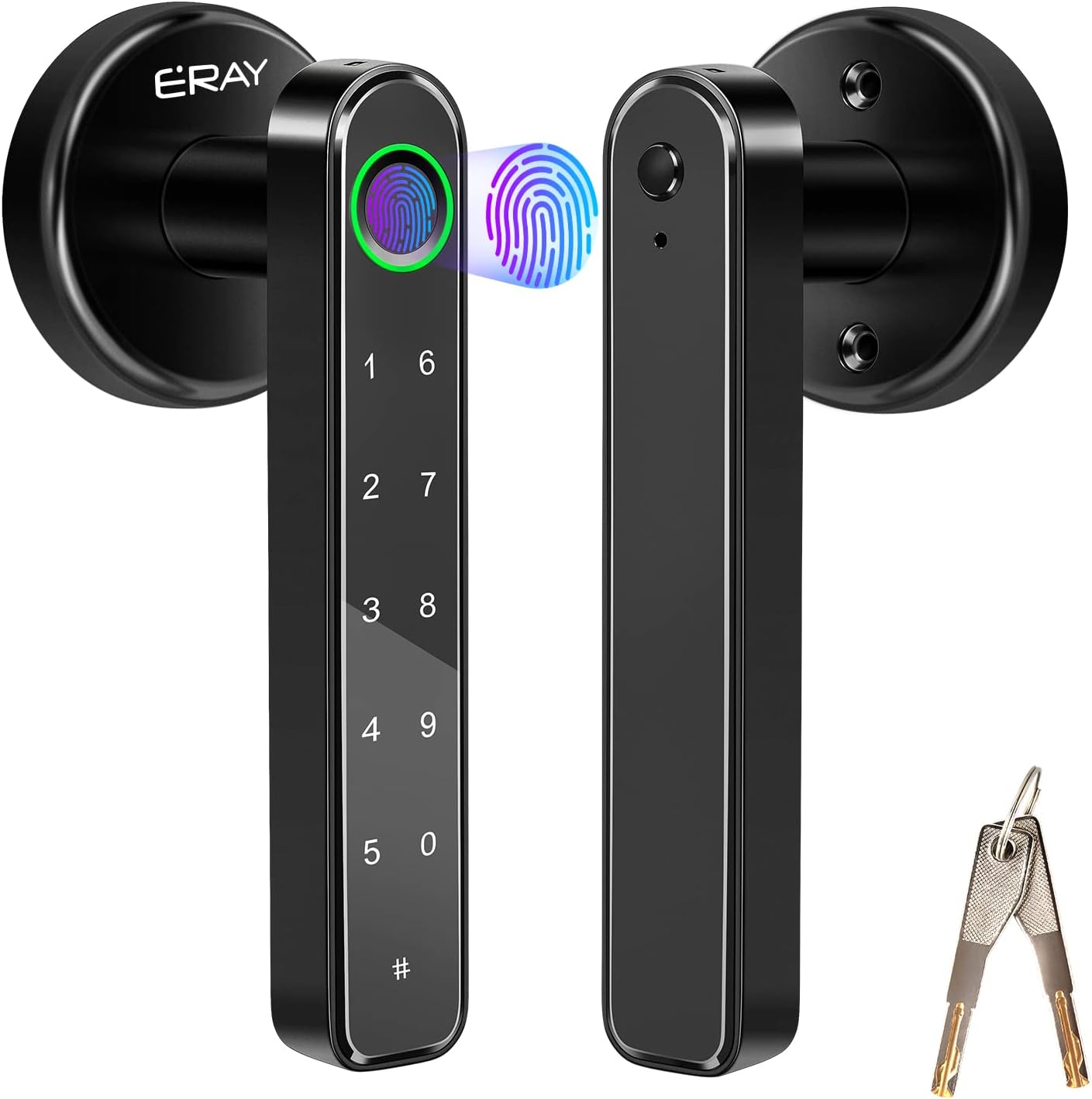
This manual provides detailed instructions for the installation, operation, and maintenance of your ERAY Fingerprint Door Lock Set. This advanced keyless entry system offers enhanced security and convenience for your home, office, hotel, or apartment.
Główne cechy:
- Wiele metod odblokowania: Fingerprint, Passcode, and Mechanical Key.
- Funkcja automatycznej blokady: Automatically locks after 5 seconds for added security.
- Reversible Door Handle: Suitable for both left and right-handed doors.
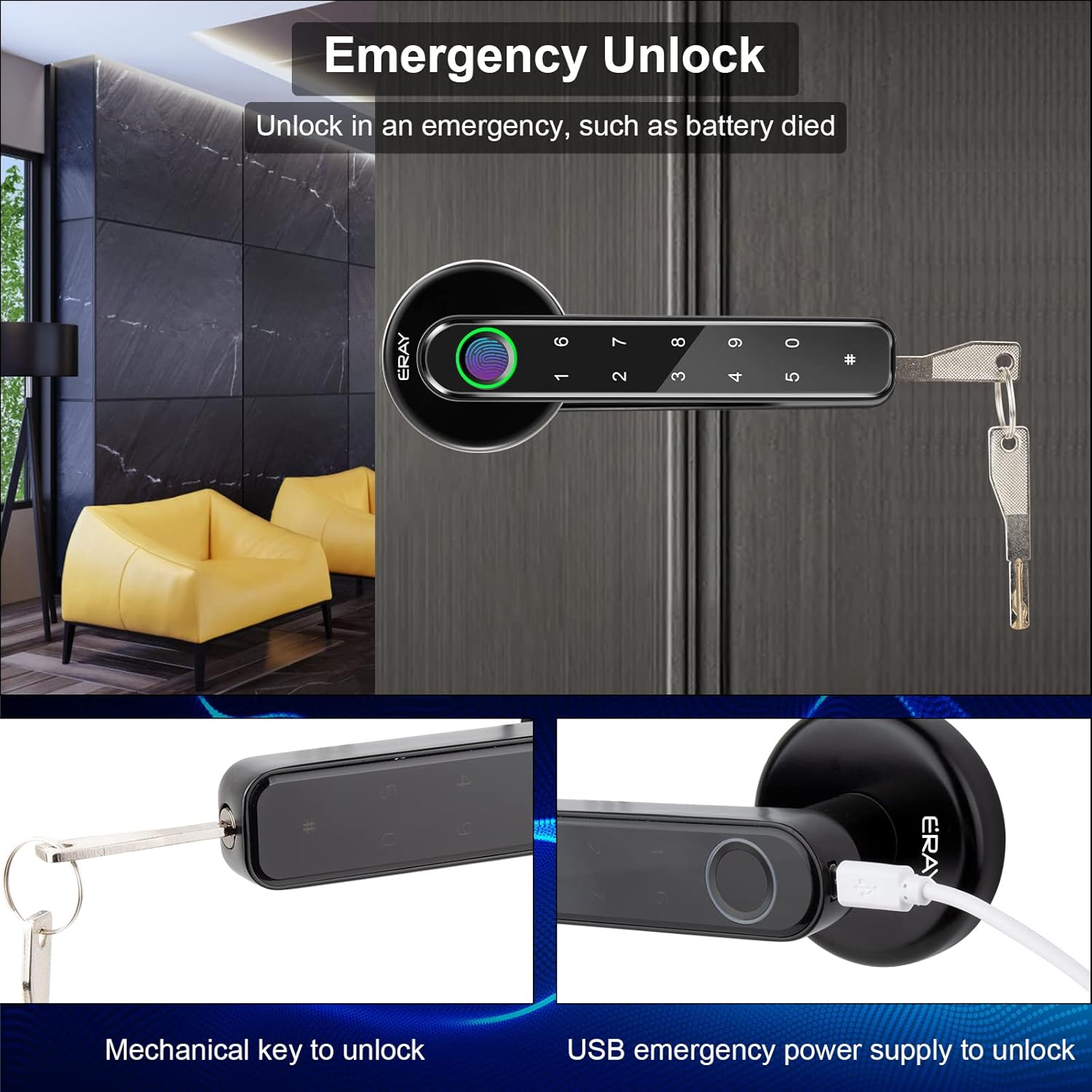
- Zasilanie awaryjne: Micro-USB port for emergency unlock if batteries deplete.
- Trwała konstrukcja: Made of heavy-duty zinc alloy and ABS plastic casing.
2. Konfiguracja i instalacja
The ERAY Fingerprint Door Lock Set is designed for easy installation, typically requiring only a screwdriver. It is suitable for single-cylinder doors with a thickness ranging from 1-3/8 inches to 2-1/8 inches (35-50mm).
2.1. Instrukcja wideo instalacji
Aby zapoznać się z wizualnym przewodnikiem krok po kroku, zapoznaj się z oficjalnym filmem instruktażowym dotyczącym instalacji:
Official video demonstrating the installation process for the ERAY Keyless Entry Door Knob Lock with Handle.
2.2. Step-by-Step Installation Overview
- Przygotuj drzwi: Ensure your door has the correct boreholes and backset. The latch is adjustable to 2 3/8" (60mm) or 2 3/4" (70mm).
- Zainstaluj zatrzask: Insert the latch into the door edge and secure it with two screws.

Securing the latch into the door frame using a screwdriver. - Attach the Front Handle: The handle is reversible for left or right-handed doors. Fix and tighten the spiral tubes. Run the wire through the square cotter.

Diagram showing door thickness range and adjustable latch dimensions for proper fit. - Connect the Back Handle: Open the battery case on the back handle. Run the wire from the front handle through the hole in the back handle. Insert the wire with the square cotter and two spiral tubes into the latch square holes. Fix the back handle with screws.
- Zainstaluj baterie: Install 4 AAA batteries (not included) into the battery panel. Connect the wire to the port on the battery panel.
- Funkcjonalność testu: Check if the keyboard lights up and if the lock mechanism operates smoothly. Cover the battery panel to the back handle and fix it with a screw.
3. Instrukcja obsługi
Your ERAY Fingerprint Door Lock offers three convenient ways to unlock your door.
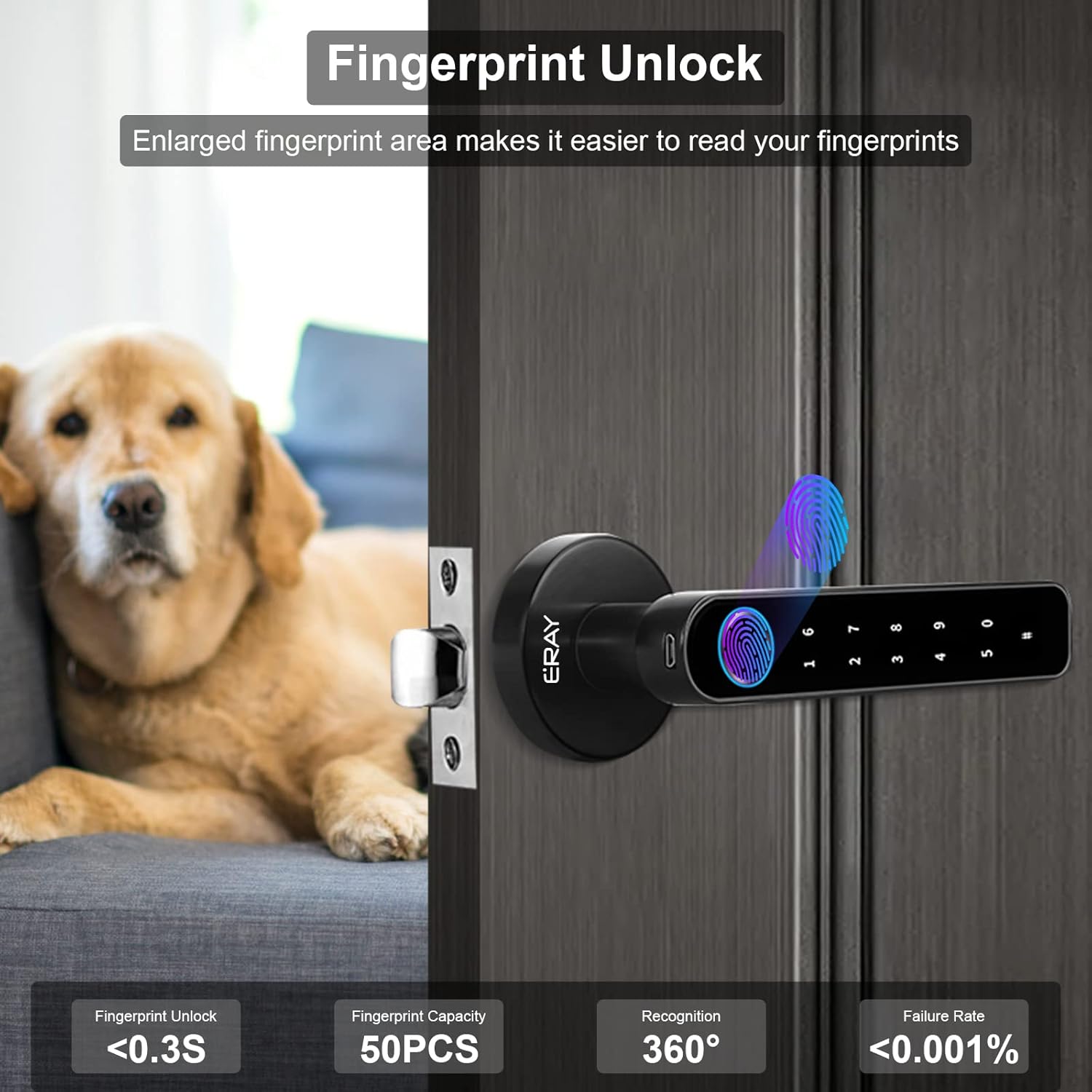
3.1. Odblokowanie odciskiem palca
The enlarged fingerprint area allows for quick and easy recognition. The lock can store up to 50 unique fingerprints.
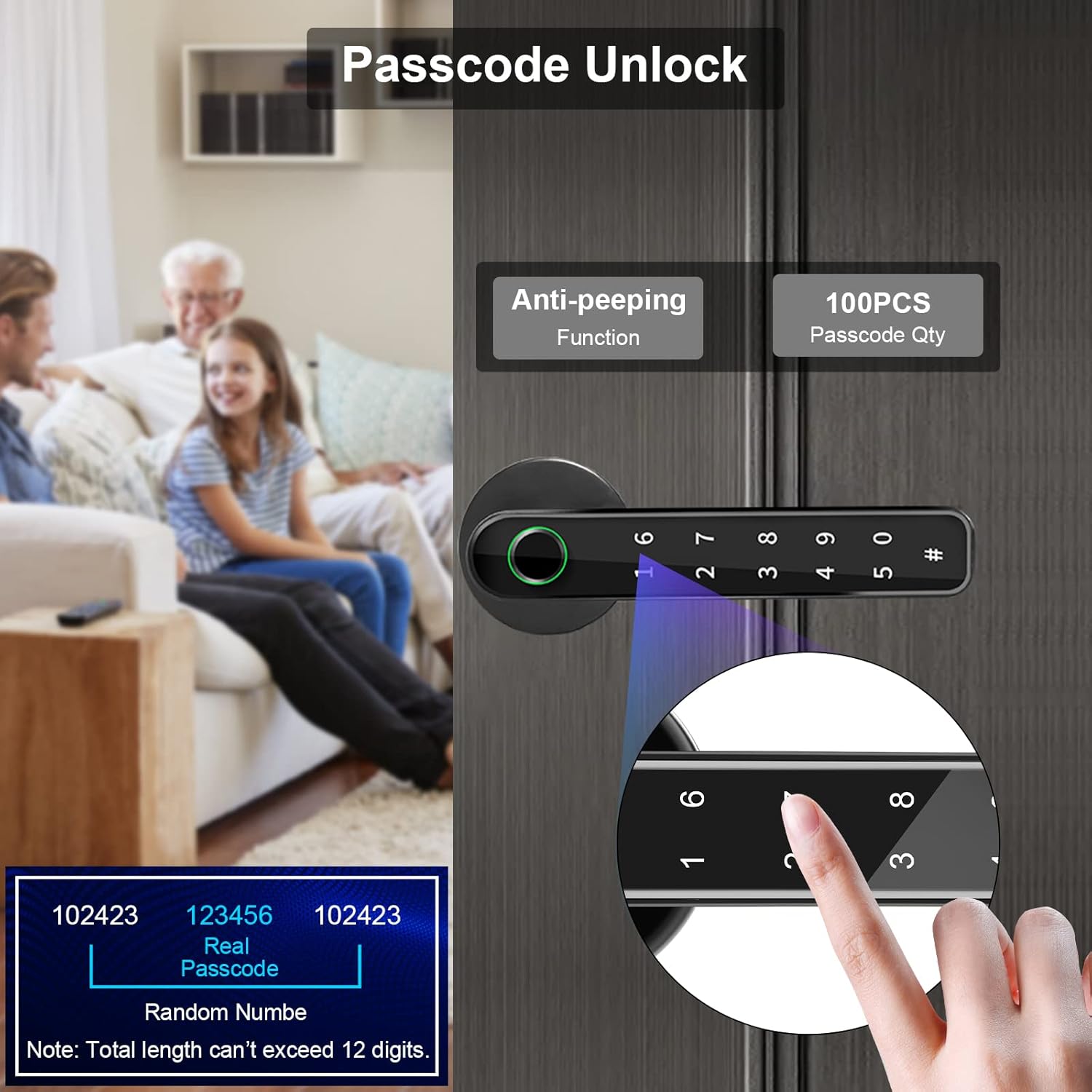
3.2. Odblokowanie kodem dostępu
You can set up to 100 passcodes. The anti-peeping passcode feature allows you to enter random digits before or after your actual code to prevent others from guessing your entry sequence.
3.3. Odblokowanie kluczem mechanicznym
Two mechanical keys are included for traditional unlocking, serving as a reliable backup method.
3.4. Auto-Lock Function
The lock is designed to automatically lock after 5 seconds of being unlocked, providing peace of mind that your door is always secured.

4. Konserwacja
Proper maintenance will ensure the longevity and optimal performance of your ERAY Fingerprint Door Lock.
4.1. Wymiana baterii
The lock is powered by 4 AAA batteries (not included). It features a low battery reminder function to alert you when replacement is needed. Always use high-quality alkaline batteries for best performance and to avoid frequent replacements.

4.2. Czyszczenie
Wipe the lock surface with a soft, dry cloth. Avoid using abrasive cleaners or solvents, as they may damage the finish or electronic components. Keep the fingerprint sensor clean and free of debris for optimal recognition.
5. Rozwiązywanie Problemów
If you encounter issues with your ERAY Fingerprint Door Lock, consider the following common solutions:
- Problemy z rozpoznawaniem odcisków palców: If the lock frequently fails to recognize fingerprints, ensure your finger is clean and dry. Try re-registering your fingerprint, ensuring you capture different angles and parts of your finger during the registration process.
- Bateria szybko się rozładowuje: Ensure you are using fresh, high-quality alkaline AAA batteries. High traffic doors may experience faster battery depletion. If the issue persists, contact customer support.
- Klawiatura nie świeci: Check if the batteries are correctly installed and have sufficient charge. If the issue persists after replacing batteries, use the micro-USB port for emergency power to check if the lock powers on.
- Lock Mechanism Not Engaging/Disengaging: Verify that the latch is installed correctly and is not obstructed. Ensure the handle is properly aligned and secured with screws. If the issue is related to the internal mechanism, professional assistance may be required.
- Bluetooth Connectivity Issues (if applicable to your model): Some models may have Bluetooth features. Ensure your device's Bluetooth is enabled and you are within range. Re-pair the lock with your device if necessary.
W przypadku powtarzających się problemów, które nie zostały tutaj omówione, zapoznaj się z sekcją Gwarancja i pomoc techniczna, w której znajdziesz dane kontaktowe.
6. Specyfikacje
| Funkcja | Szczegół |
|---|---|
| Marka | ERAY |
| Nazwa modelu | E291 |
| Typ zamka | Biometric, Door knob with keys, Keypad |
| Odblokuj metody | Fingerprint, Passcode, Mechanical Key |
| Pojemność odcisku palca | Maksymalnie 50 |
| Pojemność kodu dostępu | Maksymalnie 100 |
| Tworzywo | Durable Zinc alloy and ABS plastic casing |
| Kolor | Czarny |
| Pozycja Wymiary (dł. x szer. x wys.) | 8.54 x 3.03 x 7.05 cala |
| Waga przedmiotu | 1.98 funta |
| Zalecane zastosowania | Indoor Doors (Home, Hotel, Apartment, Office) |
| Źródło zasilania | 4 baterie AAA (brak w zestawie) |
| Protokół łączności | Wi-Fi (Note: Some models may use Bluetooth) |
| Zawarte komponenty | 1* Inside door handle, 1* Latch and strike plate, 1* Outside door handle, 2* Mechanical keys, Other Accessories |
7. Gwarancja i wsparcie
ERAY provides a 30-day refund and replacement service for your product. Additionally, a 12-month product warranty covers any manufacturing defects or quality issues.
If you have any questions, concerns, or require assistance with your ERAY Fingerprint Door Lock, please do not hesitate to contact our customer service team. Refer to your product packaging or the ERAY official webna tej stronie znajdziesz najbardziej aktualne dane kontaktowe.


