
1. Wprowadzenie
Thank you for choosing the CHWARES CH310B Smart Digital Bathroom Scale. This device is designed to provide accurate measurements of your body weight and various body composition metrics. By utilizing advanced sensor technology and a companion mobile application, it helps you track your health and fitness progress effectively. Please read this manual thoroughly before use to ensure proper operation and to maximize the benefits of your new scale.

Image: The CHWARES CH310B Smart Digital Bathroom Scale displaying various body metrics, alongside a smartwatch and smartphone showing the connected app.
2. Ważne informacje dotyczące bezpieczeństwa
- Nie używaj tego urządzenia, jeśli masz rozrusznik serca lub inne wewnętrzne urządzenie medyczne.
- Nie używaj tego urządzenia, jeśli jesteś w ciąży.
- The scale is not intended for diagnosis or treatment of any medical condition. Consult a healthcare professional for medical advice.
- Aby uzyskać dokładne pomiary, ustaw wagę na twardej, płaskiej powierzchni. Unikaj dywanów i nierównych podłóg.
- Powierzchnia wagi może być śliska, gdy jest mokra. Upewnij się, że powierzchnia jest sucha przed wejściem na nią.
- Nie należy wskakiwać na wagę i używać jej do celów innych niż ważenie.
- Keep the scale away from extreme temperatures, direct sunlight, and damp środowiska.
- Przechowywać w miejscu niedostępnym dla dzieci.
3. Zawartość opakowania
Sprawdź przesyłkę, aby upewnić się, że znajdują się w niej wszystkie elementy:
- CHWARES CH310B Smart Digital Bathroom Scale
- Kabel ładujący USB
- Instrukcja obsługi
4. Koniec produktuview
The CHWARES CH310B scale features a large LCD display and high-precision sensors for comprehensive body analysis. It measures 15 vital body composition metrics.

Image: The scale's large LCD color display indicating various body metrics and a person demonstrating its use.
4.1 Główne cechy
- Czujniki o wysokiej precyzji: 4 sensors and 4 sensitive electrodes for accurate measurements.
- Duży wyświetlacz LCD: Clear visibility of 8 essential body metrics directly on the scale.
- 15 wskaźników składu ciała: Includes weight, BMI, body fat, body water, muscle mass, bone mass, heart rate, and more.
- Akumulator: Long-lasting battery, one full charge provides approximately 6 months of use.
- Inteligentna integracja aplikacji: Syncs with the 'Fitdays' app for detailed tracking and analysis.
- Wielu użytkowników Profiles: Obsługuje do 24 użytkowników profiles w aplikacji.

Image: An infographic detailing the 15 body composition metrics measured by the scale.
5. Przewodnik konfiguracji
5.1 Pierwsze ładowanie
Before first use, ensure the scale is fully charged. Connect the provided USB charging cable to the scale's charging port and a suitable USB power source. The display will indicate charging status.
5.2 Pobieranie i instalacja aplikacji
- Scan the QR code in the manual or search for 'Fitdays' in the Apple App Store (for iOS devices) or Google Play Store (for Android devices).
- Download and install the 'Fitdays' application on your smartphone.
- Zarejestruj konto i utwórz swój profil użytkownikafile w aplikacji.

Image: The 'Fitdays' app interface and download options, demonstrating its use with the scale.
5.3 parowanie Bluetooth
- Upewnij się, że Bluetooth jest włączony w Twoim smartfonie.
- Open the 'Fitdays' app.
- Step onto the scale to activate it. The scale's display will light up.
- The app should automatically detect and connect to the scale. If not, navigate to the 'Device' section in the app and manually add the scale.
5.4 Zaawansowany użytkownikfile Tworzenie
Within the 'Fitdays' app, you can create and manage multiple user profiles (up to 24). This allows different family members or friends to track their individual data. The app intelligently identifies the user based on their weight, displaying their specific data.

Image: The 'Fitdays' app supporting multiple user profiledla rodziny i przyjaciół.
6. Działanie
6.1 Wykonywanie pomiaru
- Ustaw wagę na twardej, płaskiej powierzchni.
- Upewnij się, że Twoje stopy są czyste i suche.
- Step onto the scale barefoot, standing still with your feet evenly distributed on the electrodes.
- The scale will display your weight first, then cycle through other metrics.
- Your data will automatically sync to the 'Fitdays' app if your phone is connected via Bluetooth.
6.2 Zrozumienie metryk wyświetlania
The scale's large LCD display shows key metrics directly:
- Waga: Twoja aktualna masa ciała.
- Poziom tkanki tłuszczowej: Procenttage tkanki tłuszczowej.
- Wskaźnik zawartości wody w organizmie: Procenttagwody w organizmie.
- Body Heart Rate: Your heart rate.
- BMI: Wskaźnik masy ciała.
- Masa mięśniowa: Amount of muscle in your body.
- Masa kostna: Amount of bone in your body.
6.3 Using the 'Fitdays' App for Detailed Analysis
The 'Fitdays' app provides a comprehensive view of your health data. It tracks changes over days, weeks, months, and years, presenting them in detailed graphs. You can set goals and monitor your progress for various metrics.
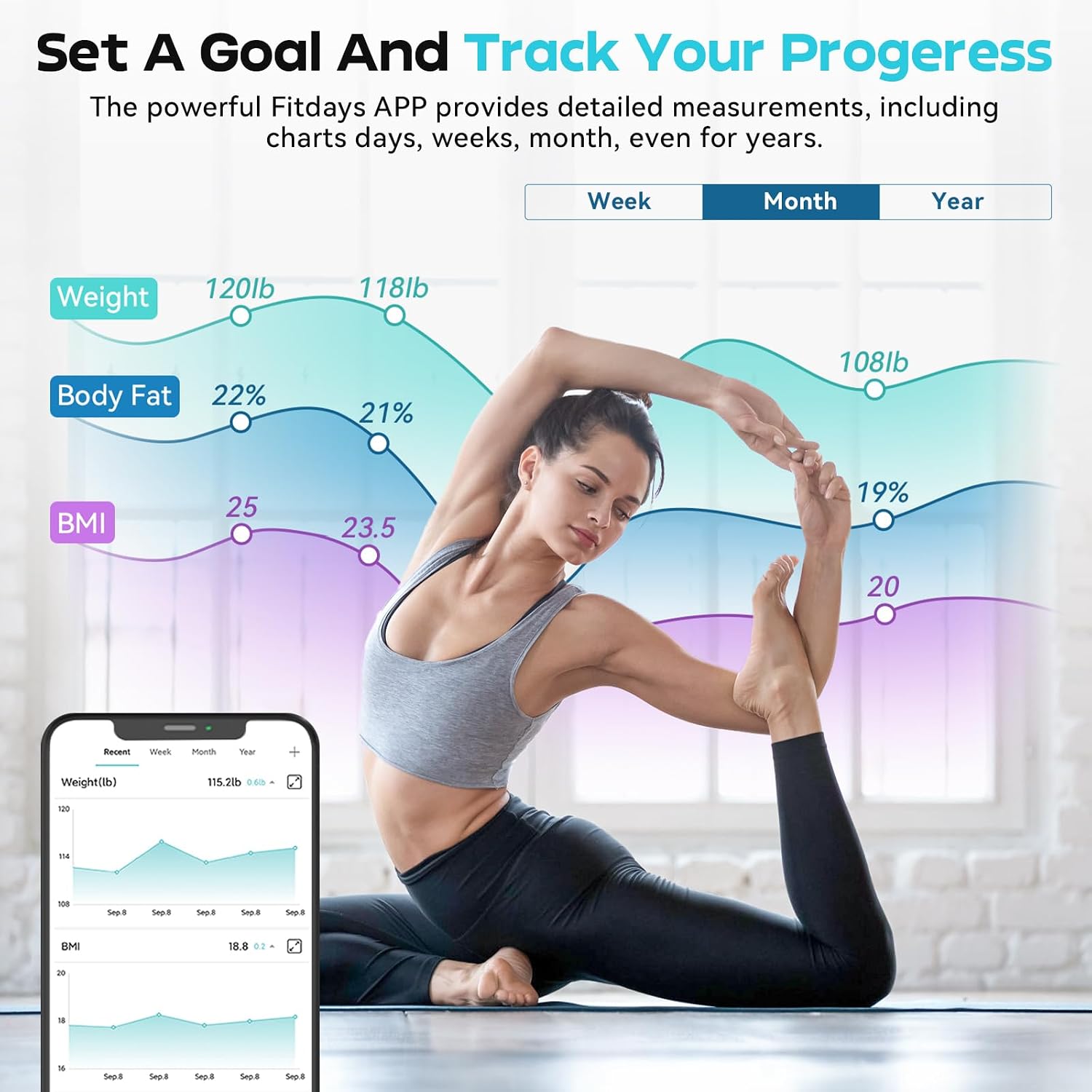
Image: The 'Fitdays' app displaying historical data and progress tracking for weight, body fat, and BMI.
The app also allows synchronization with other popular fitness applications such as Apple Health, Google Fit, Samsung Health, and Fitbit.
6.4 Jednostki przełączające
The unit of measurement (lb/kg/st) can be changed by pressing the button located on the underside of the scale.
7. Konserwacja
7.1 Czyszczenie
Przetrzyj powierzchnię wagi za pomocąamp szmatką i łagodnym detergentem. Nie używaj środków czyszczących o działaniu ściernym ani nie zanurzaj wagi w wodzie.
7.2 Przechowywanie
Przechowuj wagę w chłodnym i suchym miejscu. Unikaj umieszczania ciężkich przedmiotów na wadze, gdy nie jest używana.
7.3 Pielęgnacja baterii
The scale is rechargeable. When the low-battery indicator appears, recharge the scale using the provided USB cable. A full charge typically lasts for approximately 6 months.
8. Rozwiązywanie Problemów
| Wydanie | Możliwa przyczyna | Rozwiązanie |
|---|---|---|
| Waga nie włącza się. | Niski poziom naładowania baterii. | Naładuj wagę za pomocą kabla USB. |
| Niedokładne odczyty. | Scale on uneven surface; not standing still; feet not making proper contact. | Place on a hard, flat surface. Stand still with bare feet centered on electrodes. |
| Aplikacja nie łączy się z wagą. | Bluetooth wyłączony, aplikacja nie otwarta, waga nieaktywna. | Ensure Bluetooth is on. Open 'Fitdays' app. Step on scale to activate. Re-pair if necessary. |
| Dane dotyczące składu ciała nie są wyświetlane. | Wearing socks/shoes; feet not making full contact with electrodes. | Step on the scale barefoot with clean, dry feet making full contact with all four electrodes. |
| Data mix-up between users. | Multiple users with similar weight. | Upewnij się, że każdy użytkownik ma odrębny programfile in the app. The app uses weight to identify users, so significant weight differences help. Manually assign readings if needed. |
9. Specyfikacje
- Model: CH310B
- Wymiary: Wymiary 27.79 x 27.79 x 2.69 cm
- Waga: 1.5 kilogramów
- Tworzywo: Szkło hartowane
- Maksymalny udźwig: 400 funta / 180 kg
- Dokładność pomiaru: 0.1 funta / 0.05 kg
- Typ wyświetlacza: LCD (Backlit, Large Display)
- Cechy szczególne: Non-Slip Platform, Precision Balanced, Smart Connectivity
- Źródło zasilania: Rechargeable Battery (1 AAA battery included for initial setup, but the scale is USB rechargeable)
- Łączność: Bluetooth
- Zgodność aplikacji: Fitdays (iOS & Android), Apple Health, Google Fit, Samsung Health, Fitbit

Image: Diagram illustrating the physical dimensions of the CHWARES CH310B scale.
10. Gwarancja i wsparcie
CHWARES products are manufactured to high-quality standards. For warranty information, please refer to the documentation included with your purchase or contact CHWARES customer support. If you encounter any issues or have questions regarding your CHWARES CH310B Smart Digital Bathroom Scale, please contact our customer service team for assistance. Contact details can typically be found on the product packaging or the official CHWARES webstrona.