
1. Wprowadzenie
Dziękujemy za zakupasing the YOUTHINK Portable Shortwave Radio. This manual provides essential information for the safe and efficient operation of your device. Please read it thoroughly before use and retain it for future reference.
This portable radio offers AM/FM tuning, MP3 playback, and multiple power options, making it suitable for various listening environments.
2. Informacje dotyczące bezpieczeństwa
- Nie wystawiaj radia na działanie ekstremalnych temperatur, bezpośredniego światła słonecznego i wysokiej wilgotności.
- Unikaj upuszczania i narażania urządzenia na silne uderzenia.
- Nie próbuj demontować ani modyfikować radia. Spowoduje to unieważnienie gwarancji i może spowodować uszkodzenia.
- Use only the specified battery type and charging methods.
- Trzymaj urządzenie z dala od wody i innych płynów.
- Czyść radio miękką, suchą ściereczką. Nie używaj środków czyszczących o właściwościach ściernych ani rozpuszczalników.
3. Zawartość opakowania
Sprawdź, czy w przesyłce znajdują się wszystkie elementy:
- YOUTHINK Portable Shortwave Radio
- Kabel ładujący USB
- Power Cord (if applicable, please check your product packaging)
- Instrukcja obsługi (ten dokument)
Note: The 18650 lithium battery is typically included or sold separately. Please check your product packaging for confirmation.
4. Koniec produktuview
Zapoznaj się z podzespołami i elementami sterowania radia.

Rycina 4.1: Przód view of the YOUTHINK Portable Shortwave Radio with antenna extended, showing the speaker, LCD display, and control buttons.

Rysunek 4.2: Szczegółowy view of the radio's control panel. Labels indicate: On/Off/Pause button, Previous Song button, Next Song button, Numeric keys (0-9), Volume Down (V-), Volume Up (V+), and Mode/Circulation (M) button.
Przyciski sterujące:
- On/Off/Pause Button: Press to power on/off the radio. During playback, press to pause/resume.
- Klawisze numeryczne (0-9): Used for direct frequency input or track selection in MP3 mode.
- Prev Song Button: Skips to the previous track in MP3 mode or tunes to the previous station.
- Przycisk „Następny utwór”: Skips to the next track in MP3 mode or tunes to the next station.
- Volume Down (V-): Zmniejsza głośność dźwięku.
- Volume Up (V+): Zwiększa głośność dźwięku.
- Mode/Circulation (M) Button: Switches between radio modes (AM/FM) and MP3 playback. May also control playback circulation (repeat modes).
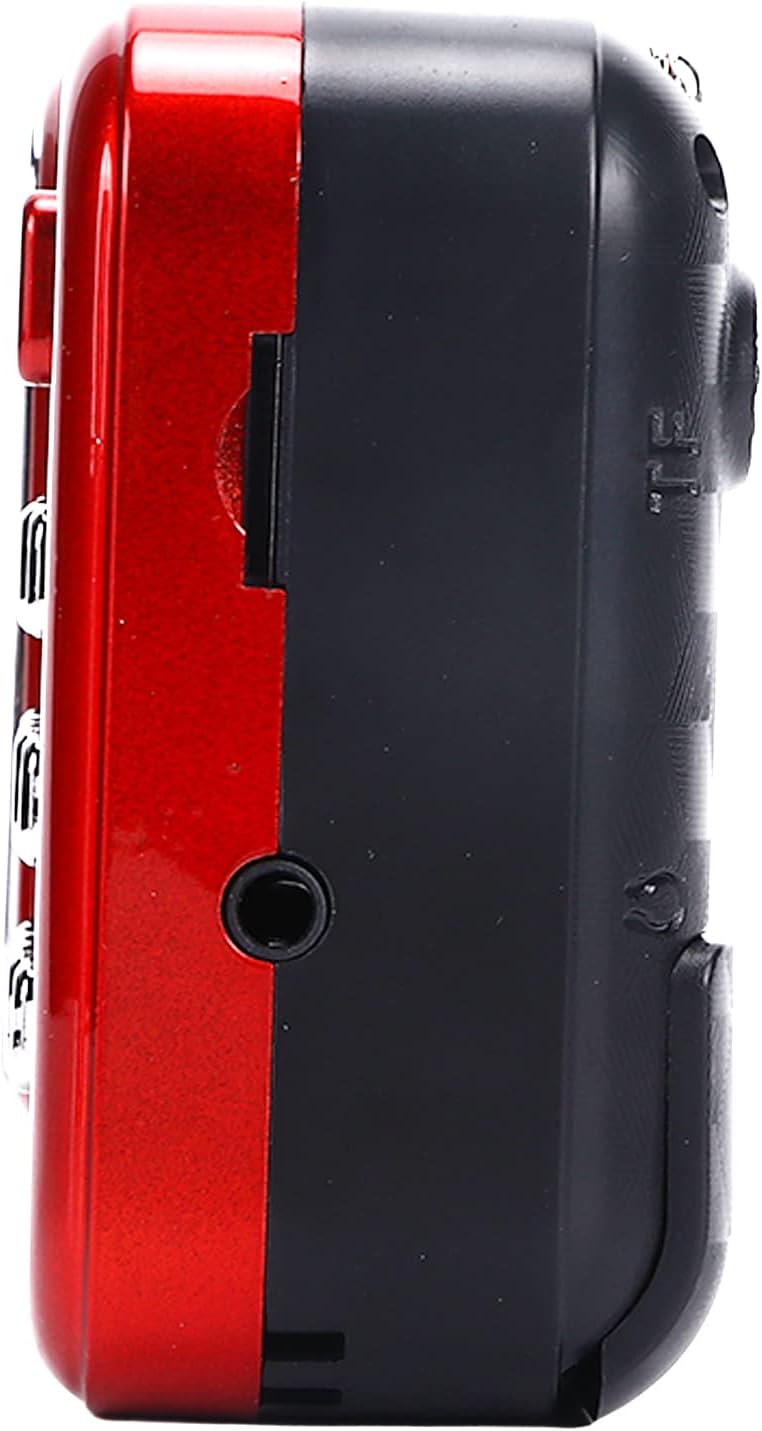
Rysunek 4.3: Strona view of the radio, highlighting the headphone jack for private listening.
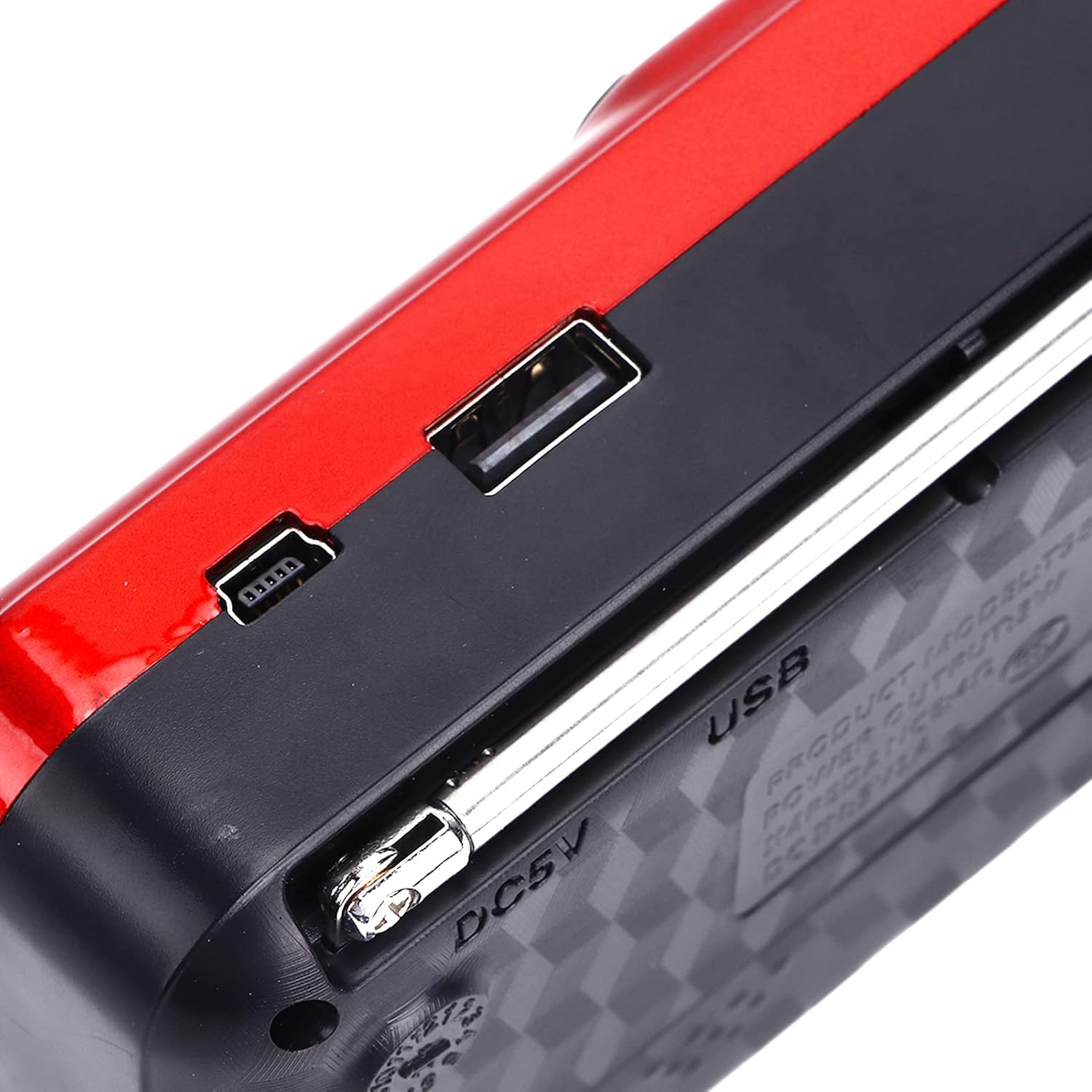
Rysunek 4.4: Góra view of the radio, showing the USB port and DC 5V charging port.
5. Konfiguracja
5.1 Instalacja baterii
- Znajdź pokrywę komory baterii z tyłu radia.
- Aby otworzyć komorę, przesuń lub podnieś pokrywę.
- Insert one 18650 lithium battery, ensuring correct polarity (+/-) as indicated inside the compartment.
- Dokładnie zamknij pokrywę komory baterii.

Figure 5.1: Open battery compartment showing the insertion of an 18650 lithium battery.
The radio can operate for approximately 6-8 hours on a fully charged 18650 lithium battery.
5.2 Ładowanie akumulatora
- Connect the provided USB charging cable to the DC 5V port on the radio.
- Connect the other end of the USB cable to a compatible USB power source (e.g., computer, USB wall adapter, power bank, car charger).
- The LCD display may indicate charging status. Disconnect the charger once the battery is fully charged.
Objętość ładowaniatage: Prąd stały 5 V 1 A.
6. Instrukcja obsługi
6.1 Włączanie/wyłączanie zasilania
- Naciśnij i przytrzymaj Włącz/Wyłącz/Pauza button to power on the radio.
- Press and hold the same button again to power off.
6.2 Regulacja głośności
- Naciśnij V+ przycisk, aby zwiększyć głośność.
- Naciśnij V- przycisk, aby zmniejszyć głośność.
6.3 Tryb radia (AM/FM)
- Aby uzyskać lepszy odbiór, wysuń antenę teleskopową.
- Naciśnij Tryb (M) button to switch to FM or AM radio mode. The current mode will be displayed on the LCD screen.
- Automatyczne skanowanie: W trybie radia naciśnij i przytrzymaj Odtwórz/Pauza button (often doubles as scan) to automatically scan and save available stations.
- Strojenie ręczne: Użyj Poprzednia piosenka or Następna piosenka buttons to manually tune to the desired frequency.
- Bezpośrednie wejście częstotliwościowe: Use the numeric keys (0-9) to directly enter a radio frequency.
6.4 Odtwarzanie MP3
The radio supports MP3 format playback from a USB drive or TF (MicroSD) card (not included).
- Włóż dysk USB do portu USB lub kartę TF do gniazda karty TF.
- Naciśnij Tryb (M) button to switch to MP3 playback mode. The radio will automatically detect and begin playing MP3 files.
- Użyj Poprzednia piosenka I Następna piosenka przyciski do nawigacji pomiędzy utworami.
- Naciśnij Włącz/Wyłącz/Pauza przycisk, aby wstrzymać lub wznowić odtwarzanie.
- Use the numeric keys (0-9) to directly select a track number.
6.5 Korzystanie z latarki

Figure 6.1: The radio's integrated LED flashlight illuminating a dark area, useful for emergencies or low-light conditions.
The radio includes an integrated LED flashlight. To activate or deactivate the flashlight, locate the dedicated flashlight button or switch, usually on the side of the device.
6.6 Korzystanie ze słuchawek
For private listening, plug standard 3.5mm headphones into the headphone jack located on the side of the radio.
7. Konserwacja
- Czyszczenie: Wipe the radio with a soft, dry cloth. Do not use liquid cleaners or aerosols.
- Składowanie: When not in use for extended periods, store the radio in a cool, dry place. If using a removable battery, consider removing it to prevent leakage.
- Pielęgnacja baterii: Recharge the battery regularly, even if not in use, to maintain its lifespan. Avoid fully discharging the battery frequently.
8. Rozwiązywanie Problemów
| Problem | Możliwa przyczyna | Rozwiązanie |
|---|---|---|
| Radio się nie włącza. | Bateria jest rozładowana lub nieprawidłowo zainstalowana. | Naładuj akumulator lub sprawdź, czy został zainstalowany z zachowaniem prawidłowej biegunowości. |
| Słaby odbiór radia. | Antena nie jest wysunięta lub sygnał jest słaby. | Całkowicie rozłóż antenę teleskopową. Spróbuj zmienić położenie radia. |
| Brak dźwięku z głośnika. | Głośność jest zbyt niska lub podłączone są słuchawki. | Zwiększ głośność. Odłącz słuchawki, jeśli nie chcesz. |
| MP3 filenie gra. | Nieprawidłowy tryb, nieobsługiwany file format, or faulty USB/TF card. | Ensure radio is in MP3 mode. Verify files are in MP3 format. Try a different USB drive or TF card. |
9. Specyfikacje
- Model: YOUTHINKmxkn0ugipz
- Marka: MŁODZIEŻ MYŚLI
- Technologia tunera: AM, FM
- Obsługiwane pasma radiowe: AM, FM
- Technologia łączności: USB
- Źródło zasilania: Battery Powered (18650 Lithium Battery)
- Objętość ładowaniatage: Prąd stały 5 V 1 A
- Moc wyjściowa: 3W
- Częstotliwość odpowiedzi: 100Hz-18KHz
- Stosunek sygnału do szumu: ≤70dB
- Odtwarzanie muzyki: Supports MP3 Format
- Wymiary produktu: 4.65"L x 2.76"W x 1.38"H (Approx. 11.8 x 7 x 3.5 cm)
- Waga przedmiotu: 5.9 uncji (ok. 167 g)
- Dodatek specjalny: Portable, LCD Display, MP3 Player, Flashlight
10. Gwarancja i wsparcie
For warranty information or technical support, please refer to the documentation provided with your purchase or contact YOUTHINK customer service through the retailer where the product was purchased.
Proszę zachować dowód zakupu na potrzeby roszczeń gwarancyjnych.