
1. Ważne informacje dotyczące bezpieczeństwa
Please read all instructions carefully before assembling and using your Oversteel SAPHIRE Gaming Chair. Retain this manual for future reference.
- Use the chair strictly according to the instructions provided in this manual.
- Nie przekraczać maksymalnego zalecanego udźwigu 110 kg (242 funta).
- Ensure the chair is fully and correctly assembled, and all bolts are tightened, before initial use.
- Exercise caution when operating the recline and height adjustment functions to prevent injury.
- Podczas montażu należy trzymać dzieci i zwierzęta z dala od krzesła.
- Unikaj stawania na krześle lub używania go jako podnóżka.
If any parts are missing or damaged, do not attempt to assemble or use the chair. Contact Oversteel customer support immediately.
2. Zawartość opakowania
Before assembly, verify that all components are present and undamaged. Refer to the assembly diagram (if provided separately) for a complete list of parts.

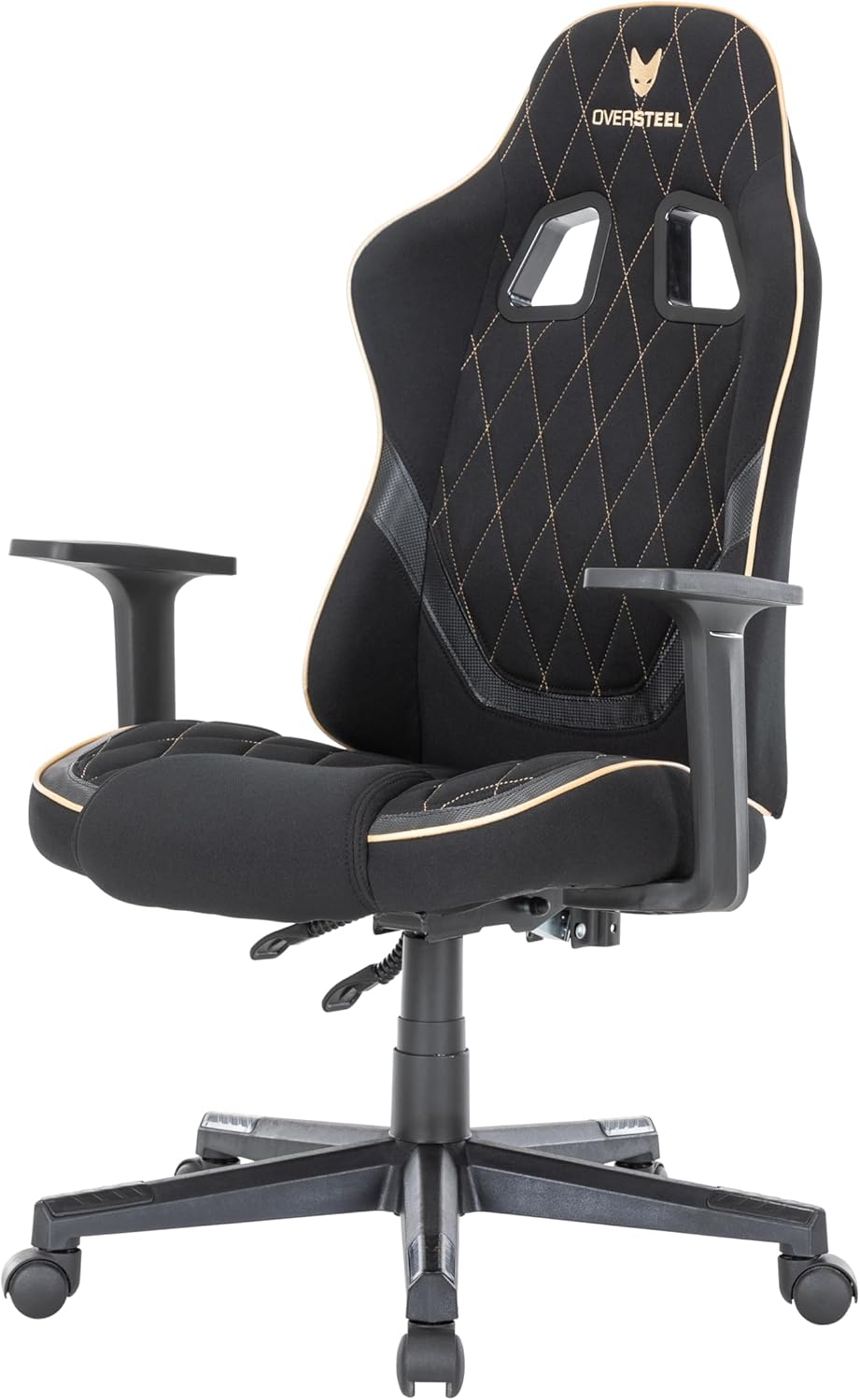
Przód view of the Oversteel SAPHIRE Gaming Chair, showcasing the main components including the backrest, seat, armrests, and base.
3. Instalacja i montaż
Follow these general steps for assembling your Oversteel SAPHIRE Gaming Chair. It is recommended to assemble the chair on a soft, clean surface to prevent damage.
- Zamontuj koła do podstawy: Insert the 50mm nylon wheels into the holes on the five-star base until they click securely into place.
- Włóż podnośnik gazowy: Place the gas lift cylinder into the center hole of the assembled five-star base. Do not remove the red cap from the gas lift piston until instructed.
- Zamocuj mechanizm do siedzenia: Secure the multi-functional mechanism to the underside of the seat cushion using the provided bolts. Ensure the front of the mechanism faces the front of the seat.
- Dołącz podłokietniki: Fasten the armrests to the seat cushion using the designated bolts.
- Zamontuj oparcie na siedzisku: Align the backrest with the seat and secure it using the provided bolts.
- Podłączanie zespołu siedziska do podnośnika gazowego: Ostrożnie umieść zmontowane siedzisko i oparcie na siłowniku gazowym, upewniając się, że jest wyśrodkowane i stabilne.
- Zamontuj poduszki: Position the headrest and lumbar support cushions as desired. The lumbar cushion typically attaches with straps around the backrest.

The five-star base with 50mm nylon wheels attached.
The Oversteel SAPHIRE Gaming Chair with its adjustable headrest and lumbar support cushions.
4. Instrukcja obsługi
Your Oversteel SAPHIRE Gaming Chair offers several adjustment options for personalized comfort.
4.1. Regulacja wysokości
- To raise the chair: While seated, pull the right lever (typically located under the seat on the right side) upwards and lift your weight slightly off the seat. The chair will rise. Release the lever at the desired height.
- To lower the chair: While seated, pull the right lever upwards. The chair will lower under your weight. Release the lever at the desired height.
4.2. Odchylenie oparcia
- To recline the backrest: Pull the left lever (typically located under the seat on the left side) upwards and lean back. The backrest can recline up to 135 degrees. Release the lever to lock the backrest in position.
- To return the backrest to an upright position: Pull the left lever upwards and lean forward slightly. The backrest will return to its original position. Release the lever to lock.
The chair's backrest can be reclined to various angles for comfort.

Control levers for adjusting chair height and backrest recline.
4.3. Regulacja podłokietnika
The armrests are fixed in height and position for stability.
4.4. Mobilność
The 50mm nylon wheels provide smooth and stable mobility on various surfaces. Ensure the floor is clear of obstructions before moving the chair.
5. Konserwacja i pielęgnacja
Proper maintenance will extend the life and appearance of your gaming chair.
- Czyszczenie: Regularnie przecieraj krzesło miękką szmatką.amp cloth. For more stubborn stains on the fabric, use a mild soap solution and a soft brush, then wipe clean with a damp Wytrzyj szmatką i dokładnie osusz. Unikaj silnych środków chemicznych i ściernych środków czyszczących.
- Kontrola: Periodically check all bolts and screws to ensure they are tight. Re-tighten if necessary to maintain stability and prevent wobbling.
- Poruszający: Przesuwając krzesło, podnoś je, a nie ciągnij, aby zapobiec uszkodzeniu kółek lub podstawy.
- Środowisko: Avoid prolonged exposure to direct sunlight or extreme temperatures, which can degrade the fabric and foam.
6. Rozwiązywanie Problemów
If you encounter any issues with your Oversteel SAPHIRE Gaming Chair, refer to the following common solutions:
- Krzesło się chwieje:
- Sprawdź, czy wszystkie śruby montażowe są mocno dokręcone.
- Check that the gas lift is properly seated in both the base and the seat mechanism.
- Trudności w regulacji wysokości:
- Verify that the height adjustment lever is fully engaged.
- Ensure the gas lift's protective cap (if any) has been removed.
- Oparcie nie odchyla się/nie blokuje:
- Check that the recline lever is functioning correctly and not obstructed.
- Ensure no foreign objects are interfering with the recline mechanism.
- Piszczące dźwięki:
- Dokręć wszystkie śruby i wkręty.
- Apply a small amount of silicone lubricant to moving parts or joints if the noise persists.
If these steps do not resolve the issue, please contact Oversteel customer support.
7. Specyfikacje produktu
| Nazwa modelu | SZAFIR |
| Numer modelu | NAT-OV-SAPHIRE-DGBK |
| Wymiary (dł. x szer. x wys.) | 48 x 53 x 118 cm (18.9 x 20.9 x 46.5 cala) |
| Waga | 14.5 kg (32 funta) |
| Maksymalna ładowność | 110 kg (242 funta) |
| Tworzywo | Polyester fabric, Faux leather, Alloy steel frame, Foam padding |
| Kąt odchylenia oparcia | Do 135 stopni |
| Zakres regulacji wysokości | 8 cm (3.1 cala) |
| Koła | 50 mm nylonu |
| Kolor | Black (with grey/gold accents) |
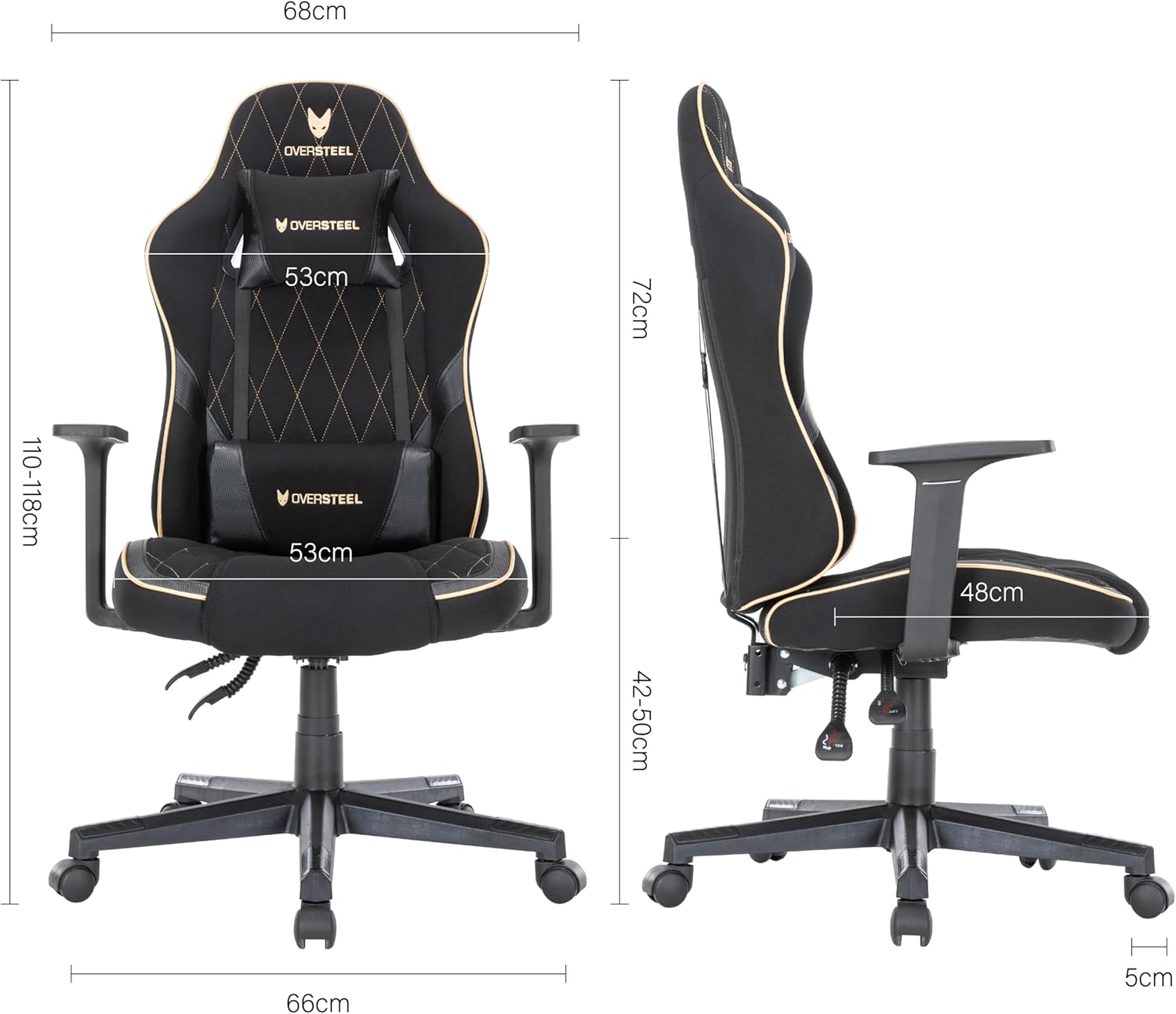
Detailed dimensions of the Oversteel SAPHIRE Gaming Chair.
8. Informacje o gwarancji
Oversteel products are manufactured to high-quality standards. This product comes with a standard manufacturer's warranty against defects in materials and workmanship. Please refer to your purchase documentation or the official Oversteel webAby zapoznać się ze szczegółowymi warunkami gwarancji obowiązującymi w Twoim regionie, odwiedź naszą witrynę.
9. Obsługa klienta
If you have any questions, require assistance with assembly, or need troubleshooting support that is not covered in this manual, please contact Oversteel customer service. Contact information can typically be found on the Oversteel official webstronie internetowej lub na opakowaniu produktu.
For the most up-to-date information and support resources, please visit the official Oversteel webstrona.