
Opticis LHM2-NT80
Instrukcja obsługi aktywnego kabla optycznego HDMI 2.0 Opticis LHM2-NT80
Model: LHM2-NT80
1. Wprowadzenie
This user manual provides comprehensive instructions for the installation, operation, and maintenance of your Opticis LHM2-NT80 Active Optical HDMI 2.0 Cable. This high-performance cable is designed to transmit HDMI 2.0 signals over long distances, up to 80 meters (262 feet) or 100 meters (328 feet) depending on the specific model variant, utilizing hybrid fiber optic and copper technology. Please read this manual thoroughly before using the product to ensure proper functionality and safety.
2. Informacje dotyczące bezpieczeństwa
Aby zapobiec uszkodzeniu produktu lub obrażeniom ciała, należy zawsze przestrzegać następujących środków ostrożności:
- Do not expose the cable to excessive force, bending, or crushing, as this can damage the internal optical fibers.
- Avoid exposing the cable to extreme temperatures or high humidity.
- Nie próbuj demontować ani modyfikować kabla. Spowoduje to unieważnienie gwarancji i może spowodować uszkodzenia.
- Ensure proper grounding for all connected devices.
- Utrzymuj złącza w czystości i wolne od kurzu i zanieczyszczeń.
3. Zawartość opakowania
Sprawdź, czy w przesyłce znajdują się wszystkie elementy:
- Opticis LHM2-NT80 Active Optical HDMI 2.0 Cable (1 unit)
- This User Manual (1 unit)
4. Koniec produktuview
The Opticis LHM2-NT80 is an active optical HDMI 2.0 cable designed for reliable long-distance transmission of high-bandwidth video and audio signals. It supports HDMI 2.0 standards, including 4K@60Hz (4:4:4) and 18Gbps data rates. The cable features a durable TPU jacket, making it suitable for various installation environments.
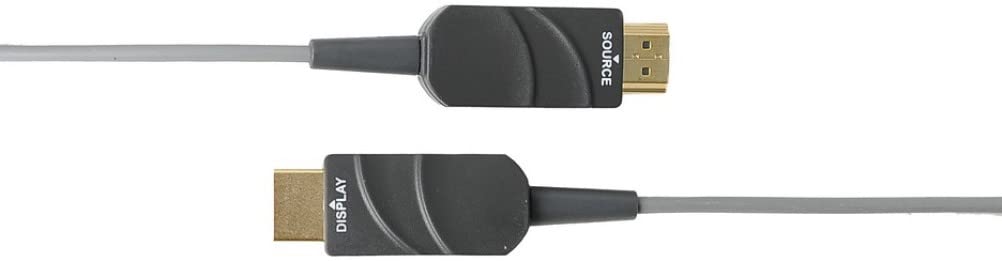
Figure 4.1: The Opticis LHM2-NT80 Active Optical HDMI Cable, showing the distinct 'SOURCE' and 'DISPLAY' labeled connectors. The 'SOURCE' end connects to the video source (e.g., PC, Blu-ray player), and the 'DISPLAY' end connects to the display device (e.g., TV, projector).
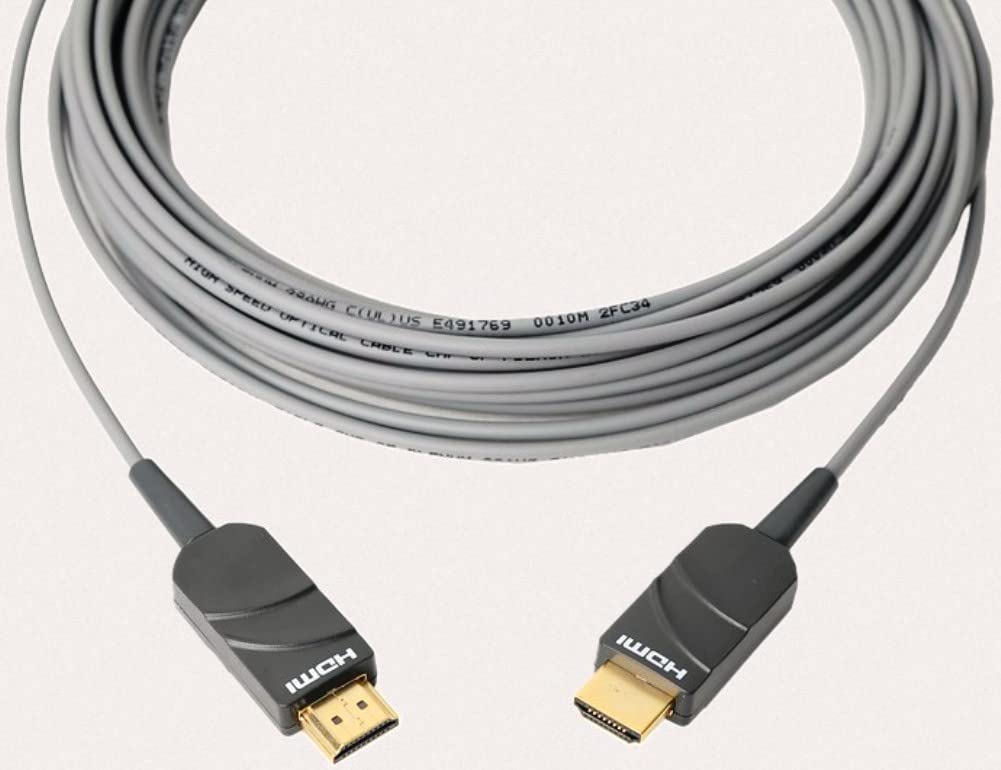
Figure 4.2: The Opticis LHM2-NT80 HDMI cable shown coiled, highlighting its flexible yet durable TPU jacket. The cable is designed for long-distance signal transmission.
Główne cechy:
- Supports HDMI 2.0 standards (18Gbps bandwidth).
- Transmits 4K UHD (3840x2160) at 60Hz (4:4:4) up to 80m/100m.
- Hybrid fiber optic and copper construction for reliable long-distance transmission.
- Durable TPU jacket for enhanced flexibility and protection.
- Plug & Play operation, no external power required for most applications.
- Supports HDR, HDCP 2.2, EDID, and CEC.
Wymiary:
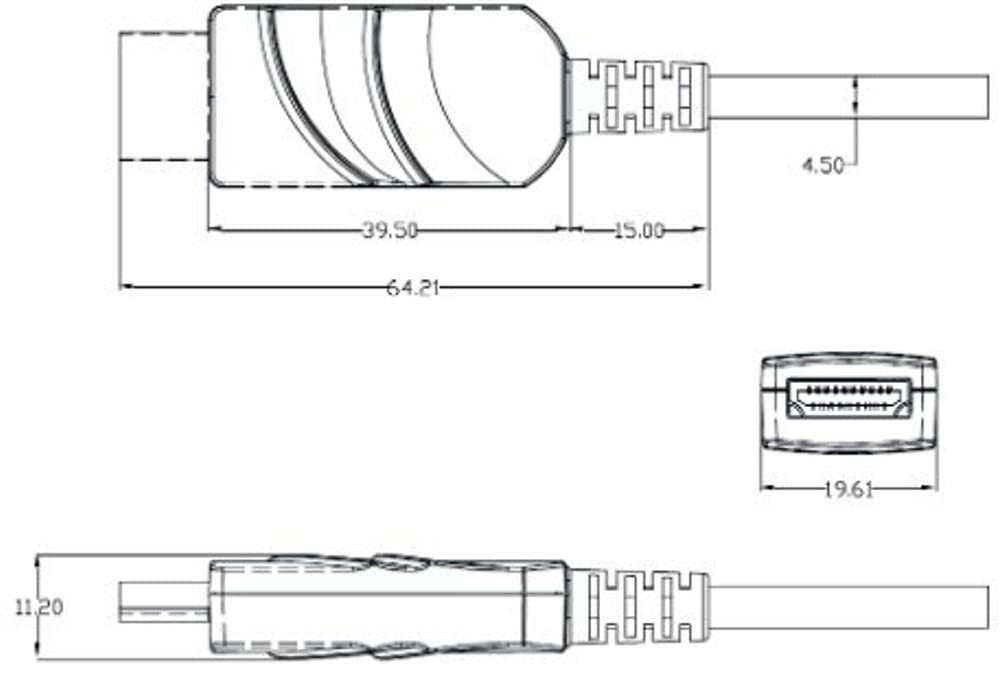
Figure 4.3: Technical drawing illustrating the dimensions of the HDMI connector housing. All measurements are in millimeters (mm).
5. Konfiguracja i instalacja
The Opticis LHM2-NT80 cable is designed for simple plug-and-play installation. It is crucial to connect the cable in the correct orientation.
- Identify Cable Ends: The cable connectors are clearly labeled. One end is marked "SOURCE" and the other is marked "DISPLAY".
- Połącz ze źródłem: Plug the HDMI connector labeled "SOURCE" into the HDMI output port of your source device (e.g., computer, Blu-ray player, game console).
- Połącz z wyświetlaczem: Plug the HDMI connector labeled "DISPLAY" into the HDMI input port of your display device (e.g., TV, monitor, projector).
- Włącz urządzenia: Ensure both the source and display devices are powered on. The cable will draw power from the HDMI ports.

Figure 5.1: Connection diagram illustrating the proper setup of the LHM2-N series cable. The 'Tx' (Transmitter/Source) end connects to the HDMI source, and the 'Rx' (Receiver/Display) end connects to the HDMI display. This ensures correct signal flow.
Ważna uwaga: The cable is directional. Connecting the "SOURCE" end to the display or the "DISPLAY" end to the source will result in no signal. Always ensure correct orientation.
6. Instrukcja obsługi
Once the Opticis LHM2-NT80 cable is correctly connected between your source and display devices, operation is automatic. The cable functions as a transparent extension of your HDMI connection.
- Ensure your source device is outputting a compatible HDMI signal.
- Wybierz prawidłowe wejście HDMI na urządzeniu wyświetlającym.
- The cable will automatically transmit the video and audio signals. No additional software or drivers are required.
7. Konserwacja
The Opticis LHM2-NT80 Active Optical HDMI Cable requires minimal maintenance. Follow these guidelines to ensure its longevity:
- Czyszczenie: Delikatnie przetrzyj kabel i złącza miękką, suchą ściereczką. Nie używaj płynnych środków czyszczących ani materiałów ściernych.
- Składowanie: When not in use, store the cable in a cool, dry place, away from direct sunlight and extreme temperatures. Avoid sharp bends or kinks.
- Obsługiwanie: Zawsze chwytaj za obudowę złącza podczas podłączania i odłączania kabla. Nie ciągnij za sam kabel.
8. Rozwiązywanie Problemów
If you encounter issues with your Opticis LHM2-NT80 cable, refer to the following troubleshooting steps:
| Problem | Możliwa przyczyna | Rozwiązanie |
|---|---|---|
| Brak sygnału wideo/audio | Incorrect cable orientation (SOURCE/DISPLAY ends reversed). Source/display devices not powered on. Wybrano nieprawidłowe dane wejściowe na wyświetlaczu. Uszkodzenie kabla. | Ensure "SOURCE" end is connected to source and "DISPLAY" end to display. Verify both devices are powered on. Wybierz właściwe wejście HDMI na swoim wyświetlaczu. Inspect cable for visible damage. Try a different HDMI cable if available to isolate the issue. |
| Intermittent signal or flickering | Luźne połączenie. Signal compatibility issue. Cable length exceeding limits for specific resolution. | Ensure connectors are firmly seated. Check if source and display support the same HDMI version and features. Reduce resolution or refresh rate to see if signal stabilizes. |
| Poor picture quality (e.g., static, color distortion) | Uszkodzenie kabla. Ingerencja. Ustawienia źródła/wyświetlania. | Inspect cable for damage. Ensure it's not near strong electromagnetic interference sources. Check video output settings on your source device and input settings on your display. |
9. Specyfikacje
| Funkcja | Opis |
|---|---|
| Model | LHM2-NT80 (LHM2-N Series) |
| Marka | Opticis |
| Typ kabla | Active Optical HDMI Cable |
| Standardowy HDMI | HDMI 2.0 |
| Szybkość przesyłu danych | 18 Gigabits Per Second (Gbps) |
| Obsługiwana rozdzielczość | Up to 4K UHD (3840x2160) @ 60Hz (4:4:4) |
| Długość kabla | 80 Meters (LHM2-NT80) / Up to 100m (328 feet) for LHM2-N series |
| Materiał kurtki | TPU (termoplastyczny poliuretan) |
| Płeć złącza | Mężczyzna-mężczyzna |
| Kolor | Transparent (Cable Jacket) |
| Moc | No external power required (draws power from HDMI port) |
| Zgodność | HDCP 2.2, EDID, CEC, HDR |
10. Gwarancja i wsparcie
For information regarding product warranty, please refer to the official Opticis website or contact your authorized Opticis dealer. Standard manufacturer's warranty terms and conditions apply.
For technical support or further inquiries, please visit the Opticis support page or contact their customer service department. Contact details can typically be found on the manufacturer's official webstrona: www.opticis.com