
Marea B58010/7
Instrukcja obsługi smartwatcha Marea B58010
Model: B58010/7
Wstęp
Thank you for choosing the Marea Smartwatch B58010. This manual provides essential information for setting up, operating, and maintaining your device. Please read it carefully to ensure optimal performance and longevity of your smartwatch.
Organizować coś
1. Ładowanie początkowe
Before first use, fully charge your Marea Smartwatch. Connect the charging cable to the watch's charging port and plug the USB end into a power source (e.g., computer USB port or a 5V-1A USB power adapter).
Notatka: If the battery is extremely low or the watch has not been used for an extended period, it may require more than 30 minutes of charging to reactivate.
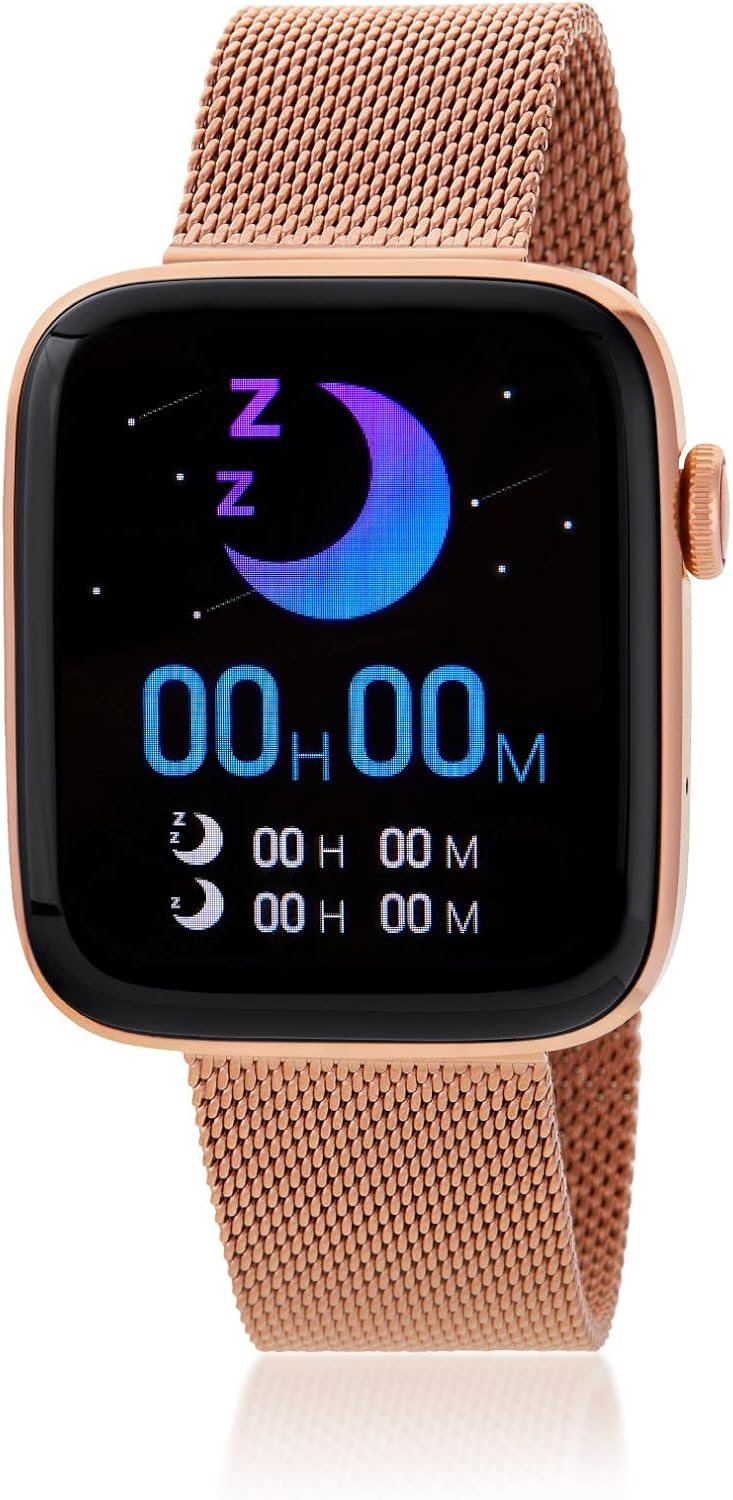
Image: The Marea Smartwatch B58010 with a rose mesh strap, displaying a sleep tracking interface with a crescent moon icon and 'Z' symbols, indicating sleep monitoring functionality.
2. Parowanie ze smartfonem
- Download the official Marea Smartwatch application from your smartphone's app store (compatible with Android 4.4+ and iOS 8.0+).
- Upewnij się, że Bluetooth jest włączony w Twoim smartfonie.
- Open the Marea Smartwatch app and follow the on-screen instructions to search for and connect to your B58010 smartwatch.
- Potwierdź prośbę o sparowanie na smartfonie i smartwatchu.
Obsługa smartwatcha
The Marea Smartwatch B58010 offers a wide array of features designed to enhance your daily life and health monitoring.
Kluczowe funkcje Koniecview
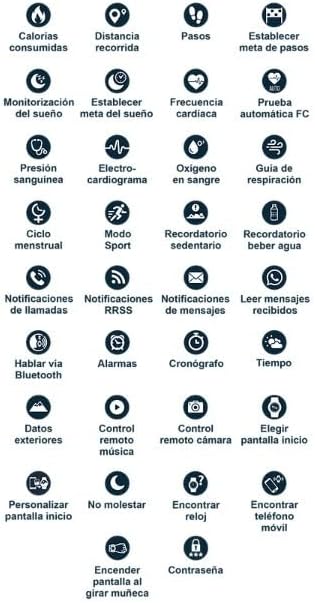
Image: A grid of icons illustrating various functions of the smartwatch, including calorie tracking, distance, steps, sleep monitoring, heart rate, blood pressure, blood oxygen, call notifications, message notifications, music control, and more.
- Komunikacja: Make and receive calls (displays number), view the last 10 messages, manage up to 20 contacts, and record calls.
- Śledzenie aktywności: Monitor steps taken, distance traveled, and calories burned.
- Tryby sportowe: Access various sport modes for tracking specific activities.
- Monitorowanie zdrowia: Track heart rate, perform ECG, measure blood pressure, and blood oxygen levels.
- Funkcje wygody: Music remote control, sleep monitor, chronograph, climate information, calculator, phone finder, weather updates, breathing guide, massager, and assistant functions.
- Personalizacja: Customize your home screen and set a password for enhanced security.
- Feminine Health Tracking: Dedicated features for tracking feminine health.
Customization and Security
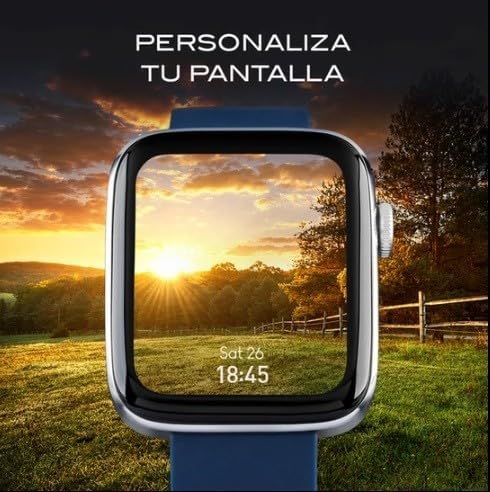
Image: The smartwatch display showing a customizable background with a scenic sunset, demonstrating the ability to personalize the watch face.
You can personalize your smartwatch by changing the home screen display. Additionally, for security, you can set a password to unlock your device.

Image: The smartwatch screen displaying a numeric keypad for entering a password or unlock code, highlighting the security feature.
Połączenia Bluetooth
The Marea Smartwatch B58010 supports Bluetooth calls, allowing you to answer or make calls directly from your wrist when connected to your smartphone.

Image: The smartwatch screen displaying an incoming call interface with options to accept or decline the call, demonstrating its Bluetooth calling capability.
Important Notes on Health Monitoring Functions
The heart rate, ECG, blood pressure, and blood oxygen measurement functions of this smartwatch utilize an optical sensor and are intended for recreational use only. They do not provide the precision and accuracy of professional medical devices.
This smartwatch cannot replace a medical device for detecting or diagnosing pathologies, heart conditions, or other diseases. The data provided by the sensor may be affected by various factors, including:
- Level of contact with the skin
- Skin pigmentation
- Tatuaże
- Arm movements
- Czynniki środowiskowe
Always consult a healthcare professional for any medical concerns.
Informacje o baterii
To activate your smartwatch, connect it to electrical power using the provided charging cable. If the battery is completely depleted or the watch has been stored for a long time, it may require charging for more than 30 minutes to reactivate.
When using a power adapter to charge, ensure it has a maximum output of 5V-1A. Using an adapter with higher voltage lub amperage may damage the device.
Specyfikacje
| Funkcja | Szczegół |
|---|---|
| Numer modelu | B58010/7 |
| Ekran | 1.75 inch IPS Full Touch Screen, 320 x 385 LTPS LCD |
| Wymiary | 37x43mm |
| Procesor | Realtek 8762DK |
| Zgodny system | Android 4.4 lub nowszy / iOS 8.0 lub nowszy |
| Ocena odporności | IP67 |
| Łączność | Bluetooth |
| Skład baterii | Tlenek srebra |
Konserwacja
Wodoodporność (IP67)
The Marea Smartwatch B58010 has an IP67 resistance rating, meaning it is protected against dust and can withstand immersion in water up to 1 meter for up to 30 minutes. This makes it suitable for daily life use, such as washing hands or light rain.
Ważne ograniczenia:
- Do not use for diving or prolonged submersion in water.
- Avoid using in hot water showers or baths, as water vapor can damage the watch.
- Avoid contact with salt water, as it can corrode the device.
Czyszczenie
To clean your smartwatch, gently wipe it with a soft, dry, lint-free cloth. For stubborn dirt, slightly dampPrzetrzyj szmatkę wodą. Nie używaj silnych środków chemicznych, ściernych środków czyszczących ani rozpuszczalników.
Rozwiązywanie problemów
Typowe problemy i rozwiązania
- Zegarek się nie włącza: Upewnij się, że zegarek jest w pełni naładowany. Podłącz go do ładowarki na co najmniej 30 minut.
- Nie można sparować ze smartfonem:
- Sprawdź, czy w telefonie jest włączony Bluetooth.
- Upewnij się, że smartwatch znajduje się w zasięgu telefonu.
- Uruchom ponownie smartwatch i telefon.
- Wyczyść pamięć podręczną aplikacji lub zainstaluj ją ponownie.
- Niedokładne dane dotyczące zdrowia: Refer to the "Important Notes on Health Monitoring Functions" section. Ensure the watch is worn snugly on your wrist, but not too tight. Avoid tattoos or excessive hair under the sensor area.
- Krótka żywotność baterii: Zmniejsz jasność ekranu, wyłącz niepotrzebne powiadomienia i ogranicz ciągłe monitorowanie tętna, jeśli nie jest to konieczne.
Gwarancja i wsparcie
Information regarding specific warranty terms and customer support contact details for the Marea Smartwatch B58010 is not provided in this manual. Please refer to the product packaging or the official Marea webStrona zawierająca informacje o gwarancji i dane kontaktowe pomocy technicznej.