
1. Wprowadzenie
Thank you for choosing the ILIFE V3s Max Robot Vacuum and Mop Combo. This device is designed to provide efficient and convenient cleaning for your home, combining powerful vacuuming with intelligent mopping capabilities. This manual provides essential information for the safe operation, maintenance, and troubleshooting of your robot vacuum. Please read it thoroughly before use and retain it for future reference.
2. Instrukcje bezpieczeństwa
To reduce the risk of injury or damage, read and follow all safety precautions. This appliance is for household use only.
- Do not operate the robot near open flames or fragile objects.
- Trzymaj włosy, luźne ubrania, palce i wszystkie części ciała z dala od otworów i ruchomych części.
- Nie pozwalaj dzieciom obsługiwać robota. Nadzoruj dzieci i zwierzęta podczas pracy robota.
- Należy używać wyłącznie oryginalnego zasilacza i stacji ładującej dostarczonych przez producenta.
- Przed pierwszym użyciem upewnij się, że robot jest w pełni naładowany.
- Nie używaj robota do zbierania dużych śmieci, płynów ani płonących przedmiotów.
- Remove power cords, small objects, and curtains from the cleaning path to prevent entanglement.
- Do not use the mopping function on carpets or rugs.
3. Zawartość opakowania
Sprawdź, czy wszystkie komponenty są obecne i w dobrym stanie:
- 1x ILIFE V3s Max Robot Vacuum
- 1x Pilot zdalnego sterowania
- 1x Filter (pre-installed)
- Adapter sieciowy 1x
- 1x Stacja ładująca
- 1x Szczotka do czyszczenia
- 2x Side Brushes (spare)
- 1x ściereczka do mopa
- 1x zbiornik na wodę
- 1x Instrukcja obsługi
- 3x worki przeciwkurzowe
4. Koniec produktuview
Familiarize yourself with the main components of your ILIFE V3s Max.

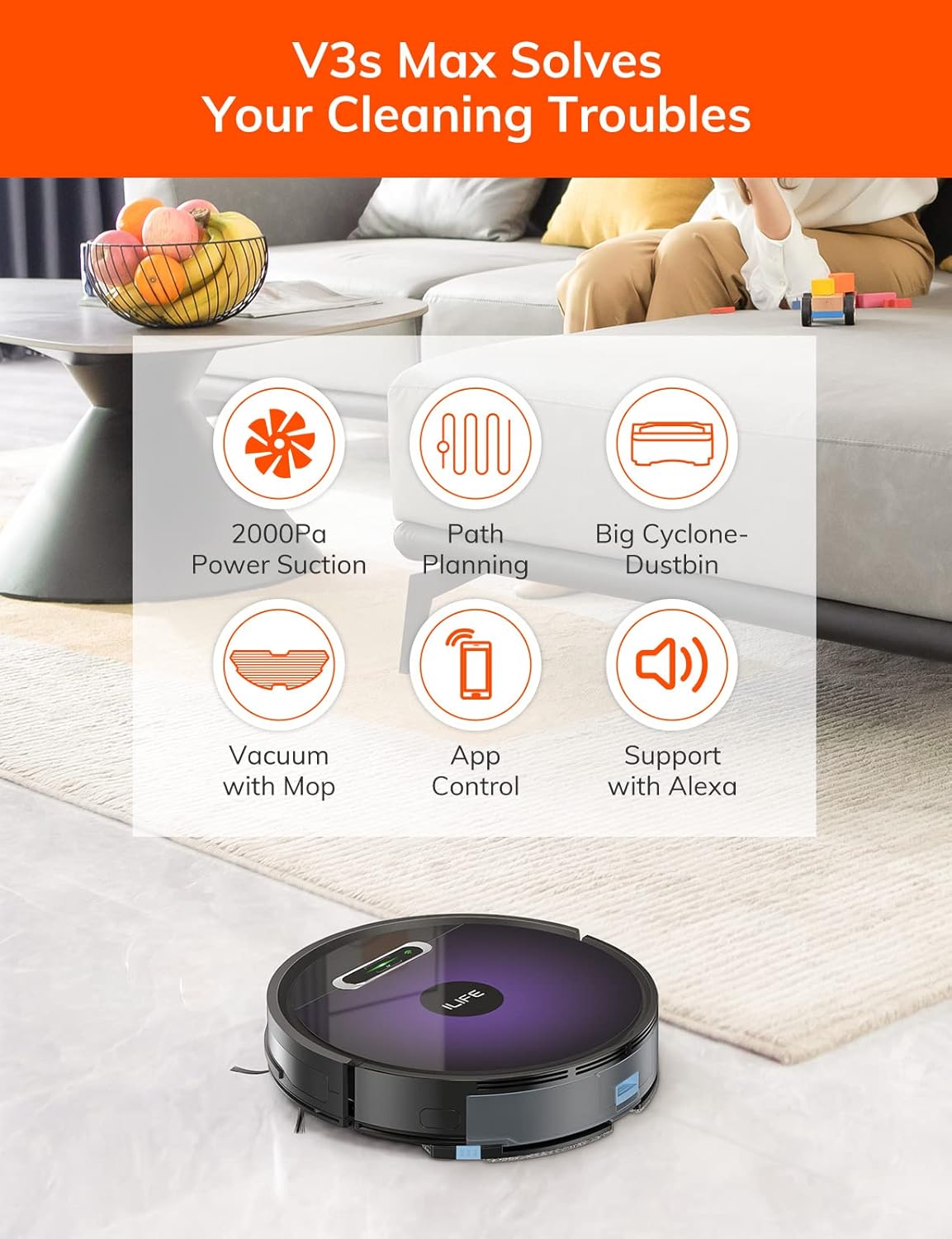
Rysunek 4.1: Szczyt view of the ILIFE V3s Max robot vacuum, illustrating its 2000Pa suction, path planning, large dustbin, vacuum with mop function, app control, and Alexa support.

Rysunek 4.2: Spód view of the robot vacuum, highlighting the deep edge cleaning brush, powerful suction inlet, and the mop attachment for combined cleaning.
Główne składniki:
- Treść główna: Zawiera silnik, pojemnik na kurz, zbiornik na wodę i czujniki nawigacyjne.
- Szczotki boczne: Zamieć zanieczyszczenia w kierunku ścieżki ssącej.
- Koła napędowe: Pozwól robotowi poruszać się po różnych powierzchniach.
- Koło uniwersalne: Provides directional movement.
- Ładowanie styków: Łączy się ze stacją ładującą.
- Pojemnik na śmieci: Zbiera suche zanieczyszczenia.
- Zbiornik na wodę: Zatrzymuje wodę do mycia podłóg.
- Ściereczka do mopa: Mocowany do zbiornika na wodę w celu czyszczenia na mokro.
- Przycisk zasilania: Turns the robot on/off and starts/pauses cleaning.
- Czujniki: Anti-drop, anti-collision, and wall-following sensors.
5. Konfiguracja
5.1 Pierwsze ładowanie
- Umieść stację ładującą przy ścianie na otwartej przestrzeni, upewniając się, że w odległości 1 metra po bokach i 2 metra z przodu nie ma żadnych przeszkód.
- Podłącz zasilacz sieciowy do stacji ładującej i podłącz go do gniazdka elektrycznego.
- Place the robot onto the charging dock, ensuring the charging contacts align. The indicator light will show charging status.
- Allow the robot to charge completely before first use (approximately 5-6 hours).
Rysunek 5.1: The robot vacuum returning to its charging dock. Ensure the dock is placed in an accessible area.
5.2 Aplikacja i połączenie Wi-Fi
The ILIFE V3s Max supports app control via 2.4G Wi-Fi (5G Wi-Fi is not supported).
- Pobierz aplikację „ILIFEHOME” ze sklepu z aplikacjami na swoim smartfonie (iOS lub Android).
- Zarejestruj konto i zaloguj się.
- Ensure your phone is connected to a 2.4G Wi-Fi network.
- Follow the in-app instructions to add your device. This typically involves pressing and holding the robot's power button until it enters pairing mode, then entering your Wi-Fi password in the app.

Rysunek 5.2: The ILIFEHOME app interface, demonstrating features like scheduling, cleaning history, suction settings, and cleaning modes. The robot also supports Amazon Alexa integration.
6. Instrukcja obsługi
6.1 Rozpoczęcie/wstrzymanie czyszczenia
- Od robota: Naciśnij przycisk zasilania raz, aby rozpocząć lub wstrzymać czyszczenie.
- From Remote Control: Press the "Clean" button.
- Z aplikacji: Tap "Start" or "Pause" in the ILIFEHOME app.
6.2 tryby czyszczenia
The V3s Max offers multiple cleaning modes for different needs:

Rysunek 6.1: Illustration of the robot's multiple cleaning modes: Random, Spot, Edge, and Path (zigzag) cleaning.
- Path Cleaning (Zigzag): The robot cleans in an efficient zigzag pattern, covering the entire area systematically. This is the default mode for general cleaning.
- Czyszczenie punktowe: The robot focuses on a specific dirty area, cleaning in a spiral pattern. Activate this mode for concentrated cleaning of spills or heavily soiled spots.
- Czyszczenie krawędzi: The robot cleans along walls and furniture edges. Useful for thorough cleaning of room perimeters.
- Losowe czyszczenie: The robot cleans randomly, suitable for small, uncluttered spaces.
6.3 Odkurzanie i mycie podłóg
The V3s Max can vacuum and mop simultaneously or separately.

Rysunek 6.2: The robot vacuum demonstrating its 2000Pa suction power, effectively picking up food crumbs and pet hair from hard floors.

Rysunek 6.3: The robot vacuum illustrating three types of water adjustment for mopping, catering to various floor cleaning needs.
- Odkurzanie: Ensure the dustbin is installed. The robot will use its 2000Pa suction to clean dry debris.
- Wycieranie: Fill the 200ml water tank with clean water and attach the mop cloth. Insert the water tank into the robot. The robot will then perform wet mopping. Do not use cleaning solutions other than water in the tank.
- Czyszczenie łączone: With both the dustbin and water tank installed, the robot will vacuum and mop simultaneously.
6.4 Harmonogramowanie
Use the ILIFEHOME app to set cleaning schedules for automated cleaning sessions.
- Open the ILIFEHOME app.
- Przejdź do sekcji planowania.
- Ustaw żądane godziny i dni sprzątania.
- Confirm the schedule. The robot will automatically start cleaning at the programmed times.
7. Konserwacja
Regularna konserwacja zapewnia optymalną wydajność i wydłuża żywotność robota odkurzającego.
7.1 Czyszczenie pojemnika na kurz i filtra
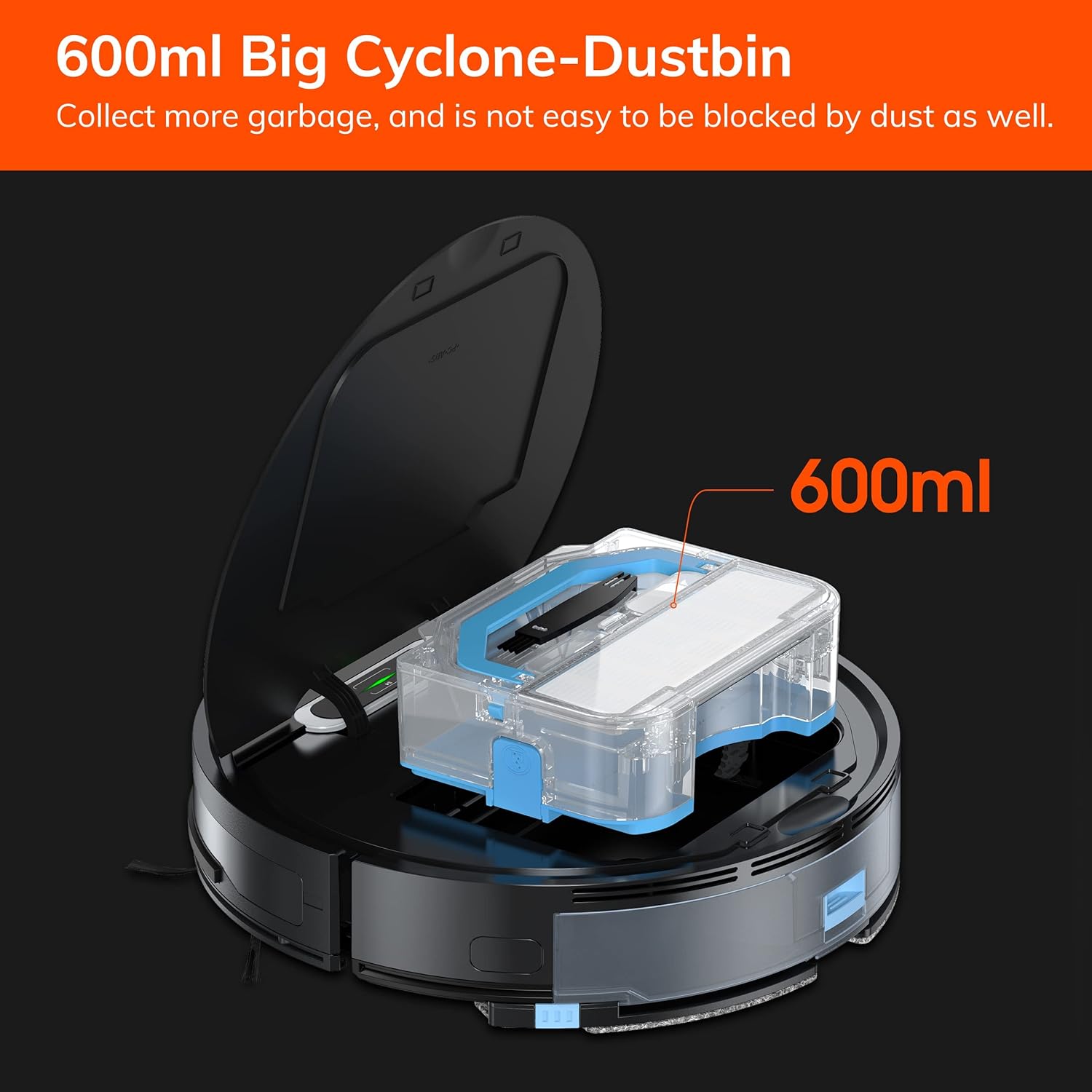
Rysunek 7.1: The 600ml cyclone dustbin, designed to collect more debris and resist clogging.
- Press the "PUSH" button on the robot's top cover to open it.
- Wyjmij pojemnik na śmieci, pociągając go do góry.
- Otwórz pokrywę kosza na śmieci i opróżnij jego zawartość do kosza na śmieci.
- Remove the filter assembly (pre-filter, sponge filter, high-performance filter).
- Clean the filters with the provided cleaning brush. Do not wash the high-performance filter with water.
- W razie konieczności opłucz kosz na śmieci wodą i upewnij się, że jest całkowicie suchy przed ponownym montażem.
- Złóż ponownie filtry i pojemnik na kurz, a następnie włóż je ponownie do robota.
7.2 Czyszczenie szczotką boczną
- Regularnie sprawdzaj, czy w szczotkach bocznych nie ma splątanych włosów lub zanieczyszczeń.
- Aby wyjąć szczotki boczne, delikatnie pociągnij je do góry.
- Use the cleaning brush or scissors to remove any tangled hair or debris.
- Reinstall the side brushes, ensuring they click into place.
7.3 Konserwacja zbiornika na wodę i ściereczki mopa
- After each mopping session, remove the water tank.
- Opróżnij zbiornik z pozostałej wody.
- Zdejmij ściereczkę mopa i wypierz ją ręcznie lub w pralce. Pozostaw do całkowitego wyschnięcia na powietrzu.
- Rinse the water tank with clean water and allow it to air dry.
7.4 Czyszczenie czujnika
- Use a clean, dry cloth to wipe the anti-drop sensors (located on the bottom of the robot) and the anti-collision sensors (located on the front bumper).
- Clean the charging contacts on both the robot and the charging dock.
8. Rozwiązywanie Problemów
If you encounter issues with your ILIFE V3s Max, refer to the following common problems and solutions:
| Problem | Możliwa przyczyna | Rozwiązanie |
|---|---|---|
| Robot nie uruchamia się lub nie odpowiada. | Niski poziom naładowania baterii; Wyłączony wyłącznik zasilania; Robot zablokowany. | Naładuj robota; Włącz zasilanie; Pokonaj przeszkody. |
| Robot nie może wrócić do stacji ładującej. | Charging dock obstructed; Robot too far from dock; Dock not powered. | Ensure clear path to dock; Manually place robot near dock; Check power connection. |
| Słaba skuteczność czyszczenia. | Dustbin full; Filters clogged; Side brushes worn or tangled. | Opróżnij kosz na śmieci; Wyczyść/wymień filtry; Wyczyść/wymień szczotki boczne. |
| Robot często się zacina. | Przeszkody (kable, dywany); brudne czujniki klifu. | Oczyść obszar czyszczenia; Wyczyść czujniki klifu. |
| Problemy z połączeniem aplikacji. | Incorrect Wi-Fi (5G); Incorrect password; Router issues. | Ensure 2.4G Wi-Fi; Re-enter password; Restart router and robot. |
Jeśli problem będzie się powtarzał, skontaktuj się z obsługą klienta ILIFE.
9. Specyfikacje
| Funkcja | Szczegół |
|---|---|
| Marka | ŻYCIE |
| Nazwa modelu | V3 maks |
| Moc ssania | Do 2000Pa (tryb punktowy) |
| Pojemność pojemnika na śmieci | 600ml |
| Pojemność zbiornika na wodę | 200ml |
| Żywotność baterii | Do 100 minut |
| Typ baterii | Litowo-jonowy (14.4 V) |
| Nawigacja | Gyroscopic Path Planning |
| Metody kontroli | App Control, Remote Control, Amazon Alexa |
| Obsługa Wi-Fi | 2.4G Wi-Fi only |
| Wymiary produktu | 12.4" dł. x 11.81" szer. x 2.99" wys. |
| Waga przedmiotu | 5.4 funtów |
| Poziom hałasu | 65 decybeli |
| Zalecenia dotyczące powierzchni | Hard Floor, Low-Pile Carpet |
10. Gwarancja i wsparcie
ILIFE provides a limited warranty for this product. For detailed warranty information, please refer to the warranty card included in your package or visit the official ILIFE website. For technical support, troubleshooting assistance, or replacement parts, please contact ILIFE customer service through the contact information provided on their website or within the ILIFEHOME app.
Wsparcie online: www.iliferobot.com/support