
Ctronics CTIPC-600C-P4
Ctronics CTIPC-600C-P4 Outdoor Security Camera System
Instrukcja obsługi
1. Wprowadzenie
This manual provides detailed instructions for the installation, operation, and maintenance of your Ctronics CTIPC-600C-P4 Outdoor Security Camera System. Please read this manual thoroughly before using the product to ensure proper functionality and safety. Keep this manual for future reference.
2. Informacje dotyczące bezpieczeństwa
Aby zapobiec uszkodzeniu produktu lub obrażeniom ciała u siebie lub innych osób, należy przestrzegać następujących środków ostrożności:
- Upewnij się, że napięcie zasilaniatage jest zgodny z wymaganiami aparatu.
- Nie wystawiaj aparatu na działanie ekstremalnych temperatur, wilgoci ani środowiska powodującego korozję.
- Avoid direct exposure of the camera lens to strong light sources, as this may damage the sensor.
- Nie próbuj demontować ani modyfikować aparatu. Wszelkie czynności serwisowe powierzaj wykwalifikowanemu personelowi.
- Przechowuj aparat i jego akcesoria poza zasięgiem dzieci.
- Zainstaluj kamerę w bezpieczny sposób, aby zapobiec jej upadkowi.
3. Zawartość opakowania
Sprawdź, czy w paczce znajdują się wszystkie elementy. Jeśli brakuje któregokolwiek z nich lub jest on uszkodzony, skontaktuj się z obsługą klienta.
Wideo: This video demonstrates the unboxing and shows the package contents for the Ctronics 600C 4-pack dome WiFi camera system.
- 4 x Ctronics CTIPC-600C-P4 Security Cameras
- 4 x zasilacz
- 4 x płyty montażowe
- 4 x Mounting Screw Kits (screws and wall plugs)
- 1 x Instrukcja obsługi
- 1 x Instrukcja instalacji
4. Koniec produktuview
The Ctronics CTIPC-600C-P4 is a 1080P WiFi outdoor security camera designed for comprehensive surveillance. It features pan and tilt capabilities, color night vision, human detection with auto-tracking, and two-way audio.
Główne cechy:
- Rozdzielczość Full HD 1080P: Zapewnia wyraźny i szczegółowy obraz wideotage.
- Obrót 350° i pochylenie 90°: Allows for wide area coverage and remote adjustment of the viewkąt.
- 65FT Color Night Vision: Offers clear, full-color surveillance even in low-light conditions up to 20 meters.
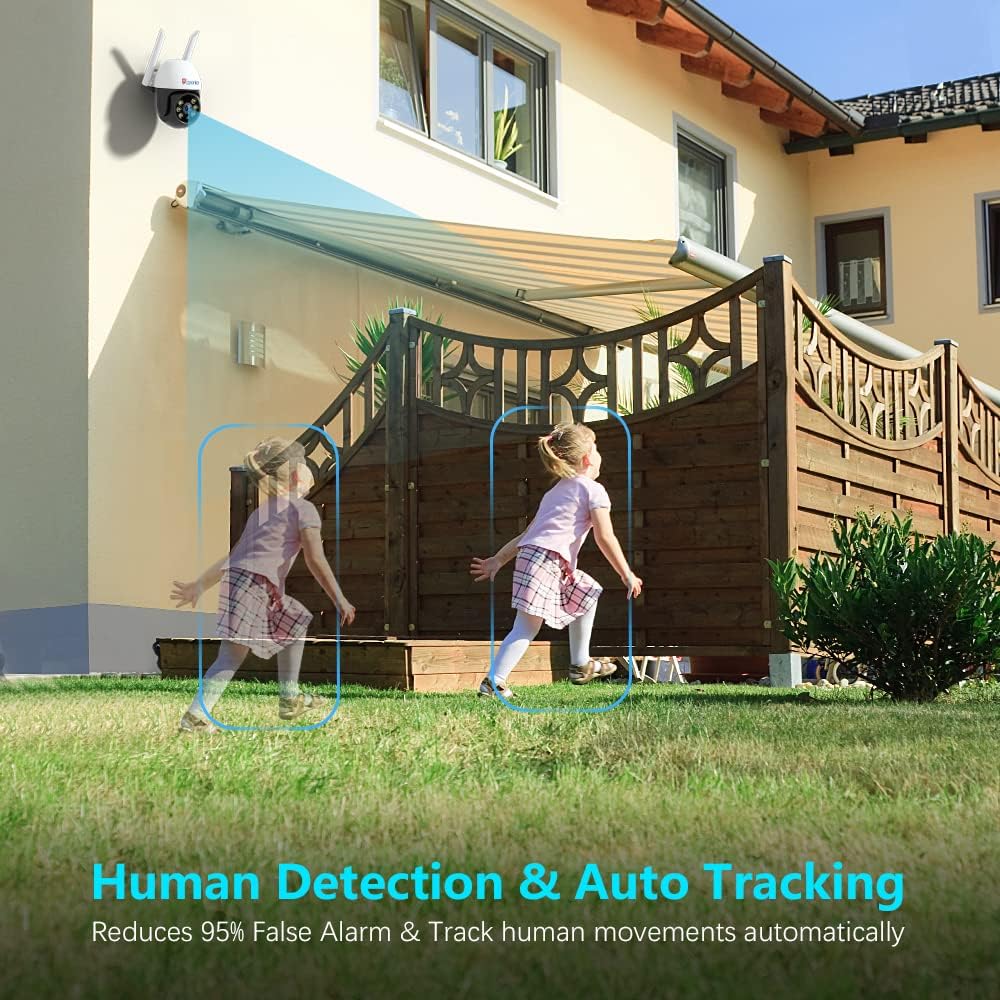
- Wykrywanie ludzi i automatyczne śledzenie: Intelligently identifies human shapes and automatically tracks their movement, reducing false alarms.
- Dwukierunkowy dźwięk: Wbudowany mikrofon i głośnik umożliwiają komunikację w czasie rzeczywistym.
- Wodoodporność IP66: Zaprojektowane tak, aby wytrzymać różne warunki atmosferyczne.
- Pamięć karty SD: Supports local storage of recordings (SD card not included).
- Szeroka kompatybilność: Works with iOS, Android, Mac OS, and Windows via dedicated applications.
Elementy aparatu:


5. Konfiguracja
Follow these steps to set up your Ctronics security camera:
5.1 Pierwsze włączenie zasilania i instalacja karty SD
- Connect the camera to the power adapter and plug it into an electrical outlet. The camera will perform a self-test, indicated by movement and a voice prompt.
- If you plan to use local storage, insert a Micro SD card (up to 128GB, Class 10 or higher recommended) into the SD card slot. The slot is typically located under a protective cover on the camera body. Ensure the camera is powered off before inserting or removing the SD card.
5.2 Instalacja aplikacji i połączenie Wi-Fi
The camera connects to your home Wi-Fi network (2.4 GHz only) via the Ctronics app. Ensure your mobile device is connected to a 2.4 GHz Wi-Fi network during setup.
Wideo: This video provides step-by-step instructions for connecting your Ctronics 600C camera to your WiFi network using the mobile application.
- Download the 'Ctronics' app from your mobile device's app store (iOS or Android).
- Zarejestruj konto i zaloguj się.
- Tap 'Add Camera' or the '+' icon in the app.
- Select 'Wireless Installation' or 'Add Camera by QR Code Scan' based on the app's prompts.
- Follow the on-screen instructions to connect the camera to your Wi-Fi network. This typically involves connecting your phone to the camera's temporary Wi-Fi hotspot, then selecting your home Wi-Fi network and entering its password.
- Once connected, the camera will confirm with a voice prompt, and its status in the app will change to 'Online'.
5.3 Montaż kamery
- Choose a suitable outdoor location for mounting, ensuring good Wi-Fi signal strength and a clear view obszaru, który chcesz monitorować.
- Use the provided mounting plate as a template to mark drill holes on the wall or ceiling.
- Wywierć otwory i włóż kołki rozporowe.
- Zabezpiecz płytę montażową za pomocą dołączonych śrub.
- Attach the camera to the mounting plate, ensuring it is firmly locked in place.
6. Działanie
After successful setup, you can access and control your camera via the Ctronics app.
6.1 Na żywo View i sterowanie obrotem/pochyleniem
- Open the Ctronics app and select your camera from the device list.
- The live video feed will appear. Use the on-screen joystick or swipe gestures to pan (rotate horizontally up to 350°) and tilt (rotate vertically up to 90°) the camera.
6.2 Dźwięk dwukierunkowy
- Na żywo view interfejsu, dotknij ikony mikrofonu, aby mówić przez głośnik kamery.
- Kliknij ikonę głośnika, aby słuchać dźwięku z mikrofonu kamery.
6.3 Tryby widzenia nocnego
The camera offers different night vision modes:
- Normal (Infrared): Black and white video using infrared LEDs.
- Kolor: Full-color video using built-in spotlights.
- Automatyczny: Automatically switches between Normal and Color based on ambient light and detected motion.
You can switch between these modes in the app's video settings or directly from the live view interfejs.
6.4 Wykrywanie ludzi i automatyczne śledzenie
- Enable Human Detection and Auto Tracking in the camera's settings within the app.
- When a human shape is detected, the camera will automatically track its movement and send real-time notifications to your mobile device.
- You can configure alarm settings, including audio and light alarms, to deter intruders.
Wideo: This video highlights the key features of the Ctronics 600C outdoor IP camera, including 1080P resolution, pan/tilt, night vision, human detection, auto tracking, and two-way audio.
7. Konserwacja
Regular maintenance ensures optimal performance and longevity of your camera system.
7.1 Czyszczenie
- Gently wipe the camera lens with a soft, clean cloth to remove dust or smudges. Do not use harsh chemicals or abrasive materials.
- Wyczyść korpus aparatu za pomocąamp szmatkę w razie potrzeby.
7.2 aktualizacji oprogramowania sprzętowego
Periodically check the Ctronics app for available firmware updates. Keeping your camera's firmware up-to-date ensures improved performance, new features, and security enhancements.
7.3 Względy środowiskowe
While the camera is IP66 waterproof, avoid prolonged exposure to extreme weather conditions if possible. Ensure proper drainage around the camera's mounting location.
8. Rozwiązywanie Problemów
Jeśli masz problemy z aparatem, zapoznaj się z poniższymi typowymi problemami i ich rozwiązaniami:
| Problem | Możliwa przyczyna | Rozwiązanie |
|---|---|---|
| Kamera offline w aplikacji | No power, weak Wi-Fi signal, incorrect Wi-Fi password. | Check power connection. Move camera closer to router or use a Wi-Fi extender. Re-enter Wi-Fi password in app settings. Reset camera and reconfigure. |
| Brak nagrywania na kartę SD | SD card full, faulty, or not formatted. Recording schedule not set. | Check SD card status in app. Format or replace SD card. Ensure recording schedule is enabled. |
| Słaba jakość wideo | Słaby sygnał Wi-Fi, brudny obiektyw. | Improve Wi-Fi signal. Clean the camera lens. |
| Fałszywe alarmy | Motion sensitivity too high, environmental factors (e.g., moving branches). | Adjust motion detection sensitivity in app settings. Configure detection zones to exclude irrelevant areas. |
| Dwukierunkowe audio nie działa | Microphone/speaker disabled, volume too low. | Check audio settings in the app. Ensure microphone and speaker icons are enabled and volume is adjusted. |
If the problem persists, please contact Ctronics customer support for further assistance.
9. Specyfikacje
Below are the technical specifications for the Ctronics CTIPC-600C-P4 Outdoor Security Camera System:
| Funkcja | Szczegół |
|---|---|
| Numer modelu | CTIPC-600C-P4 |
| Rozdzielczość przechwytywania wideo | 1080p (1920 x 1080 pikseli) |
| Protokół łączności | Wi-Fi (tylko 2.4 GHz) |
| Zakres obrotu/pochylenia | Obrót o 350°, pochylenie o 90° |
| Wizja nocna | 65FT Color Night Vision (Infrared and Spotlight) |
| Wykrywanie ludzi | Tak, z automatycznym śledzeniem |
| Audio | Dwukierunkowy dźwięk |
| Stopień wodoodporności | IP66 |
| Składowanie | Karta Micro SD (do 128 GB, nie jest dołączona) |
| Zasilacz | 5V DC, 1A (via USB power cable and adapter) |
| Temperatura pracy | -10°C do 60°C (14°F do 131°F) |
| Kompatybilne urządzenia | Desktop, Smartphone (iOS, Android, Mac OS, Windows) |
| Wymiary przedmiotu | 6.69 x 8.27 x 9.06 cala (na kamerę) |
10. Gwarancja i wsparcie
Ctronics products are designed for reliability and performance. For information regarding warranty coverage, please refer to the warranty card included in your package or visit the official Ctronics webstrona.
If you require technical assistance, troubleshooting, or have any questions about your product, please contact Ctronics customer support. Contact details can typically be found on the Ctronics webmiejscu lub w opakowaniu produktu.
Please have your model number (CTIPC-600C-P4) and purchase information ready when contacting support.
Ask a question about this manual
Ask about setup, troubleshooting, compatibility, parts, safety, or missing instructions. Manuals+ will review the question and use this page’s manual context to help answer it.