
WOLFBOX i07
Instrukcja obsługi kamery samochodowej WOLFBOX i07 3 Channel
Model: i07
Wstęp
The WOLFBOX i07 is a high-performance 3-channel dash camera system designed to provide comprehensive video surveillance for your vehicle. It simultaneously records footage from the front, interior, and rear of your car, ensuring 360-degree protection. Equipped with advanced features such as 4K resolution, infrared night vision, built-in GPS, Wi-Fi connectivity, and multiple parking modes, the i07 offers reliable evidence collection and enhanced driving safety.

Obraz: Ponadview of the WOLFBOX i07 Dash Cam system, including the main unit, rear camera, and mobile app interface.
Co jest w pudełku
Przed rozpakowaniem należy sprawdzić, czy wszystkie elementy są obecne i w dobrym stanie:
- i07 Dash Cam (Main Unit)
- 1080P IP68 Rear Camera
- Moduł GPS
- Karta MicroSD 32 GB
- 20-foot Rear Camera Cable
- Type-C Power Supply Cable with Car Charger
- Instrukcja obsługi
- Naklejka elektrostatyczna
- Narzędzie do przycinania przewodów samochodowych

Image: Contents of the WOLFBOX i07 package.
Organizować coś
1. Wkładanie karty pamięci
Before initial use, insert the provided 32GB MicroSD card into the dash cam's card slot. Ensure the card is inserted correctly until it clicks into place. It is recommended to format the card within the dash cam's settings before first use.

Image: Inserting the 32GB MicroSD card.
2. Instalacja jednostki głównej
- Wyczyść obszar przedniej szyby, na którym zostanie zamontowana kamera samochodowa.
- Apply the electrostatic sticker to the clean windshield.
- Attach the main unit onto the electrostatic sticker using the adhesive mount. Ensure it does not obstruct your driving view.
- Connect the Type-C power cable to the dash cam and route it along the windshield edge and A-pillar to the car's cigarette lighter socket.
3. Instalacja tylnej kamery
- Zamontuj tylną kamerę na tylnej szybie, aby zapewnić wyraźny obraz. view.
- Connect the 20-foot rear camera cable to the main unit and route it discreetly along the vehicle's interior trim to the rear camera.
- Ensure the rear camera's headphone jack is firmly inserted for proper detection.

Image: Easy installation and cable routing for the dash cam and rear camera.
Instrukcja obsługi
1. Włączanie/wyłączanie zasilania
The dash cam will automatically power on and begin recording when connected to the car's power supply and the vehicle is started. It will power off automatically when the car is turned off.
2. Tryby nagrywania
The WOLFBOX i07 supports various recording configurations:
- Nagrywanie 3-kanałowe: Simultaneously records Front (2.5K), Interior (1080P), and Rear (1080P) footage.
- Nagrywanie dwukanałowe: Records Front (4K UHD) and Interior (1080P FUD) footage.

Image: Triple Channel Recording overview.

Image: Dual Channel Recording overview.
3. Wizja nocna w podczerwieni
The interior camera features 6 infrared LED lights and advanced STARVIS technology to capture clear and balanced video in low-light conditions, ensuring visibility inside the cabin even at night.

Image: Infrared Night Vision capability.
4. Parking Modes (24/7 Protection)
The i07 offers two parking monitoring modes for continuous vehicle protection:
- Nagrywanie rozruchu kolizyjnego: The dash cam will automatically power on and record when an impact is detected while the vehicle is parked.
- Nagranie poklatkowe: Captures 24-hour time-lapse footage at 1 frame per second (FPS) when the vehicle is parked. Note: Collision Boot Recording does not function in Time-Lapse Mode.
A hardwire kit (sold separately) is required for 24/7 parking monitoring functionality.

Image: Parking Modes (Collision Boot Recording and Time-Lapse).
5. Built-in GPS & Wi-Fi
The integrated GPS module accurately records driving routes, speeds, and times, embedding this data into video files for evidence. Built-in Wi-Fi allows you to connect the dash cam to your smartphone via the WOLFBOX app for easy management, video playback, editing, and sharing.

Image: Built-in Wi-Fi and GPS features with app connectivity.
6. Czujnik G i nagrywanie w pętli
- Czujnik G: Wykrywa nagłe uderzenia lub kolizje i automatycznie blokuje bieżący obraz wideo.tage aby zapobiec jego nadpisaniu.
- Nagrywanie w pętli: Continuously records video in short segments. When the memory card is full, the oldest unlocked footage jest automatycznie nadpisywane przez nowe nagrania.
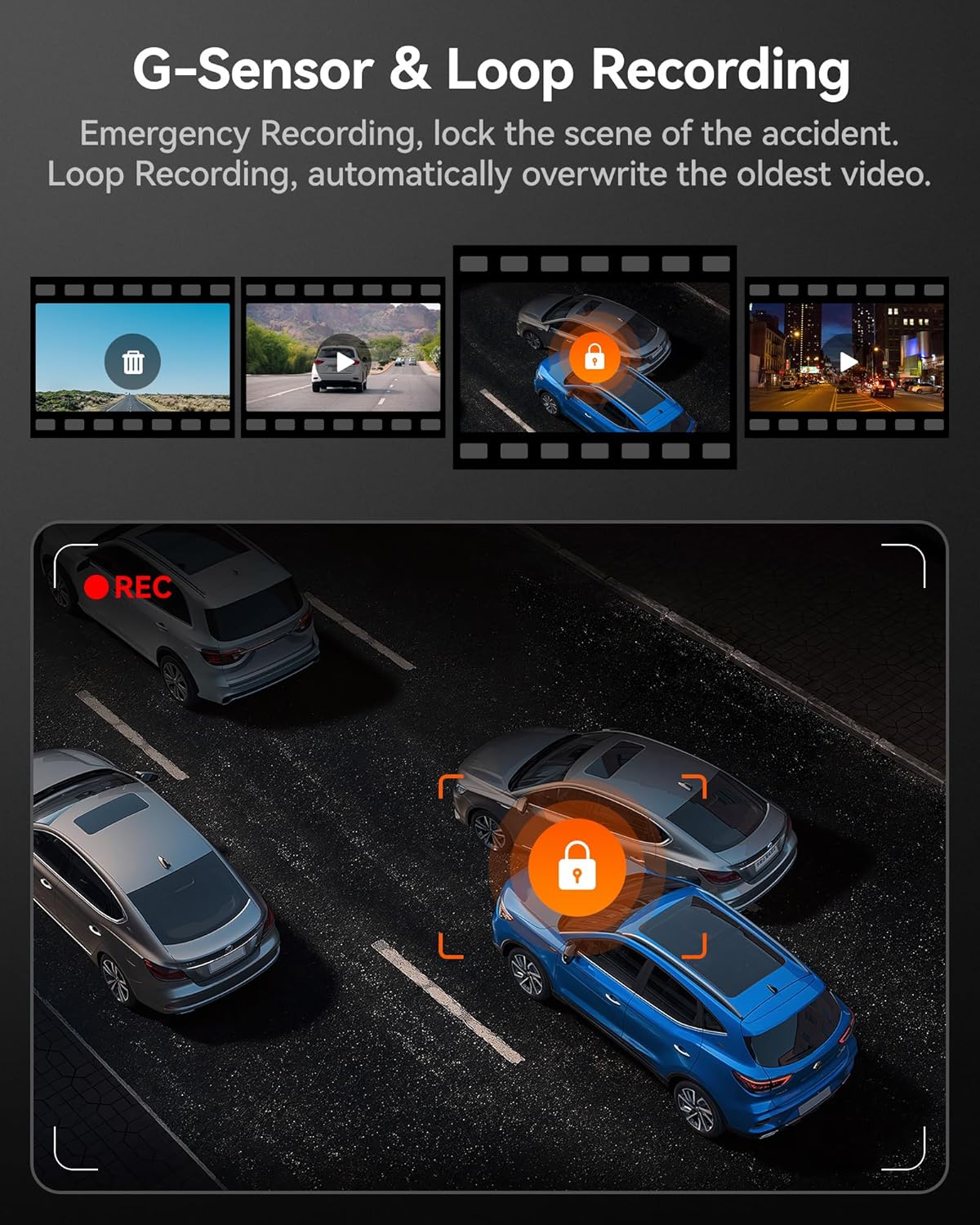
Image: G-Sensor and Loop Recording functionality.
Konserwacja
- Formatowanie standardowe: To maintain optimal performance and prevent data corruption, it is recommended to format the MicroSD card every 2-4 weeks using the dash cam's settings.
- Czyszczenie soczewek: Delikatnie czyść obiektywy kamery miękką, niepozostawiającą włókien ściereczką, aby zapewnić dobrą jakość obrazu. Unikaj materiałów ściernych.
- Aktualizacje oprogramowania układowego: Sprawdź oficjalny WOLFBOX webOdwiedzaj tę witrynę okresowo, aby uzyskać aktualizacje oprogramowania sprzętowego i mieć pewność, że Twoja kamera samochodowa ma najnowsze funkcje i poprawki błędów.
- Zagadnienia dotyczące temperatury: The dash cam is designed to operate within a wide temperature range due to its supercapacitor. However, extreme prolonged heat or cold can affect battery life (if applicable) and overall longevity.
Rozwiązywanie problemów
| Problem | Możliwa przyczyna | Rozwiązanie |
|---|---|---|
| Kamera samochodowa nie włącza się. | Brak zasilania, uszkodzony kabel, problem z ładowarką samochodową. | Check power connection; try a different USB port or car charger; ensure vehicle's ignition is on. |
| Nagrywanie zostaje zatrzymane lub zawieszone. | Memory card full/corrupted; low-quality SD card; firmware issue. | Format the SD card; use a high-speed (Class 10 or U3) MicroSD card; update firmware. |
| Nie wykryto tylnej kamery. | Luźne połączenie; uszkodzony kabel. | Ensure the rear camera cable's headphone jack is firmly inserted into the main unit. Check cable for damage. |
| Problemy z połączeniem Wi-Fi. | Nieprawidłowe użycie aplikacji; zakłócenia. | Ensure Wi-Fi is enabled on the dash cam and your phone; restart both devices; try connecting in a different location. |
| GPS nie odbiera sygnału. | Poor satellite reception; GPS module obstructed. | Upewnij się, że moduł GPS ma czyste pole widzenia. view of the sky; move the vehicle to an open area. |
Specyfikacje
| Funkcja | Szczegół |
|---|---|
| Nazwa modelu | i07 |
| Wymiary produktu | 4.72 x 1.38 x 3.07 cala |
| Waga przedmiotu | 5 uncji |
| Rozdzielczość przedniej kamery | Do 4K (2160p) |
| Rozdzielczość kamery wewnętrznej | 1080P |
| Rozdzielczość tylnej kamery | 1080P |
| Wyświetlacz | 3-calowy ekran LCD |
| Lens Angle (Front/Interior/Rear) | 150 ° / 160 ° / 155 ° |
| Wizja nocna | 6 Infrared LEDs (Interior Camera) |
| Źródło zasilania | Type-C Power Input, Supercapacitor |
| Łączność | Wbudowane Wi-Fi, Wbudowany GPS |
| Składowanie | Supports MicroSD Card (32GB included) |
| Cechy specjalne | 4K HDR, 3-channel All-round Protection, App Control, Parking Monitor, Compact Design, WDR, G-Sensor, Loop Recording |
| Typ serwisu pojazdu | Autobus, samochód, minivan, ciężarówka |
Gwarancja i wsparcie
WOLFBOX zobowiązuje się do dostarczania wysokiej jakości produktów i doskonałej obsługi klienta.
- Gwarancja: The WOLFBOX i07 Dash Cam comes with a 12-month assurance from the date of purchase.
- Zasady zwrotu: A 7-day return policy is available for defects.
- Obsługa klienta: For any queries, technical support, or warranty claims, please contact our dedicated after-sale service team.
E-mail: serwis@wolfbox.com
Telefon: +1 888 296 8399
Kontaktując się z pomocą techniczną, przygotuj model produktu i informacje o zakupie.
Ask a question about this manual
Ask about setup, troubleshooting, compatibility, parts, safety, or missing instructions. Manuals+ will review the question and use this page’s manual context to help answer it.