
Della 048-TL-D35W_3
DELLA 3000 Sq. Ft Smart Dehumidifier User Manual
Model: 048-TL-D35W_3 | Brand: Della
1. Ważne instrukcje bezpieczeństwa
Please read all instructions carefully before operating this appliance. Keep this manual for future reference.
- Zawsze podłączaj osuszacz powietrza do uziemionego gniazdka elektrycznego.
- Nie używaj urządzenia, jeśli przewód zasilający lub wtyczka są uszkodzone.
- Zapewnij odpowiednią wentylację wokół urządzenia, aby zapobiec przegrzaniu.
- Nie blokuj wlotów ani wylotów powietrza.
- Empty the water tank regularly or ensure continuous drainage is properly set up.
- Produkt ten zawiera substancje chemiczne, o których władze stanu Kalifornia wiedzą, że mogą powodować raka, wady wrodzone lub inne szkody reprodukcyjne.
2. Koniec produktuview
The DELLA 35 Pint Smart Dehumidifier is designed to efficiently remove moisture from medium to large rooms, basements, dens, and storage areas, covering up to 3000 sq. ft. It features quiet operation, smart Wi-Fi control, and multiple drainage options.
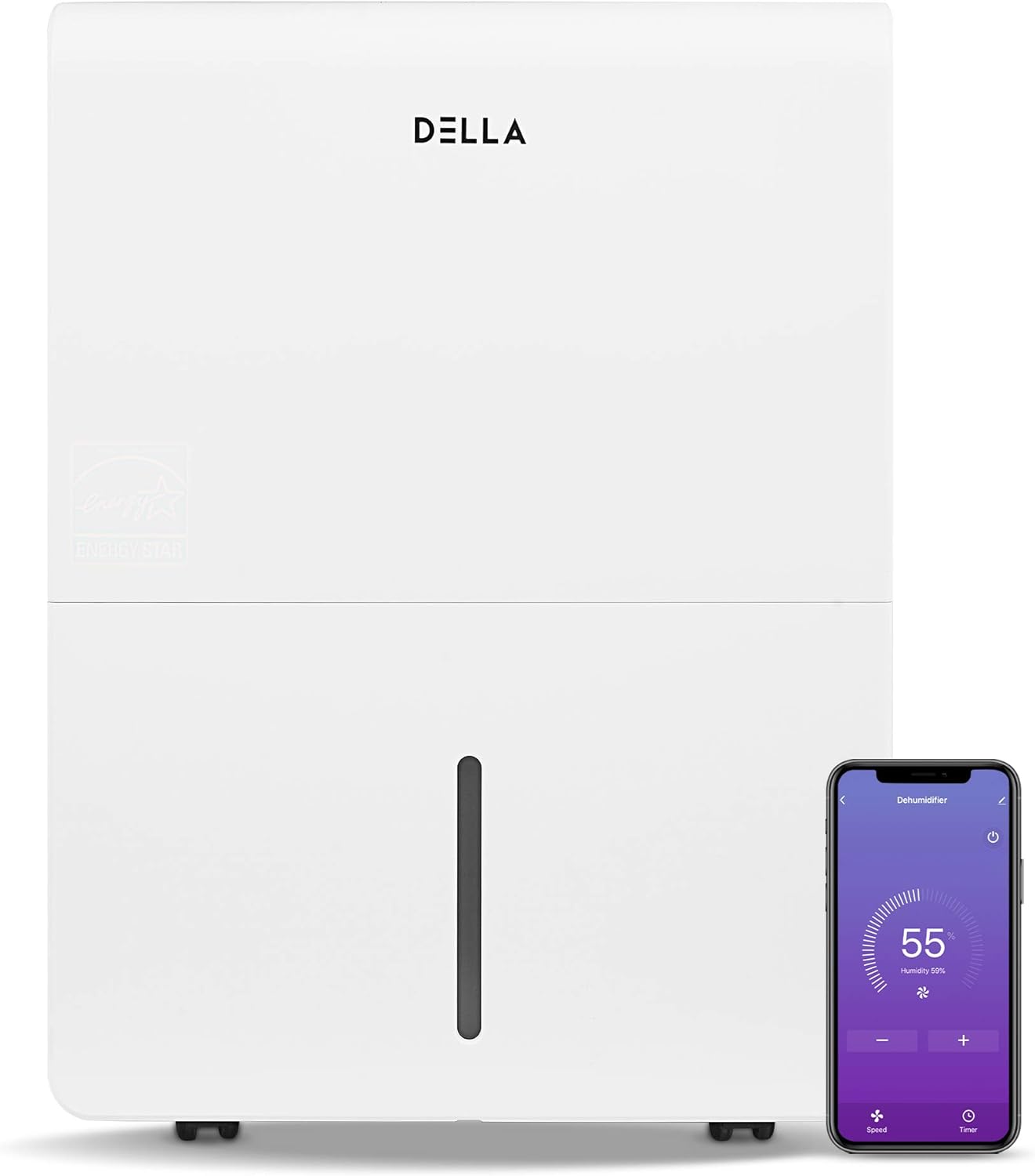
Rysunek 2.1: Przód view of the DELLA Smart Dehumidifier, showcasing its sleek design and the accompanying smartphone app interface for remote control.

Rysunek 2.2: Visual comparison illustrating the moisture removal capacity difference between a 22 Pint and a 35 Pint dehumidifier, highlighting the 35 Pint model's suitability for larger areas (1,500 - 3,000 sq ft).

Rysunek 2.3: The dehumidifier can be intelligently controlled remotely via the Della+ app on your smartphone, allowing for convenient adjustments from anywhere.

Rysunek 2.4: The Della+ app features geo-fencing technology, enabling the dehumidifier to automatically turn on as you approach home and turn off when you leave.
Wideo 2.1: This video demonstrates the key features and functionality of the DELLA Smart Dehumidifier, including its portability, control panel, and smart app integration.
3. Konfiguracja
3.1 Umieszczenie
Place the dehumidifier in a location where the humidity is highest and air circulation is good. Ensure there is at least 8 inches of space around the unit for optimal airflow. The unit is portable with 360-degree easy-roll hidden wheels for room-to-room portability.
3.2 Połączenie zasilania
Plug the dehumidifier into a standard 115V, 60Hz grounded electrical outlet. Do not use extension cords or power strips.
3.3 Opcje odwodnienia
The unit offers two methods for water drainage:
- Opróżnianie ręczne: The water tank can be manually removed and emptied when full. The unit will alert you when the tank is full and automatically shut off to prevent overflow.
- Drenaż ciągły: For continuous operation without manual emptying, connect a standard garden hose (not included) to the continuous drain outlet. Ensure the hose is sloped downwards to allow gravity drainage into a suitable drain.

Rysunek 3.1: Illustration of the two drainage methods: manual tank removal (1) and continuous gravity drainage via a hose (2).

Rysunek 3.2: The dehumidifier is equipped with an electromagnetic float water-fill alarm device that automatically shuts off the unit when the water tank is full, preventing overflow.
4. Instrukcja obsługi
4.1 Panel sterowania
The dehumidifier features an easy-to-use control panel located on the top of the unit.

Rysunek 4.1: Szczegółowy view of the control panel, showing buttons for Power, Mode, Timer, and indicators for Tank Full, Filter, and Wi-Fi status.
- MOC: Naciśnij, aby włączyć lub wyłączyć osuszacz.
- Sposób użycia: Press to cycle through different operating modes: Dry, Turbo, Comfort, and Cont (Continuous).
- REGULATOR CZASOWY: Press to initiate the auto start and auto stop feature, allowing you to set a specific operating duration.
- Ustawienie wilgotności: Use the up/down arrows to adjust the desired humidity level.
- Wskaźniki: Lights for 'Tank Full', 'Filter', and 'Wi-Fi' indicate the status of the unit.
4.2 Wi-Fi Control (DELLA+ App)
This dehumidifier is Wi-Fi enabled, allowing you to control it remotely using the DELLA+ app on your smartphone. Download the app from your device's app store and follow the in-app instructions for pairing. The app allows you to adjust settings, monitor humidity levels, and receive notifications (e.g., when the water tank is full).
5. Konserwacja
5.1 Czyszczenie filtra
The dehumidifier is equipped with a washable filter. A 'Filter' indicator light on the control panel will illuminate to remind you when it's time to clean the filter (typically after 250 hours of operation). Regularly cleaning the filter ensures optimal performance and air quality.
- Wyłącz urządzenie i odłącz je od zasilania.
- Remove the filter from its slot.
- Umyj filtr ciepłą wodą z mydłem. Dokładnie wypłucz.
- Przed ponownym włożeniem filtra należy odczekać, aż całkowicie wyschnie.
- Press and hold the 'Filter' button on the control panel to reset the filter timer.
5.2 Opróżnianie zbiornika na wodę
When the water tank is full, the 'Tank Full' indicator will light up, and the unit will automatically shut off. Carefully remove the water tank using its handle and empty the collected water. Reinsert the tank firmly until it clicks into place to resume operation.
6. Rozwiązywanie Problemów
| Problem | Możliwa przyczyna | Rozwiązanie |
|---|---|---|
| Osuszacz powietrza nie włącza się. | No power, power cord unplugged, water tank full or not properly seated. | Check power connection, empty and re-seat water tank. |
| Urządzenie działa, ale nie osusza powietrza. | Air filter clogged, room temperature too low, humidity setting too high. | Clean air filter, ensure room temperature is above 41°F (5°C), lower humidity setting. |
| Z urządzenia wycieka woda. | Water tank not properly seated, continuous drain hose is kinked or clogged. | Re-seat water tank, check continuous drain hose for kinks or blockages. |
| Urządzenie jest głośne. | Jednostka nie stoi na równej powierzchni, filtr powietrza jest zatkany. | Place unit on a flat, stable surface. Clean air filter. |
| Problemy z połączeniem Wi-Fi. | Nieprawidłowe hasło Wi-Fi, router za daleko, aplikacja nie jest zaktualizowana. | Verify Wi-Fi credentials, move unit closer to router, update Della+ app. |
7. Specyfikacje

Rysunek 7.1: Nadview of the dehumidifier's dimensions and key technical specifications.
| Specyfikacja | Wartość |
|---|---|
| Marka | Della |
| Nazwa modelu | 048-TL-D35W_3 |
| Pokrycie powierzchni podłogi | 3000 stóp kwadratowych |
| Wydajność osuszania | 35 pint dziennie |
| Objętość zbiornika | 0.9 galona (7.17 pinty) |
| Zasilacz | 115 V/60 Hz |
| Cotage | 560 watów |
| Noise Level (Hi/Med/Lo) | 48/45 dB |
| Wymiary produktu (gł. x szer. x wys.) | 9.84" gł. x 14.37" szer. x 19.69" wys. |
| Waga przedmiotu | 33.7 funtów |
| Cechy specjalne | Quiet Operation, Timer, Washable Filter, Wi-Fi Control |
| Zawarte komponenty | Manual, Dehumidifier |
8. Informacje o gwarancji
Specific warranty details for your DELLA 3000 Sq. Ft Smart Dehumidifier are typically provided with the product packaging or can be found on the manufacturer's official website. Please refer to the warranty card or contact Della customer support for comprehensive information regarding warranty coverage, terms, and conditions.
9. Obsługa klienta
For technical assistance, troubleshooting not covered in this manual, or inquiries regarding parts and service, please contact Della customer support. Refer to the contact information provided in your product packaging or visit the official Della webwitryna z najaktualniejszymi opcjami pomocy technicznej.
Ask a question about this manual
Ask about setup, troubleshooting, compatibility, parts, safety, or missing instructions. Manuals+ will review the question and use this page’s manual context to help answer it.