
1. Wprowadzenie
Thank you for choosing the ANRAN AR-W678 Security Camera. This manual provides detailed instructions for the installation, operation, and maintenance of your new security camera. Please read this manual thoroughly before use to ensure proper functionality and to maximize the lifespan of your device. Keep this manual for future reference.
2. Zawartość opakowania
Before installation, please verify that all components are present and in good condition. If any items are missing or damaged, contact customer support.
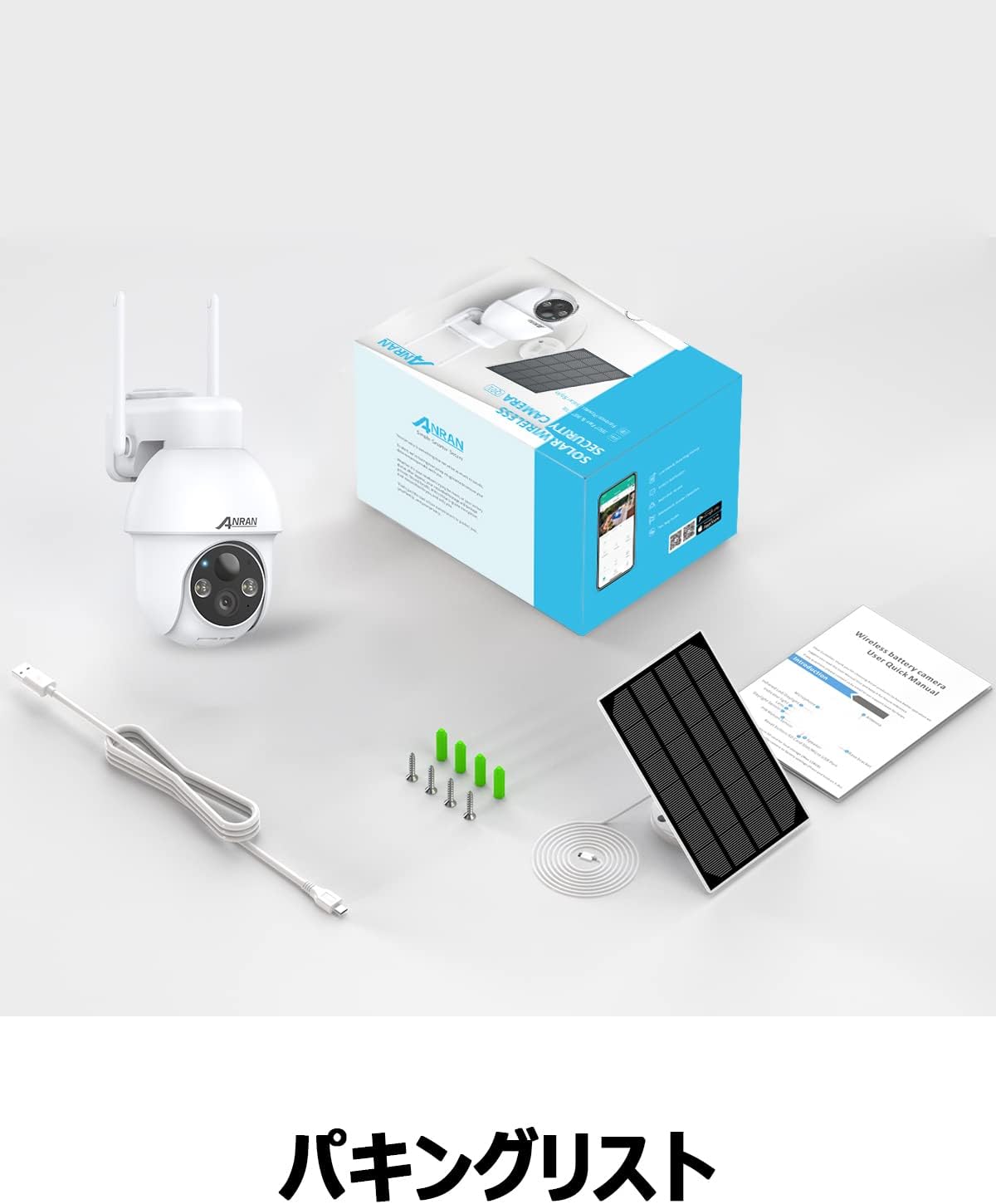
Image: The product package contents, including the camera, solar panel, mounting hardware, USB cable, and user manual.
- Kamera bezpieczeństwa ANRAN AR-W678
- Panel słoneczny
- Wall Mount Bracket and Screws
- Kabel ładujący USB
- Instrukcja obsługi
3. Koniec produktuview
The ANRAN AR-W678 is a wireless, battery-powered security camera designed for both indoor and outdoor use. It features 1080p video resolution, Wi-Fi connectivity, and an IP65 waterproof rating for reliable performance in various environments.
- Wideo w wysokiej rozdzielczości: Captures clear 1080p footage for detailed monitoring.
- Funkcjonalność Pan-Tilt-Zoom (PTZ): Oferuje zakres obrotu w poziomie 355° i pochylenie w pionie 90°, co pozwala na pokrycie dużego obszaru.
- AI Intelligent Detection: Advanced algorithms differentiate between people, vehicles, and other objects to reduce false alarms.
- Motion Detection & Alarms: Configurable motion detection with adjustable sensitivity (10 levels) and instant alerts, including sound and light warnings.
- Real-time Digital Zoom: Allows for closer inspection of live or recorded video via the mobile application.
- Zgodność z asystentem głosowym: Integrates with smart home systems like Alexa for convenient voice control and viewing.
- Odporna na warunki atmosferyczne konstrukcja: IP65 rated for protection against dust and water, suitable for outdoor installation.

Image: A visual comparison demonstrating the clarity of higher resolution camera footage versus standard resolution.
4. Konfiguracja
4.1 Pierwsze ładowanie
Before first use, fully charge the camera's internal battery using the provided USB cable and a standard 5V/2A USB power adapter (not included). A full charge ensures optimal performance and allows the solar panel to maintain the charge effectively.
4.2 Pobieranie aplikacji i tworzenie konta
- Pobierz oficjalną aplikację ANRAN ze sklepu z aplikacjami na swoim smartfonie (iOS lub Android).
- Otwórz aplikację i postępuj zgodnie z instrukcjami wyświetlanymi na ekranie, aby utworzyć nowe konto lub zaloguj się, jeśli już je posiadasz.
4.3 Połączenie Wi-Fi
- Włącz kamerę. Kontrolka zacznie migać, sygnalizując gotowość do parowania.
- W aplikacji ANRAN dotknij ikony „+”, aby dodać nowe urządzenie.
- Select your camera model and follow the app's instructions to connect it to your 2.4GHz Wi-Fi network. Ensure your phone is connected to the same Wi-Fi network during setup.
- Gdy pojawi się odpowiedni komunikat, zeskanuj obiektywem aparatu kod QR wyświetlony na ekranie telefonu.
- Po podłączeniu kontrolka kamery zaświeci się na niebiesko.
4.4 Instrukcje montażu
Kamera jest przeznaczona do montażu na ścianie. Wybierz miejsce zapewniające pożądany viewing angle and has good Wi-Fi signal strength. For optimal solar charging, ensure the solar panel is positioned to receive maximum direct sunlight throughout the day.
- Zaznacz miejsca wiercenia na ścianie, korzystając z uchwytu montażowego jako szablonu.
- W razie potrzeby wywierć otwory i włóż kotwy ścienne.
- Przymocuj uchwyt montażowy do ściany za pomocą śrub.
- Zamontuj kamerę w uchwycie montażowym.
- Connect the solar panel to the camera and adjust its angle for optimal sun exposure.

Image: The ANRAN camera with its solar panel, mounted outdoors, illustrating its weather-resistant design.
5. Instrukcja obsługi
5.1 Na żywo View
Otwórz aplikację ANRAN i wybierz kamerę z listy urządzeń, aby uzyskać dostęp do transmisji wideo na żywo. Możesz view foo w czasie rzeczywistymtage z dowolnego miejsca z dostępem do Internetu.
5.2 Sterowanie obrotem, pochyleniem i powiększeniem (PTZ)
Z koncertu view screen in the app, use the directional controls to pan the camera horizontally up to 355° and tilt it vertically up to 90°. This allows you to adjust the viewzdalnie pod kątem.
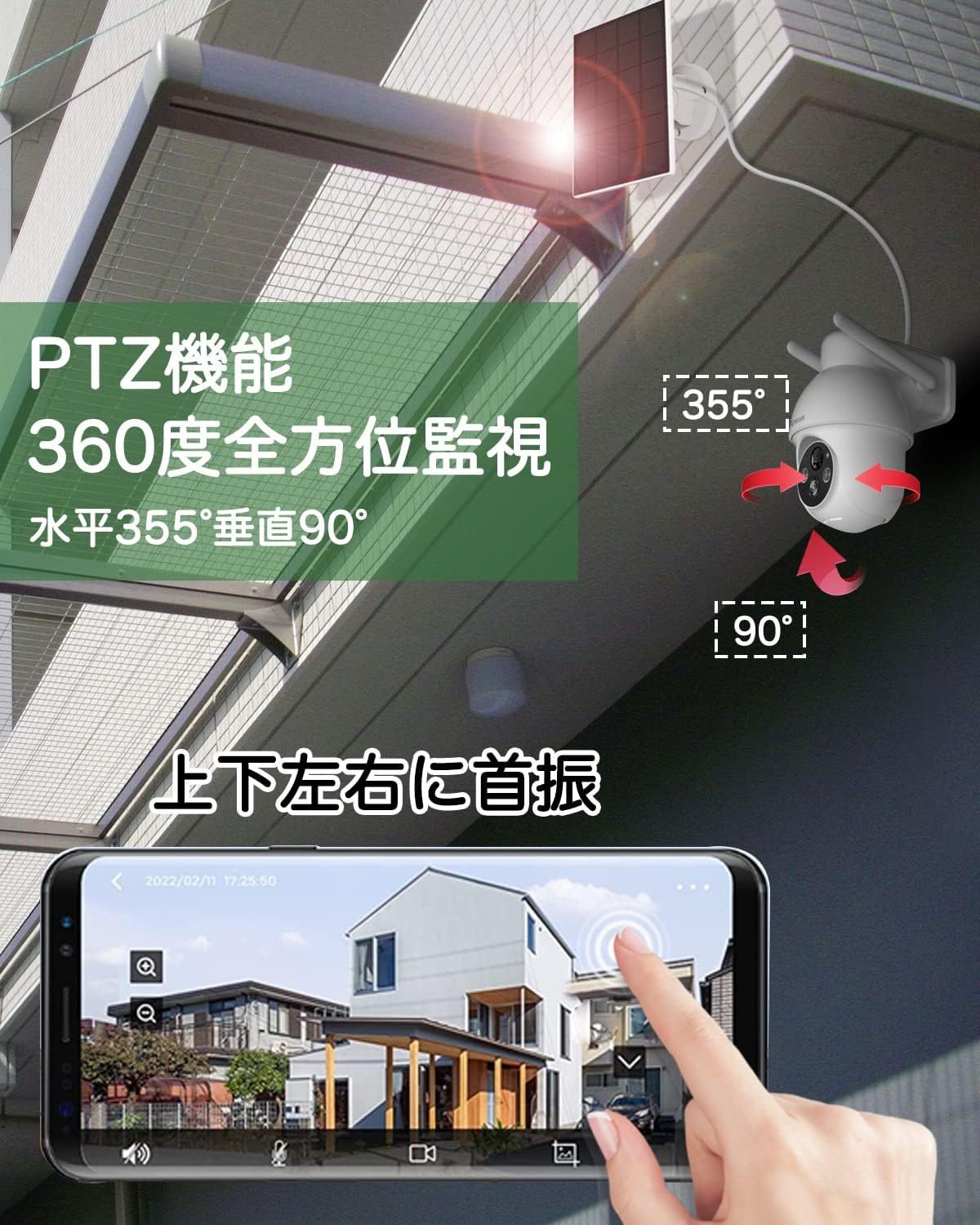
Image: An illustration of the camera's pan (355°) and tilt (90°) capabilities, controlled via a smartphone app interface.
5.3 AI Intelligent Detection
Enable AI detection in the app settings to receive more accurate alerts. The camera can distinguish between human shapes, vehicles, and other moving objects, reducing notifications from irrelevant movements like swaying branches.
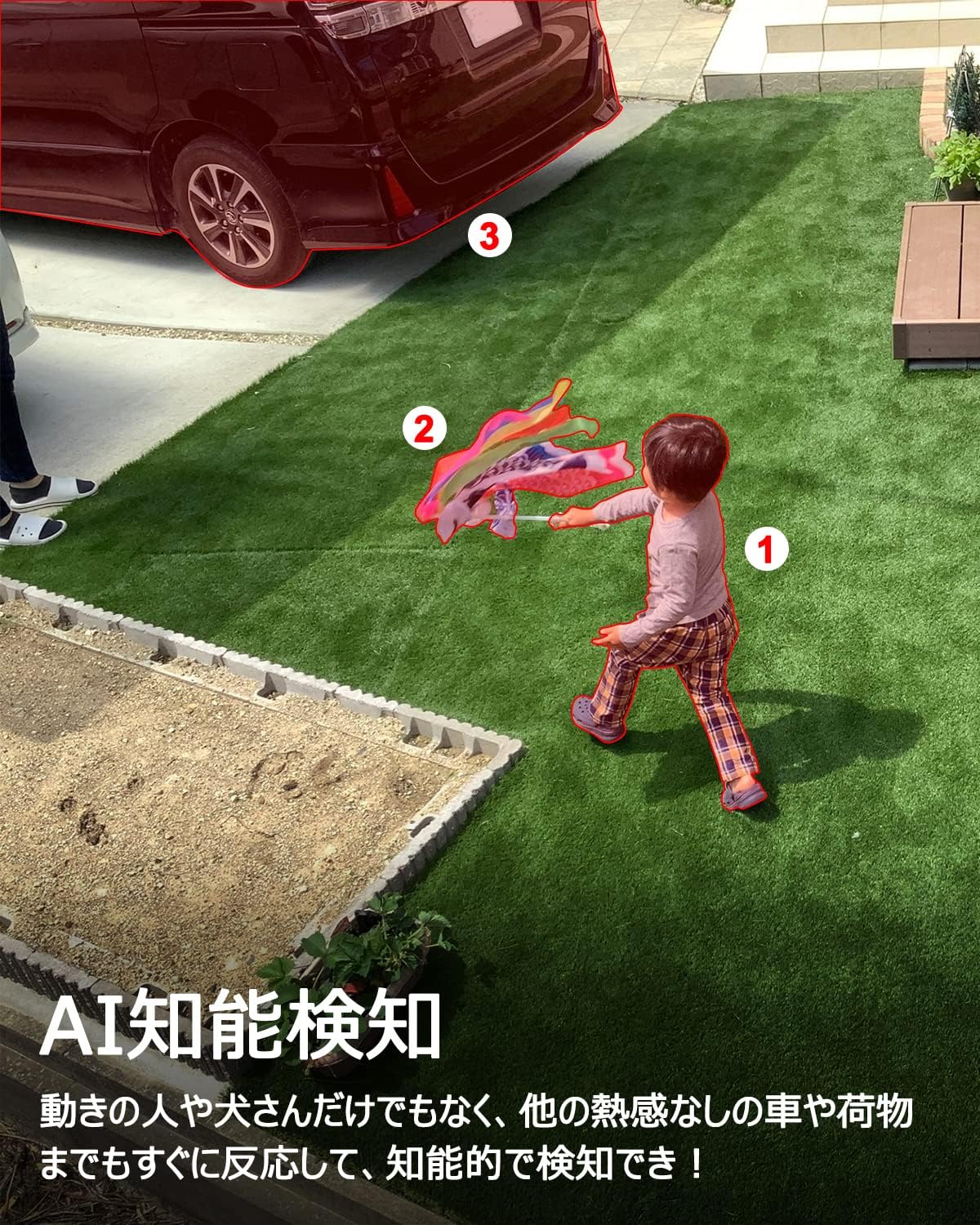
Image: A scene depicting the camera's AI intelligent detection feature highlighting a child and a car in a garden setting.
5.4 Detekcja ruchu i alarmy
Configure motion detection sensitivity (1-10 levels) in the app. When motion is detected, the camera can send instant push notifications to your phone and trigger built-in sound and light alarms to deter intruders.

Image: The camera detecting a person at night, activating a sound and light alarm, with a smartphone displaying an alert notification.
5.5 Real-time Digital Zoom
Chwila viewing the live feed or recorded footage, you can use a pinch-to-zoom gesture on your smartphone screen to digitally zoom in on specific areas for a closer look.

Image: A smartphone screen demonstrating the digital zoom feature, showing a zoomed-in view of a car from the camera's feed.
5.6 Integracja z asystentem głosowym (Alexa)
Link your ANRAN camera with Amazon Alexa through the Alexa app. Once linked, you can use voice commands such as "Alexa, show me the [camera name]" to view the live feed on compatible Alexa-enabled devices like the Echo Show.
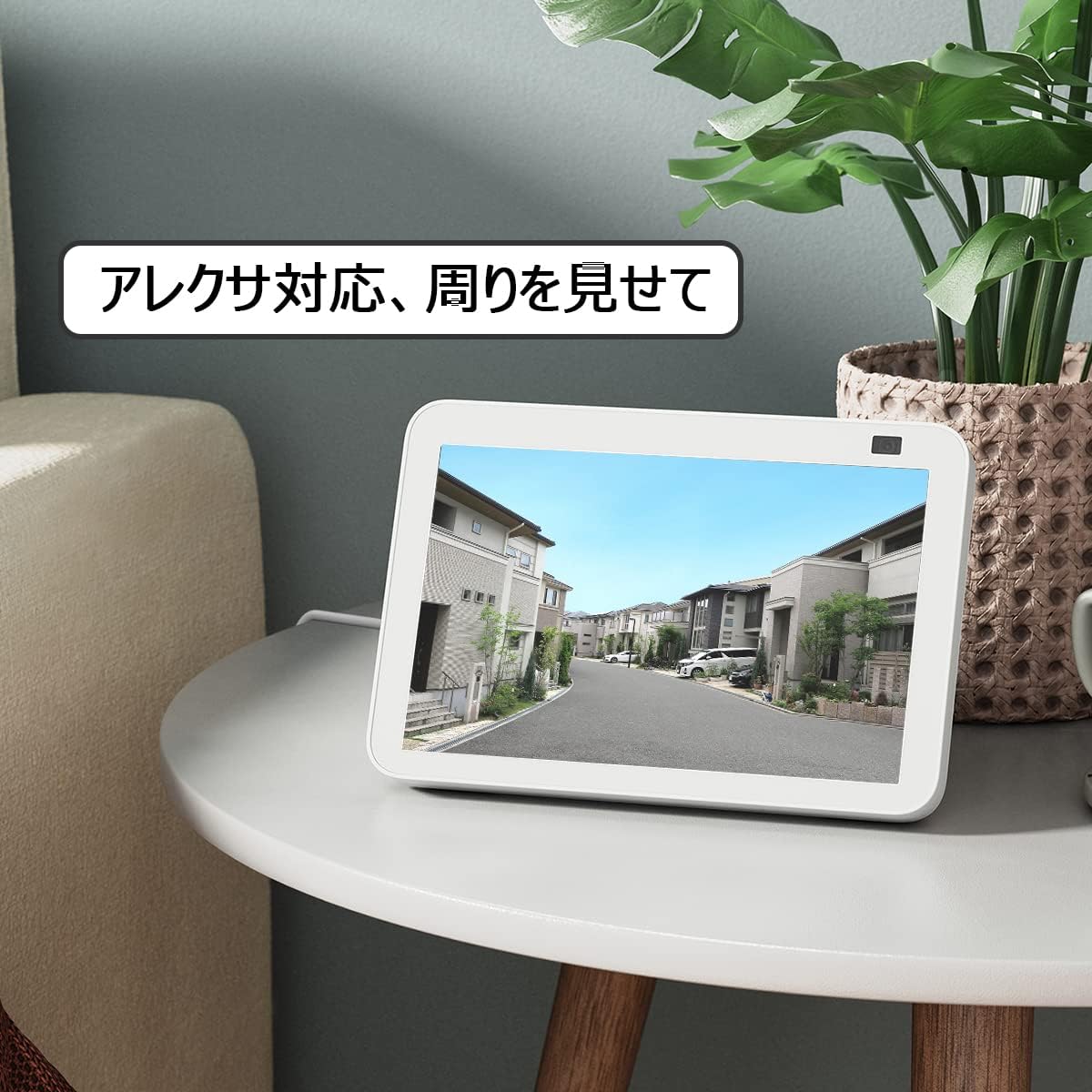
Image: An Amazon Echo Show device displaying the camera's live feed, demonstrating its compatibility with Alexa voice commands.
6. Konserwacja
6.1 Odporność na warunki atmosferyczne
The ANRAN AR-W678 camera has an IP65 rating, meaning it is protected against dust ingress and low-pressure water jets from any direction. While it is designed for outdoor use, avoid submerging the camera in water or exposing it to extreme weather conditions beyond its rating.
6.2 Zarządzanie baterią
For optimal battery life, ensure the solar panel receives adequate direct sunlight daily. In periods of low sunlight or heavy usage, the camera may require manual charging via the USB port. Monitor battery levels through the ANRAN app.
6.3 Czyszczenie
Okresowo czyść obiektyw aparatu i panel słoneczny miękką, miękką szmatką.amp cloth to remove dust, dirt, or smudges. Do not use harsh chemicals or abrasive materials, as these can damage the surfaces.
7. Rozwiązywanie Problemów
- Kamera nie łączy się z Wi-Fi: Upewnij się, że Twoja sieć Wi-Fi działa w paśmie 2.4 GHz. Sprawdź siłę sygnału Wi-Fi w miejscu, w którym znajduje się kamera. Uruchom ponownie router i kamerę.
- Słaba jakość wideo: Check your internet connection speed. Ensure the camera lens is clean. Adjust the camera's position to avoid glare or obstructions.
- Fałszywe alarmy ruchu: Adjust the motion detection sensitivity in the app. Enable AI detection to filter out irrelevant movements.
- Akumulator nie ładuje się: Ensure the solar panel is clean and positioned for maximum direct sunlight. Check the connection cable between the solar panel and the camera.
- Aplikacja nie odpowiada: Close and reopen the app. Ensure your app is updated to the latest version. Restart your smartphone.
8. Specyfikacje
| Funkcja | Specyfikacja |
|---|---|
| Marka | ANRAN |
| Numer modelu | AR-W678 |
| Technologia łączności | Bezprzewodowe, Wi-Fi |
| Zastosowanie wewnątrz/na zewnątrz | Wewnątrz, Na zewnątrz |
| Źródło zasilania | Zasilany bateryjnie (z panelem słonecznym) |
| Typ montażu | Montaż ścienny |
| Rozdzielczość przechwytywania wideo | 1080p |
| Stopień wodoodporności | IP65 |
| Współczynnik kształtu | Kula |
| Materiał obudowy | Metal |
| Źródło światła | Podczerwony |
| Tomtage | 6 wolty |
| Cotage | 12 watów |
| Wymiary przedmiotu | 25.4 x 25.4 x 25.4 centymetrów |
9. Gwarancja i wsparcie
For specific warranty details, please refer to the documentation included with your purchase or visit the official ANRAN website. For technical support, troubleshooting assistance, or any product-related inquiries, please contact ANRAN customer service through their official channels.