
1. Wprowadzenie
The Razer Barracuda X is a versatile 4-in-1 USB-C wireless headset designed for immersive home gaming and seamless on-the-go audio. It offers true versatility and freedom, backed by long-lasting comfort, powerful drivers, and a crystal-clear microphone. This manual provides essential information for setting up, operating, maintaining, and troubleshooting your headset.

Image: The Razer Barracuda X headset in a gaming environment, showcasing its sleek design and wireless capability.
2. Zawartość opakowania
Upewnij się, że w przesyłce znajdują się wszystkie poniższe elementy:
- Bezprzewodowy zestaw słuchawkowy do gier Razer Barracuda X
- Bezprzewodowy klucz sprzętowy typu C
- Removable Razer HyperClear Cardioid Mic
- Kabel ładujący typu C
- Kabel przejściowy typu A do typu C
- Instrukcja obsługi (ten dokument)

Image: The Razer Barracuda X headset with its included accessories: the USB-C wireless dongle and the detachable HyperClear Cardioid Mic.
3. Konfiguracja
3.1 Ładowanie zestawu słuchawkowego
Before first use, fully charge your Razer Barracuda X headset using the provided Type-C charging cable. Connect the Type-C end to the headset's charging port and the USB-A end to a power source (e.g., computer USB port, wall adapter).
3.2 Wireless Connectivity (2.4GHz USB-C Dongle)
For low-latency gaming audio, use the 2.4GHz wireless connection:
- Plug the Type-C wireless dongle into your desired device (PC, PlayStation, Nintendo Switch, Android device). If your device only has a USB-A port, use the included Type-A to Type-C adapter cable.
- Power on your Razer Barracuda X headset. It will automatically connect to the dongle.
3.3 Łączność Bluetooth
For mobile use or devices without a USB-C port, connect via Bluetooth:
- With the headset powered on, press and hold the SmartSwitch button (usually indicated by a Bluetooth icon) until the LED indicator blinks blue, indicating pairing mode.
- On your device, search for Bluetooth devices and select "Razer Barracuda X" to pair.

Image: The Razer Barracuda X headset connected to multiple devices, highlighting its SmartSwitch dual wireless capability for seamless transitions between 2.4GHz and Bluetooth.
3.4 Podłączanie mikrofonu
Insert the detachable Razer HyperClear Cardioid Mic into the microphone jack located on the left earcup. Ensure it is firmly seated.
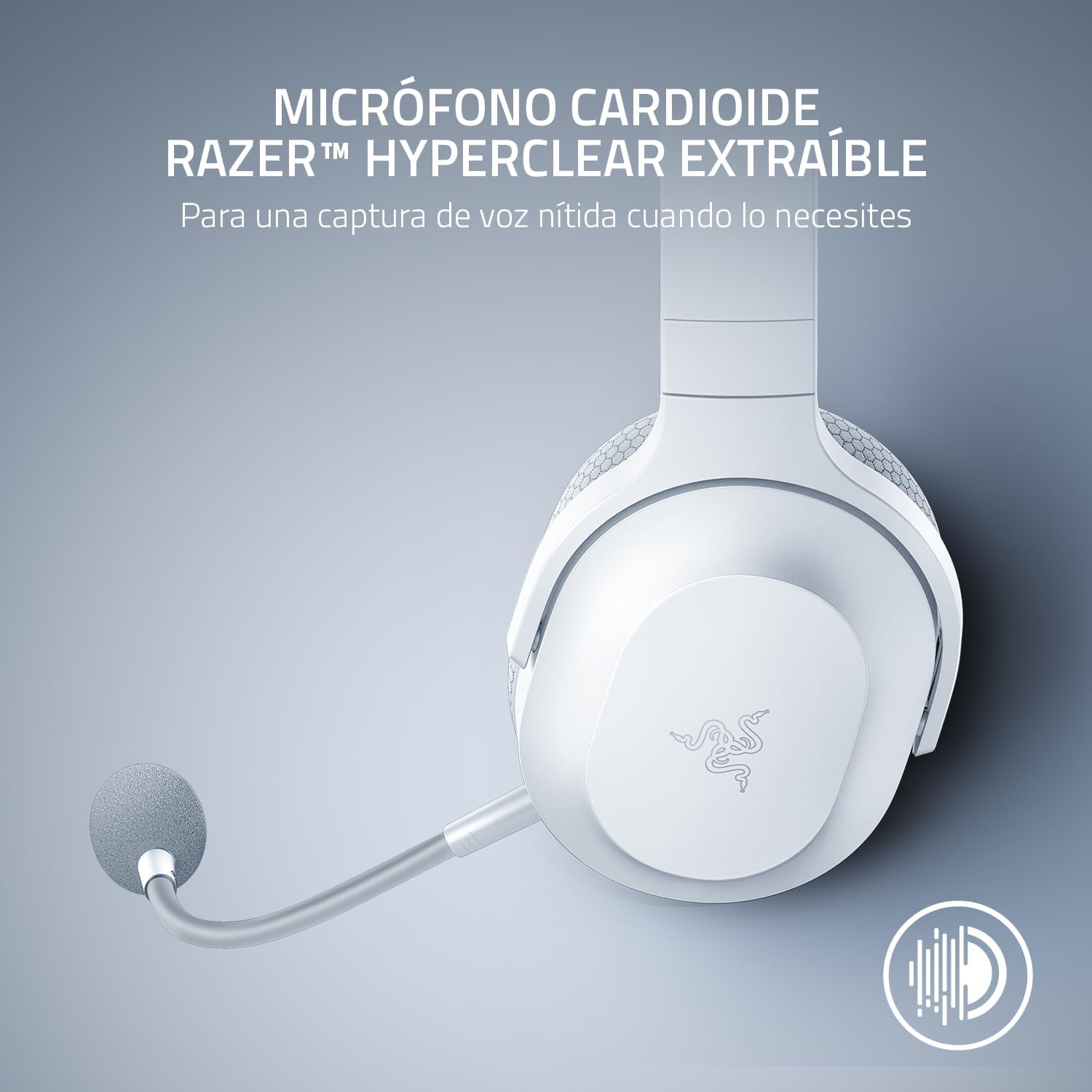
Image: The Razer Barracuda X headset with its detachable HyperClear Cardioid Mic, designed for clear voice capture.
4. Obsługa zestawu słuchawkowego
4.1 Włączanie/wyłączanie zasilania
- Włączanie: Naciśnij i przytrzymaj przycisk zasilania, aż zaświeci się kontrolka LED.
- Aby wyłączyć: Naciśnij i przytrzymaj przycisk zasilania, aż dioda LED zgaśnie.
4.2 Regulacja głośności
Adjust the audio volume using the volume roller located on the left earcup.
4.3 Wyciszenie mikrofonu
Press the microphone mute button on the left earcup to toggle the microphone on or off. An LED indicator on the mic will show its status.
4.4 SmartSwitch Dual Wireless
The SmartSwitch feature allows you to seamlessly switch between 2.4GHz wireless and Bluetooth connections. When connected to both, the headset will prioritize the 2.4GHz connection for gaming. If a call comes in on your Bluetooth-connected phone, the headset will automatically switch to the Bluetooth connection. After the call, it will switch back to 2.4GHz.

Image: Close-up of the Razer Barracuda X headset's on-headset controls, including the volume wheel, power button, and mic mute button.
4.5 Comfort and Ergonomics
The Barracuda X features a lightweight 250g ergonomic design with breathable memory foam ear cushions and swiveling earcups, ensuring comfort during long gaming sessions or daily commutes.

Obraz: szczegółowy view of the Razer Barracuda X headset's ergonomic design, highlighting the comfortable ear cushions and lightweight build.
5. Konserwacja
5.1 Czyszczenie
- Do czyszczenia zestawu słuchawkowego należy używać miękkiej, suchej ściereczki.
- Unikaj stosowania silnych środków chemicznych i materiałów ściernych.
- W przypadku poduszek nausznych delikatnie przetrzyj je ściereczką.amp ściereczką i pozostawić do całkowitego wyschnięcia.
5.2 Przechowywanie
Store the headset in a cool, dry place away from direct sunlight and extreme temperatures. When not in use, consider storing it in a protective case to prevent damage.
6. Rozwiązywanie Problemów
6.1 Brak dźwięku/słaba jakość dźwięku
- Sprawdź głośność: Ensure the headset volume is not muted or set too low.
- Łączność: Verify the 2.4GHz dongle is properly inserted and the headset is connected, or that Bluetooth is successfully paired. Try re-pairing if necessary.
- Ustawienia urządzenia: Confirm the Razer Barracuda X is selected as the default audio output device in your computer's or console's sound settings.
- Ingerencja: Odsuń się od innych urządzeń bezprzewodowych, które mogą powodować zakłócenia.
6.2 Mikrofon nie działa
- Sprawdź wyciszenie: Ensure the microphone is not muted via the headset button or your device's software.
- Połączenie: Re-insert the detachable microphone firmly into its jack.
- Ustawienia urządzenia: Verify the Razer Barracuda X microphone is selected as the default input device in your computer's or console's sound settings and application settings (e.g., Discord).
6.3 Headset Not Powering On/Charging
- Naładuj baterię: Connect the headset to a power source using the Type-C charging cable and allow it to charge for at least 30 minutes.
- Check Cable/Port: Ensure the charging cable and port are not damaged. Try a different cable or USB port.
6.4 Automatyczne wyłączanie zasilania
The headset may automatically power off after a period of inactivity to conserve battery. This is a normal feature. To prevent this during active use, ensure audio is consistently playing through the headset.
7. Specyfikacje
| Funkcja | Szczegół |
|---|---|
| Marka | Razer |
| Nazwa modelu | Barakuda X |
| Numer modelu | RZ04-04430200-R3U1 |
| Kolor | Biały |
| Technologia łączności | 2.4GHz Wireless, Bluetooth 5.2, USB-C |
| Typ sterownika audio | Dynamiczny sterownik |
| Rozmiar sterownika audio | 40 Millimeters (Razer TriForce) |
| Odpowiedź częstotliwościowa | 20 Hz - 20 000 Hz |
| Impedancja | 32 omy |
| Wrażliwość | 96dB |
| Mikrofon | Detachable Razer HyperClear Cardioid Mic |
| Żywotność baterii | Do 50 godzin |
| Waga | 9.6 uncji (250 g) |
| Umieszczenie ucha | Na ucho |
| Typ sterowania | Sterowanie multimediami, dotyk |
| Dodatkowe funkcje | SmartSwitch Dual Wireless, 250g Ergonomic Design |

Obraz: Wybuch view diagram illustrating the Razer TriForce 40mm drivers, designed for distinct high, mid, and low audio frequencies.
8. Gwarancja i wsparcie
8.1 Informacje o gwarancji
The Razer Barracuda X Wireless Gaming Headset comes with a 2-letnia gwarancja producenta. Zachowaj dowód zakupu na wypadek roszczeń gwarancyjnych.
8.2 Obsługa klienta
Aby uzyskać dalszą pomoc, wsparcie techniczne lub zapytania dotyczące gwarancji, odwiedź oficjalną stronę pomocy technicznej firmy Razer webwitryna lub Sklep Razer na Amazon.


