
1. Wprowadzenie do produktu
The ARESGAME AGV500 is a 500W power supply unit (PSU) designed for desktop ATX systems, featuring 80 Plus Bronze certification for energy efficiency. It provides stable power output and incorporates design elements for effective heat dissipation and quiet operation.
Główne cechy
- Moc wyjściowa 500 W: Provides reliable power for various PC configurations.
- 80 Plus Bronze Certified: Achieves 85% efficiency or higher under typical loads, reducing energy consumption and heat.
- Ultra Quiet 120mm Fan: Features intelligent fan speed control for optimal cooling with minimal noise.
- Doskonałe odprowadzanie ciepła: Honeycomb ventilation design enhances airflow and cooling performance.
- Kompleksowa ochrona: Obejmuje ponad objętośćtage Ochrona (OVP), Under Voltage Protection (UVP), Over Power Protection (OPP), and Short Circuit Protection (SCP) for system safety.
- Non-Modular Design: All cables are permanently attached.
Zawartość opakowania
- 1 x ARESGAME AGV500 500W Power Supply
- 1 x przewód zasilający
- 1 x Instrukcja obsługi (ten dokument)
- 1 x Instrukcja szybkiej instalacji
- 1 x PSU Tester
- 4 x śruby montażowe
- Opaski kablowe 4 x

Rysunek 1: The ARESGAME AGV500 500W Power Supply, showcasing jego czarny casing and attached cables.
2. Ważne informacje dotyczące bezpieczeństwa
Please read and understand all safety instructions before installing or operating this power supply. Failure to comply with these instructions may result in electric shock, fire, or damage to the product and connected components.
- Zagrożenie elektryczne: Nie otwierać zasilacza. Wysokie napięcietagUrządzenia są wyposażone w mechanizmy zabezpieczające, które są obecne wewnątrz, nawet gdy urządzenie jest odłączone od zasilania. Nie ma w nim części, które mogłyby zostać naprawione przez użytkownika.
- Wentylacja: Zapewnij odpowiednią wentylację wokół zasilacza. Nie blokuj otworów wentylacyjnych.
- Środowisko: Install the power supply in a dry, well-ventilated area, away from direct sunlight, heat sources, and moisture.
- Przewód zasilający: Use only the provided AC power cord. Ensure the power cord is fully inserted into both the power supply and the wall outlet.
- Grunt: Zasilacz musi być odpowiednio uziemiony.
- Przeciążać: Do not overload the power supply. Ensure the total power consumption of your components does not exceed the PSU's rated wattage.
- Dzieci: Keep the power supply and its components out of reach of children.
3. Konfiguracja i instalacja
Zanim zaczniesz
- Turn off and unplug your computer from the wall outlet.
- Otwórz obudowę komputera.
- Jeśli wymieniasz istniejący zasilacz, odłącz wszystkie kable od starego zasilacza i wyjmij go z obudowy.
- It is recommended to wear an anti-static wrist strap to prevent electrostatic discharge (ESD) damage to components.
Instalacja fizyczna
- Carefully place the ARESGAME AGV500 power supply into the designated PSU bay in your computer case.
- Dopasuj otwory na śruby w zasilaczu do otworów w obudowie.
- Secure the power supply using the four provided mounting screws.
Połączenia kablowe
Connect the necessary cables from the power supply to your motherboard and other components. Refer to your motherboard and component manuals for specific connection points.

Rysunek 2: Nadview of the ARESGAME AGV500's non-modular cable types and quantities, including Mainboard, CPU, PCI-E, SATA, and Molex connectors.
- 20+4 Pin Mainboard Power Connector: Podłącz do głównego gniazda zasilania na płycie głównej.
- 8 (4+4) Pin CPU Power Connector: Podłącz do gniazda zasilania procesora na płycie głównej.
- PCI-E 6+2 Pin Connector: Connect to graphics cards requiring PCI-E power. The AGV500 provides four such connectors.
- SATA Power Connector: Connect to SATA devices such as hard drives, solid-state drives, and optical drives. The AGV500 provides six SATA connectors.
- Molex Peripheral Connector: Connect to older peripherals or case fans. The AGV500 provides three Molex connectors.
- Złącze FDD: Connect to floppy disk drives if needed (one provided).

Rysunek 3: Rear panel of the ARESGAME AGV500, showing the AC power input socket and the main power switch.
After connecting all internal components, connect the provided AC power cord to the power supply's input socket and then to a wall outlet.
4. Instrukcja obsługi
Włączanie/wyłączanie
- Ensure all internal connections are secure and the AC power cord is connected to both the PSU and the wall outlet.
- Flip the main power switch on the rear of the power supply to the 'I' (ON) position.
- Naciśnij przycisk zasilania na obudowie komputera, aby uruchomić system.
- To power off, shut down your operating system normally. For complete power disconnection, flip the main power switch on the PSU to the 'O' (OFF) position and unplug the AC power cord.
5. Konserwacja i pielęgnacja
Właściwa konserwacja zapewnia długowieczność i optymalną wydajność zasilacza.
- Czyszczenie: Periodically clean the exterior of the power supply and its fan grille to prevent dust buildup. Use compressed air to gently clear dust from the fan and ventilation areas. Ensure the power supply is turned off and unplugged before cleaning.
- Wentylacja: Ensure that the computer case has adequate airflow and that the power supply's ventilation openings are not obstructed.
- Zarządzanie kablami: Organize cables inside your computer case to improve airflow and prevent interference with cooling.
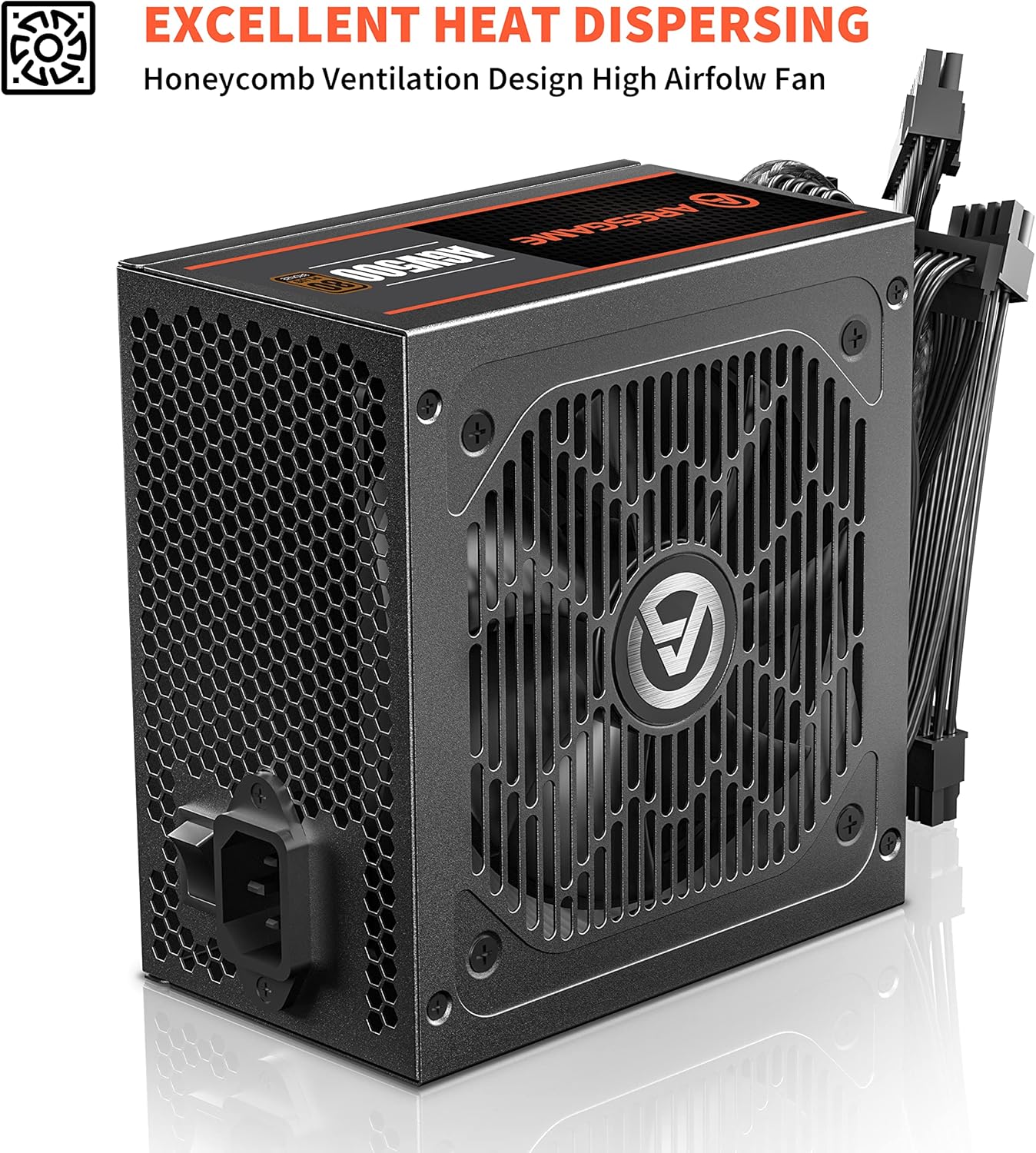
Rysunek 4: The honeycomb ventilation design on the ARESGAME AGV500, crucial for efficient heat dissipation.
6. Rozwiązywanie Problemów
If you encounter issues with your ARESGAME AGV500 power supply, refer to the following common problems and solutions:
| Problem | Możliwa przyczyna | Rozwiązanie |
|---|---|---|
| Komputer się nie włącza. | Power cord not connected, PSU switch off, faulty components, insufficient power. | Ensure AC power cord is fully plugged in. Verify PSU switch is in 'I' (ON) position. Check all internal power connections. Use the included PSU tester to verify PSU functionality. |
| System włącza się, ale niespodziewanie wyłącza się. | Overload, overheating, faulty components. | Ensure total component wattage does not exceed 500W. Check for proper ventilation and clean any dust. Verify all connections are secure. |
| Głośny hałas wentylatora zasilacza. | Dust buildup, fan obstruction, faulty fan. | Clean the PSU fan and grille with compressed air. Ensure no cables are obstructing the fan. If noise persists, contact customer support. |
| Zapach spalenizny lub dym. | Serious component failure. | Immediately turn off the computer and unplug the AC power cord. Do not attempt to restart. Contact customer support immediately. |
7. Specyfikacje techniczne
| Specyfikacja | Szczegół |
|---|---|
| Model | ARESGAME AGV500 |
| Cotage | 500 W |
| Certyfikacja 80 Plus | Brązowy Certyfikat |
| Współczynnik kształtu | ATX |
| Typ modułowy | Nie-modułowy |
| Wejście VAC | 100V-240V, 10-5A, 50-60Hz |
| Rozmiar wentylatora | 120mm |
| Metoda chłodzenia | Powietrze |
| Wymiary produktu (dł. x szer. x wys.) | 150mm x 140mm x 86mm (5.9 x 5.5 x 3.3 cale) |
| Waga przedmiotu | 4.33 funta |
| Funkcje ochronne | OVP, UVP, OPP, SCP |
DC Output Table
| Wyjście DC | +5 V | +3.3 V | +12 V | -12V | +5Vsb |
|---|---|---|---|---|---|
| Max Output, A | 18A | 18A | 37.5A | 0.3A | 2.5A |
| Łączone, W | 95 W | 450 W | 3.6 W | 12.5 W | |
| Output Power, P cont | 500 W przy 40°C | ||||
Efficiency Information

Rysunek 5: 80 Plus Bronze efficiency curve for the AGV500, illustrating efficiency levels at various system loads for both 115Vac and 230Vac input.
8. Gwarancja i obsługa klienta
ARESGAME products are manufactured to high quality standards. This product is covered by a manufacturer's warranty against defects in materials and workmanship. Please refer to the warranty card included in your package or visit the official ARESGAME webSzczegółowe warunki gwarancji można znaleźć na naszej stronie.
For technical assistance, troubleshooting, or warranty claims, please contact ARESGAME customer support through their official website or the contact information provided with your purchase. When contacting support, please have your product model (AGV500) and proof of purchase readily available.