
1. Wprowadzenie
This manual provides detailed instructions for the safe and effective use of your SENSYNE 62-inch Phone Tripod and Selfie Stick. This versatile device combines the functionality of a stable tripod stand with an extendable selfie stick, designed for capturing photos and videos with smartphones and compatible cameras. Please read this manual thoroughly before initial use and retain it for future reference.
2. Koniec produktuview i komponenty
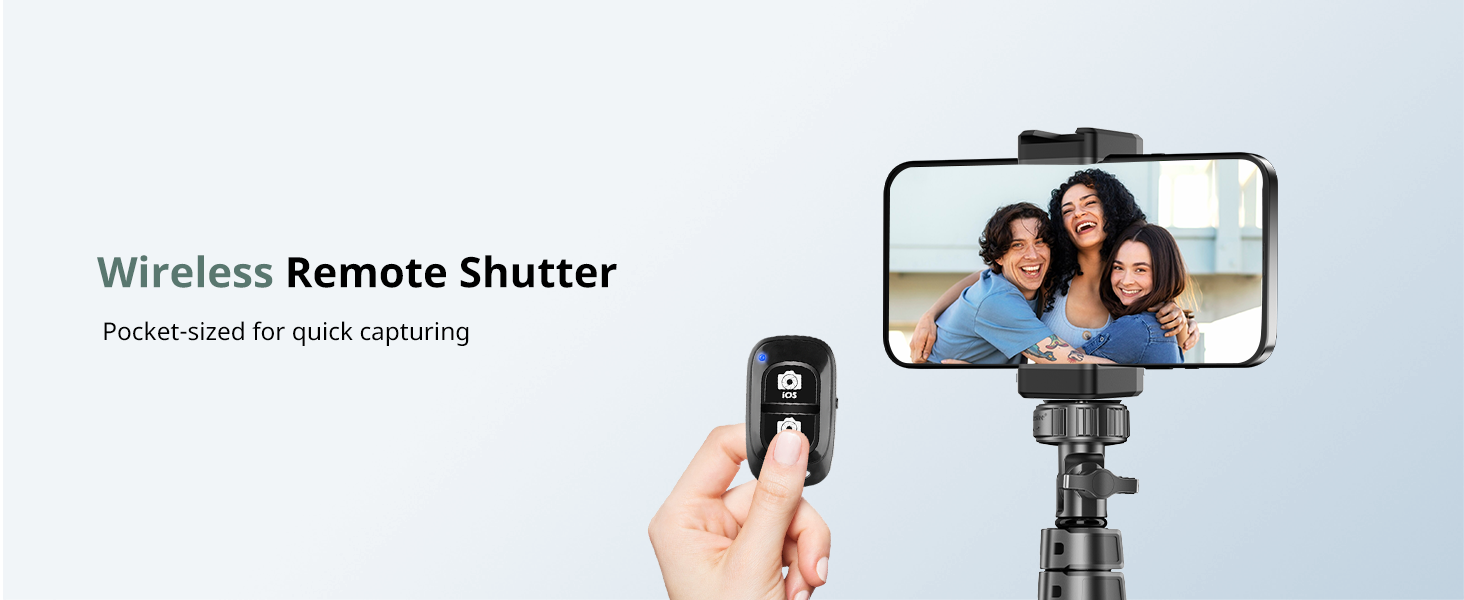
The SENSYNE 62-inch Phone Tripod and Selfie Stick is engineered for portability and stability, featuring an aluminum alloy construction and a multi-stage extension mechanism. It includes a universal phone holder and a wireless remote shutter for convenient operation.
Zawartość opakowania:
- 1x Phone Stick Tripod
- 1x Universal Phone Holder
- 1x Adapter (for cameras/GoPro)
- 1x Wireless Remote Shutter (Model: AB Shutter3)

Figure 2.1: SENSYNE 62-inch Phone Tripod and Selfie Stick with included wireless remote.
Rysunek 2.2: Wizualna reprezentacja elementów zawartych w pakiecie.
3. Instrukcje konfiguracji
3.1 Rozkładanie statywu
- Gently pull the three legs outwards from the main shaft until they are fully extended and stable.
- Ensure the legs are spread wide enough to provide a stable base for the desired height.
3.2 Regulacja wysokości
- Locate the flip locks on the extendable sections of the main shaft.
- Open the flip locks, extend the shaft to your desired height (from 17 inches to 62 inches), and then securely close the flip locks to fix the height.

Figure 3.1: The tripod extended to its maximum height of 62 inches.
3.3 Attaching the Phone Holder or Camera
- Dla smartfonów: Screw the universal phone holder onto the 1/4-inch screw mount at the top of the tripod. Ensure it is tightened securely.
- For Cameras/GoPro: Use the provided adapter to attach your digital camera, action camera, or webcam to the 1/4-inch screw mount.
- Insert your smartphone into the phone holder. The holder is compatible with phones between 2.8 and 5.7 inches wide. Ensure the phone is centered and securely gripped by the silicone protective pads.
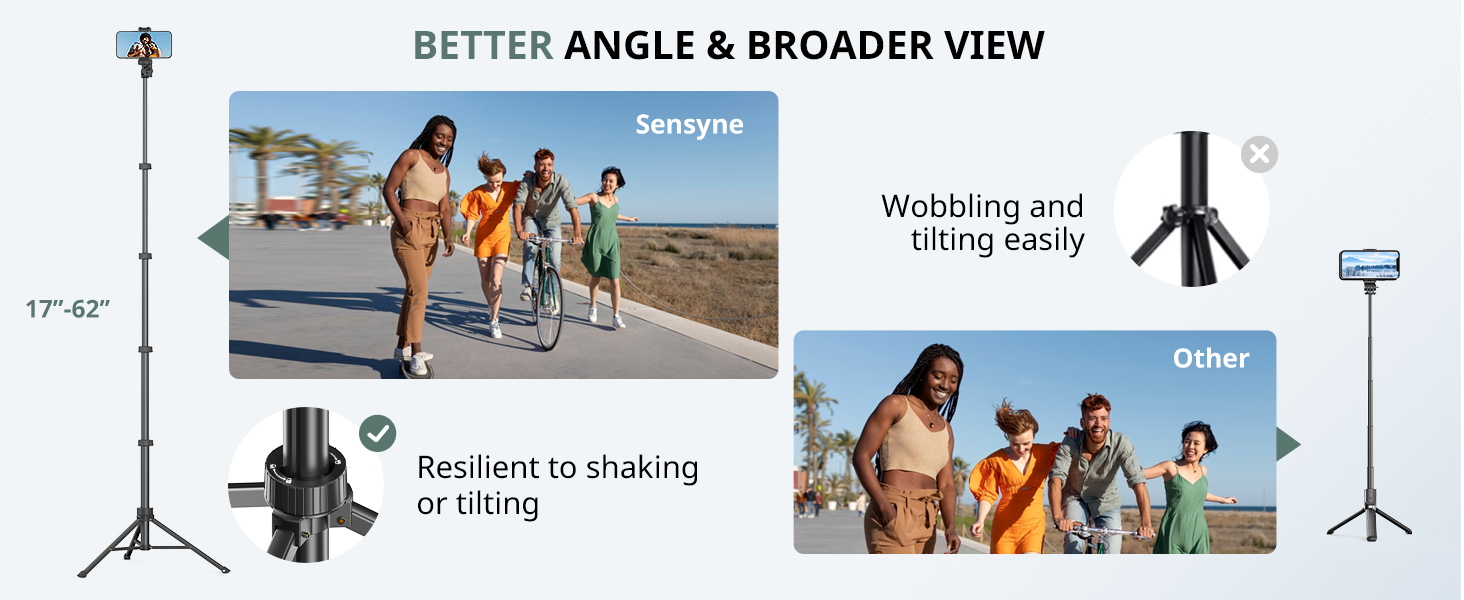
Figure 3.2: The tripod is compatible with various devices including smartphones, digital cameras, and GoPro cameras.
3.4 Parowanie bezprzewodowego pilota migawki
- Ensure the remote shutter has a CR5 battery installed (included).
- Turn on the remote shutter. An indicator light will flash.
- Na swoim smartfonie przejdź do ustawień Bluetooth i wyszukaj dostępne urządzenia.
- Select "AB Shutter3" (or similar name) from the list to pair. The indicator light on the remote will stop flashing once paired.
- Open your phone's camera app. Press the corresponding button on the remote (iOS or Android) to take photos or start/stop video recording.
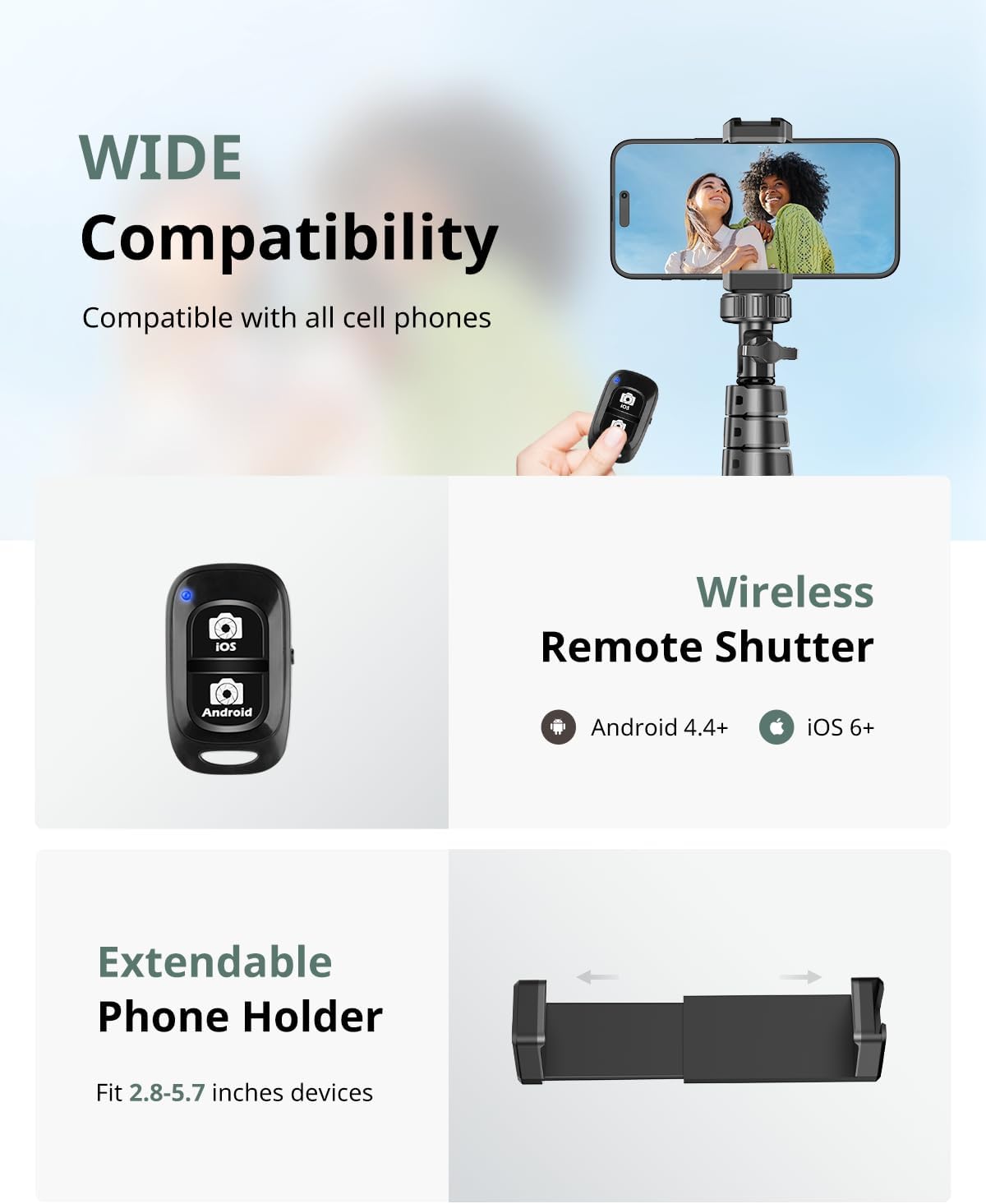
Figure 3.3: The wireless remote shutter and extendable phone holder for wide compatibility.
4. Instrukcja obsługi
4.1 Tryb statywu
In tripod mode, the device provides a stable base for hands-free photography and video recording. Ensure the legs are fully extended and the height is locked. This mode is ideal for group photos, time-lapses, vlogging, and live streaming.
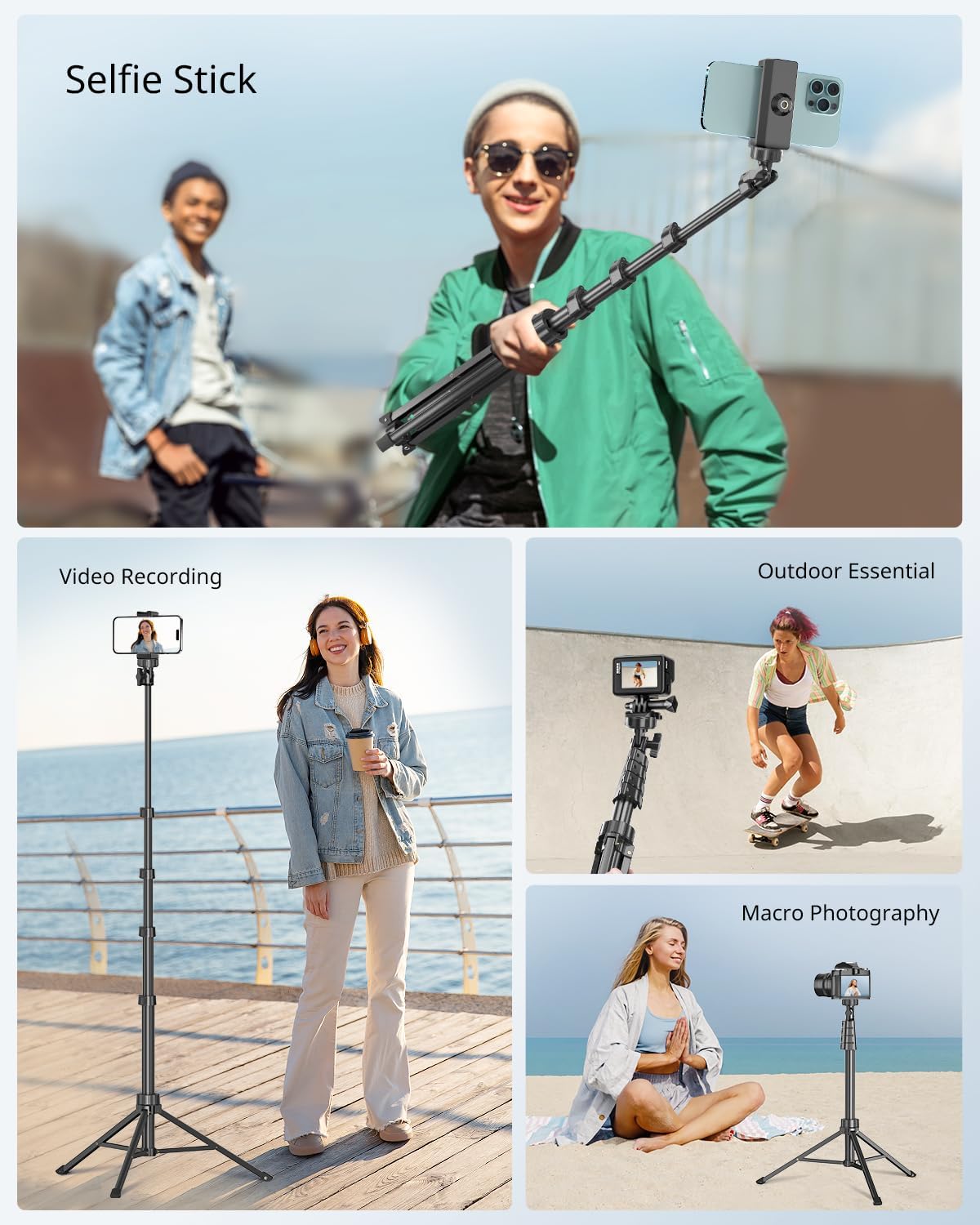
Rysunek 4.1: Examples of the tripod's versatile applications.
4.2 Tryb selfie sticka
To use as a selfie stick, collapse the tripod legs and hold the main shaft. Extend the shaft to your desired length. This mode is suitable for capturing selfies and wider-angle shots while holding the device.
4.3 Adjusting Phone Holder Angle and Rotation
The phone holder allows for both horizontal and vertical orientation, along with angle adjustments.
- Obrót: The phone holder can rotate 360 degrees to switch between landscape and portrait modes. Loosen the adjustment knob, rotate to the desired orientation, and tighten the knob.
- Regulacja kąta: The holder also allows for a 90-degree tilt adjustment. Loosen the knob, adjust the angle, and tighten to secure.

Figure 4.2: The phone holder supports both vertical and horizontal modes with full rotation and angle adjustment.
5. Konserwacja
- Clean the tripod and phone holder with a soft, dry cloth. Avoid using abrasive cleaners or solvents.
- Store the device in a dry place away from extreme temperatures and direct sunlight.
- Ensure all screws and locks are tightened before each use to maintain stability.
- If the wireless remote battery is depleted, replace it with a new CR5 battery.
6. Rozwiązywanie Problemów
6.1 Device is Unstable
- Ensure the tripod legs are fully extended and spread wide on a flat, stable surface.
- Verify that all extension shaft flip locks are securely closed.
- Confirm that the phone or camera is properly balanced and securely mounted in the holder. The maximum weight limit is 2.2 pounds.

Figure 6.1: The tripod features an upgraded stand design for superior stability.
6.2 Wireless Remote Not Connecting
- Check if the remote's battery is charged and correctly inserted. Replace if necessary.
- Upewnij się, że Bluetooth jest włączony w Twoim smartfonie.
- Rozłącz i ponownie sparuj pilota w ustawieniach Bluetooth telefonu.
- Ensure the remote is within operating range (typically up to 10 meters).
6.3 Phone Holder Not Level in Vertical Mode
- Ensure the phone is inserted centrally and the holder's adjustment knob is fully tightened after setting the desired orientation.
- If a slight tilt persists, minor adjustments to the tripod leg positioning may help.
7. Specyfikacje
| Funkcja | Specyfikacja |
|---|---|
| Marka | SENSYNA |
| Model Number (Remote) | Migawka AB3 |
| Tworzywo | Aluminium |
| Maksymalna wysokość | 62 cali |
| Minimalna wysokość | 17 cali |
| Ograniczenie wagowe | 2.2 funtów |
| Waga przedmiotu | 1.43 funtów (650 gramów) |
| Wymiary produktu (złożony) | 2.95 x 16.54 x 2.17 cala |
| Zgodność uchwytu telefonu | 2.8" to 5.7" wide cellphones |
| Mocowanie kamery | Universal 1/4" screw mount |
| Bateria do pilota zdalnego sterowania | 1x CR5 (w zestawie) |
| Cechy specjalne | Lightweight, Portable, Wireless Remote Control, 360° Rotation Head |
8. Gwarancja i wsparcie
SENSYNE provides professional after-sales support for 12 months from the date of purchase. If you encounter any questions or issues with your product, please contact SENSYNE customer service for assistance. Please retain your proof of purchase for warranty claims.