
1. Wprowadzenie
This manual provides essential instructions for the proper use and maintenance of your LOTUS Smartwatch Model 50003/A. Please read this guide thoroughly before using your smartwatch to ensure optimal performance and longevity.
The LOTUS Smartwatch 50003/A features an intuitive interface and elegant design, offering a variety of smart functions. It is equipped with Bluetooth connectivity, allowing seamless synchronization with your mobile devices. This synchronization enables features such as call and message notifications, music control, and other practical functions for daily life.
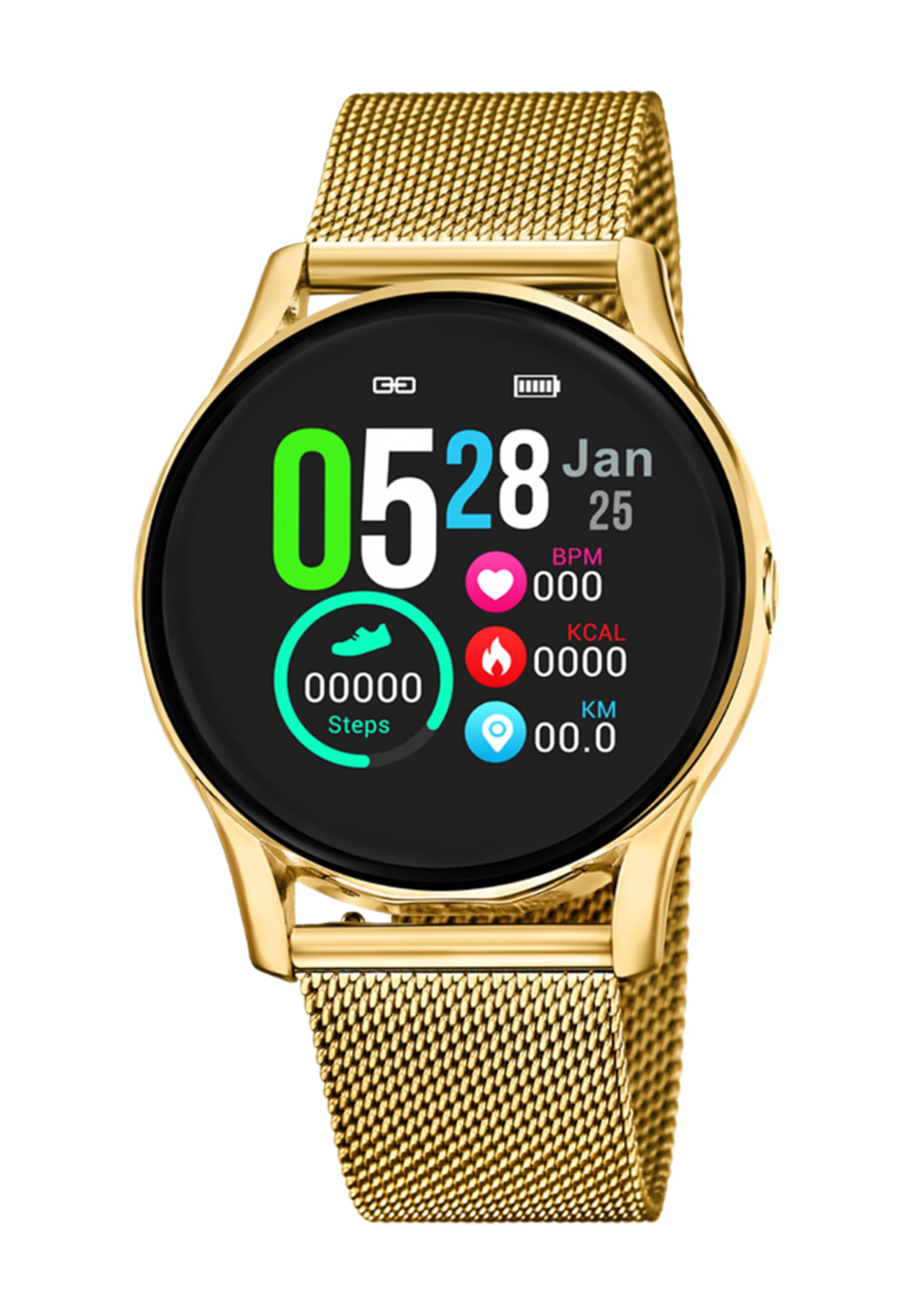
Obraz 1.1: Przód view of the LOTUS Smartwatch 50003/A.
2. Zawartość opakowania
Please check the package contents upon unboxing. The standard package for the LOTUS Smartwatch 50003/A should include:
- LOTUS Smartwatch 50003/A
- Kabel ładujący
- Instrukcja obsługi (ten dokument)
3. Przewodnik konfiguracji
3.1. Ładowanie smartwatcha
Przed pierwszym użyciem należy całkowicie naładować smartwatch.
- Podłącz kabel ładujący do portu ładowania z tyłu smartwatcha.
- Podłącz drugi koniec kabla ładującego do zasilacza USB (nie ma go w zestawie) lub do portu USB komputera.
- Wyświetlacz zegarka wskaże stan ładowania. Pełne naładowanie zajmie około 2-3 godzin.
3.2. Instalowanie aplikacji towarzyszącej
To unlock all features and synchronize your smartwatch with your smartphone, you need to install the official LOTUS Connected app.
- Scan the QR code provided in the watch packaging or search for "LOTUS Connected" in your smartphone's app store (Google Play Store for Android, Apple App Store for iOS).
- Pobierz i zainstaluj aplikację.
- Postępuj zgodnie z instrukcjami wyświetlanymi na ekranie, aby utworzyć konto lub zalogować się.

Image 3.2: Synchronizing the smartwatch with the companion app on a smartphone.
3.3. Parowanie ze smartfonem
Ensure Bluetooth is enabled on your smartphone and the smartwatch is charged.
- Open the LOTUS Connected app on your smartphone.
- Follow the app's instructions to add a new device.
- The app will search for available smartwatches. Select "LOTUS 50003/A" from the list.
- Jeśli pojawi się taki monit, potwierdź prośbę o sparowanie zarówno na smartfonie, jak i smartwatchu.
- Po sparowaniu zegarek będzie synchronizował czas i dane z telefonem.
4. Instrukcja obsługi
4.1. Podstawowa nawigacja
- Ekran dotykowy: Przesuwaj w lewo/prawo, w górę/w dół, aby poruszać się po menu i funkcjach. Dotknij, aby wybrać.
- Przyciski boczne: The smartwatch may have one or more physical buttons. Typically, one button serves as a power on/off, back, or home button. Refer to the on-screen prompts for specific button functions.

Obraz 4.1: Example of a smartwatch display showing activity data.
4.2. Główne cechy
- Powiadomienia: Receive alerts for incoming calls, messages, and app notifications directly on your wrist. Manage notification settings via the LOTUS Connected app.
- Sterowanie muzyką: Control music playback on your connected smartphone (play, pause, skip tracks, adjust volume).
- Śledzenie aktywności: Monitor steps, distance, calories burned, and sleep patterns. View detailed statistics in the companion app.
- Wodoodporność: The smartwatch is water resistant. Avoid prolonged submersion or use in hot water/steam. Refer to specifications for exact water resistance rating.
5. Konserwacja
5.1. Czyszczenie smartwatcha
- Przetrzyj ekran i obudowę zegarka miękką, niepozostawiającą włókien ściereczką.
- W przypadku uporczywych zabrudzeń, delikatnieampPrzetrzyj szmatkę wodą. Unikaj silnych środków chemicznych i materiałów ściernych.
- Przed ładowaniem sprawdź, czy styki ładowania są czyste i suche.
5.2. Pielęgnacja baterii
- Charge the smartwatch regularly. Avoid letting the battery completely drain for extended periods.
- Do not expose the smartwatch to extreme temperatures, as this can affect battery life and performance.
- Jeżeli zegarek nie będzie używany przez dłuższy czas, przed schowaniem należy go naładować do około 50%.
6. Rozwiązywanie Problemów
6.1. Typowe problemy i rozwiązania
- Zegarek się nie włącza: Upewnij się, że zegarek jest w pełni naładowany. Podłącz go do ładowarki i odczekaj kilka minut przed próbą włączenia.
- Nie można sparować ze smartfonem:
- Upewnij się, że Bluetooth jest włączony w Twoim smartfonie.
- Upewnij się, że smartwatch znajduje się w zasięgu telefonu.
- Uruchom ponownie smartfon i smartwatch.
- Spróbuj rozparować i ponownie sparować urządzenie za pomocą aplikacji.
- Powiadomienia nie zostały odebrane:
- Check notification settings in the LOTUS Connected app.
- Upewnij się, że aplikacja ma niezbędne uprawnienia na Twoim smartfonie.
- Verify that the smartwatch is properly connected via Bluetooth.
- Krótka żywotność baterii:
- Zmniejsz jasność ekranu.
- Wyłącz niepotrzebne powiadomienia lub funkcje.
- Przed użyciem należy upewnić się, że zegarek jest całkowicie naładowany.
6.2. Przywracanie ustawień fabrycznych
If issues persist, a factory reset may resolve them. This will erase all data on the smartwatch and restore it to its original settings.
- Navigate to the "Settings" menu on your smartwatch.
- Look for an option like "System," "Reset," or "Factory Reset."
- Potwierdź reset, gdy zostaniesz o to poproszony.
- After resetting, you will need to re-pair the smartwatch with your phone and set it up again.
7. Specyfikacje
| Funkcja | Szczegół |
|---|---|
| Marka | LOTOS |
| Numer modelu | 50003/A |
| Kolor | Czarny |
| Zgodność z systemem operacyjnym | Android, iOS |
| Rozmiar ekranu | 39.65 milimetrów |
| Cechy specjalne | Wodoodporny |
| Kompatybilne urządzenia | Smartfon |
| Skład baterii | Lit metaliczny |
| Dostępność części zamiennych | 5 lat |
8. Gwarancja i wsparcie
Your LOTUS Smartwatch 50003/A comes with a manufacturer's warranty. Please refer to the warranty card included in your product packaging for specific terms and conditions.
Części zamienne do tego modelu są dostępne przez okres do 5 lat od daty zakupu.
For technical support, service, or warranty claims, please contact LOTUS customer service through their official webwitryny lub danych kontaktowych podanych w dokumentacji gwarancyjnej.