NFC/Amiibo Support
The controller includes NFC functionality, allowing you to use Amiibo figures for in-game content and features on compatible Nintendo Switch games.


Welcome to your new PXN Wireless Controller. This manual provides detailed instructions for setting up, operating, and maintaining your controller. Enjoy an enhanced gaming experience on your Nintendo Switch and PC.
The controller includes NFC functionality, allowing you to use Amiibo figures for in-game content and features on compatible Nintendo Switch games.
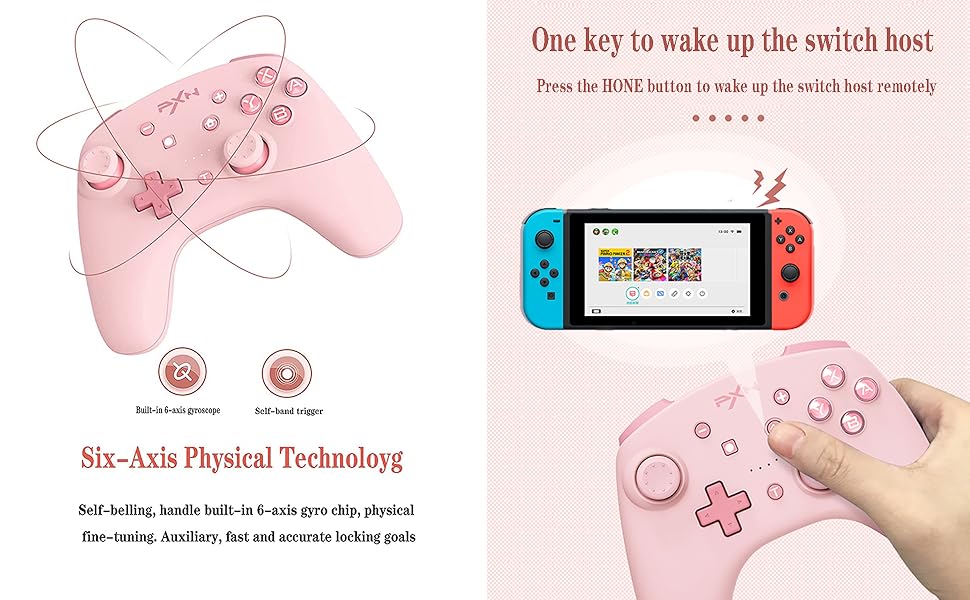
Experience precise motion control with the built-in 6-axis gyro chip, providing accurate aiming and immersive gameplay.

Enjoy adjustable vibration feedback with dual motors, enhancing immersion through various in-game effects like impacts, explosions, and environmental cues. Vibration intensity can be adjusted.

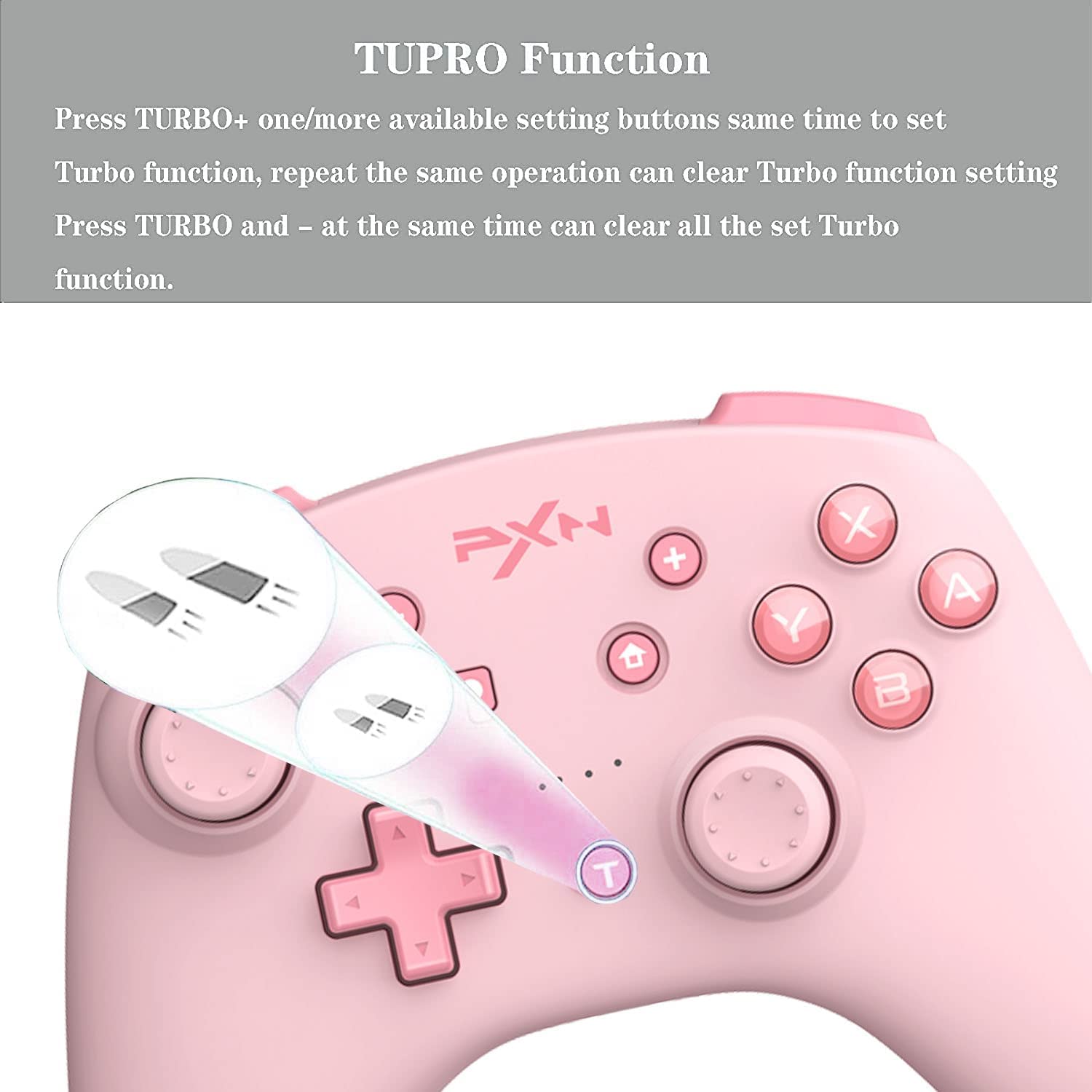
The Turbo function allows for rapid, repeated button presses, giving you an advantage in games requiring quick inputs.
This controller is compatible with both Nintendo Switch and PC, offering versatile gaming options.

Equipped with a high-performance 550 mAh lithium battery, the controller offers approximately 20 hours of continuous use after a 2-hour charge. It also features a smart sleep/wake-up function to conserve power.

The controller can be connected to a PC via a Type-C USB cable for a wired connection or wirelessly via Bluetooth. For wireless connection, ensure your PC has Bluetooth capabilities and follow standard Bluetooth pairing procedures in your operating system settings.
To use Amiibo, simply place your Amiibo figure on the NFC detection area of the controller (typically the center top part) during compatible game sequences. Ensure NFC is enabled in your game settings if required.
The controller offers three levels of vibration intensity. Specific button combinations for adjustment are not detailed in the provided information; please refer to your game's settings or the controller's official product page for potential software-based adjustments.
Press the dedicated Screenshot button (usually indicated by a camera icon, located near the Home button) to capture screenshots during gameplay on your Nintendo Switch.
In games that support motion controls, the built-in 6-axis gyroscope will automatically provide responsive control based on the controller's physical movement and orientation.
| Funkcja | Szczegół |
|---|---|
| Kompatybilne urządzenia | Nintendo Switch, PC, Windows |
| Typ kontrolera | Gamepad |
| Technologia łączności | Bezprzewodowy (Bluetooth), USB typu C |
| Dodatkowe funkcje | Ergonomic design, NFC, Turbo, Gyro Axis, Dual Vibration |
| Platforma sprzętowa | Nintendo Switch |
| Źródło zasilania | Zasilany bateryjnie |
| Pojemność baterii | Bateria litowa 550 mAh |
| Czas ładowania | Około 2 godzin |
| Ciągły czas użytkowania | Około 20 godzin |
| Waga przedmiotu | 0.38 kilograma |
| Nazwa marki | PXN |
| Producent | PXN |
| Numer modelu | B09SW4ZFPQ |
| Kolor | Różowy |
For detailed warranty information, technical support, and customer service, please refer to the official PXN website or contact the retailer from whom you purchased the product. It is recommended to keep your proof of purchase for any warranty claims.
 |
Instrukcja obsługi bezprzewodowego kontrolera do gier PXN-P50L Kompleksowa instrukcja obsługi bezprzewodowego kontrolera do gier PXN-P50L, obejmująca wszystkie funkcje produktu.view, wymagania systemowe, funkcje zasilania, korzystanie z aplikacji, metody połączenia, kalibracja, funkcje pomocnicze, ładowanie, tryb uśpienia, resetowanie, punkty uwagi i specyfikacje. |
 |
Instrukcja obsługi joysticka lotniczego PXN 2113PRO Kompleksowa instrukcja obsługi joysticka lotniczego PXN 2113PRO, obejmująca wymagania systemowe komputera, funkcje produktu, szczegółowe specyfikacje, przewodnik instalacji i ważne środki ostrożności podczas użytkowania. |
 |
PXN 2119 Flight Joystick User Manual Comprehensive user manual for the PXN 2119 flight joystick, covering system requirements, product overview, setup instructions for PC, PS4, and Xbox One, and detailed function testing. |
 |
PXN P5 Game Controller User Manual and Specifications Comprehensive guide to the PXN P5 Game Controller, covering product overview, connection methods (PC, Android, iOS, Switch), advanced functions like Turbo, Macro, calibration, and technical specifications. |
 |
Instrukcja obsługi kontrolera gier PXN-9607X Instrukcja obsługi kontrolera do gier PXN-9607X szczegółowo opisuje połączenia przewodowe i bezprzewodowe dla konsoli Nintendo Switch, komputera PC i iPhone'a, a także takie funkcje, jak funkcja TURBO, NFC, regulacja wibracji i kalibracja. |
 |
PXN-P3 Android Vibration Controller User Manual and Specifications Detailed user manual and specifications for the PXN-P3 Android vibration controller, covering features, connection methods, functions, troubleshooting, and FCC compliance. |
Ask about setup, troubleshooting, compatibility, parts, safety, or missing instructions. Manuals+ will review the question and use this page’s manual context to help answer it.