
1. Wprowadzenie
The ViLoSa Talking Watch is designed to assist individuals with visual impairment by audibly announcing the time, date, and alarm settings. Featuring a clear white face with large black numbers and a comfortable stainless steel expansion strap, this watch combines traditional analog display with convenient voice functionality. This manual provides detailed instructions for setup, operation, and maintenance to ensure optimal performance of your talking watch.
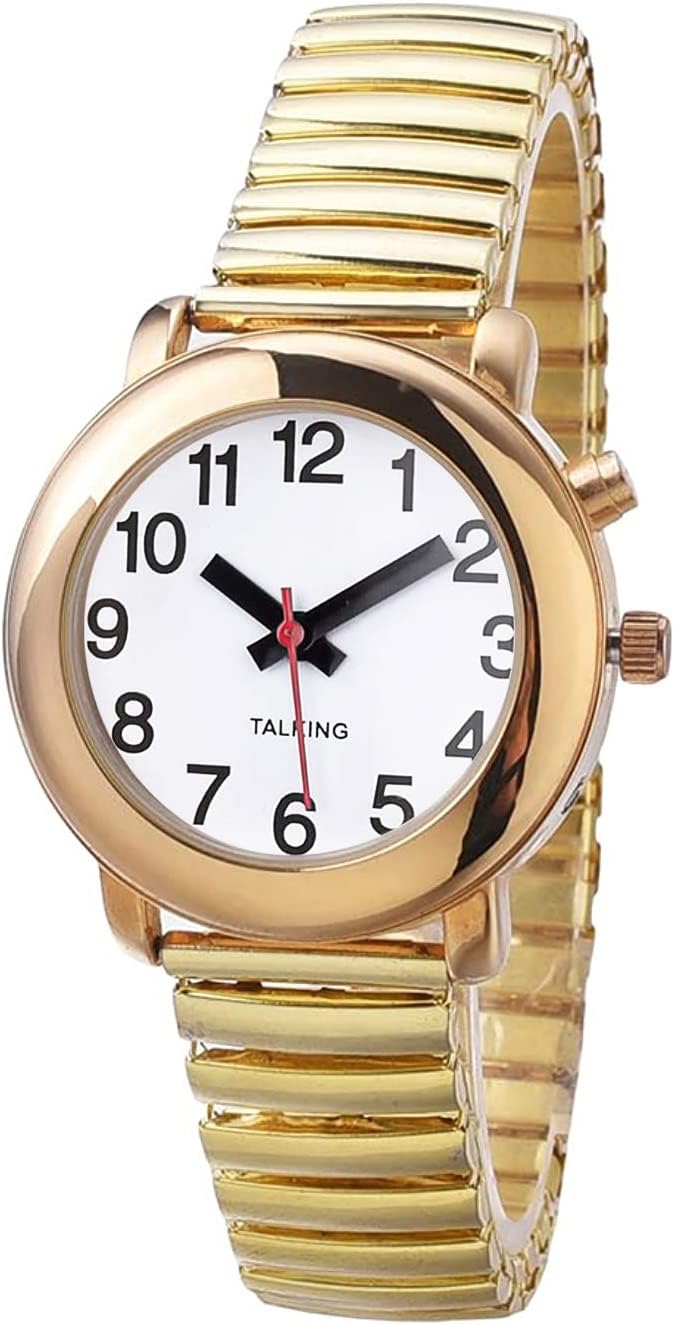
Figure 1: ViLoSa Talking Watch (Front View)
This image displays the ViLoSa Talking Watch, featuring a white watch face with large, clear black numbers, and a gold-colored stainless steel expansion band. The watch has a classic round design, making it easy to read and wear.
2. Koniec produktuview
Familiarize yourself with the main components of your ViLoSa Talking Watch:
- Oglądaj twarz: Analog display with hour, minute, and second hands.
- S1 Button (Top Right): Used for time and date announcement.
- Crown (Middle Right): Used to manually set the analog time.
- S2 Button (Bottom Right): Used for setting the digital time, date, and alarm. This button is recessed and requires a small pointed object (like a toothpick or pen tip) to press.
- Głośnik: Located on the watch case, for audible announcements.
- Stainless Steel Expansion Strap: Zapewnia wygodne i bezpieczne dopasowanie.
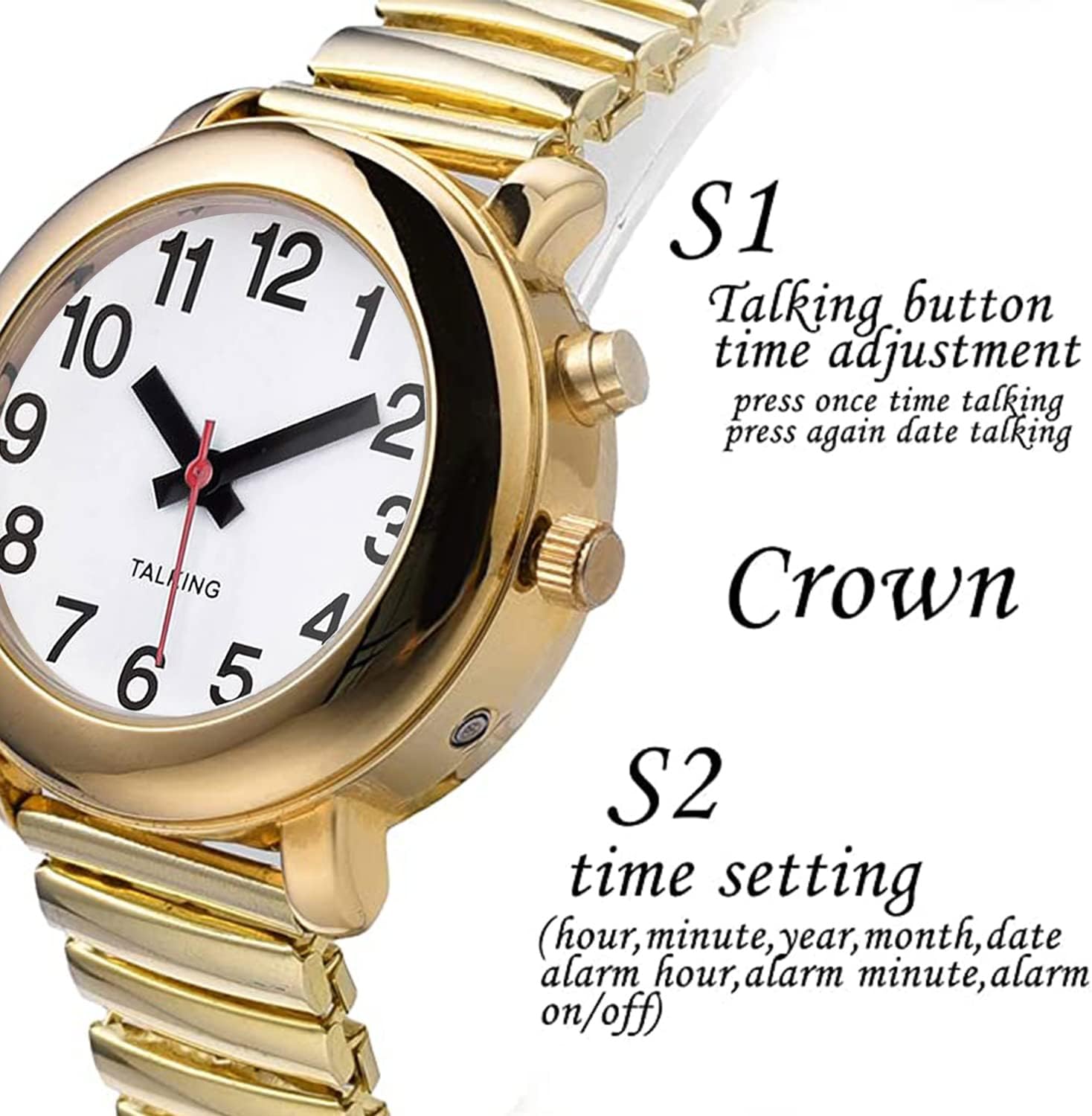
Rysunek 2: Strona View z przyciskami sterującymi
This image highlights the side of the ViLoSa Talking Watch, clearly labeling the S1 button (top), the Crown (middle), and the recessed S2 button (bottom). These controls are essential for operating and setting the watch's functions.
3. Konfiguracja
3.1. Instalacja baterii
Your ViLoSa Talking Watch requires one CR2032 battery. The watch typically comes with a battery installed and a plastic tab to prevent discharge during shipping. Remove this tab before first use. If the watch is not speaking or the display is dim, the battery may need replacement.
- To replace the battery, carefully open the back cover of the watch.
- Wyjmij starą baterię CR2032 i włóż nową, zwracając uwagę na prawidłową biegunowość (+ do góry).
- Dokładnie zamknij tylną pokrywę.
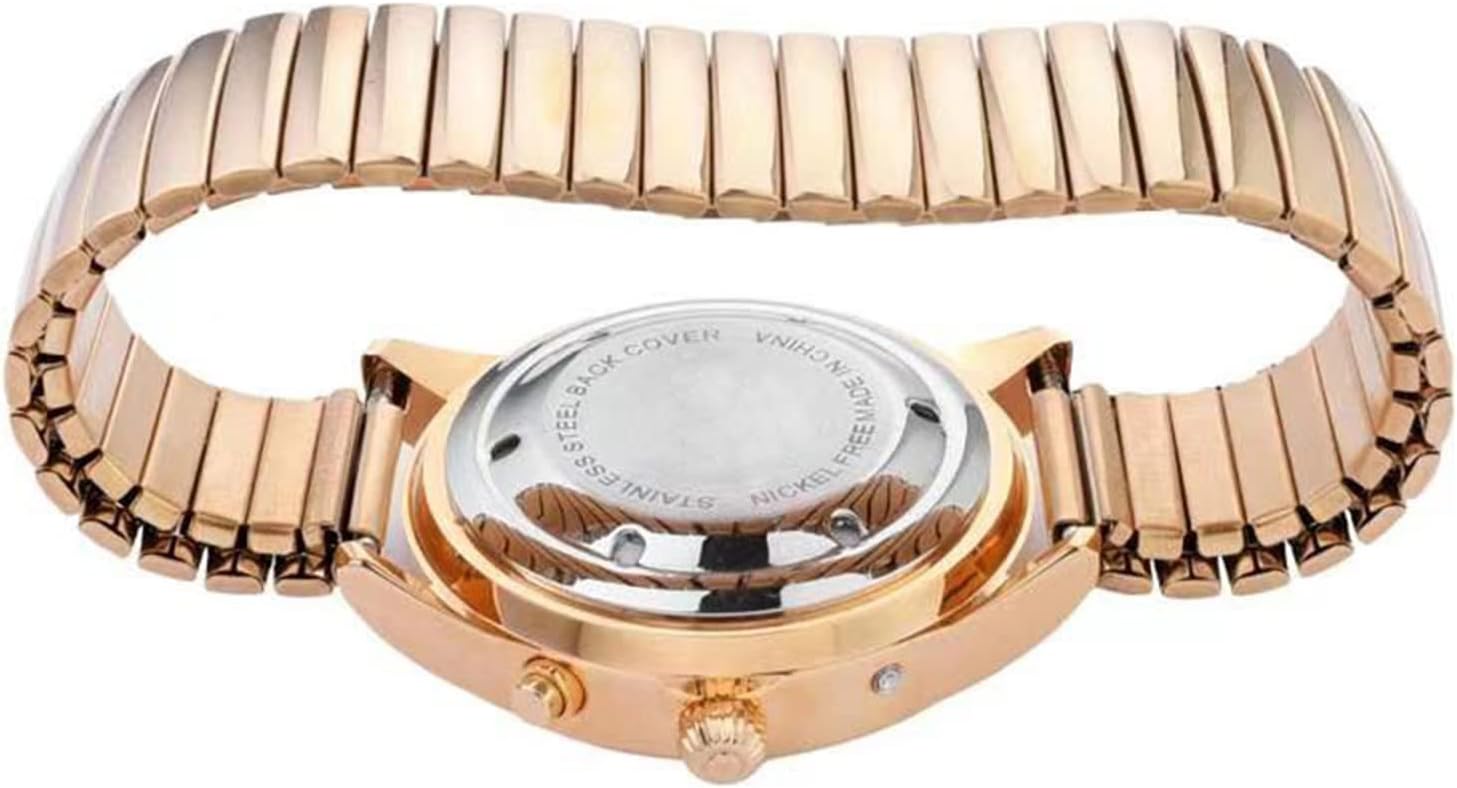
Figure 3: Watch Back Cover
This image shows the back of the ViLoSa Talking Watch, highlighting the stainless steel back cover where the battery compartment is located. This cover can be carefully opened for battery replacement.
3.2. Początkowe ustawienie czasu i daty
It is important to set both the analog time (visible hands) and the digital talking time for accurate announcements.
Ustawianie czasu analogowego:
- Wyciągnij Korona (middle right button) to the setting position.
- Rotate the Crown to move the hour and minute hands to the desired time.
- Once set, push the Crown back in to start the analog movement.
Setting Digital Time, Date, and Alarm:
Użyj wnęki S2 Button (bottom right) and a small pointed object (e.g., toothpick) to set the digital functions. Each press of S2 advances through the setting modes. The watch will audibly confirm each setting.
- Naciskać S2 once: The watch will announce "Set Hour". Press S1 repeatedly to adjust the hour (AM/PM will be announced).
- Naciskać S2 again: The watch will announce "Set Minute". Press S1 repeatedly to adjust the minute.
- Naciskać S2 again: The watch will announce "Set Year". Press S1 repeatedly to adjust the year.
- Naciskać S2 again: The watch will announce "Set Month". Press S1 repeatedly to adjust the month.
- Naciskać S2 again: The watch will announce "Set Day". Press S1 repeatedly to adjust the day of the month.
- Naciskać S2 again: The watch will announce "Set Alarm Hour". Press S1 repeatedly to adjust the alarm hour.
- Naciskać S2 again: The watch will announce "Set Alarm Minute". Press S1 repeatedly to adjust the alarm minute.
- Naciskać S2 again: The watch will announce "Alarm On/Off". Press S1 aby włączyć lub wyłączyć alarm.
- Naciskać S2 again: The watch will exit setting mode and announce the current time.
Ensure the analog time matches the digital talking time for consistency.
Video 1: Setting Time, Date, and Alarm on ViLoSa Talking Watch
This video demonstrates the step-by-step process of setting the digital time, date, and alarm using the S2 button and adjusting values with the S1 button. It shows how to navigate through the setting modes and confirm each selection audibly.
4. Instrukcja obsługi
4.1. Announcing Time
To hear the current time announced:
- Naciśnij S1 Button (top right) once. The watch will speak the current time (e.g., "The time is 2:36 AM").
4.2. Announcing Date
To hear the current date announced:
- Naciśnij S1 Button (top right) twice in quick succession. The watch will speak the current date (e.g., "The date is November 13th, Friday").
4.3. Announcing Alarm Time
To hear the set alarm time:
- While in normal operating mode (not setting mode), press the S2 Button (bottom right) once using a small pointed object. The watch will announce the set alarm time.
5. Konserwacja
- Czyszczenie: Wipe the watch with a soft, dry cloth. Avoid using harsh chemicals or abrasive materials.
- Wodoodporność: This watch is generally splash-resistant but not waterproof. Avoid submerging it in water or exposing it to heavy rain.
- Czas pracy baterii: The CR2032 battery typically lasts for an extended period. Replace it when the voice announcements become faint or stop working.
- Składowanie: Jeśli zegarek nie będzie używany przez dłuższy czas, należy go przechowywać w chłodnym i suchym miejscu.
6. Rozwiązywanie Problemów
| Problem | Możliwa przyczyna | Rozwiązanie |
|---|---|---|
| Watch is not speaking. | Niski poziom naładowania akumulatora lub jego rozładowanie. | Wymień baterię CR2032. |
| Watch is not speaking. | S1 button not pressed correctly. | Ensure a firm, single press for time, or two quick presses for date. |
| Analog time does not match talking time. | Analog and digital times are set independently. | Manually set the analog time using the Crown, and digitally set the talking time using the S2 button (refer to Section 3.2). |
| S2 button is difficult to press. | The S2 button is recessed by design. | Use a small, non-sharp pointed object like a toothpick or pen tip. |
| Alarm nie włącza się. | Alarm jest wyłączony lub ustawiony nieprawidłowo. | Re-enter alarm setting mode via S2 and ensure the alarm is set to "On" and the time is correct. |
7. Specyfikacje
- Model: gold-gold
- Marka: ViLoSa
- Typ baterii: 1 x CR2032 (wymagane)
- Wyświetlacz: Analog with audible time/date/alarm announcement
- Typ paska: Stainless Steel Expansion Strap
- Kolor twarzy: White with Black Numbers
- Przybliżone wymiary:

Rysunek 4: Wymiary zegarka
This image provides a visual representation of the watch's dimensions, indicating a width of approximately 33.5mm (1.31 inches) and a band width of 16mm (0.62 inches).
- Kraj pochodzenia: Chiny
8. Gwarancja i wsparcie
For any questions, concerns, or technical support regarding your ViLoSa Talking Watch, please contact the manufacturer directly through the retailer's platform or the official ViLoSa webStrona. Zachowaj dowód zakupu na wypadek roszczeń gwarancyjnych.