
1. Wprowadzenie
This manual provides instructions for the proper installation, operation, and maintenance of your ciciglow KX-T504 Desk Telephone. This corded landline telephone is designed for reliable communication in various environments such as offices, hotels, and homes. It features essential functions including pause, mute, hold, and redial, along with an adjustable ringer.
2. Koniec produktuview
Familiarize yourself with the components of your KX-T504 desk telephone.

Figure 2.1: Telephone Components
This image displays the ciciglow KX-T504 desk telephone with its key components labeled. These include the handle handset, handle curve (cord), numeric buttons (number buttons), silent key (mute), pause key, hold button, and redial key. The ringer indicator is also visible.
- Handle Handset: Used for speaking and listening during a call.
- Numeric Buttons (0-9, *, #): For dialing phone numbers.
- Klawisz wyciszenia: Temporarily silences your microphone during a call.
- Klawisz pauzy: Inserts a pause in the dialing sequence, useful for accessing automated systems.
- Hold Key: Wstrzymuje bieżące połączenie.
- Klucz ponownego wybierania: Wybiera ostatnio wybierany numer.
- Wskaźnik dzwonka: A light that flashes when there is an incoming call.
3. Instrukcje konfiguracji
Follow these steps to set up your ciciglow KX-T504 Desk Telephone.
3.1 Podłączanie słuchawki
- Znajdź spiralny przewód słuchawki.
- Plug one end of the coiled cord into the handset port on the side of the telephone base.
- Plug the other end of the coiled cord into the port on the bottom of the handset. Ensure both connections are secure.
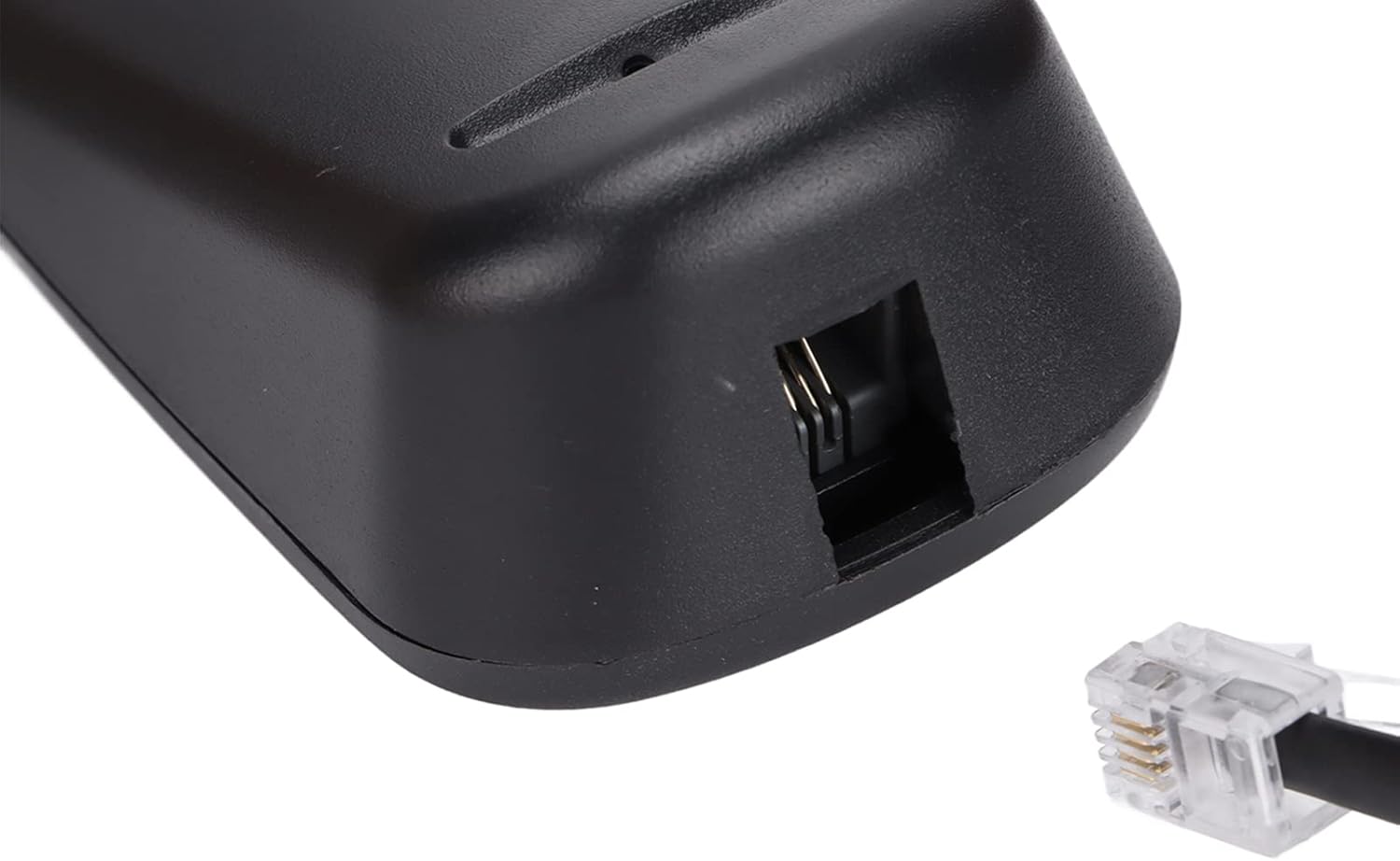
Figure 3.1: Handset Cord Port
This image shows a close-up of the port on the telephone base where the coiled handset cord connects.
3.2 Podłączanie do linii telefonicznej
- Locate the straight telephone line cord (typically black).
- Plug one end of the telephone line cord into the LINE port on the back or side of the telephone base.
- Plug the other end of the telephone line cord into your wall telephone jack. Ensure both connections are secure.

Figure 3.2: Telephone Line Port
This image shows a close-up of the port on the telephone base where the telephone line cord connects to the wall jack.
3.3 Źródło zasilania
This telephone is powered by the telephone line itself and may also use a battery for certain functions (e.g., memory retention if applicable). No external power adapter is typically required for basic operation.
4. Instrukcja obsługi
Learn how to use the various functions of your telephone.
4.1 Nawiązywanie połączenia
- Podnieś słuchawkę.
- Posłuchaj sygnału wybierania.
- Dial the desired phone number using the numeric buttons.
- Poczekaj, aż połączenie zostanie nawiązane.
- To end the call, place the handset back on the telephone base.
4.2 Odbieranie połączenia
- Gdy zadzwoni telefon, podnieś słuchawkę, aby odebrać połączenie.
- To end the call, place the handset back on the telephone base.
4.3 Korzystanie z funkcji specjalnych
- Niemy: Podczas połączenia naciśnij NIEMY button to temporarily disable your microphone. The other party will not hear you. Press NIEMY ponownie, aby kontynuować mowę.
- Pauza: When dialing, press the PAUZA button to insert a brief delay. This is useful when dialing numbers that require a pause before entering extensions or menu options.
- Trzymać: Podczas połączenia naciśnij TRZYMAĆ button to place the call on hold. The other party will hear silence or hold music (if provided by your phone service). Lift the handset or press TRZYMAĆ ponownie, aby wznowić rozmowę.
- Ponowne wybieranie: Aby ponownie wybrać ostatnio wybierany numer, podnieś słuchawkę i naciśnij PONOWNIE przycisk.
4.4 Adjusting Ringer Tone
The incoming ringer tone can be selected or adjusted. Refer to the small switch or button labeled 'RINGER' on the telephone base to change the setting according to your preference. Options typically include High, Low, or Off.
5. Konserwacja
Aby zapewnić długowieczność i prawidłowe funkcjonowanie telefonu, należy przestrzegać poniższych wskazówek dotyczących konserwacji:
- Czyszczenie: Przetrzyj telefon miękką,amp płótno. Nie używaj ostrych środków chemicznych, rozpuszczalników czyszczących ani silnych detergentów.
- Unikaj płynów: Trzymaj telefon z dala od wody i innych płynów.
- Temperatura: Do not expose the telephone to extreme temperatures or direct sunlight.
- Składowanie: When not in use for extended periods, store the telephone in a cool, dry place.
6. Rozwiązywanie Problemów
Jeśli masz problemy z telefonem, wypróbuj następujące rozwiązania:
| Problem | Możliwe rozwiązanie |
|---|---|
| Brak sygnału wybierania | Check if the telephone line cord is securely connected to both the phone and the wall jack. Ensure your phone service is active. |
| Nie można słyszeć ani być słyszanym | Ensure the handset cord is securely connected. Check if the MUTE function is accidentally activated. |
| Telefon nie dzwoni | Check the ringer switch setting. Ensure it is not set to 'Off'. |
| Redial function not working | Ensure you are lifting the handset before pressing the REDIAL button. |
7. Specyfikacje
Key technical specifications for the ciciglow KX-T504 Desk Telephone.
| Funkcja | Szczegół |
|---|---|
| Marka | ciciglow |
| Model | KX-T504 |
| Typ telefonu | Sznurowy |
| Tworzywo | Akrylonitryl-butadien-styren (ABS) |
| Źródło zasilania | Telephone Line Powered, Battery Powered (for specific functions) |
| Typ dialera | Pojedyncza klawiatura |
| Identyfikacja dzwoniącego | NIE |
| Funkcje | Pause, Mute, Hold, Redial, Adjustable Ringer |

Rysunek 7.1: Wymiary produktu
This image shows the ciciglow KX-T504 desk telephone, indicating approximate dimensions of 200mm/7.9in (length), 130mm/5.1in (width), and 70mm/2.8in (height).
8. Gwarancja i wsparcie
For warranty information or technical support, please refer to the contact details provided with your purchase or visit the official ciciglow webZachowaj dowód zakupu na wypadek roszczeń gwarancyjnych.