
Wstęp
This manual provides essential information for the safe operation and maintenance of your Pulsar Portable Power Station PPS1000. Please read this manual thoroughly before using the device and retain it for future reference. This power station is designed to provide reliable power for various applications, from outdoor activities to emergency home backup.
Ważne informacje dotyczące bezpieczeństwa
- Nie wystawiaj elektrowni na działanie wody, deszczu i wilgoci.
- Trzymaj urządzenie z dala od otwartego ognia, źródeł ciepła i bezpośredniego światła słonecznego.
- Podczas użytkowania i ładowania należy zapewnić odpowiednią wentylację, aby zapobiec przegrzaniu.
- Do not attempt to disassemble, repair, or modify the unit. Refer all servicing to qualified personnel.
- Przechowywać w miejscu niedostępnym dla dzieci i zwierząt domowych.
- Używaj wyłącznie zatwierdzonych akcesoriów i kabli ładujących.
- Unikaj upuszczania urządzenia i narażania go na silne uderzenia.
- Baterię należy utylizować zgodnie z lokalnymi przepisami.
Zawartość opakowania
- Pulsar Portable Power Station PPS1000
- Kabel ładujący
- Instrukcja obsługi
Produkt ponadview
Główne cechy
- 888Wh Lithium-Ion Battery for extended power supply.
- Three 110V AC, 60Hz, 1000 watt pure sine wave outlets to protect sensitive electronics.
- One 12V car outlet for automotive accessories.
- Two 12V, 10 amp DC outlets for various DC-powered devices.
- Three USB A-Type outlets for standard USB charging.
- One USB C-Type outlet for fast charging compatible devices.
- Two wireless cell phone charging pads for convenient cable-free charging.
Identyfikacja komponentów

This image displays the Pulsar Portable Power Station PPS1000, highlighting its various output ports including AC outlets, DC output, USB-A, and USB-C ports. The top panel features wireless charging pads. Dimensions are indicated as 9 inches length, 5.5 inches width, and 9 inches height.
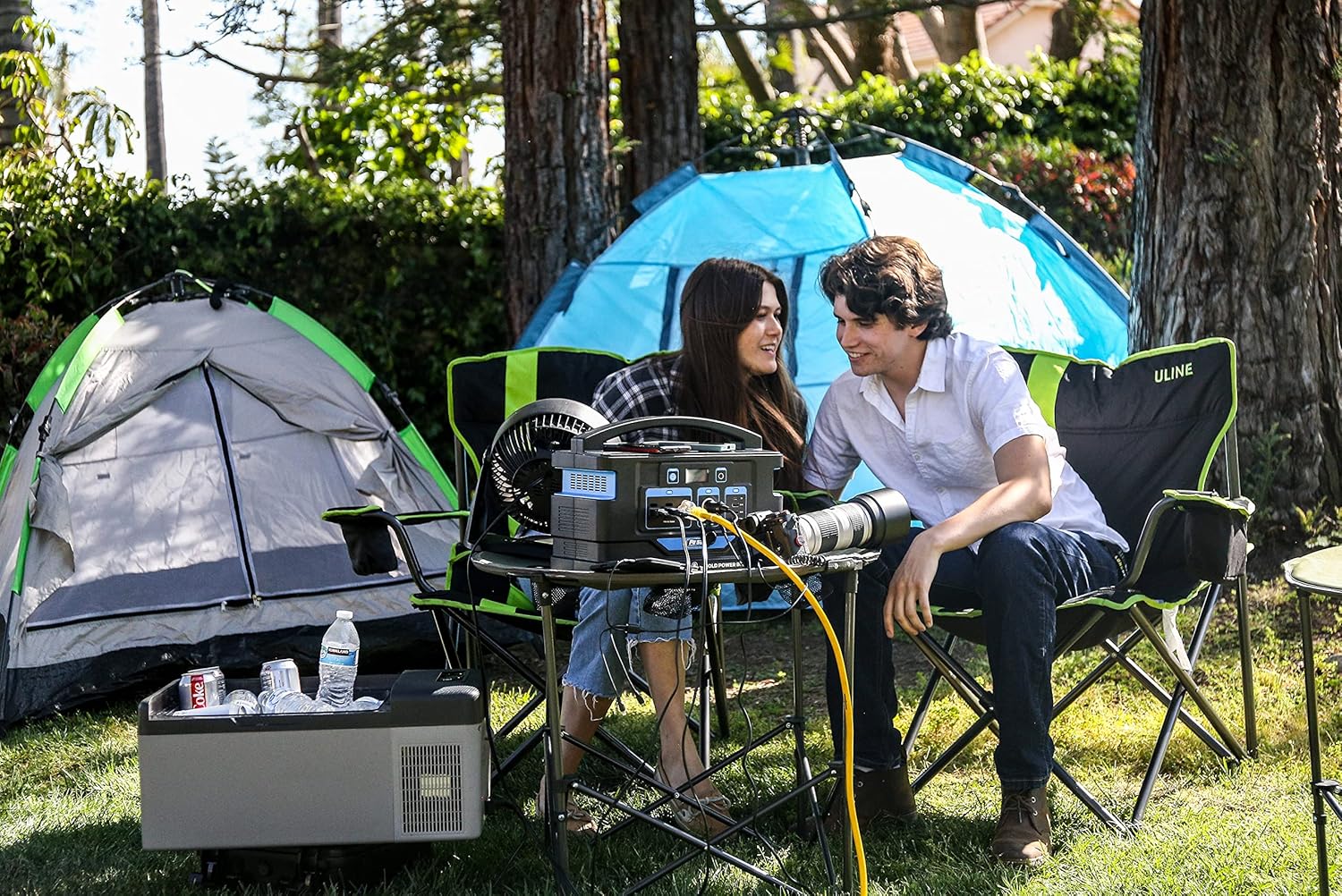
The Pulsar Portable Power Station PPS1000 shown in an outdoor camping environment, powering a fan and other devices, demonstrating its portability and utility for recreational use.
Organizować coś
Początkowe ładowanie
Before first use, fully charge the power station. Connect the provided charging cable to the DC input port on the unit and plug it into a standard wall outlet. The digital display will indicate the charging status and battery level. A full charge ensures optimal battery performance and extends the lifespan of the unit.
Instrukcja obsługi
Włączanie/wyłączanie
To turn on the power station, press and hold the main Power button for approximately 2 seconds until the display illuminates. To turn off the unit, press and hold the same Power button for 2 seconds. Individual output sections (AC, DC, USB) have their own dedicated power buttons that must be activated for those ports to supply power.
Korzystanie z gniazdek prądu zmiennego
Press the AC power button to activate the three 110V AC outlets. Once activated, the AC indicator on the display will light up. Plug your AC-powered devices into the outlets. Ensure the total wattage of all connected AC devices does not exceed the power station's 1000W output limit. Press the AC power button again to turn off the AC output.
Korzystanie z gniazd DC
Press the DC power button to activate the 12V car outlet and the two 12V, 10 amp DC outlets. The DC indicator will light up. Connect your 12V compatible devices. Press the DC power button again to turn off the DC output.
Korzystanie z portów USB
The USB-A and USB-C ports are typically active when the main unit is powered on. Connect your USB-powered devices directly to these ports for charging. The USB-C port supports faster charging for compatible devices.
Ładowanie bezprzewodowe
Place your Qi-compatible device on one of the wireless charging pads located on the top surface of the unit. Ensure proper alignment of your device with the charging pad for charging to begin. The charging indicator on the display may show wireless charging activity.
This video demonstrates the Pulsar Portable Power Station PPS1000 in various use cases, including powering devices during camping, charging phones wirelessly, running a portable refrigerator, and providing backup power for home appliances like a coffee maker and laptop during an outage. It also shows the unit powering photography equipment on a beach.
Ładowanie elektrowni
Ładowanie ścienne AC
Connect the provided AC charging cable to the DC input port on the power station and then to a standard wall outlet. The unit will begin charging automatically. Monitor the display for charging progress.
Ładowanie energią słoneczną (opcjonalnie)
The PPS1000 is compatible with solar panels (sold separately). Connect a compatible solar panel to the DC input port. Ensure the solar panel output voltage and current are within the specified range for the PPS1000 to prevent damage and ensure efficient charging. Position the solar panel in direct sunlight for optimal performance.
Konserwacja
- Przechowuj elektrownię w chłodnym, suchym miejscu, z dala od bezpośredniego światła słonecznego i ekstremalnych temperatur.
- Recharge the unit every 3-6 months if not in regular use to maintain battery health and prevent deep discharge.
- Clean the exterior of the unit with a dry, soft cloth. Do not use abrasive cleaners, solvents, or immerse the unit in water.
- Keep ventilation ports clear of dust and debris to ensure proper airflow and prevent overheating.
Rozwiązywanie problemów
Urządzenie nie włącza się
- Upewnij się, że akumulator jest wystarczająco naładowany.
- Press and hold the main power button for at least 2 seconds.
Outputs Not Working
- Verify that the main power station is turned on.
- Ensure that the individual AC, DC, or USB output buttons are activated (their respective indicators should be lit).
- Check if the connected device's power consumption exceeds the power station's output limit for that specific port or the overall unit.
- Disconnect and reconnect the device to the port.
Powolne ładowanie
- Upewnij się, że kabel ładujący jest bezpiecznie podłączony zarówno do stacji zasilającej, jak i do źródła zasilania.
- If using solar charging, ensure the solar panel is in direct, unobstructed sunlight and properly angled towards the sun.
- Check the charging source (wall outlet, car adapter) for proper function.
Specyfikacje
| Funkcja | Wartość |
|---|---|
| Marka | Pulsar |
| Nazwa modelu | PPS1000 |
| Typ baterii | Litowo-jonowy |
| Pojemność baterii | 888 Wh |
| Wyjście prądu przemiennego | Three 110V, 60Hz, 1000W Pure Sine Wave |
| Wyjście DC | One 12V Car Outlet, Two 12V 10A Outlets |
| Wyjście USB-A | Three USB A-Type outlets |
| Wyjście USB-C | One USB C-Type outlet |
| Ładowanie bezprzewodowe | Two pads |
| Wymiary | 9" dł. x 5.5" szer. x 9" wys. |
| Waga przedmiotu | 0.01 uncji |
| Źródło zasilania | Elektryczny |
| Tworzywo | Miedź, Plastik |
| Zawarte komponenty | Kabel ładujący |
Gwarancja i wsparcie
Informacje o gwarancji
The Pulsar Portable Power Station PPS1000 comes with a 1-Year Manufacturer Warranty. This warranty covers defects in materials and workmanship under normal use. Please refer to the warranty card included in your package for full details, terms, and conditions.
Obsługa klienta
For technical assistance, troubleshooting, or warranty claims, please contact Pulsar customer support. You can find up-to-date contact information, including phone numbers and email addresses, on the official Pulsar website. Please have your model number (PPS1000) and proof of purchase ready when contacting support.