
CREATE Chefbot Touch
UTWÓRZ instrukcję obsługi IKOHS Chefbot Touch
Model: Chefbot Touch | Brand: CREATE
1. Wprowadzenie
Welcome to the world of smart cooking with the CREATE IKOHS Chefbot Touch. This innovative kitchen robot is designed to simplify your cooking process, offering a wide range of functions and pre-programmed recipes to help you prepare delicious meals with ease. With its intuitive touch screen and integrated WiFi, the Chefbot Touch brings convenience and versatility to your kitchen.
Please read this manual carefully before using the appliance to ensure safe and optimal operation. Keep this manual for future reference.

Image: The CREATE IKOHS Chefbot Touch, a versatile kitchen robot featuring a stainless steel mixing bowl and an interactive touchscreen interface.
2. Główne cechy
The CREATE IKOHS Chefbot Touch is equipped with advanced features to enhance your culinary experience:
- Integrated WiFi: Allows for periodic updates of recipes and software.
- 5-calowy ekran dotykowy: For easy navigation and recipe selection.
- 24 programów automatycznych: Pre-set functions for various cooking tasks.
- 12 Speeds + Turbo Function: For precise control over mixing and processing.
- Zakres temperatur: Regulowana w zakresie od 37°C do 120°C.
- Czas gotowania: Up to 90 minutes of continuous operation.
- 140+ Preloaded Recipes: A wide variety of recipes available directly on the device.
- Wszechstronne funkcje: Capable of beating, whipping, emulsifying, mixing, stirring, confiting, precision cooking (degree by degree), kneading, boiling, keeping warm, fermenting, poaching, bain-marie, low-temperature cooking, slow cooking, steaming, crushing, chopping, grinding, grating, peeling, slicing, dicing, and pulverizing.
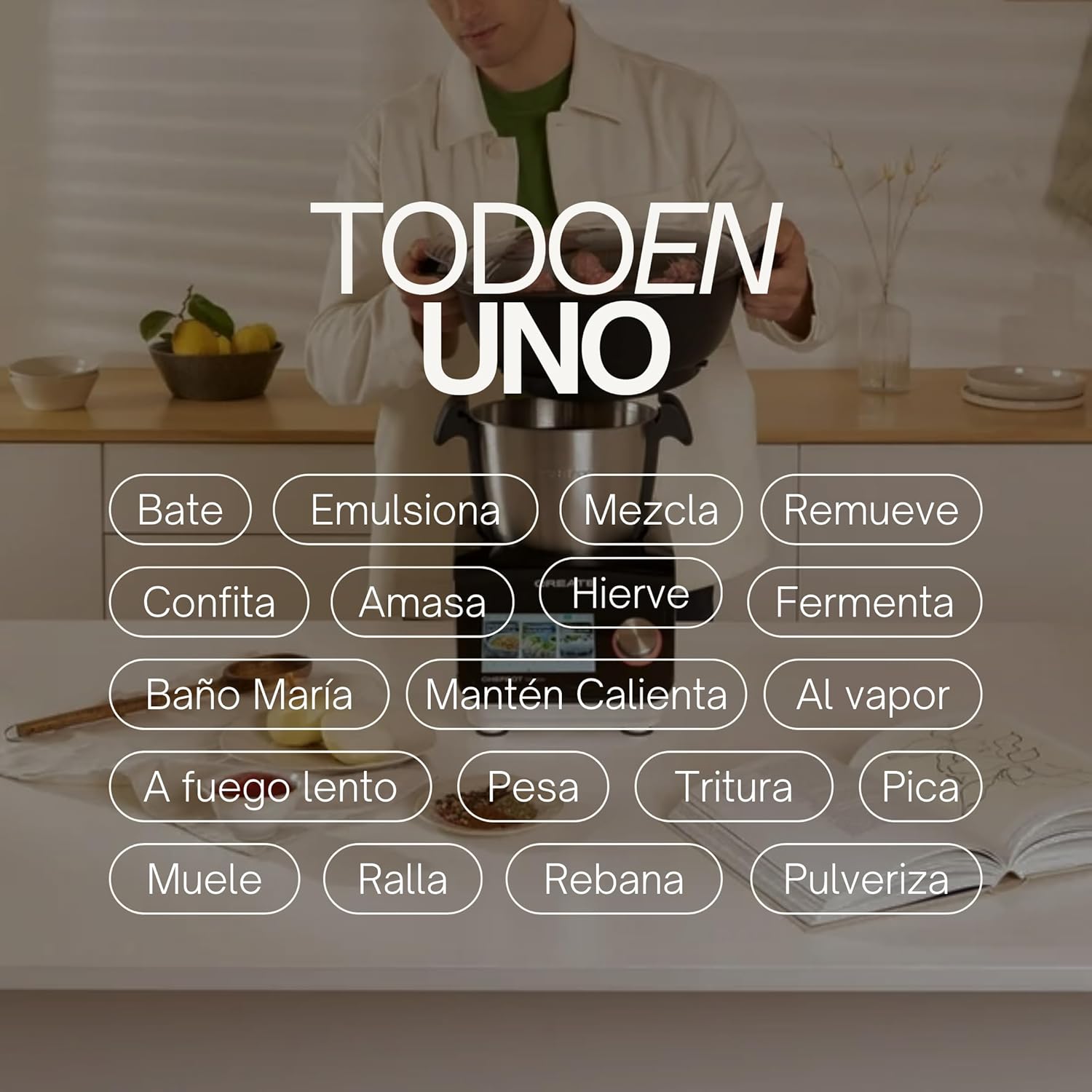
Image: An illustration highlighting the "All-in-One" capabilities of the Chefbot Touch, including functions such as beating, emulsifying, mixing, and more.

Image: A visual summary of the Chefbot Touch's core features: 24 automatic programs, 12 speeds with turbo, and over 140 pre-installed recipes.
3. Komponenty i akcesoria
The Chefbot Touch comes with a comprehensive set of accessories to support its many functions:
- Ice-crushing Blades: For crushing ice and hard ingredients.
- Mieszadło: Do delikatnego mieszania i miksowania.
- Hand Spatula: Do skrobania i mieszania.
- Separator Basket: For cooking ingredients separately within the bowl.
- Miarka: Do precyzyjnych pomiarów cieczy.
- Trzepaczka motylkowa: Do ubijania i emulgowania.
- Reversible Cutting Disc: For slicing and grating.
- Food Processor Lid: For use with the cutting disc.
- Pchacz jedzenia: For safely guiding food into the cutting disc.
- 2-level Steamer Basket: For steaming multiple ingredients simultaneously.

Image: The Chefbot Touch displayed with its full set of ten accessories, designed for various cooking tasks.
4. Konfiguracja
4.1 Rozpakowanie i początkowe rozmieszczenie
Carefully remove all components from the packaging. Place the Chefbot Touch on a stable, flat, and dry surface. Ensure there is adequate ventilation around the unit. Keep the appliance away from heat sources and direct sunlight.
4.2 Połączenie zasilania
Podłącz przewód zasilający do uziemionego gniazdka elektrycznego. Upewnij się, że napięcietage jest zgodne ze specyfikacją Twojego urządzenia (110 V).
4.3 Czyszczenie początkowe
Before first use, clean all removable parts (bowl, lid, accessories) with warm soapy water. Rinse thoroughly and dry completely. Wipe the main unit with a damp płótno. Nie zanurzaj jednostki głównej w wodzie.
4.4 Połączenie Wi-Fi
To access online recipes and updates, connect your Chefbot Touch to your home WiFi network.
- Turn on the Chefbot Touch.
- Przejdź do menu ustawień na ekranie dotykowym.
- Select "WiFi" or "Network Settings".
- Choose your WiFi network from the list.
- Wprowadź hasło Wi-Fi, jeśli zostaniesz o to poproszony.
- Confirm the connection. Once connected, the device will be able to download recipe updates.
5. Instrukcja obsługi
5.1 Ogólne zasady działania
The Chefbot Touch is operated primarily through its 5-inch touch screen and the control knob.
- Ekran dotykowy: Use to select programs, recipes, and adjust settings.
- Pokrętło sterujące: Rotate to adjust values (time, temperature, speed) and press to confirm selections.
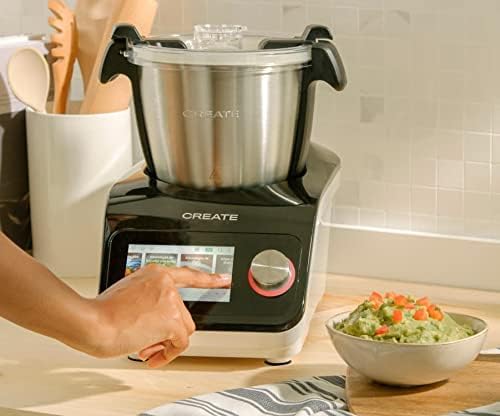
Image: A user demonstrating interaction with the Chefbot Touch's intuitive touchscreen interface.
5.2 Using Automatic Programs
The 24 automatic programs simplify complex cooking tasks.
- From the main menu, select "Programs".
- Browse through the available programs (e.g., Knead, Steam, Chop).
- Select the desired program. The device will guide you through the necessary steps and settings.
5.3 Following Preloaded Recipes
Access over 140 preloaded recipes directly on the device.
- Wybierz „Przepisy” z menu głównego.
- Browse or search for a recipe.
- Select the recipe. The screen will display step-by-step instructions, including ingredients, quantities, and cooking parameters.
- Follow the on-screen prompts to add ingredients and operate the machine.
5.4 Tryb ręczny
For custom cooking, use the manual mode to set time, temperature, and speed independently.
- Select "Manual" or "Custom" mode.
- Use the touch screen and control knob to set the desired cooking time (up to 90 minutes), temperature (37°C to 120°C), and speed (1-12 or Turbo).
- Naciśnij start, aby rozpocząć gotowanie.
5.5 Środki ostrożności podczas eksploatacji
- Always ensure the lid is properly secured before operating, especially when using high speeds or hot liquids.
- Nie przepełniaj miski.
- Be cautious when handling hot liquids or steam.
- Use the provided spatula or other appropriate utensils to scrape down ingredients, always stopping the machine first.
- Keep hands and utensils away from moving blades.
6. Konserwacja i czyszczenie
Regular cleaning ensures the longevity and optimal performance of your Chefbot Touch.
6.1 Czyszczenie miski i akcesoriów
- The stainless steel bowl should be washed by hand with warm soapy water. Rinse thoroughly and dry immediately to prevent water spots.
- Most accessories are dishwasher safe. Refer to individual accessory instructions for specific cleaning guidelines.
- W przypadku uporczywych resztek jedzenia, przed czyszczeniem namocz części w ciepłej wodzie z mydłem.
6.2 Czyszczenie jednostki głównej
- Przetrzyj zewnętrzną część jednostki głównej miękką szmatką.amp płótno.
- Nie należy używać środków czyszczących o właściwościach ściernych ani gąbek, gdyż mogą one uszkodzić powierzchnię.
- Nigdy nie zanurzaj jednostki głównej w wodzie lub innej cieczy.
- Przed czyszczeniem upewnij się, że urządzenie jest odłączone od prądu.
6.3 Przechowywanie
Store the Chefbot Touch and its accessories in a clean, dry place when not in use. Ensure all parts are completely dry before storage.
7. Rozwiązywanie Problemów
If you encounter issues with your Chefbot Touch, refer to the following common problems and solutions:
| Problem | Możliwa przyczyna | Rozwiązanie |
|---|---|---|
| Urządzenie nie włącza się. | Niepodłączony; wyłączony; wyłączonytage. | Ensure power cord is securely plugged in. Check the main power switch. Verify power supply. |
| Silnik zatrzymuje się w trakcie pracy lub przegrzewa się. | Overload; prolonged continuous use; safety mechanism activated. | Reduce the amount of ingredients. Allow the appliance to cool down for at least 30-60 minutes before resuming use. This is a safety feature to prevent damage. |
| Lid not closing properly. | Obstruction; incorrect alignment. | Check for any food particles or accessories blocking the lid. Ensure the lid is correctly aligned and locked into place. |
| Problemy z połączeniem WiFi. | Nieprawidłowe hasło, słaby sygnał, problemy z routerem. | Double-check the WiFi password. Move the unit closer to the router. Restart your router. |
| Komunikat o błędzie na ekranie. | Konkretny problem operacyjny. | Note the error code or message. Refer to the digital manual on the device or contact customer support for specific guidance. |
Jeśli po wypróbowaniu tych rozwiązań problem nadal występuje, skontaktuj się z obsługą klienta CREATE.
8. Specyfikacje
Technical specifications for the CREATE IKOHS Chefbot Touch:
| Funkcja | Specyfikacja |
|---|---|
| Marka | TWORZYĆ |
| Model | Chefbot Touch |
| Kolor | Czarny |
| Moc | 1400 watów |
| Tomtage | 110 wolty |
| Tworzywo | Stainless Steel (bowl), Aluminum (body) |
| Liczba prędkości | 12 + Turbo |
| Zakres temperatur | 37°C do 120°C |
| Max Continuous Operation | 90 minut |
| Kompatybilne urządzenia | iOS, Android |
| Wymiary produktu (dł. x szer. x wys.) | Wymiary 38 x 24 x 23 cm |
| Waga produktu | 10 kilogramów |

Obraz: Przód view of the Chefbot Touch, illustrating its dimensions (465mm height, 380mm width) and 3.5L bowl capacity.
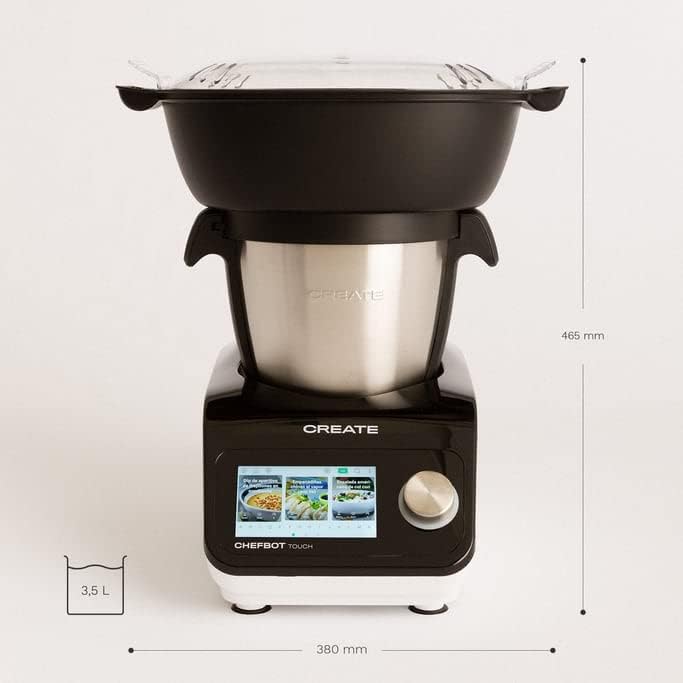
Obraz: Bok view of the Chefbot Touch, showing its depth dimension of 380mm.
9. Gwarancja i wsparcie
For information regarding warranty coverage, terms, and conditions, please refer to the documentation included with your purchase or visit the official CREATE webstrona.
If you require technical assistance, have questions about your product, or need to report an issue, please contact CREATE customer support through their official channels.
Producent: STWÓRZ IKOHS
Ask a question about this manual
Ask about setup, troubleshooting, compatibility, parts, safety, or missing instructions. Manuals+ will review the question and use this page’s manual context to help answer it.