
1. Wprowadzenie
This manual provides detailed instructions for the installation, operation, and maintenance of your Reobiux 1080P Wireless WiFi Light Bulb Security Camera. Please read this manual thoroughly before using the product to ensure correct usage and optimal performance. Keep this manual for future reference.
2. Koniec produktuview
The Reobiux Light Bulb Security Camera integrates a 1080P HD camera into a standard E27 light bulb form factor, offering discreet surveillance. It features 2.4GHz WiFi connectivity, two-way audio, motion detection, and night vision capabilities for comprehensive home monitoring.
- Wideo w jakości Full HD 1080P: Captures clear, high-definition video footage.
- 2.4GHz Wireless WiFi: Łączy się z siecią domową w celu uzyskania zdalnego dostępu.
- Funkcja panoramowania i pochylania: Offers 355° horizontal rotation and 90° vertical tilt for wide area coverage.
- Dwukierunkowy dźwięk: Wbudowany mikrofon i głośnik umożliwiają komunikację w czasie rzeczywistym.
- Wykrywanie ruchu i alerty: Detects movement and sends notifications to your smartphone.
- IR Night Vision & Full Color Night Vision: Provides clear video monitoring in low-light conditions, with options for infrared or color night vision.
- Przechowywanie lokalne i w chmurze: Supports Micro SD card storage (up to 128GB, not included) and optional cloud storage.
- Łatwa instalacja: Wkręty do standardowego gniazda żarówki E27.

Obraz: Szczegółowy view of the Reobiux Light Bulb Security Camera, highlighting its components such as the E27 light socket, enhanced WiFi module, microphone, speaker, HD lens, light sensor, 4 white LEDs, 4 array LEDs, Micro SD card slot, and reset button. Dimensions are also shown.
3. Zawartość opakowania
Proszę sprawdzić zawartość opakowania po otwarciu. Jeśli brakuje któregokolwiek elementu lub jest on uszkodzony, prosimy o kontakt z obsługą klienta.
- Reobiux Light Bulb Security Camera (1)
- E27 lamp Posiadacz (1)
- Mounting Screws and Wall Plugs (1 set)
- Instrukcja obsługi (1)
4. Przewodnik konfiguracji
4.1. Instalacja fizyczna
- Wyłączone: Ensure the power to the light socket is turned off before installation to prevent electrical shock.
- Wkręcana kamera: Carefully screw the Reobiux Light Bulb Security Camera into a standard E27 light bulb socket. Ensure it is securely tightened.
- Włączanie: Restore power to the light socket. The camera will power on and initiate its self-test sequence. You should hear a prompt indicating it is ready for connection.

Obraz: A person's hands are shown screwing the Reobiux Light Bulb Security Camera into an E27 light socket, illustrating the easy installation process.
4.2. Pobieranie aplikacji i rejestracja konta
- Pobierz aplikację: Szukaj "ICSEE" in your smartphone's app store (Google Play Store for Android or Apple App Store for iOS) and download the application.
- Zarejestruj Konto: Open the ICSEE app and follow the on-screen instructions to register a new account. If you already have an account, log in.
4.3. Connecting the Camera to WiFi
Upewnij się, że Twój smartfon jest połączony z siecią Wi-Fi 2.4 GHz. Aparat nie obsługuje Wi-Fi 5 GHz.
- Dodaj urządzenie: In the ICSEE app, tap the "+" icon to add a new device. Select "Add Camera" or "Smart Camera".
- Wybierz metodę połączenia: Choose the "WiFi Connection" or "Scan QR Code" method as prompted by the app.
- Wprowadź dane sieci Wi-Fi: Input your 2.4GHz WiFi network name (SSID) and password.
- Łączenie w pary: Follow the app's instructions to complete the pairing process. This usually involves holding your phone's QR code in front of the camera lens or listening for a connection sound.
- Potwierdzenie: Once connected, the camera will indicate successful pairing (e.g., a voice prompt or LED indicator change). You can then name your camera and begin live viewing.
5. Instrukcja obsługi
5.1. Na żywo View i odtwarzanie
- Dostęp do transmisji na żywo: Open the ICSEE app and select your camera from the device list to view przekaz wideo na żywo.
- Odtwarzanie nagranego utworutage: Aby ponownie włączyć odtwarzanie, przejdź do sekcji odtwarzania w aplikacji.view videos stored on the Micro SD card or cloud storage.
5.2. Sterowanie obrotem i pochyleniem
Use the directional controls within the ICSEE app to remotely adjust the camera's viewkąt.
- Obrót poziomy: The camera supports 355° pan movement.
- Pochylenie pionowe: The camera supports 90° tilt movement.

Obraz: The Reobiux Light Bulb Security Camera is shown with arrows indicating its 355-degree horizontal pan and 90-degree vertical tilt capabilities, alongside a smartphone displaying the camera's control interface.
5.3. Dźwięk dwukierunkowy
Aby skorzystać z funkcji dwukierunkowej transmisji dźwięku:
- Mówić: Kliknij ikonę mikrofonu na żywo view interfejs umożliwiający mówienie przez głośnik kamery.
- Słuchać: The camera's built-in microphone will pick up audio from the monitored area.
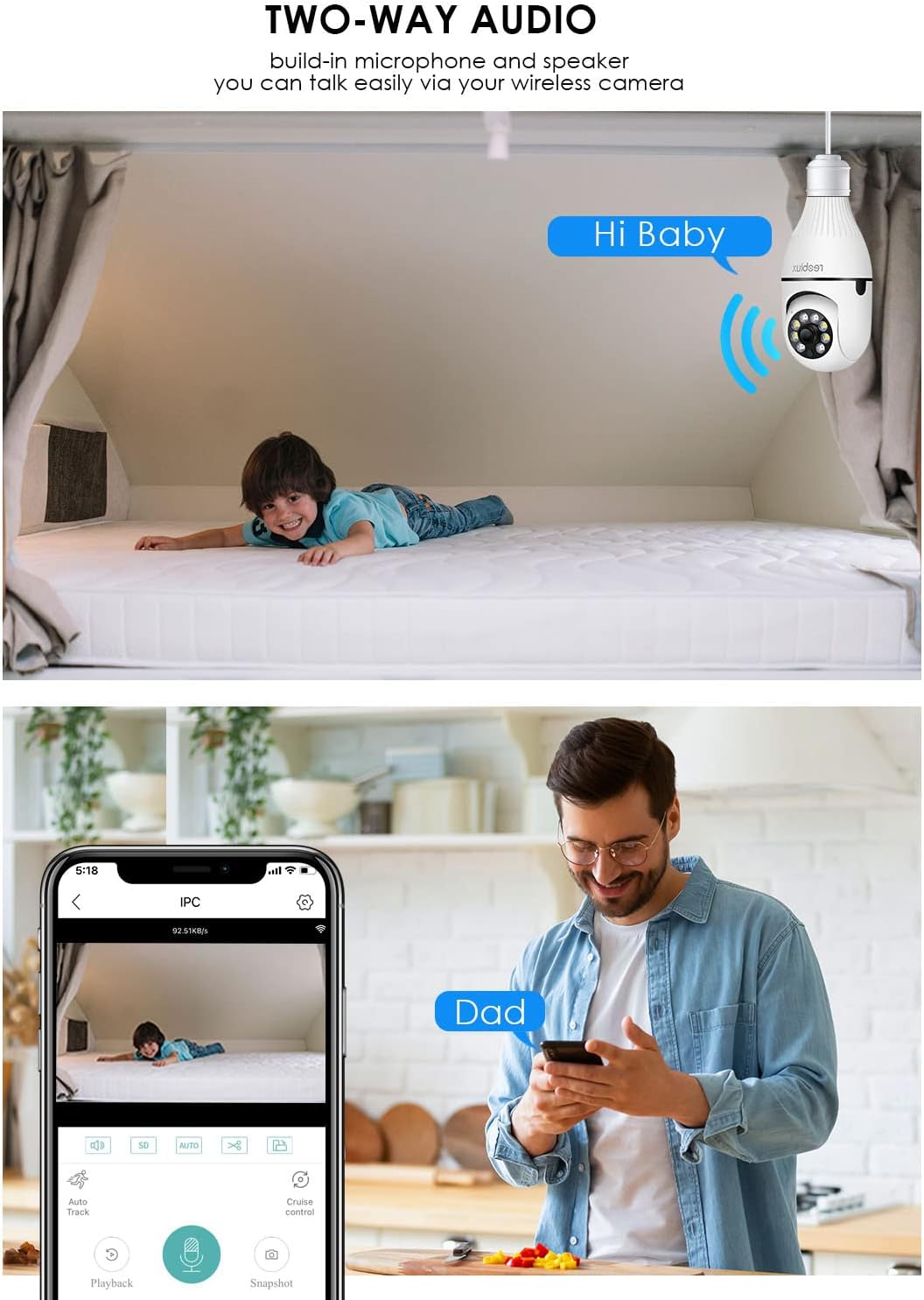
Obraz: Illustrates the two-way audio function, showing a child on a bed and a person on a phone, with speech bubbles indicating communication through the camera.
5.4. Detekcja ruchu i alerty
Kamera potrafi wykrywać ruch i wysyłać powiadomienia na Twój smartfon.
- Włącz/Wyłącz: Access the camera settings in the ICSEE app to enable or disable motion detection.
- Wrażliwość: Dostosuj czułość wykrywania ruchu, aby zminimalizować liczbę fałszywych alarmów.
- Alerty: Configure notification settings to receive push alerts on your phone when motion is detected.
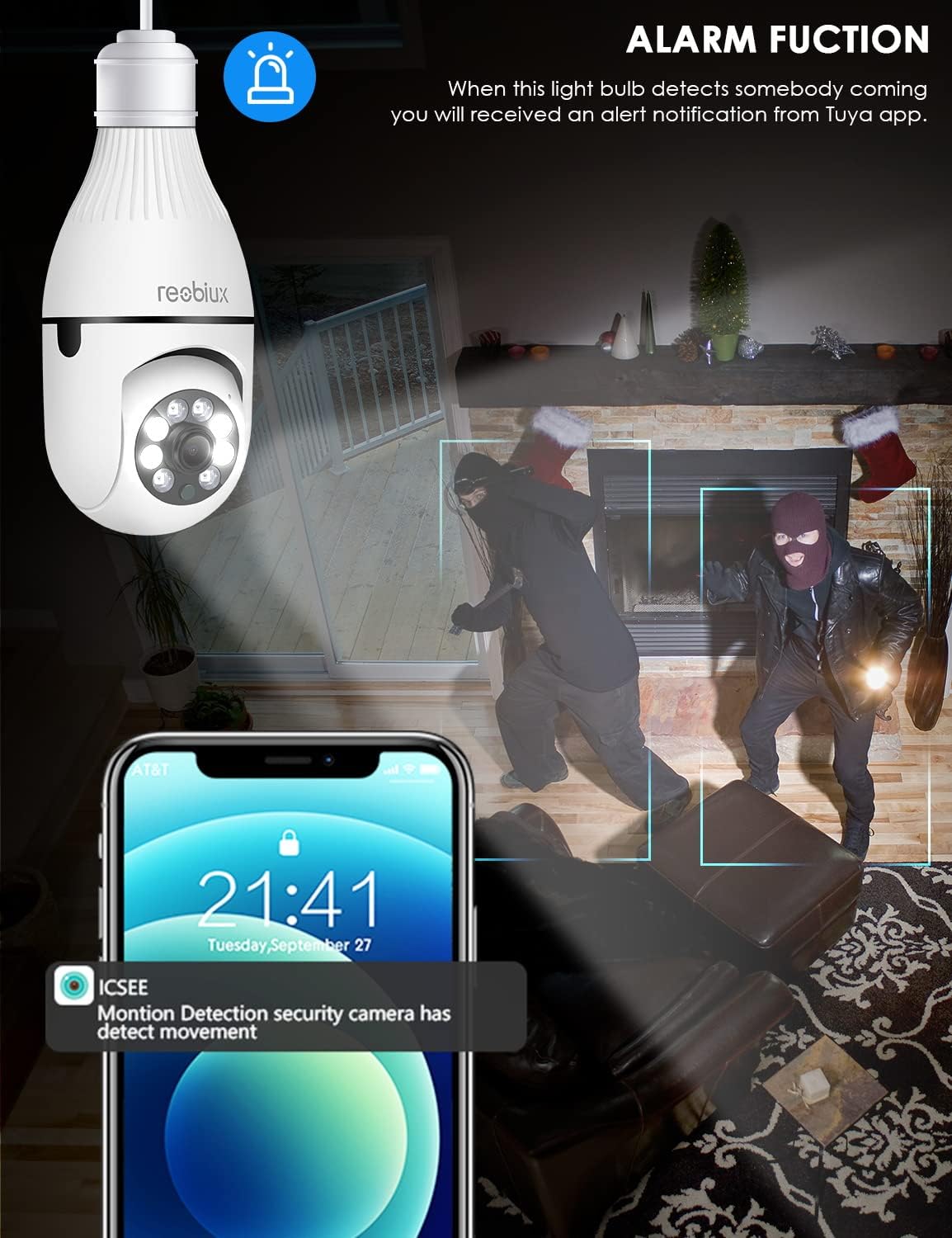
Obraz: Depicts the camera's alarm function, showing an alert notification on a smartphone screen when motion is detected by the light bulb camera.
5.5. Tryby widzenia nocnego
Kamera oferuje ulepszone możliwości widzenia w nocy.
- IR Night Vision: Utilizes infrared LEDs for clear black-and-white video in complete darkness.
- Pełnokolorowa wizja nocna: Activates white supplement lights to provide color video even in low-light conditions.
- Wybór trybu: Select your preferred night vision mode in the app settings.
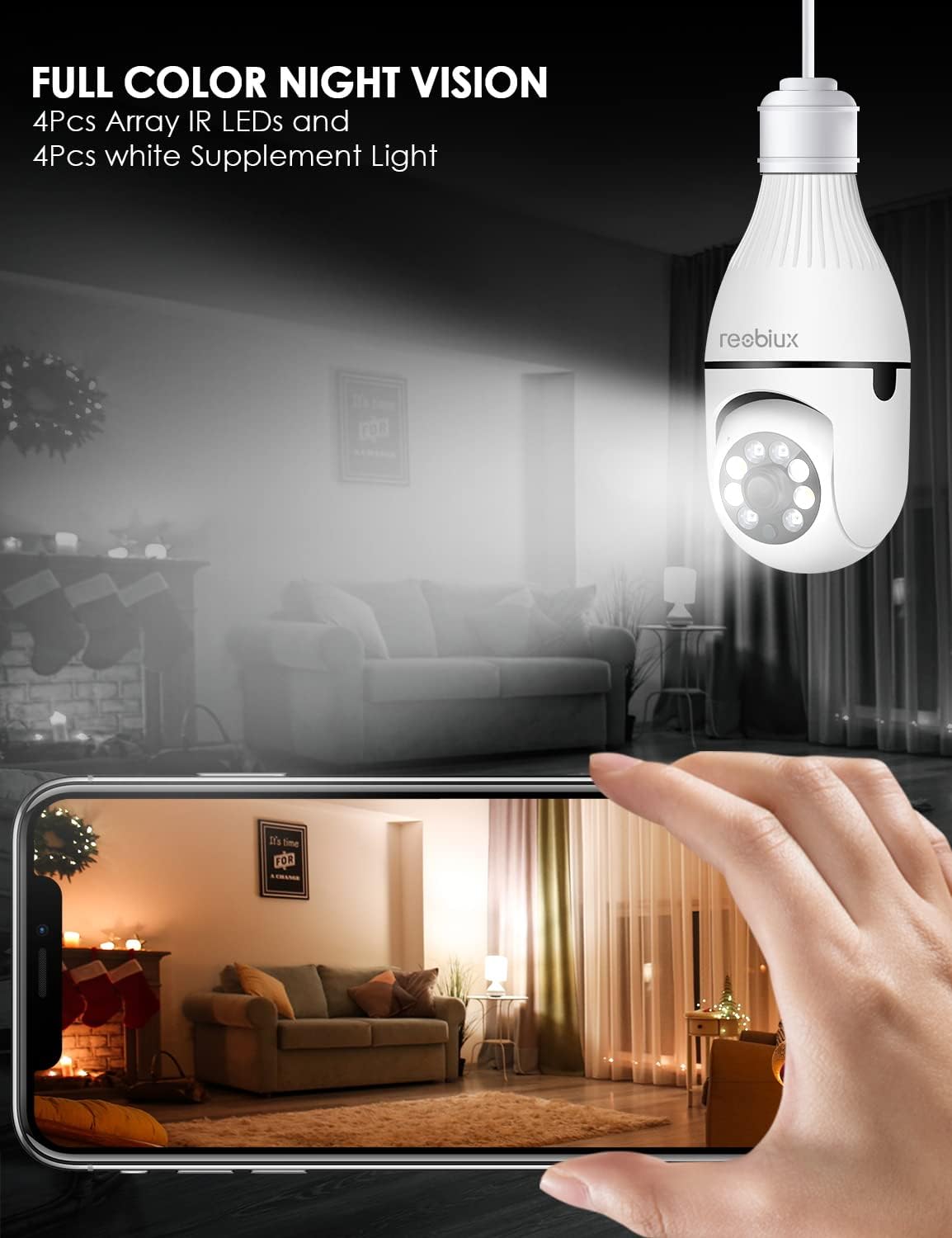
Obraz: Shows the camera's full-color night vision feature, with a smartphone displaying a clear, illuminated view of a room at night, enabled by the camera's IR LEDs and white supplement lights.
5.6. Opcje przechowywania
- Karta micro sd: Insert a Micro SD card (up to 128GB, Class 10 or higher recommended) into the designated slot for local video storage. The camera will automatically overwrite older footage gdy karta jest pełna.
- Przechowywanie w chmurze: The ICSEE app may offer optional cloud storage services for a subscription fee. Refer to the app for details.
6. Konserwacja
- Czyszczenie: Delikatnie przetrzyj obiektyw i korpus aparatu miękką, suchą ściereczką. Nie używaj płynnych środków czyszczących ani materiałów ściernych.
- Aktualizacje oprogramowania układowego: Periodically check the ICSEE app for available firmware updates. Keeping the firmware updated ensures optimal performance and security.
- Resetowanie aparatu: If you encounter persistent issues or need to reconfigure the camera, locate the reset button (refer to Product Overview image) and press and hold it for approximately 5-10 seconds until you hear a reset confirmation.
7. Rozwiązywanie Problemów
| Problem | Możliwa przyczyna | Rozwiązanie |
|---|---|---|
| Camera fails to connect to WiFi. | Incorrect WiFi password, 5GHz WiFi network, camera too far from router, weak signal. |
|
| Brak transmisji wideo na żywo. | No internet connection, camera offline, app issue. |
|
| Nie otrzymano alertów o wykryciu ruchu. | Motion detection disabled, app notifications off, incorrect sensitivity. |
|
| Słaba jakość wideo. | Weak WiFi signal, dirty lens, low light conditions. |
|
8. Specyfikacje
| Model | B09P8H6BMY |
| Rozdzielczość przechwytywania wideo | 1080p |
| Technologia komunikacji bezprzewodowej | Wi-Fi (tylko 2.4 GHz) |
| Typ montażu | Ceiling Mount (E27 Socket) |
| Typ kontrolera | Android, iOS (via ICSEE app) |
| Źródło zasilania | AC/DC (via E27 socket) |
| Tomtage | 240 wolty |
| Cotage | 3 watów |
| Technologia słabego oświetlenia | Night Color, Infrared |
| Tryb pracy | Tylko ruch |
| Tworzywo | Plastikowy |
| Międzynarodowa Ocena Ochrony | IP67 (Note: The lightbulb connection itself is not typically rated for outdoor exposure without additional protection.) |
| Waga przedmiotu | 10.5 uncji |
| Wymiary opakowania | 6.46 x 4.13 x 3.62 cala |
9. Informacje o gwarancji
Reobiux products are typically covered by a limited warranty against defects in materials and workmanship. For specific warranty terms and conditions, please refer to the documentation included with your purchase or contact Reobiux customer support. Keep your proof of purchase for warranty claims.
10. Obsługa klienta
If you have any questions, encounter issues, or require technical assistance with your Reobiux Light Bulb Security Camera, please contact our customer support team. Refer to the product packaging or the official Reobiux webna tej stronie znajdziesz najbardziej aktualne dane kontaktowe.
- Wsparcie online: Visit the official Reobiux webwitryna z odpowiedziami na często zadawane pytania, poradnikami rozwiązywania problemów i formularzami kontaktowymi.
- Wsparcie e-mailowe: (Specific email address not provided in data, so general statement)
- Wsparcie telefoniczne: (Specific phone number not provided in data, so general statement)