
Wstęp
This manual provides comprehensive instructions for the installation, operation, and maintenance of your Rraycom 4-Pack 2K/3MP FHD Wireless IP Security Camera system (Model ACT397). Please read this manual thoroughly before using the product to ensure proper setup and functionality. Keep this manual for future reference.
Zawartość opakowania
Sprawdź, czy w przesyłce znajdują się wszystkie elementy:
- 4 x Rraycom 2K/3MP FHD Wireless IP Security Cameras
- 4 x zasilacze/ładowarki
- Śruby montażowe i kotwy
- Instrukcja obsługi (ten dokument)
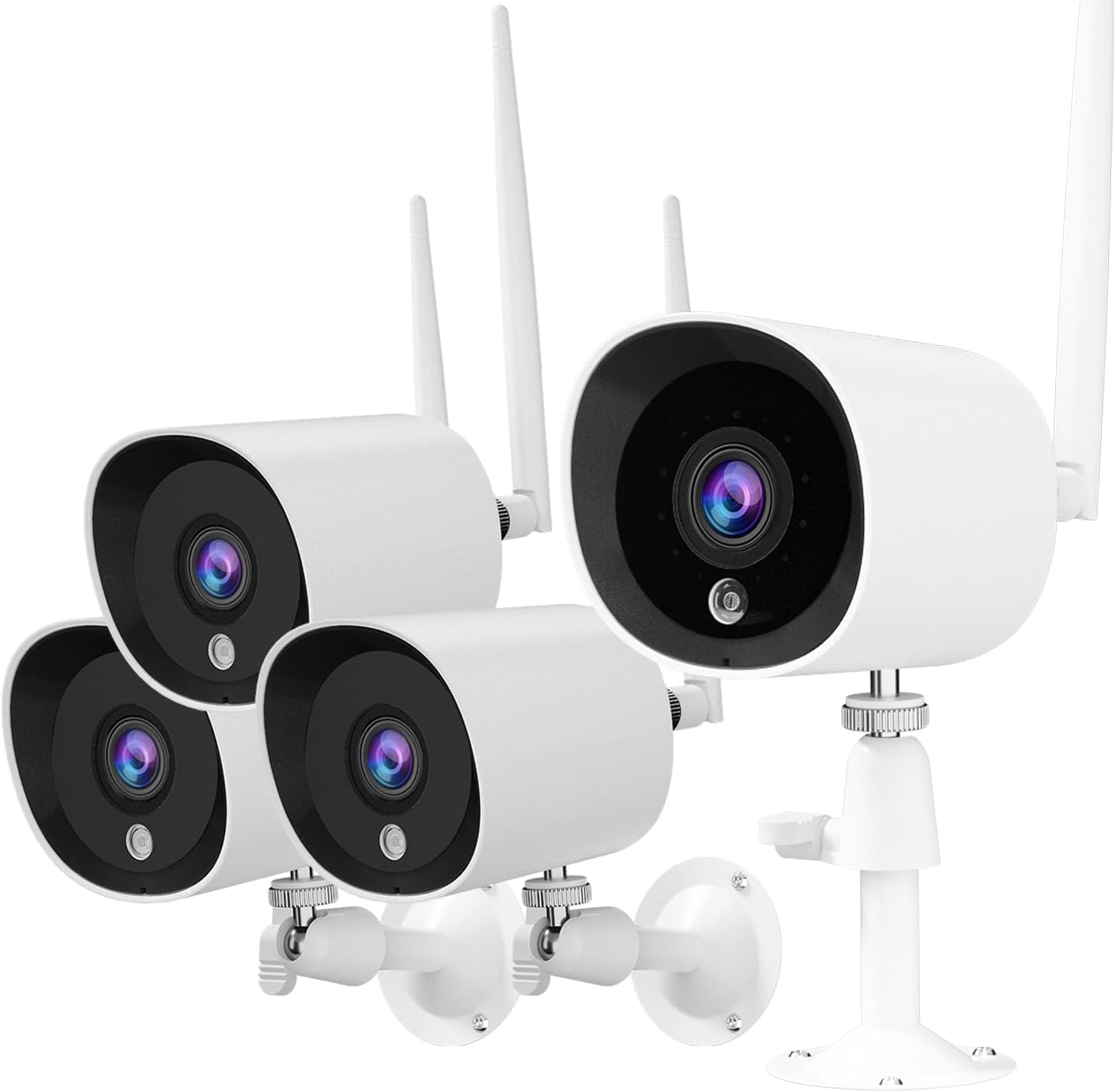
Image: The Rraycom 4-Pack Security Camera system, showing four white bullet-style cameras with antennas and mounting brackets.
Produkt ponadview
The Rraycom ACT397 camera is designed for both indoor and outdoor surveillance, offering 2K/3MP Full HD resolution for clear video monitoring. Key features include:
- 2K/3MP Full HD Video: Provides detailed and clear images.
- Widzenie nocne: Infrared night vision for monitoring in low-light conditions, up to 66 feet.
- Odporność na warunki atmosferyczne IP66: Durable design suitable for outdoor use in various weather conditions (-10°C to 55°C).
- Inteligentne wykrywanie ruchu AI: Differentiates between human, animal, and vehicle movement to reduce false alerts.
- Łączność Wi-Fi: Connects to your home Wi-Fi network (2.4GHz only).
- Integracja inteligentnego domu: Compatible with Amazon Alexa and Google Assistant for voice control and live view.
- Nagrywanie ciągłe 24/7: Constant monitoring with cloud storage options.

Image: A Rraycom security camera mounted on a wall, surrounded by icons representing its features: Wi-Fi connectivity, AI detection, 3MP HD resolution, night vision, Alexa compatibility, and weatherproof design.

Image: A banner highlighting the Rraycom camera's suitability for both indoor and outdoor use, emphasizing its protective capabilities.
Przewodnik po konfiguracji
1. Pobierz aplikację
Szukaj "meshare" in your smartphone's app store (iOS or Android) and download the application. The meshare app is required for camera setup and operation.
2. Włącz kamerę
Connect the camera to a power outlet using the provided power adapter. Wait for the camera's indicator light to show it is ready for pairing (refer to the app for specific light indications).
3. Dodaj kamerę do aplikacji
- Open the meshare app and create an account or log in.
- Postępuj zgodnie z instrukcjami w aplikacji, aby dodać nowe urządzenie. Zazwyczaj polega to na zeskanowaniu kodu QR z aparatu lub ręcznym wprowadzeniu jego identyfikatora.
- Podłącz kamerę do sieci Wi-Fi 2.4 GHz. Notatka: This camera system is compatible only with 2.4GHz Wi-Fi networks. Ensure your router is configured for 2.4GHz or that you are connecting to the 2.4GHz band.
- Once connected, the camera will appear in your device list within the app.
4. Montaż kamery
Choose a suitable location for installation, considering the camera's viewing angle (130 degrees) and power source accessibility. Use the provided screws and anchors to securely mount the camera to a wall or surface. Ensure the power connection is protected from moisture if installed outdoors.

Image: Top shows a person using a screwdriver to install a Rraycom security camera on a wall. Bottom shows an Echo Show displaying a live feed from the camera, with a speech bubble indicating "Alexa, show me the living room."

Image: A banner titled "Quickly Install" illustrating various suitable installation locations for the camera, including a home exterior, office, hotel, warehouse, and shop.
Instrukcja obsługi
Na żywo View i nagrywanie
Access the meshare app to view żyćtage from your cameras. The system supports 24/7 continuous recording. Recorded video clips are stored in the cloud (subscription may apply after trial period).
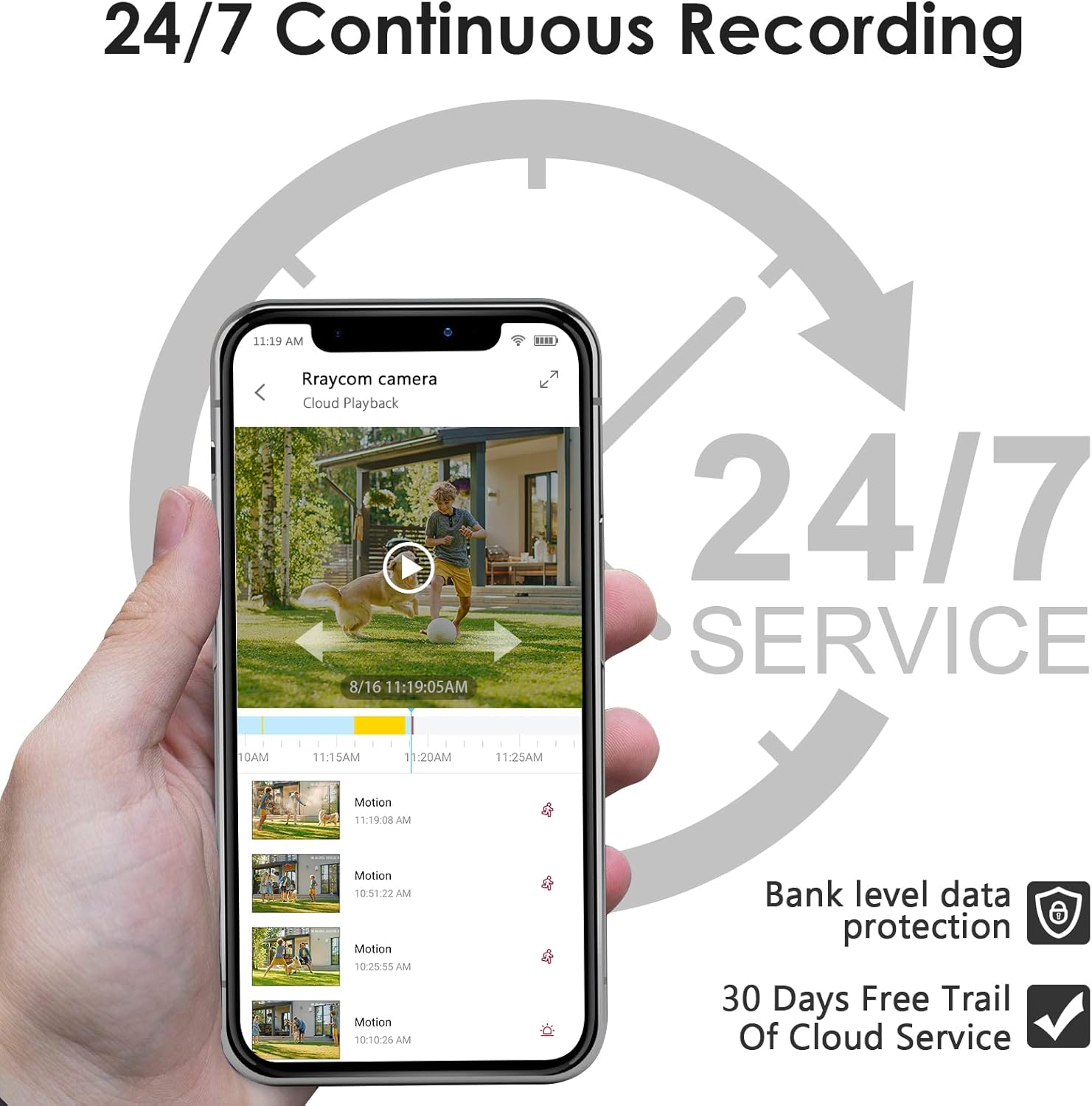
Image: A smartphone screen showing the meshare app interface with a live view of a camera feed and a timeline indicating 24/7 continuous recording and cloud playback options.

Image: A banner promoting 24/7 all-day protection with cloud storage, showing a timeline of recorded events.
Wykrywanie ruchu i alerty
The camera features AI-powered motion detection that can distinguish between people, animals, and vehicles. This helps in reducing false alerts. When motion is detected, the meshare app will send video clips to your device.
- Enable/Disable Alerts: Configure motion detection sensitivity and alert types within the app settings.
- Spersonalizowane strefy aktywności: Zdefiniuj określone obszary w obrębie kamery view where motion detection should be active or ignored. This helps focus on critical areas and further reduce unwanted notifications.

Image: A smartphone displaying a motion detection alert from the meshare app, showing a person outlined in red, indicating detected activity.

Image: A graphic illustrating the AI Human Motion Detection feature, showing how the camera identifies and alerts for people and animals while ignoring vehicles, reducing false alarms.

Image: A diagram showing a lawn area divided into two zones, illustrating the "Customized Activity Zones" feature where users can define specific areas for motion detection.
Wizja nocna
Kamera automatycznie przełącza się na widzenie nocne w podczerwieni w warunkach słabego oświetlenia, zapewniając wyraźny obraz czarno-białytage up to 66 feet. This ensures continuous monitoring day and night.

Image: A split image demonstrating the camera's 2K HD clarity during both day and night, highlighting its infrared night vision capabilities.

Image: A comparison of video quality, showing a 2K resolution image with clearer details (like a license plate) compared to a 1080P resolution image of the same scene.
Integracja inteligentnego domu
The Rraycom camera is compatible with Amazon Alexa and Google Assistant. Link your meshare account to your smart home assistant to enable voice commands. For example, say "Alexa, show me the living room" to view the live feed on compatible devices like an Echo Show.

Image: A person preparing food in a kitchen, with a tablet displaying a live camera feed of a delivery truck, illustrating the use of voice commands with Alexa or Google Assistant.
Przechowywanie w chmurze
The meshare app offers cloud storage for your recorded video clips. Upon detecting motion, video clips are sent to your app and stored securely in the cloud. A 30-day free trial of the 7-day cloud recording plan is included with your purchase. After the trial, a subscription is required to continue cloud services.

Image: A banner promoting cloud storage, highlighting a 7-day playback feature available for free during the first month, with a visual representation of cloud data storage.
Konserwacja
- Czyszczenie: Delikatnie przetrzyj obiektyw i korpus aparatu miękką szmatką.amp płótno. Unikaj stosowania ostrych chemikaliów lub materiałów ściernych.
- Aktualizacje oprogramowania układowego: Regularly check the meshare app for available firmware updates to ensure optimal performance and security.
- Podłączenie zasilania: Ensure the power cable and adapter are securely connected and protected from environmental elements, especially for outdoor installations.
- Połączenie Wi-Fi: Maintain a stable 2.4GHz Wi-Fi connection for uninterrupted operation.
Rozwiązywanie problemów
| Problem | Możliwa przyczyna | Rozwiązanie |
|---|---|---|
| Kamera nie łączy się z siecią Wi-Fi | Incorrect Wi-Fi password; Camera too far from router; Only 5GHz Wi-Fi available; Weak signal. |
|
| No video feed / Offline status | No power; Wi-Fi disconnected; App issue. |
|
| Częste fałszywe alerty ruchu | High sensitivity; Environmental factors (e.g., moving branches, insects). |
|
| Słaba jakość widzenia w nocy | Obstruction in front of lens; Infrared lights blocked. |
|
Specyfikacje
| Funkcja | Szczegół |
|---|---|
| Nazwa modelu | AKT 397 |
| Rozdzielczość przechwytywania wideo | 3 MP (2K) |
| Zastosowanie wewnątrz/na zewnątrz | Wewnątrz, Na zewnątrz |
| Technologia łączności | Bezprzewodowa (Wi-Fi 2.4 GHz) |
| Źródło zasilania | Przewodowy elektryczny (5 V DC, 5 W) |
| Typ kontrolera | Amazon Alexa, Asystent Google, aplikacja |
| Viewing kąt | 130 stopni |
| Zakres noktowizora | 30 stóp |
| Międzynarodowa Ocena Ochrony | IP66 |
| Temperatura pracy | -10°C do 55°C |
| Szybkość klatek | 15 klatek na sekundę |
| Tworzywo | Metal |
| Item Weight (per camera) | Około 0.8 funtów |
| UPC | 768490171326 |
Gwarancja i wsparcie
For warranty information and technical support, please refer to the Rraycom official website or contact their customer service directly. Details are typically provided on the product packaging or within the meshare application's help section.
Rraycom was founded in 2015, focusing on the design and research of intelligent security technology. They aim for customer satisfaction and home safety, with rigorous testing for each camera. Rraycom uses advanced encryption technology, and all data is securely stored locally, accessible only by you.
Odwiedź Rraycom Store on Amazon Więcej produktów i informacji.