
Wstęp
Thank you for choosing the OTL Technologies Pro G4 Batman DC Comic Gaming Headset. This manual provides essential information for setting up, operating, and maintaining your new gaming headset. Designed for immersive gaming, this headset features comfortable ear pads, a detachable microphone, and inline controls for an optimal audio experience across various gaming platforms.
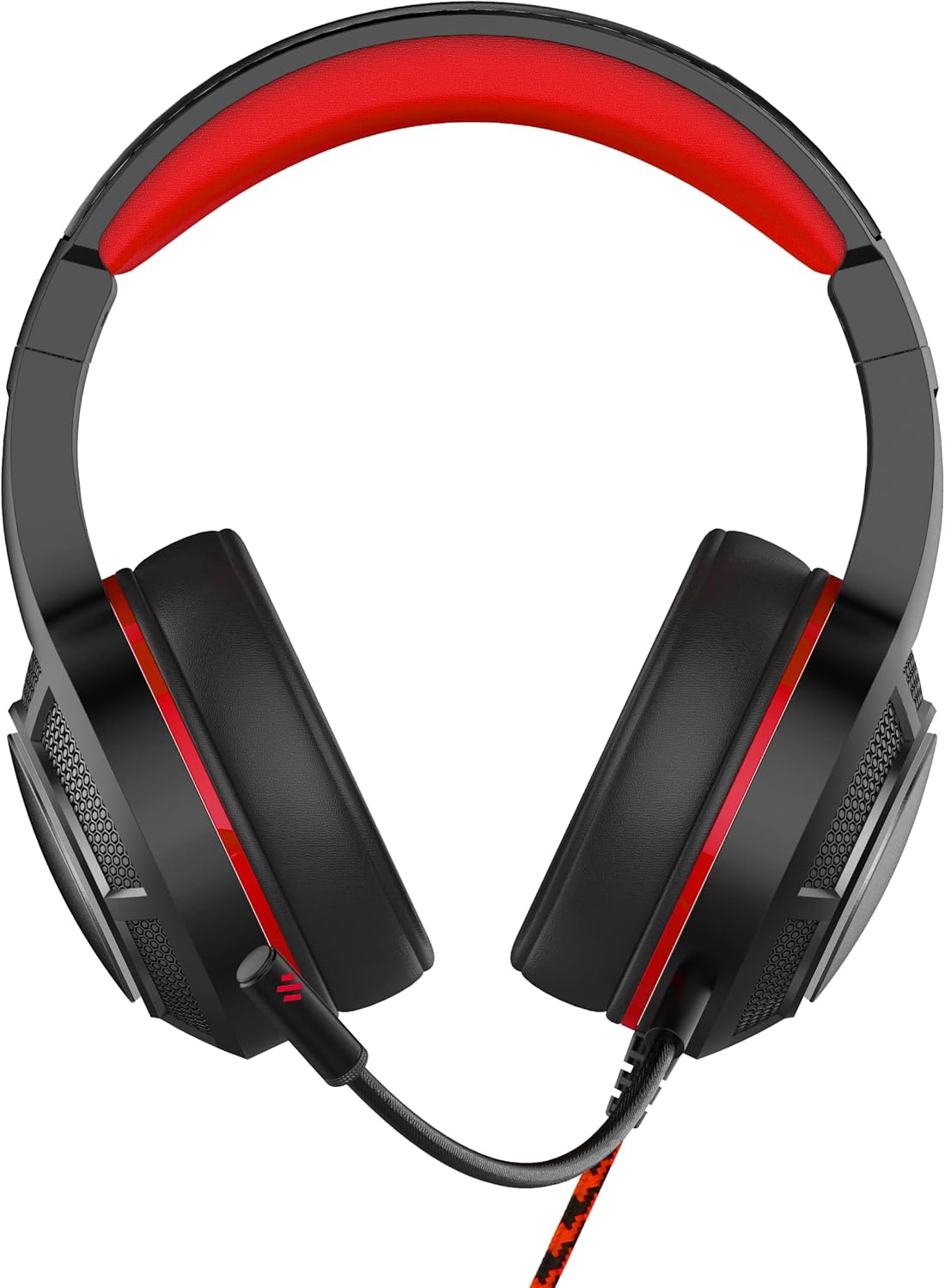
Obraz: Przód view of the OTL Technologies Pro G4 Batman DC Comic Gaming Headset, showcasinze względu na jego design i nauszniki.
Zawartość opakowania
Upewnij się, że w przesyłce znajdują się wszystkie elementy:
- OTL Technologies Pro G4 Batman DC Comic Gaming Headset
- Odłączany mikrofon

Image: The product packaging, clearly indicating the presence of a detachable boom microphone.
Instrukcje konfiguracji
- Podłącz mikrofon: Locate the microphone input port on the left earcup of the headset. Insert the detachable microphone firmly into this port until it clicks into place.
- Dopasowanie zestawu słuchawkowego: Extend or retract the headband to ensure a comfortable and secure fit over your head. The super padded PU headband and memory foam ear pads are designed for extended comfort.
- Połącz z urządzeniem: Plug the 3.5mm audio jack from the headset cable into the corresponding audio port on your gaming console controller, PC, or other compatible device.

Obraz: Góra view of the headset showing the detachable microphone securely attached to the left earcup.
Instrukcja obsługi
- Regulacja głośności: Use the inline volume control wheel located on the headset cable to adjust the audio output level to your preference. Rotate the wheel up to increase volume and down to decrease it.
- Wyciszenie mikrofonu: The inline controller also features a microphone mute switch. Slide the switch to the "ON" position to enable the microphone, and to the "OFF" position to mute it.
- Jakość dźwięku: The 50mm on-ear speakers provide powerful, premium sound quality and passive sound isolation, enhancing your gaming experience.
- Zgodność: This headset is compatible with all devices using a standard 3.5mm audio jack, including PlayStation 4, PlayStation 5, Xbox One, and PCs.

Image: Close-up of the inline controller, showing the volume adjustment wheel and the microphone mute switch for easy access during gameplay.
Konserwacja
- Czyszczenie: Gently wipe the headset with a soft, dry cloth. Do not use liquid cleaners or abrasive materials.
- Składowanie: Przechowuj zestaw słuchawkowy w chłodnym, suchym miejscu, z dala od bezpośredniego światła słonecznego i ekstremalnych temperatur. Unikaj umieszczania ciężkich przedmiotów na zestawie słuchawkowym.
- Wodoodporność: Ten zestaw słuchawkowy jest NIE wodoodporny. Avoid exposure to liquids to prevent damage.
- Pielęgnacja kabli: Aby zapobiec uszkodzeniu wewnętrznych przewodów, należy unikać ostrego zginania i nadmiernego ciągnięcia kabla.
Rozwiązywanie problemów
- Brak dźwięku w zestawie słuchawkowym:
- Sprawdź, czy gniazdo audio 3.5 mm jest dokładnie włożone do urządzenia.
- Sprawdź wbudowaną regulację głośności i zwiększ głośność.
- Verify your device's audio settings to ensure output is directed to the headset.
- Przetestuj zestaw słuchawkowy z innym urządzeniem, aby wykluczyć problemy związane z konkretnym urządzeniem.
- Mikrofon nie działa:
- Sprawdź, czy odłączany mikrofon jest solidnie zamocowany.
- Check the inline microphone mute switch and ensure it is in the "ON" position.
- Verify your device's microphone input settings.
- Przetestuj mikrofon za pomocą innej aplikacji lub urządzenia.
- Słaba jakość dźwięku:
- Upewnij się, że gniazdo audio jest czyste i wolne od zanieczyszczeń.
- Adjust the volume to an appropriate level; excessively high volume can cause distortion.
- Sprawdź, czy nie ma luźnych połączeń.
Specyfikacje
| Funkcja | Szczegół |
|---|---|
| Nazwa modelu | PRO G4 DC Comic Batman (DC0905) |
| Technologia łączności | Przewodowy |
| Gniazdo słuchawkowe | 3.5 mm Jack |
| Kontrola hałasu | Izolacja akustyczna |
| Odpowiedź częstotliwościowa | 20 Hz (Minimum) |
| Zawarte komponenty | Odłączany mikrofon |
| Typ sterowania | Kontrola głośności |
| Metoda kontroli | Remote (Inline) |
| Funkcja kabla | Odłączany |
| Waga przedmiotu | 200 gramów (7.1 uncji) |
| Poziom wodoodporności | Nie jest wodoodporny |
| Tworzywo | Plastikowy |
| Umieszczenie ucha | Na ucho |
| Impedancja | 32 omy |
| Wymiary produktu | 7.09 x 2.76 x 6.3 cala |
Informacje o gwarancji
OTL Technologies products are manufactured to high standards. For specific warranty details, please refer to the warranty card included with your product or visit the official OTL Technologies webZachowaj dowód zakupu na wypadek roszczeń gwarancyjnych.
Wsparcie
If you encounter any issues not covered in this manual or require further assistance, please contact OTL Technologies customer support. Contact information can typically be found on the product packaging or the official OTL Technologies webstrona.