
1. Wprowadzenie
This manual provides instructions for the Gamrombo 2.4GHz Wireless Controller, designed for use with Xbox 360, Xbox 360 Slim consoles, and Windows 7/8/10/11 personal computers. Please read this manual thoroughly before using the product to ensure proper operation and to prevent damage.

Image 1.1: Gamrombo Wireless Controller for Xbox 360 and PC. This image displays the front view of the black wireless controller, highlighting its buttons and ergonomic shape.
2. Zawartość opakowania
Proszę sprawdzić zawartość opakowania po rozpakowaniu:
- 1 x Gamrombo Wireless Controller
- 1 odbiornik USB 2.4 GHz
- 1 x Instrukcja obsługi
- Note: AA batteries are required for controller operation and are not included.
3. Funkcje produktu
- Zgodność z wieloma platformami: Compatible with Xbox 360, Xbox 360 Slim consoles, and Windows 7/8/10/11 PCs. (Note: Not compatible with Xbox One, Xbox One X, Xbox One S, or Xbox Series X consoles.)
- Technologia bezprzewodowa 2.4 GHz: Provides a stable connection up to 32 feet (approximately 10 meters). Supports up to four controllers simultaneously on one console.
- Wibracje: Built-in dual motors offer a realistic gaming experience through vibration effects.
- Ergonomiczna konstrukcja: Streamlined and compact design for comfortable extended gameplay sessions.
- Wysoka czułość: Enhanced responsiveness to minimize input lag, providing accurate and sensitive control.
- Precyzyjne sterowanie: Features an 8-way D-pad, precise thumbsticks, and pressure-point triggers for accurate input.

Image 3.1: Controller with internal dual motors. This image illustrates the controller with a transparent overlay highlighting the location of the dual vibration motors inside the grips.

Obraz 3.2: Bok view of the controller demonstrating its ergonomic shape. The image shows the contoured grips designed for comfortable handling.
4. Konfiguracja i połączenie
Follow these steps to connect your Gamrombo Wireless Controller to your Xbox 360 console or PC:
- Włóż baterie: Open the battery compartment on the back of the controller and insert two (2) AA batteries, ensuring correct polarity.
- Podłącz odbiornik USB: Insert the 2.4GHz USB receiver into an available USB port on your Xbox 360 console or PC.
- Receiver Identification: After the USB receiver is inserted, its indicator light will turn on, signifying successful identification. Short press the button on the USB receiver; the indicator light will flash, entering pairing mode.
- Parowanie kontrolera: With the controller powered off, long press the "Home" button (the central Xbox Guide button) on the wireless controller for 3 seconds. The four LED lights around the Guide button will flash rapidly, indicating the controller is in pairing mode.
- Potwierdzenie połączenia: Once the connection is successful, the corresponding channel light on the controller will remain solid, and the receiver's indicator light will also remain solid.

Image 4.1: Connection steps for the wireless controller. This image illustrates the process of inserting the USB dongle into an Xbox 360 or PC and then pairing the controller by pressing the Home button.
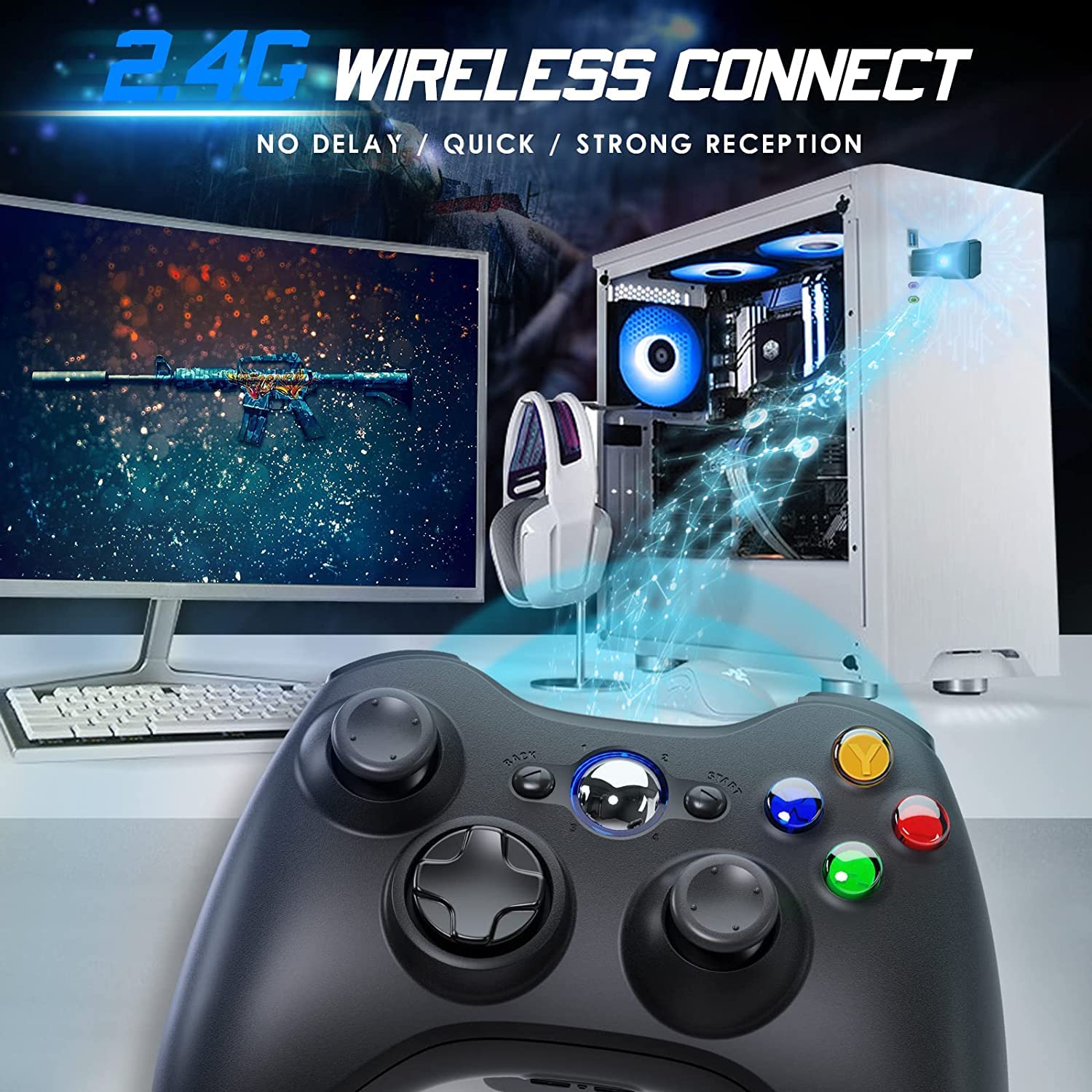
Image 4.2: Wireless controller in use with a PC. This image shows the controller on a desk in front of a computer monitor, with a visual representation of the 2.4GHz wireless connection.
5. Instrukcja obsługi
- Włączanie/wyłączanie: Press and hold the "Home" button for 3 seconds to power on or power off the controller.
- Przycisk przewodnika: The central "Home" button (Guide button) allows access to the Xbox Guide on Xbox 360, or specific game menus on PC, depending on the game and system configuration. It can also be used to power on or off the console.
- Wiele kontrolerów: Up to four wireless controllers can be connected to a single console or PC simultaneously. Each controller will be assigned a quadrant light around the Guide button (1, 2, 3, or 4) to indicate its player number.
- Wskaźnik baterii: The controller's LED lights may flash to indicate low battery power. Replace batteries when this occurs.
6. Konserwacja
- Czyszczenie: Do czyszczenia kontrolera należy używać miękkiej, suchej ściereczki. Nie należy używać płynnych środków czyszczących ani rozpuszczalników.
- Składowanie: Store the controller in a dry place away from extreme temperatures and direct sunlight. If storing for an extended period, remove the batteries to prevent leakage.
- Unikaj kropli: Chroń kontroler przed upadkami i uderzeniami, które mogą uszkodzić jego podzespoły wewnętrzne.
7. Rozwiązywanie Problemów
- Kontroler nie łączy się:
- Ensure the USB receiver is securely plugged into the console or PC.
- Verify that the controller has fresh AA batteries installed correctly.
- Repeat the pairing process (Section 4, steps 3 and 4).
- Spróbuj podłączyć odbiornik USB do innego portu USB.
- If using with PC, ensure necessary drivers are installed (Windows typically installs these automatically).
- Przyciski lub joysticki nie reagują:
- Sprawdź poziom naładowania baterii i wymień ją, jeśli jest bliska rozładowania.
- Ensure the controller is within the 32-foot wireless range of the receiver.
- Restart the console/PC and re-pair the controller.
- Wibracje nie działają:
- Upewnij się, że gra obsługuje funkcję wibracji.
- Sprawdź ustawienia gry i upewnij się, że wibracje są włączone.
- Verify battery levels.
8. Specyfikacje
| Numer modelu | XBOX 360 |
| Marka | Gamrombo |
| Łączność | Bezprzewodowy 2.4GHz |
| Zasięg bezprzewodowej | Do 32 stóp (ok. 10 metrów) |
| Zgodność | Xbox 360, Xbox 360 Slim, Windows 7/8/10/11 |
| Źródło zasilania | 2 baterie AA (brak w zestawie) |
| Wymiary produktu | 6.1 x 4.4 x 2.4 cala |
| Waga przedmiotu | 9.6 uncji |
9. Informacje dotyczące bezpieczeństwa
- Nie należy podejmować prób rozmontowywania lub modyfikowania kontrolera.
- Trzymaj kontroler z dala od wody i innych płynów.
- Avoid exposing the controller to extreme heat or cold.
- Zutylizuj baterie zgodnie z lokalnymi przepisami.
- Jeśli produkt jest uszkodzony, należy natychmiast zaprzestać jego używania.
10. Gwarancja i wsparcie
For warranty information or technical support, please refer to the documentation included with your purchase or contact Gamrombo customer service directly. Contact details are typically available on the manufacturer's official webstrona.