
Wstęp
Dziękujemy za zakupasing the Gemmac Astronaut Galaxy Projector Star Night Light. This device is designed to project a captivating nebula and starry sky onto your walls and ceiling, creating a relaxing and immersive atmosphere. Please read this manual carefully before use to ensure proper operation and to maximize your enjoyment of the product.
Informacje dotyczące bezpieczeństwa
Aby zapewnić bezpieczną obsługę i zapobiec uszkodzeniom, należy przestrzegać następujących środków ostrożności:
- Nie patrz bezpośrednio na źródło światła. The projector uses bright lights that can cause eye discomfort or damage.
- Aby uniknąć porażenia prądem elektrycznym, trzymaj urządzenie z dala od wody i innych płynów.
- Nie rozmontowuj ani nie próbuj samodzielnie naprawiać urządzenia. W celu uzyskania pomocy skontaktuj się z wykwalifikowanym personelem.
- Use only the provided power adapter or one with compatible specifications.
- Keep out of reach of small children to prevent accidental ingestion of small parts or direct exposure to the light source.
- Upewnij się, że urządzenie jest umieszczone na stabilnej, płaskiej powierzchni, aby zapobiec jego upadkowi.
- Unikaj umieszczania projektora w pobliżu źródeł ciepła lub w bezpośrednim świetle słonecznym.
Zawartość opakowania
Sprawdź, czy w opakowaniu znajdują się wszystkie elementy:
- 1 x Gemmac Astronaut Galaxy Projector
- 1 x Pilot zdalnego sterowania
- Kabel zasilający 1 x USB
- 1 x Instrukcja obsługi

Image: The package includes the astronaut projector, remote control, USB power cable, and user manual.
Produkt ponadview
The Gemmac Astronaut Galaxy Projector features a unique astronaut design with a flexible head that can be rotated to adjust the projection angle. It combines nebula and star projections for a dynamic visual experience.

Image: The Gemmac Astronaut Galaxy Projector and its remote control.

Obraz: Szczegółowy view of the astronaut projector's flexible design and remote control functions.
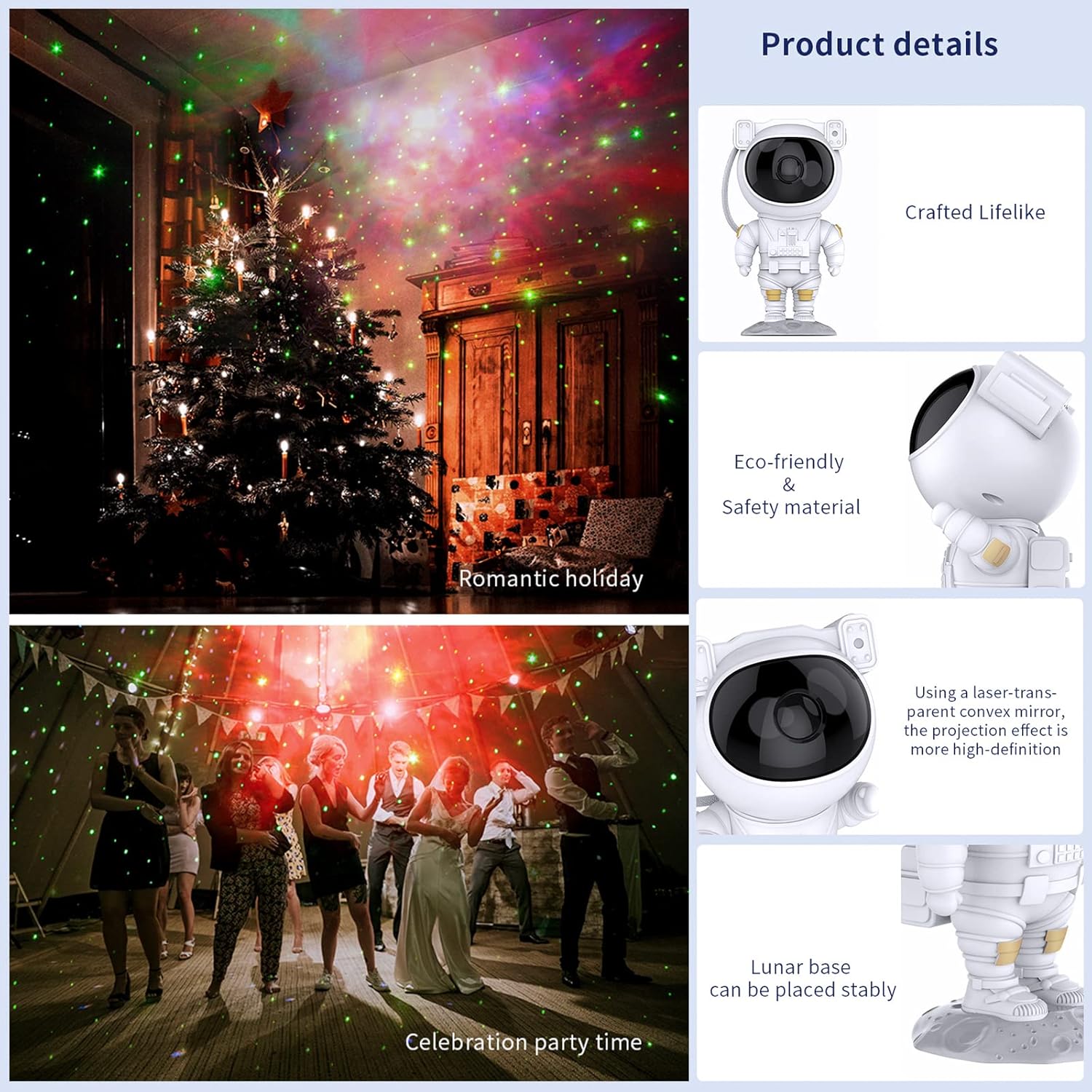
Image: Key product details including design, materials, projection lens, and stable base.
Organizować coś
Podłączenie zasilania
- Place the astronaut projector on a stable, flat surface.
- Connect the USB power cable to the projector's power input port (located on the backpack).
- Podłącz drugi koniec kabla USB do kompatybilnego zasilacza USB (nie ma go w zestawie) lub do portu USB.
- Upewnij się, że źródło zasilania jest stabilne.
Instrukcja obsługi
Przyciski urządzeń
The buttons on the back of the astronaut's backpack allow for basic control:
- Przycisk zasilania: Włącza lub wyłącza projektor.
- Nebula Mode Button: Cycles through different nebula colors and effects.
- Star Mode Button: Turns the star projection on or off.
Funkcje pilota zdalnego sterowania
The included remote control provides comprehensive control over the projector's features:
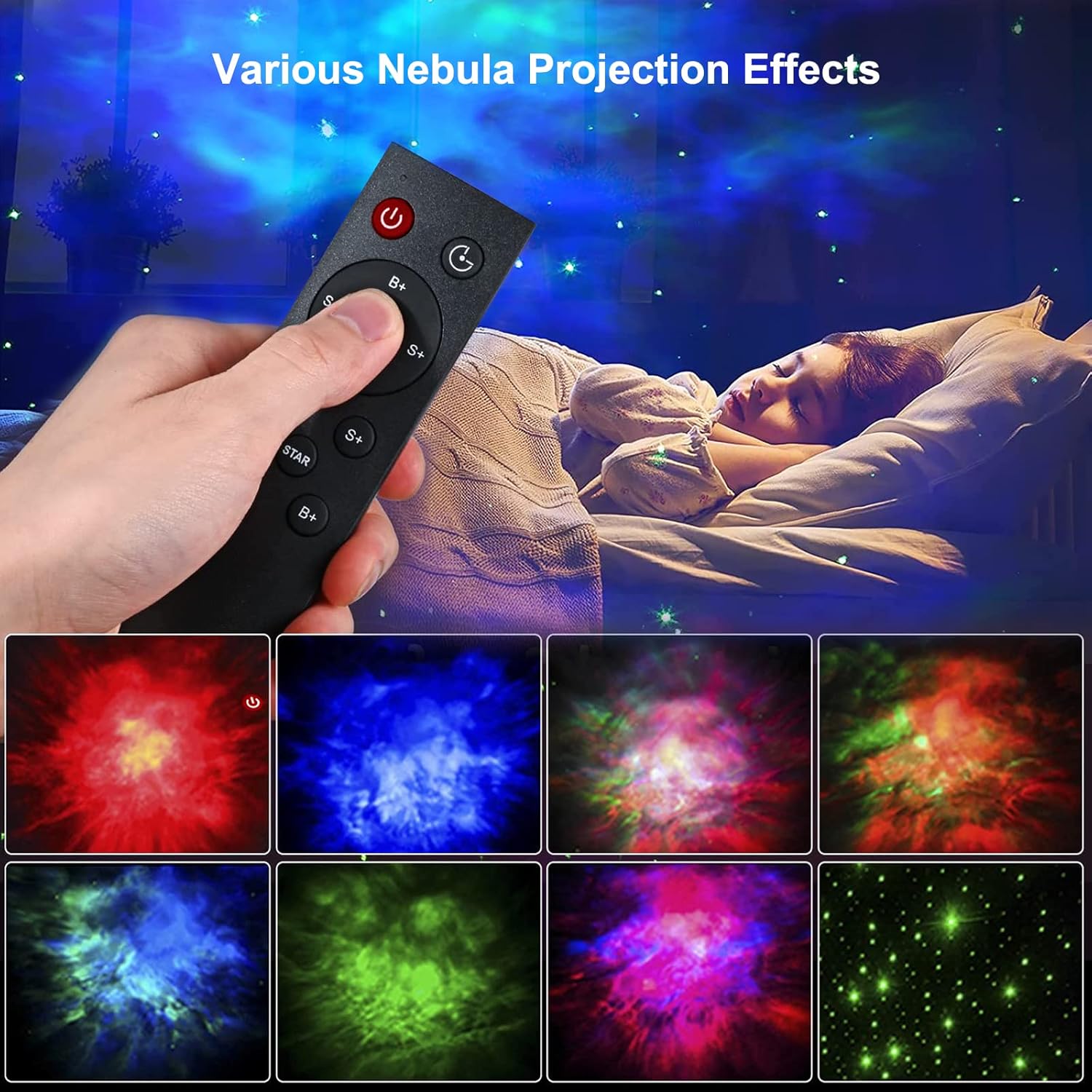
Image: Remote control in use, demonstrating various projection effects.
- Zasilanie (wł./wył.): Włącza lub wyłącza projektor.
- Zmiana czasu: Sets the automatic shut-off timer (e.g., 45 minutes, 90 minutes).
- Nebula Brightness (B+/B-): Adjusts the brightness of the nebula projection.
- Nebula Change Speed (S+/S-): Controls the speed of nebula movement.
- Nebula Color Switching (NEBULA): Cycles through different nebula colors.
- Star Breathing Rate (S+/S-): Adjusts the fading speed of the stars.
- Star Switch (STAR): Turns the star projection on or off.
- Star Brightness (B+/B-): Adjusts the brightness of the star projection.
Cechy
Nebula and Star Projection
The projector offers a combination of colorful nebula clouds and twinkling stars. These can be displayed together or independently, providing a variety of celestial scenes. The nebula colors and star brightness are adjustable to suit your preference.
Video: Demonstration of the Gemmac Astronaut Galaxy Projector's nebula and star light effects.

Image: The projector creating a green nebula and star effect in a living room setting.

Image: The projector creating a colorful nebula and star effect inside a car.
Funkcja timera
Utilize the timer function on the remote control to set the projector to automatically turn off after a specified duration (e.g., 45 or 90 minutes). This is ideal for bedtime use.
Regulowany kąt projekcji
The astronaut's head is magnetically connected to its body, allowing you to rotate it 360 degrees. This flexibility enables you to direct the projection to any desired angle on your ceiling or walls.
Konserwacja
Właściwa konserwacja gwarantuje długowieczność i optymalną wydajność projektora:
- Czyszczenie: Do przecierania zewnętrznej części projektora należy używać miękkiej, suchej ściereczki. Nie należy używać środków czyszczących ani rozpuszczalników o działaniu ściernym.
- Pielęgnacja soczewek: Gently clean the projection lenses with a soft, lint-free cloth to maintain clear projection quality. Avoid touching the lenses directly with your fingers.
- Składowanie: Jeśli projektor nie będzie używany przez dłuższy czas, należy go przechowywać w chłodnym i suchym miejscu, z dala od bezpośredniego światła słonecznego i wilgoci.
Rozwiązywanie problemów
Jeśli napotkasz jakiekolwiek problemy, zapoznaj się z poniższymi typowymi problemami i ich rozwiązaniami:
| Problem | Możliwa przyczyna | Rozwiązanie |
|---|---|---|
| Projektor się nie włącza. | Brak zasilania, luźne połączenie, uszkodzony adapter. | Check power cable connection. Ensure power adapter is working. Try a different USB port or adapter. |
| Pilot nie działa. | Rozładowane baterie, pilot poza zasięgiem, przeszkody. | Replace remote control batteries. Ensure remote is pointed at the projector and within range. Remove any obstructions between the remote and projector. |
| Projection is blurry or dim. | Dirty lens, incorrect focus, too much ambient light. | Gently clean the projection lenses. Ensure the room is dark enough for optimal projection. Adjust brightness settings via remote. |
| Stars or nebula not appearing. | Feature turned off. | Use the remote control to turn on the star or nebula projection modes. |
Specyfikacje
| Funkcja | Szczegół |
|---|---|
| Marka | Gemmac |
| Model | Projektor galaktyki astronauty |
| Wymiary produktu | 9.6" gł. x 4.5" szer. x 4.7" wys. |
| Waga przedmiotu | 2.4 uncji (0.15 funta) |
| Typ źródła światła | PROWADZONY |
| Tworzywo | Akrylonitryl-butadien-styren (ABS) |
| Źródło zasilania | Elektryczny przewodowy |
| Cotage | 5 watów |
| Metoda kontroli | Remote, Device Buttons |
| Cechy specjalne | Color Changing, Timer, Dimmable |
| Zastosowanie wewnątrz/na zewnątrz | Wnętrz |
| UPC | 755419178313 |
Gwarancja i wsparcie
For warranty information or technical support, please refer to the contact details provided with your purchase documentation or visit the official Gemmac webZachowaj paragon jako dowód zakupu.