
LENRUE A52
Instrukcja obsługi przenośnego głośnika Bluetooth LENRUE A52
Wzór: A52
1. Wprowadzenie
Thank you for choosing the LENRUE A52 Portable Bluetooth Speaker. This manual provides essential information for setting up, operating, and maintaining your speaker to ensure optimal performance and longevity. Please read it carefully before use.

Image 1.1: The LENRUE A52 Portable Bluetooth Speaker in Powder Blue.
2. Co znajduje się w pudełku
Po rozpakowaniu upewnij się, że znajdują się w nim wszystkie wymienione poniżej przedmioty:
- 1 x LENRUE A52 Bluetooth Speaker
- 1 x kabel ładujący USB
- 1 x Instrukcja obsługi

Image 2.1: The LENRUE A52 speaker, charging cable, and user manual as included in the package.
3. Kontrolki i wskaźniki
Familiarize yourself with the speaker's buttons and ports for easy operation.
3.1 Top Panel Buttons
Image 3.1: Top panel buttons including Power, Volume Down, Volume Up, and Play/Pause/Answer Call.
- Przycisk zasilania (⏻): Long press to power on/off. Short press for other functions (e.g., mode switch).
- Ściszanie (-): Naciśnij krótko, aby zmniejszyć głośność. Naciśnij długo, aby przejść do poprzedniego utworu.
- Zwiększanie głośności (+): Naciśnij krótko, aby zwiększyć głośność. Naciśnij długo, aby przejść do następnego utworu.
- Play/Pause/Answer Call (▶/❚❚): Short press to play/pause music. Short press to answer/end a call. Long press to reject a call.
3.2 Porty tylne
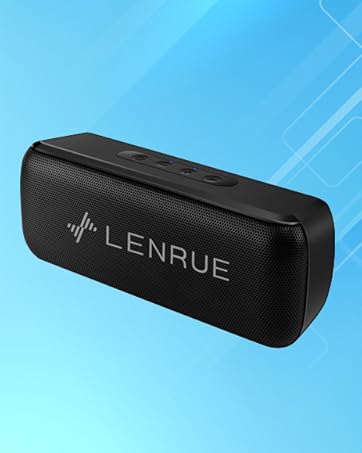
Image 3.2: Rear ports for USB, TF card, and DC 5V charging.
- Port USB: Do odtwarzania z dysku flash USB.
- Slot karty TF: For Micro SD card playback (supports up to 32GB).
- Port ładowania DC 5 V.: For charging the speaker using the provided USB cable.
4. Konfiguracja
4.1 Ładowanie głośnika
- Podłącz mniejszy koniec kabla ładującego USB do portu DC 5 V w głośniku.
- Podłącz większy koniec kabla USB do zasilacza USB (nie ma go w zestawie) lub do portu USB komputera.
- Zaświeci się kontrolka ładowania. Po pełnym naładowaniu kontrolka może zmienić kolor lub zgasnąć, w zależności od modelu.
- Pełne naładowanie zapewnia około 16–24 godzin odtwarzania.
4.2 Włączanie/wyłączanie
- Aby włączyć zasilanie: Long press the Power button (⏻) until you hear an audible prompt or see an indicator light.
- Wyłączanie: Long press the Power button (⏻) again until you hear an audible prompt or the indicator light turns off.
5. Instrukcja obsługi
5.1 parowanie Bluetooth
Aby podłączyć głośnik do urządzenia obsługującego technologię Bluetooth:
- Ensure the speaker is powered on and in Bluetooth mode (it usually defaults to Bluetooth mode upon power-on). The indicator light will flash, indicating it's ready for pairing.
- Włącz Bluetooth na swoim urządzeniu (smartfonie, tablecie itp.) i wyszukaj dostępne urządzenia.
- Select "Soundmate" from the list of found devices.
- Once connected, the speaker will provide an audible confirmation, and the indicator light will stop flashing and remain solid.
Połączenie 5.2 TWS (prawdziwe bezprzewodowe stereo)
You can pair two LENRUE A52 speakers together for a stereo sound experience.
Image 5.1: Visual representation of two speakers establishing a TWS connection.
- Turn on both LENRUE A52 speakers. Ensure they are not currently connected to any other Bluetooth devices.
- Double-click the Power button (⏻) on jeden of the speakers. This speaker will initiate TWS pairing.
- The speakers will automatically connect to each other, indicated by an audible "beep" sound.
- Now, on your device, search for Bluetooth devices and select "Soundmate". Only one "Soundmate" will appear.
- Once connected, audio will play through both speakers in stereo.
5.3 Wiele trybów odtwarzania
The speaker supports various audio sources:
- Tryb Bluetooth: Connect wirelessly to your device as described above.
- Odtwarzanie pamięci flash USB: Insert a USB flash drive containing MP3 audio filePodłącz go do portu USB. Głośnik automatycznie przełączy się w tryb USB i rozpocznie odtwarzanie.
- Odtwarzanie z karty Micro SD: Insert a Micro SD card (up to 32GB) containing MP3 audio fileWłóż kartę TF do gniazda. Głośnik automatycznie przełączy się w tryb karty TF i rozpocznie odtwarzanie.
5.4 Rozmowy w trybie głośnomówiącym
Po podłączeniu głośnika przez Bluetooth do smartfona można korzystać z niego do rozmów telefonicznych w trybie głośnomówiącym.
- Odbierz połączenie: When an incoming call rings, short press the Play/Pause/Answer Call button (▶/❚❚) to answer.
- Zakończ połączenie: During a call, short press the Play/Pause/Answer Call button (▶/❚❚) to end the call.
- Odrzuć połączenie: When an incoming call rings, long press the Play/Pause/Answer Call button (▶/❚❚) to reject the call.

Image 5.2: The LENRUE A52 speaker in an outdoor setting, demonstrating its portability.
6. Konserwacja
6.1 Czyszczenie
- Przetrzyj głośnik miękką, suchą ściereczką.
- Nie należy używać środków czyszczących o właściwościach ściernych, alkoholu ani rozpuszczalników chemicznych, gdyż mogą one uszkodzić powierzchnię.
6.2 Pielęgnacja baterii
- Aby przedłużyć żywotność baterii, przed pierwszym użyciem należy całkowicie naładować głośnik.
- Avoid exposing the speaker to extreme temperatures (hot or cold).
- Jeżeli głośnik nie będzie używany przez dłuższy czas, należy go ładować co najmniej raz na trzy miesiące.
6.3 Przechowywanie
- Store the speaker in a cool, dry place away from direct sunlight and moisture.
7. Rozwiązywanie Problemów
If you encounter issues with your LENRUE A52 speaker, refer to the following common problems and solutions:
Q1: How to use two speakers in Bluetooth mode at the same time (TWS)?
Odpowiedź:
- Turn on both speakers and ensure they are disconnected from all other devices.
- Double-click the power button on either of the two speakers to initiate TWS pairing.
- TWS pairing will automatically complete after a "beep" sound.
- Select the device name "Soundmate" on your phone's Bluetooth settings to pair with your speakers.
- You can now play music with double surround stereo sound.
Q2: How does the microphone work?
Odpowiedź: The microphone functions only in Bluetooth mode. When a call comes in, press the Play/Pause/Answer Call button (▶/❚❚) to answer the call through the speaker.
8. Specyfikacje
Detailed technical specifications for the LENRUE A52 Portable Bluetooth Speaker:
Image 8.1: Dimensions of the LENRUE A52 Portable Bluetooth Speaker.
| Funkcja | Szczegół |
|---|---|
| Nazwa modelu | A52 |
| Marka | LENRUE |
| Technologia łączności | Bluetooth 5.0 |
| Typ głośnika | Przenośny głośnik Bluetooth |
| Funkcja specjalna | Parowanie stereo (TWS) |
| Źródło zasilania | Zasilany bateryjnie |
| Pojemność baterii | 1500 mAh (1.6E+3 mililitry)amp Godziny) |
| Pauza w szkole | 16-24 godziny |
| Czas ładowania | Approximately 16 Hours (initial charge) |
| Maksymalna moc wyjściowa głośnika | 8 watów |
| Odpowiedź częstotliwościowa | 20 Hz |
| Wymiary produktu | 1.7" gł. x 6" szer. x 2.25" wys. |
| Waga przedmiotu | 9.2 uncji |
| Kompatybilne urządzenia | Urządzenia z systemem iOS i Android |
| Tryby odtwarzania | Bluetooth, USB Flash Disk, Micro SD Card |
| Wodoodporny | NIE |
9. Gwarancja
The LENRUE A52 Portable Bluetooth Speaker comes with a Limited Warranty. Please refer to the warranty card included in your package or contact customer support for details regarding warranty terms and conditions.
10. Wsparcie
For further assistance, technical support, or inquiries not covered in this manual, please contact LENRUE customer service through the retailer where you purchased the product or visit the official LENRUE webstrona.
Powiązane dokumentyA52


Ask a question about this manual
Ask about setup, troubleshooting, compatibility, parts, safety, or missing instructions. Manuals+ will review the question and use this page’s manual context to help answer it.