
1. Wprowadzenie
The URAMAZ Smart Food Scale (Model CK10E) is a digital kitchen scale designed for precise food measurement and nutritional tracking. This device connects via Bluetooth to the 'Foodiet' app, offering detailed nutritional analysis for various food items. It is suitable for individuals monitoring calorie intake, macros, or specific dietary needs, supporting a healthier lifestyle through accurate data.

Image: URAMAZ Smart Food Scale displaying a weight of 368g, with a colorful fruit bowl on its platform and a smartphone showing the 'Foodiet' app interface.
2. Konfiguracja
2.1. Instalacja baterii
The scale requires 2 baterie CR2032, which are included. To install or replace batteries:
- Znajdź komorę baterii na spodzie wagi.
- Otwórz pokrywę baterii.
- Insert the 2 CR2032 batteries, ensuring correct polarity (+/-).
- Dokładnie zamknij pokrywę baterii.

Obraz: Zbliżenie view of the battery compartment on the underside of the scale, showing the location for CR2032 batteries.
2.2. Pobieranie aplikacji i początkowe parowanie
To utilize the nutritional tracking features, download the "Foodiet" app:
- Szukaj "Foodiet" in your smartphone's app store (iOS or Android).
- Pobierz i zainstaluj aplikację.
- Upewnij się, że Bluetooth jest włączony w Twoim smartfonie.
- Open the Foodiet app and follow the on-screen instructions to pair with your URAMAZ Smart Food Scale.

Image: A woman using her smartphone with the Foodiet app, showing icons for Bluetooth, Apple Health, and Fitbit, indicating data synchronization capabilities.
3. Instrukcja obsługi
3.1. Włączanie/wyłączanie zasilania
- Aby włączyć: Naciśnij WŁ./TARA przycisk.
- Aby wyłączyć: Naciśnij i przytrzymaj WŁ./TARA button for a few seconds, or wait for the automatic shut-off.
3.2. Konwersja jednostek
The scale supports five measurement units:
- g (gramy)
- lb: oz (pounds and ounces)
- ml (milliliters for water)
- fl:oz (fluid ounces for water)
- ml for milk (milliliters for milk)
Naciśnij JEDNOSTKA przycisk, aby przełączać się między dostępnymi jednostkami.

Image: The scale's display showing various unit options (g, ml, ml/milk, fl'oz, lb:oz) with strawberries being weighed.
3.3. Funkcja tarowania
The one-touch tare function allows you to subtract the weight of a container or continuously add ingredients without recalculating.
- Umieść pusty pojemnik na wadze.
- Naciśnij WŁ./TARA button to zero out the display.
- Add your ingredients to the container; the display will show only the weight of the ingredients.

Image: Visual demonstration of the tare function: placing a container, pressing 'TARE' to zero, and then adding ingredients.
3.4. App Connection & Nutritional Analysis
Once paired, the Foodiet app provides comprehensive nutritional data:
- Nutrient Metrics: Access 20 metrics including calories, fat, sugar, and protein from a vast USDA database (over 1 million items).
- Food Entry: Szukaj food items or scan barcodes directly within the app.
- Custom Foods/Recipes: Create and save your own custom food entries and recipes.
- Śledzenie postępów: The app automatically stores daily intake data and organizes it into charts, helping you monitor progress towards health goals.
- Synchronizacja danych: Sync your nutritional data with Apple Health and Fitbit for integrated health tracking.

Image: An infographic illustrating the 20 nutritional metrics (Protein, Total Carbs, Calories, Total Fat, Vitamin C, Vitamin A, Vitamin D, Sodium, Iron, Potassium, Cholesterol, Calcium) analyzed by the Foodiet app.
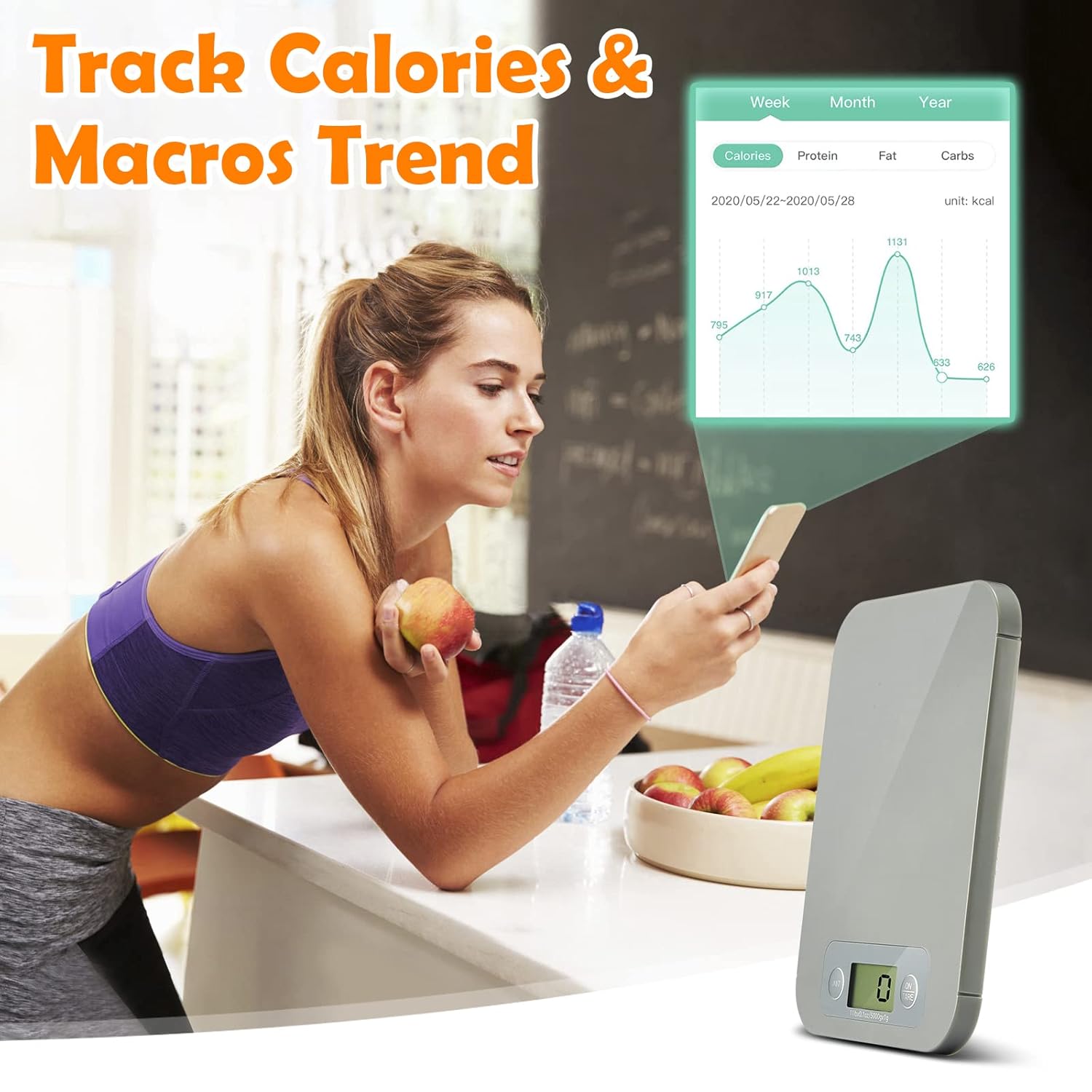
Obraz: Kobieta viewing calorie and macro trend charts on her smartphone, with the URAMAZ Smart Food Scale visible in the foreground.
3.5. Customizable Auto-Off
The scale features an automatic shut-off function to conserve battery life. The default is 2 minutes, but this can be customized via the Foodiet app to 2, 3.5, 5 lub 30 minut to prevent unwanted shutdowns during longer food preparation sessions.
4. Konserwacja
4.1. Czyszczenie
To clean your URAMAZ Smart Food Scale:
- Przetrzyj powierzchnię wagi miękką,amp płótno.
- Nie zanurzaj wagi w wodzie i nie używaj środków czyszczących o właściwościach ściernych.
- Przed przechowywaniem upewnij się, że waga jest sucha.
4.2. Wymiana baterii
When the display indicates low battery, replace the 2 CR2032 batteries as described in Section 2.1.
5. Rozwiązywanie Problemów
If you encounter issues with your URAMAZ Smart Food Scale, consider the following:
- Waga się nie włącza: Sprawdź, czy baterie są prawidłowo zainstalowane i wystarczająco naładowane. W razie potrzeby wymień je.
- Niedokładne odczyty: Ensure the scale is placed on a flat, stable surface. Avoid placing it near strong electromagnetic fields. Recalibrate if the option is available in the app or manual.
- Problemy z łącznością aplikacji: Ensure Bluetooth is enabled on your device and the scale is within range. Restart both the app and the scale.
- Problemy z wyświetlaniem (np. pusty ekran, migotanie): This could indicate low battery or a connection issue. Try replacing batteries.
6. Specyfikacje
- Numer modelu: CK10E
- Marka: URAMAZ
- Wymiary produktu: 7.9 x 5.94 x 0.43 cala
- Waga przedmiotu: 7.06 uncji
- Limit wagowy: 11 funta (5 kg)
- Dokładność: 3g / 0.1 uncji
- Baterie: 2 CR2032 (w zestawie)
- Typ wyświetlacza: LCD
- Cechy szczególne: Auto Shut Off, Bluetooth Connectivity, Macro Counting, Nutritional Analysis APP, Smart Foodiet App, Connect to Fitbit
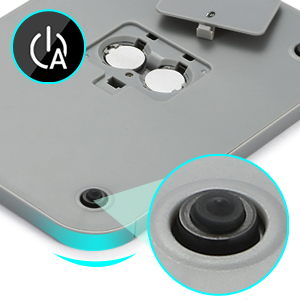
Image: The scale displaying its minimum (0.1 oz) and maximum (11 lb) weight capacities.
7. Oficjalny film o produkcie
Video: A demonstration of the URAMAZ Smart Food Scale, highlighting its ease of use for calculating calories and macros intake with the accompanying app.
8. Gwarancja i wsparcie
For product support, warranty information, or any inquiries, please contact URAMAZ customer service through their official channels or the retailer where the product was purchased.