
1. Wprowadzenie
This manual provides detailed instructions for the installation, operation, and maintenance of your DIHOOM BC13 3MP WiFi Outdoor Security Camera. This camera is designed to provide reliable surveillance with features such as 3-megapixel resolution, full-color night vision, AI-powered human and face detection, two-way audio, and IP65 weather resistance. Please read this manual thoroughly before using the product to ensure proper setup and functionality.
2. Zawartość opakowania
Sprawdź, czy w przesyłce znajdują się wszystkie elementy wymienione poniżej:
- 1 x DIHOOM BC13 3MP WiFi Outdoor Security Camera (with 10400 mAh battery)
- 1 x Instrukcja obsługi
- 1 x Mounting Bracket with Screw Set
- Kabel ładujący 1 x USB Type-C
- 1 x Karta gwarancyjna
3. Koniec produktuview
Familiarize yourself with the camera's components.

The DIHOOM BC13 camera features a cylindrical design with dual antennas for enhanced Wi-Fi connectivity. It is designed for outdoor installation.
- Obiektyw aparatu: Przechwytuje wideo footage.
- Reflektory: Zapewniają oświetlenie umożliwiające widzenie nocne w kolorze i pełnią funkcję odstraszającą.
- Diody podczerwieni: Enable black and white night vision.
- Mikrofon: Nagrywa dźwięk w celu umożliwienia dwukierunkowej komunikacji i nagrywania.
- Głośnik: Wyjście audio umożliwiające dwukierunkową komunikację i alarmy.
- Dual 5dBi Antennas: Enhance Wi-Fi signal reception for stable connectivity.
- Podstawa montażowa: Do bezpiecznego montażu na ścianach i sufitach.
- Port USB typu C: Do ładowania wewnętrznego akumulatora.
- Gniazdo kart Micro SD: Do lokalnego przechowywania plików wideo (obsługuje do 128 GB).
- Przycisk resetowania: Służy do przywracania ustawień fabrycznych aparatu.
4. Konfiguracja
4.1 Pobieranie aplikacji i rejestracja konta
- Download the "Eseecloud" app from your smartphone's app store (iOS App Store or Google Play Store).
- Otwórz aplikację i postępuj zgodnie z instrukcjami wyświetlanymi na ekranie, aby zarejestrować nowe konto.
- Zaloguj się na nowo utworzone konto.
4.2 Initial Camera Pairing (Wi-Fi Connection)
- Ensure the camera is fully charged using the provided USB Type-C cable.
- Włącz kamerę.
- In the Eseecloud app, tap the "+" icon to add a new device.
- Select the appropriate camera type (e.g., "Wireless Camera" or scan the QR code on the camera).
- Follow the app's instructions to connect the camera to your 2.4GHz Wi-Fi network. Ensure your Wi-Fi password is correct.
- Po połączeniu możesz nadać kamerze nazwę i rozpocząć transmisję na żywo viewing.
4.3 Instrukcje montażu

Featuring a 120-degree wide-angle lens, the camera provides broad coverage. The dual 5dBi antennas ensure a stable and extended Wi-Fi connection.
- Choose a suitable outdoor location for mounting, ensuring good Wi-Fi signal strength and a clear view obszaru, który chcesz monitorować.
- Use the mounting bracket as a template to mark the drill holes on the wall or ceiling.
- Wywierć otwory i włóż w nie załączone kołki rozporowe.
- Przymocuj uchwyt montażowy do ściany za pomocą śrub.
- Zamontuj kamerę w uchwycie montażowym i dostosuj jej kąt, aby uzyskać optymalne pokrycie.
- Ensure the camera is positioned to avoid direct sunlight or strong light sources that could affect image quality.
5. Instrukcja obsługi
5.1 Na żywo View
Open the Eseecloud app on your smartphone. Tap on the camera's name to access the live video feed. You can switch between Standard Definition (SD) and High Definition (HD) for optimal viewing based on your network conditions.
5.2 Dźwięk dwukierunkowy

The integrated microphone and speaker enable two-way audio communication, allowing you to speak with visitors or deter intruders directly through the Eseecloud app.
Na żywo view, tap the microphone icon in the app to activate two-way audio. Speak into your phone to communicate with anyone near the camera. Tap the icon again to end the conversation.
5.3 Motion Detection & AI Features

The camera's AI features can distinguish between general motion, human figures, and faces, sending specific alerts to your smartphone via the Eseecloud app. This helps reduce false alarms.
The camera is equipped with advanced AI algorithms that can differentiate between general motion, human shapes, and faces. This significantly reduces false alarms caused by pets, insects, or swaying branches. When motion, a person, or a face is detected, the camera will automatically record a video clip and send a push notification to your smartphone via the Eseecloud app. You can customize detection sensitivity and alert types within the app settings.
5.4 Tryby widzenia nocnego
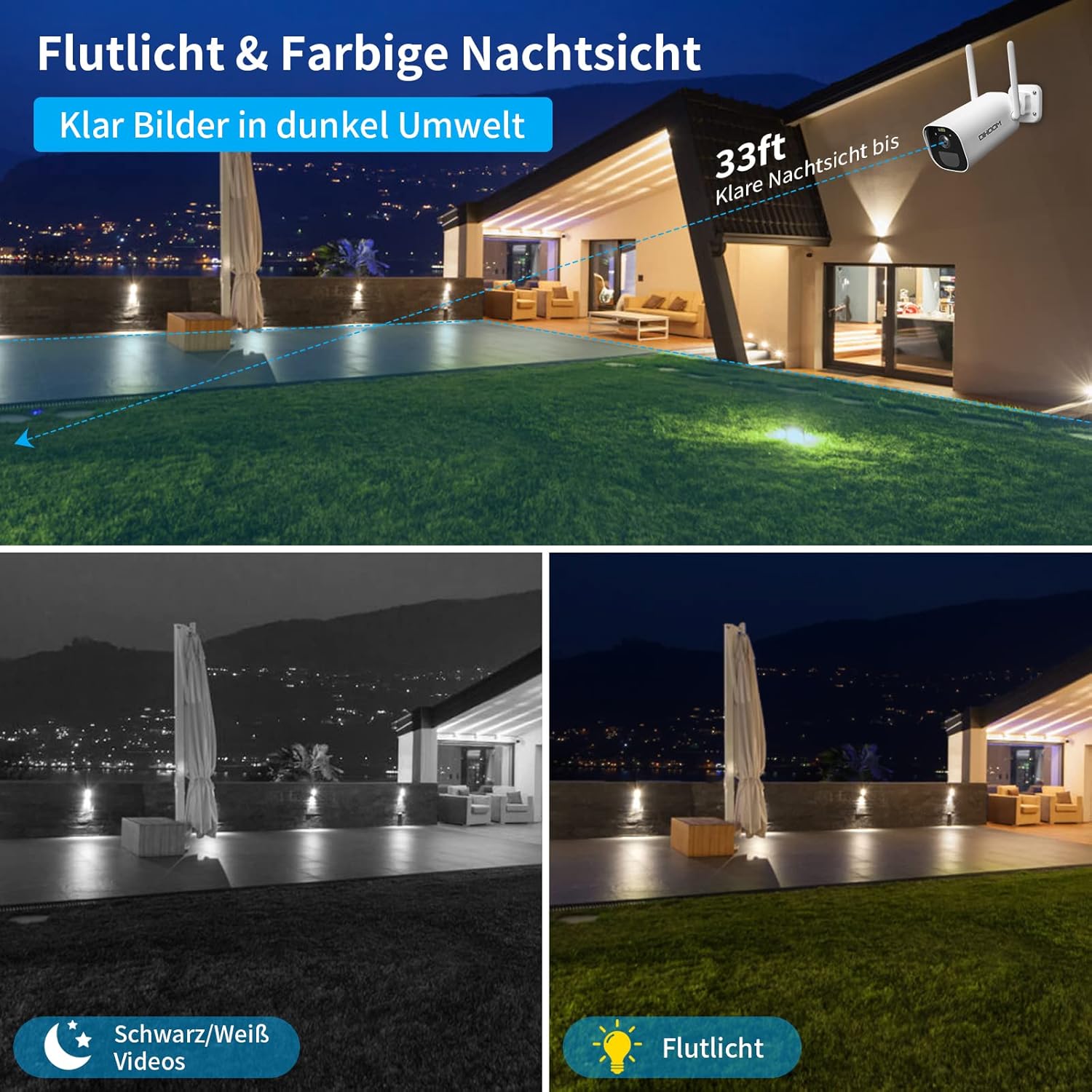
This image illustrates the camera's night vision capabilities, showing both standard black and white infrared mode and the enhanced full-color night vision activated by the integrated spotlight.
Kamera oferuje dwa tryby widzenia nocnego:
- Widzenie nocne w podczerwieni (IR): Zapewnia wyraźny czarno-biały obraz wideotage in complete darkness, with a range of up to 25 meters.
- Pełnokolorowa wizja nocna: When motion is detected, the integrated spotlights activate, providing full-color video even in low-light conditions. This mode can also act as a visual deterrent.
You can configure the night vision mode preferences within the Eseecloud app.
5.5 Nagrywanie i przechowywanie
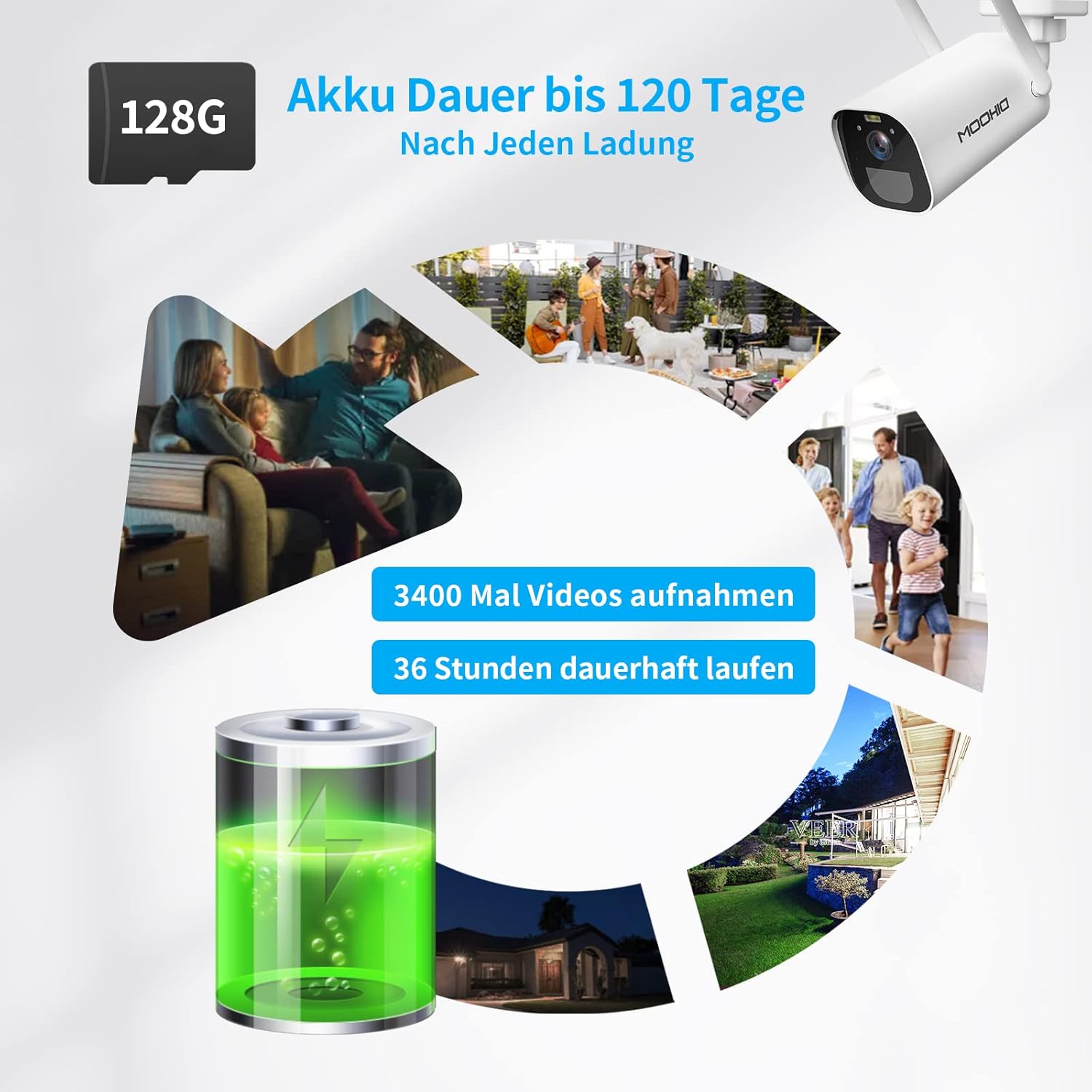
The camera is equipped with a 10400 mAh rechargeable battery, providing extended operation. It supports local storage via a Micro SD card up to 128GB for recording events.
The camera supports two storage options for recorded video clips:
- Karta micro sd: Insert a Micro SD card (up to 128GB, not included) into the designated slot on the camera. The camera will automatically record motion-triggered events to the card.
- Przechowywanie w chmurze: The camera supports AWS Cloud storage services. Refer to the Eseecloud app for subscription details and activation.
Recorded videos can be reviewed and downloaded directly from the Eseecloud app.
5.6 Zarządzanie baterią
The DIHOOM BC13 camera is powered by a 10400 mAh rechargeable lithium-ion battery. A full charge can provide up to 120 days of standby time or approximately 3400 motion-triggered recordings. For continuous operation, especially in areas with frequent activity, consider connecting a compatible solar panel (sold separately). Note that solar panel efficiency may be reduced in winter conditions.
To charge the camera, connect the provided USB Type-C cable to the camera's charging port and a standard 5V/2A USB power adapter (not included).
6. Konserwacja
- Czyszczenie: Gently wipe the camera lens and body with a soft, dry cloth to remove dust and dirt. Avoid using harsh chemicals or abrasive materials.
- Pielęgnacja baterii: For optimal battery life, avoid fully discharging the battery frequently. Charge the camera regularly, especially if it's not connected to a solar panel.
- Aktualizacje oprogramowania układowego: Periodically check the Eseecloud app for available firmware updates to ensure your camera has the latest features and security enhancements.
7. Rozwiązywanie Problemów
- Kamera nie łączy się z siecią Wi-Fi:
- Upewnij się, że Twoja sieć Wi-Fi obsługuje częstotliwość 2.4 GHz. Kamera nie obsługuje Wi-Fi 5 GHz.
- Sprawdź, czy hasło Wi-Fi jest poprawne.
- Place the camera closer to your Wi-Fi router during initial setup.
- Zresetuj kamerę za pomocą przycisku resetowania i spróbuj sparować ponownie.
- Częste fałszywe alarmy:
- Adjust the motion detection sensitivity in the Eseecloud app.
- Ensure AI human/face detection is enabled to filter out non-human movements.
- Avoid pointing the camera at areas with constant movement (e.g., busy roads, swaying trees).
- Słaba jakość widzenia nocnego:
- Upewnij się, że obiektyw aparatu jest czysty i nie ma w nim żadnych przeszkód.
- Check if the IR LEDs or spotlights are blocked.
- Verify that the night vision mode is set correctly in the app.
- Bateria nie ładuje się:
- Ensure the USB Type-C cable is securely connected to both the camera and the power adapter.
- Try a different USB power adapter (5V/2A recommended).
- Sprawdź, czy port ładowania jest czysty i wolny od zanieczyszczeń.
- Brak dźwięku lub słaba jakość dźwięku:
- Upewnij się, że mikrofon i głośnik nie są zablokowane.
- Check the audio settings in the Eseecloud app.
- Sprawdź, czy głośność Twojego smartfona jest odpowiednio ustawiona.
8. Specyfikacje
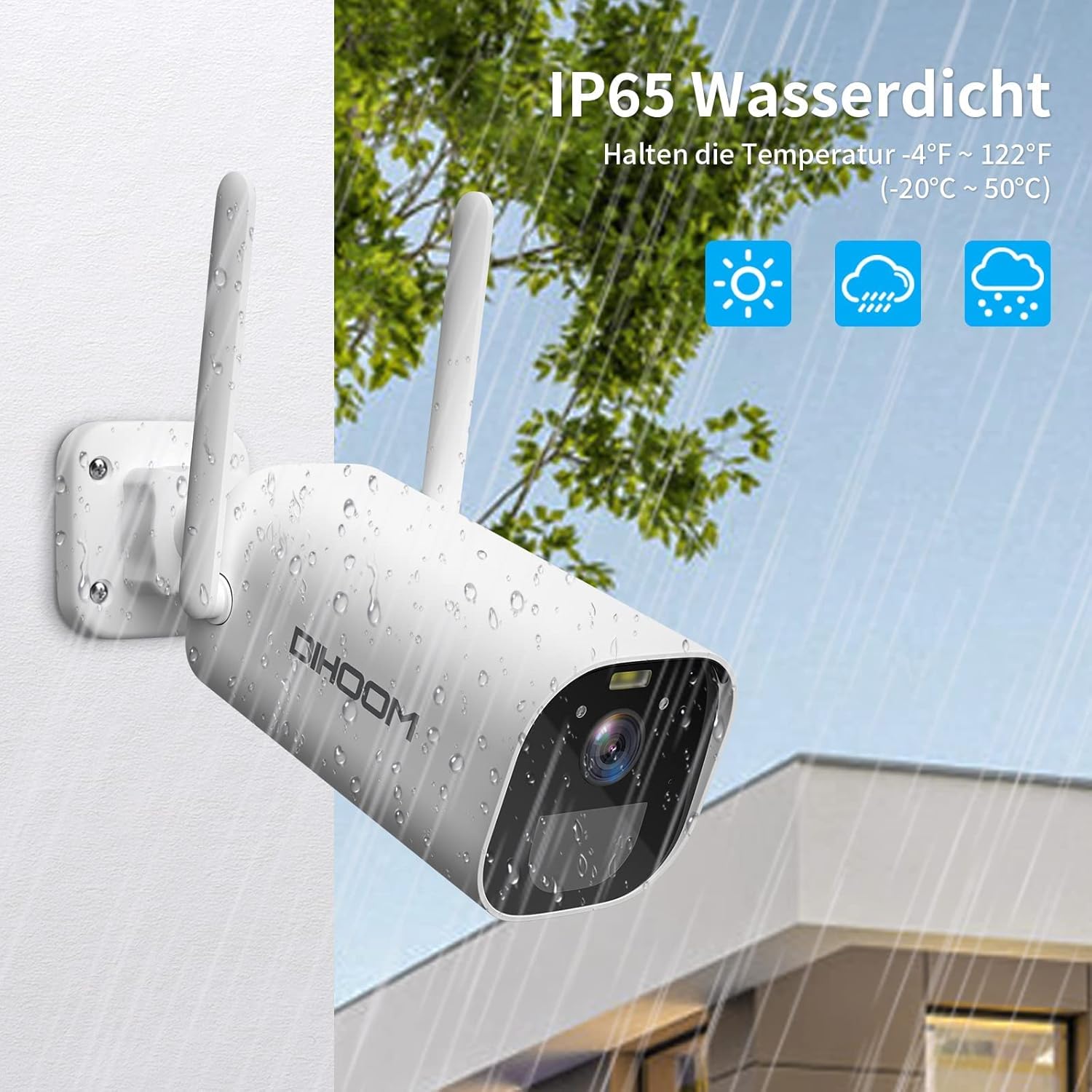
The camera boasts an IP65 weather-resistant rating, ensuring reliable operation in various outdoor conditions, including rain and extreme temperatures ranging from -10°C to 50°C.
| Funkcja | Specyfikacja |
|---|---|
| Numer modelu | BC13 |
| Rozdzielczość wideo | 3 MP (2304x1296) |
| Szybkość klatek | 1080P/30FPS, 1296P/25fps |
| Viewing kąt | 120 stopni |
| Łączność bezprzewodowa | Wi-Fi (tylko 2.4 GHz) |
| Anteny | Dual 5dBi |
| Wizja nocna | Infrared (B&W) & Full-Color (with spotlight) |
| Wykrywanie ruchu | PIR, AI Human/Face Detection |
| Audio | Dwukierunkowa transmisja dźwięku (wbudowany mikrofon i głośnik) |
| Opcje przechowywania | Micro SD Card (up to 128GB), AWS Cloud Storage |
| Pojemność baterii | 10400 mAh Li-ion |
| Moc wejściowa | USB Type-C (5V/2A recommended) |
| Odporność na warunki atmosferyczne | IP65 |
| Temperatura pracy | -10°C do 50°C (14°F do 122°F) |
| Tworzywo | Tworzywo ABS |
| Wymiary (dł. x szer. x wys.) | Wymiary 19 x 7 x 7 cm |
| Waga | 820 gramów |
9. Gwarancja i wsparcie
9.1 Informacje o gwarancji
Your DIHOOM BC13 camera comes with a limited warranty. Please refer to the included warranty card in your package for specific terms, conditions, and duration of the warranty coverage.
9.2 Wsparcie techniczne
For technical assistance, troubleshooting, or any questions regarding your DIHOOM BC13 camera, please refer to the support section within the Eseecloud app. You may also find contact information for customer support on the warranty card or the official DIHOOM webstrona.