
Blink Blink Outdoor (3rd Gen) + Solar Panel Charging Mount
Blink Outdoor (3rd Gen) + Solar Panel Charging Mount User Manual
Model: Blink Outdoor (3rd Gen) + Solar Panel Charging Mount
Brand: Blink
1. Koniec produktuview
The Blink Outdoor (3rd Gen) + Solar Panel Charging Mount system provides a wire-free, high-definition smart security solution powered by solar energy. This system offers day and infrared night vision, two-way audio communication, and customizable motion detection alerts, ensuring continuous operation with sustainable power from the sun.

Image 1.1: The Blink Outdoor (3rd Gen) + Solar Panel Charging Mount 3-camera system, including the Sync Module 2.
2. Zawartość opakowania
Sprawdź, czy w pakiecie znajdują się wszystkie komponenty:
- Three (3) Blink Outdoor (3rd Gen) Cameras
- Three (3) Solar Panel Charging Mounts
- One (1) Blink Sync Module 2
- Three (3) Mounting Kits (for solar panel mounts)
- Required AA Lithium Batteries (pre-installed or included)
3. Przewodnik konfiguracji
Follow these steps to set up your Blink Outdoor security camera system:
- Pobierz aplikację Blink Home Monitor: Szukaj "Blink Home Monitor" in your device's app store and install it.
- Utwórz konto: Open the app and follow the on-screen instructions to create a new Blink account or log in if you already have one.
- Set Up Sync Module 2: Plug in the Sync Module 2 and connect it to your home Wi-Fi network using the in-app instructions. The Sync Module acts as the central hub for your cameras.
- Dodaj kamery: In the app, add each Blink Outdoor camera to your system. The app will guide you through the process of syncing the cameras with the Sync Module.
- Attach Solar Panel Charging Mount: Securely attach each Blink Outdoor camera to its respective Solar Panel Charging Mount. Ensure the connection is firm.
- Montaż kamer: Choose an outdoor location for each camera that receives direct sunlight for most of the day to ensure optimal solar charging. Use the included mounting kits to securely install the solar panel mount. The solar panel can be pivoted or detached up to two feet from the camera for flexible placement.

Image 3.1: A Blink Outdoor camera with its solar panel charging mount installed on an exterior wall, demonstrating typical placement.

Image 3.2: A Blink Outdoor camera with its solar panel charging mount positioned on the corner of a building for wider coverage.
4. Obsługa systemu
Once set up, you can manage and monitor your Blink system through the Blink Home Monitor app:
- Na żywo View: Access real-time video from your cameras at any time. This feature allows you to see what is happening around your property instantly.
- Dwukierunkowy dźwięk: Speak and listen to visitors through the camera's built-in microphone and speaker. This is useful for communicating with delivery personnel or deterring unwanted guests.
- Detekcja ruchu: Receive alerts on your phone when motion is detected. You can customize motion zones within the app to focus on specific areas and reduce unnecessary notifications.
- Przechowywanie wideo: Choose to save and share video clips in the cloud with a Blink Subscription Plan (a free 30-day trial is typically included) or locally with a Sync Module 2 and a compatible USB drive (sold separately).
- Integracja z Alexą: The system works with Alexa-enabled devices. Use voice commands to monitor your home, view live feeds on compatible screens, or arm/disarm your system.
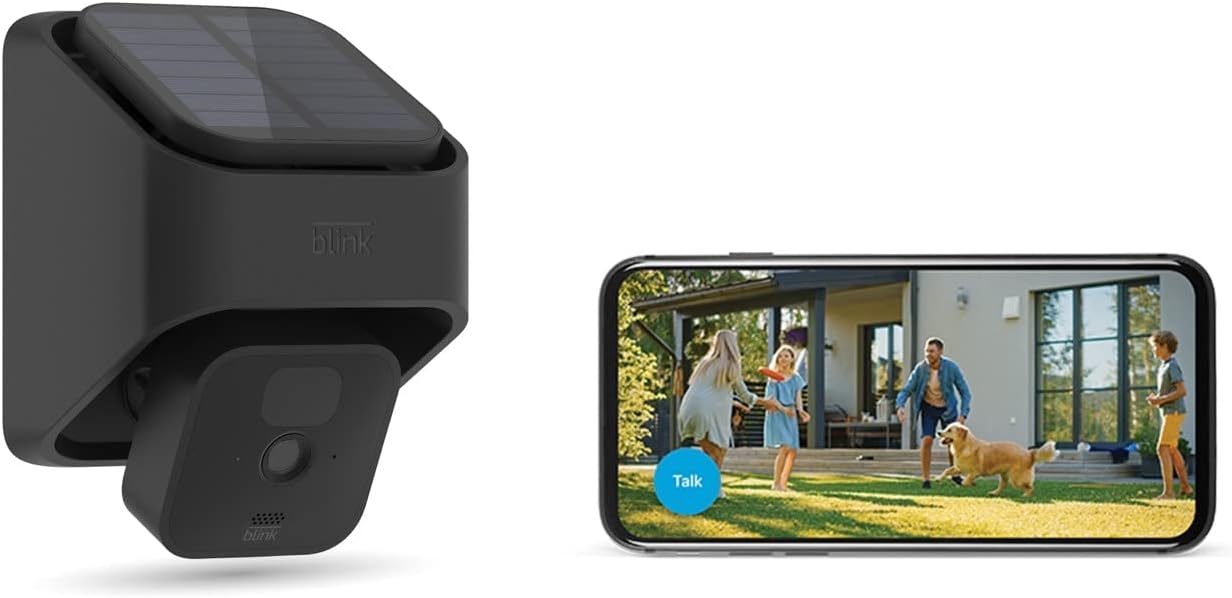
Image 4.1: A Blink Outdoor camera with solar mount alongside a smartphone showing the live view interface, demonstrating remote monitoring capabilities.
5. Konserwacja
Regular maintenance ensures optimal performance and longevity of your Blink system:
- Czyste panele słoneczne: Periodically wipe the surface of the solar panels with a soft, damp ściereczką, aby usunąć kurz, brud i zanieczyszczenia, które mogą blokować światło słoneczne i zmniejszać wydajność ładowania.
- Wyczyść obiektyw aparatu: Gently clean the camera lens with a microfiber cloth to ensure clear video quality. Avoid abrasive materials that could scratch the lens.
- Sprawdzenie baterii: While the solar panel provides primary power, the cameras use AA lithium batteries as a backup. The app will notify you if battery levels are low. Replace batteries as needed with new, non-rechargeable AA lithium batteries.
- Aktualizacje oprogramowania układowego: Ensure your Blink app and camera firmware are up to date. Updates often include performance improvements and new features. The app will typically prompt you for available updates.
6. Rozwiązywanie Problemów
If you encounter issues with your Blink Outdoor system, consider the following common solutions:
- Nie na żywo View/Offline Camera:
- Check your Wi-Fi connection. Ensure the Sync Module 2 is connected to the internet.
- Verify the camera's distance from the Sync Module and Wi-Fi router. Reduce interference from other electronic devices.
- Check camera battery levels in the app.
- Słaba jakość wideo:
- Wyczyść obiektyw aparatu.
- Ensure adequate lighting for day vision or proper infrared illumination for night vision.
- Sprawdź siłę sygnału Wi-Fi docierającego do kamery.
- Panel słoneczny nie ładuje się:
- Upewnij się, że panel słoneczny jest wystawiony na bezpośrednie działanie promieni słonecznych przez kilka godzin dziennie.
- Wyczyść powierzchnię panelu słonecznego.
- Verify the connection between the camera and the solar panel mount.
- Problemy z wykrywaniem ruchu:
- Zmień ustawienia czułości ruchu w aplikacji.
- Review and adjust motion zones to exclude areas with frequent false triggers (e.g., moving trees).
- Upewnij się, że kamera view nie jest zablokowana.
For further assistance, refer to the Blink Home Monitor app's help section or visit the official Blink support webstrona.
7. Specyfikacje
- Model aparatu:
- Blink Outdoor (3rd Gen)
- Źródło zasilania:
- Solar Panel Charging Mount (primary), 2 AA 1.5V Lithium Batteries (backup)
- Rozdzielczość wideo:
- HD (1080p day, infrared night vision)
- Audio:
- Dwukierunkowy dźwięk
- Łączność:
- Wi-Fi (2.4 GHz)
- Opcje przechowywania:
- Cloud storage (Blink Subscription Plan), Local storage (via Sync Module 2 with USB drive, sold separately)
- Temperatura pracy:
- Refer to product packaging or official Blink specifications for exact range.
8. Gwarancja i wsparcie
For detailed information regarding product warranty, technical support, and frequently asked questions, please visit the official Blink webWarunki gwarancji mogą się różnić w zależności od regionu i daty zakupu.
Official Blink Webstrona: www.blinkforhome.com
Ask a question about this manual
Ask about setup, troubleshooting, compatibility, parts, safety, or missing instructions. Manuals+ will review the question and use this page’s manual context to help answer it.