
1. Wprowadzenie
Thank you for choosing the zhiroad A15 Dual Dash Cam. This manual provides detailed instructions for the installation, operation, and maintenance of your new dash camera system. Designed to capture high-definition video footage from both the front and rear of your vehicle, this device offers enhanced security and peace of mind on the road. Please read this manual thoroughly before use to ensure proper functionality and to maximize your experience.
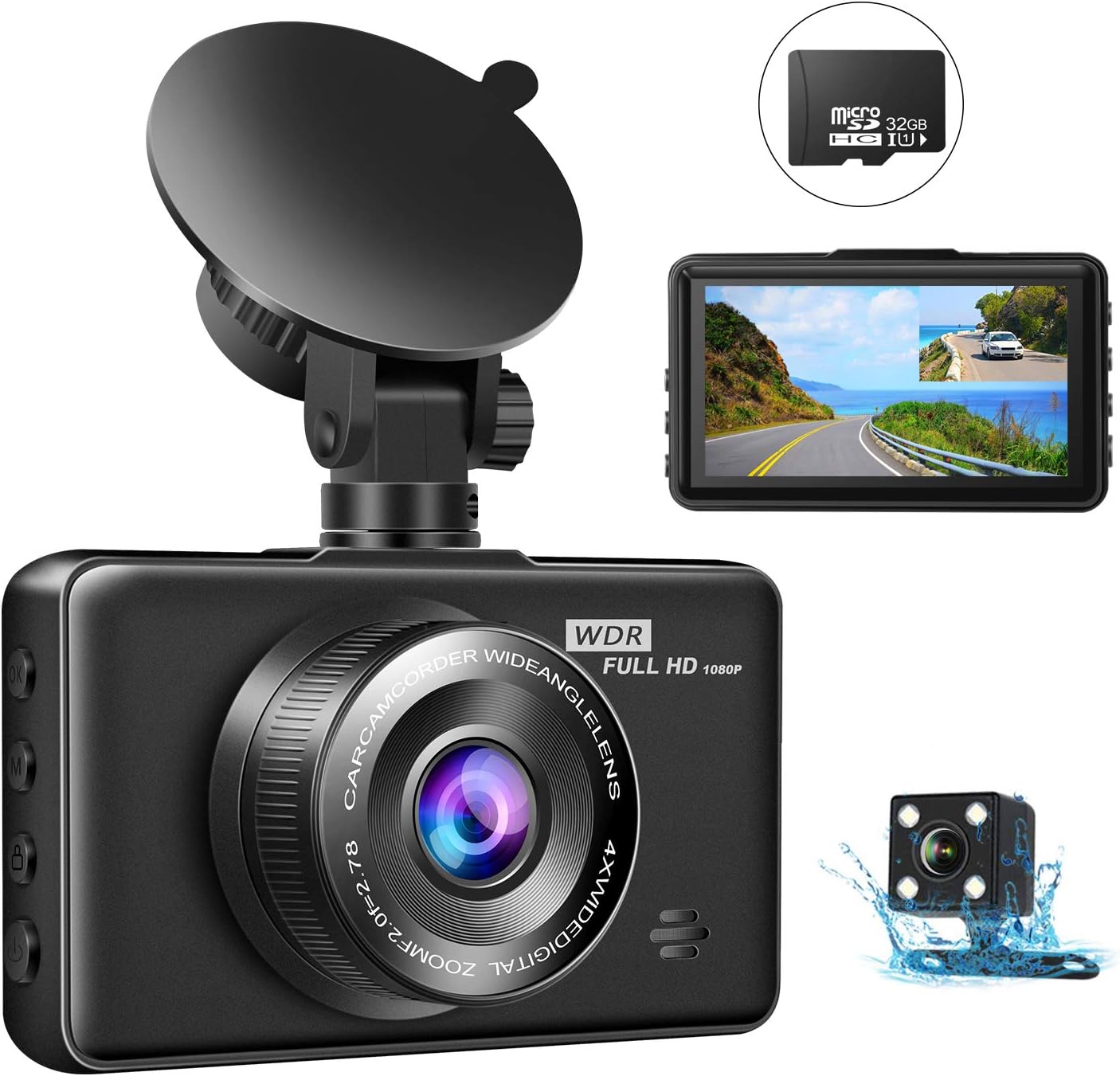
Obraz: Ponadview of the zhiroad A15 Dual Dash Cam system, including the main unit, rear camera, and included 32GB SD card.
2. Zawartość opakowania
Please check the package contents carefully upon unboxing. If any items are missing or damaged, please contact customer support.
- zhiroad A15 Front Dash Cam
- Kamera tylna
- Karta Micro SD 32 GB
- Ładowarka samochodowa
- Kabel USB
- Mocowanie przyssawki
- Kabel kamery tylnej
- Instrukcja obsługi

Image: All components included in the zhiroad A15 Dash Cam package.
3. Funkcje produktu
The zhiroad A15 Dash Cam is equipped with a range of features to provide comprehensive vehicle surveillance:
- 1080P Full HD Recording: Captures clear, high-definition video footage from the front camera.
- System podwójnego aparatu: Records simultaneously from both front (170° wide angle) and rear (120° wide angle) cameras, eliminating blind spots.
- Super noktowizor: Advanced sensor and 6 IR LEDs on the rear camera ensure clear recording in low-light conditions.
- Całodobowy monitoring parkingu: Automatically starts recording when motion or collision is detected while the vehicle is parked.
- Nagrywanie w pętli: Nadpisuje najstarszy odblokowany plik footage gdy karta pamięci jest pełna, zapewniając ciągłe nagrywanie.
- Czujnik G (blokada awaryjna): Automatically detects sudden shakes or collisions and locks the current video file aby zapobiec jego nadpisaniu.
- 3-Inch LCD Display: Zapewnia wyraźny view for real-time monitoring, playback, and menu navigation.

Obraz: Wizualne przedstawienie najważniejszych cech.

Image: Demonstration of superior night vision.
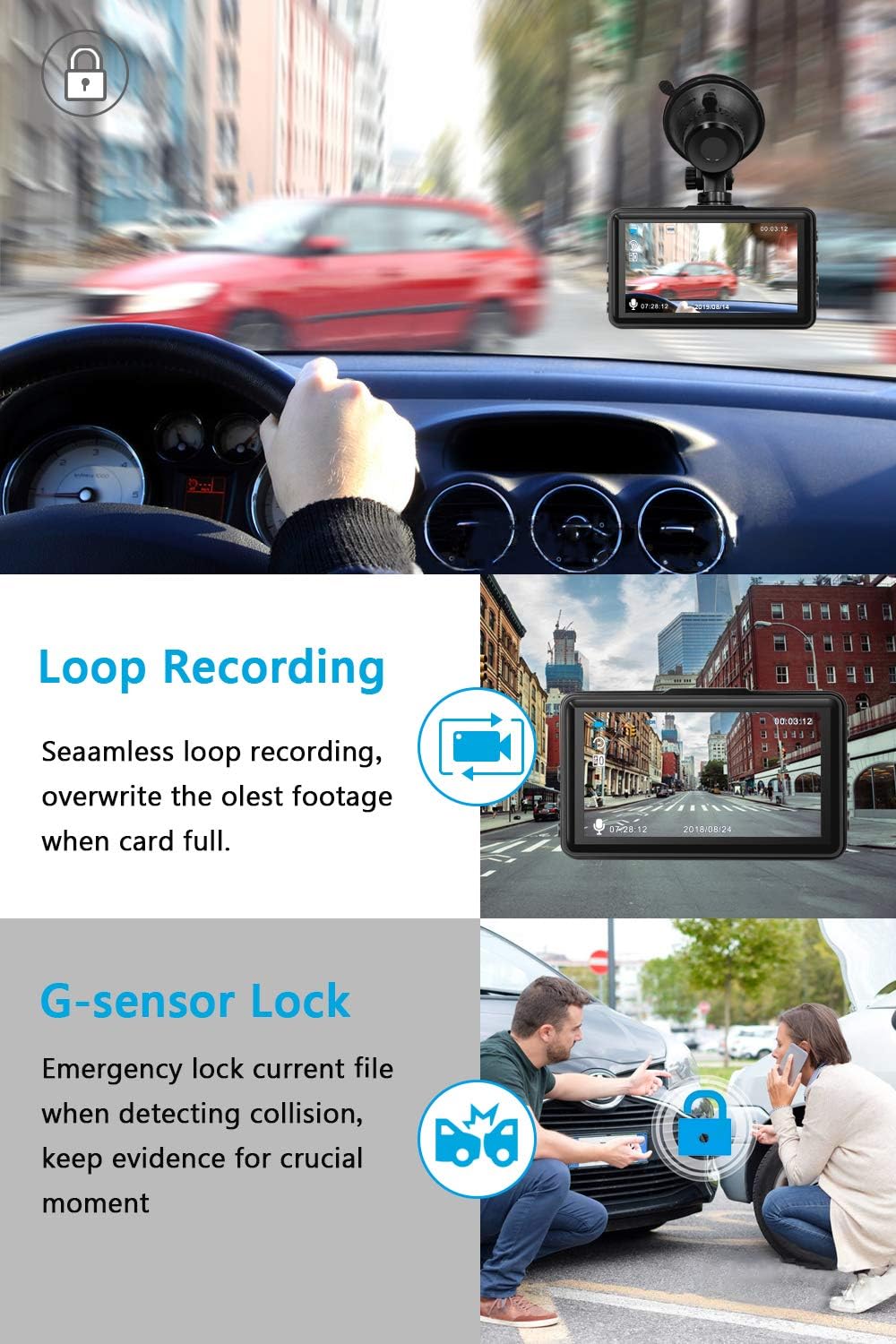
Image: Loop Recording and G-Sensor in action.

Image: Parking Mode monitoring.
4. Konfiguracja i instalacja
Follow these steps to properly install your zhiroad A15 Dual Dash Cam:
4.1. Włóż kartę Micro SD
- Sprawdź, czy kamera samochodowa jest wyłączona.
- Znajdź gniazdo karty Micro SD z boku kamery samochodowej.
- Insert the provided 32GB Micro SD card into the slot until it clicks into place. Ensure the card is inserted in the correct orientation.
- Notatka: For optimal performance, format the SD card within the dash cam's settings before first use and periodically thereafter.

Image: Correct insertion of the Micro SD card.
4.2. Mount the Front Dash Cam
- Wyczyść obszar na przedniej szybie samochodu, w którym zamierzasz zamontować kamerę samochodową.
- Przymocuj uchwyt z przyssawką do kamery samochodowej.
- Mocno dociśnij przyssawkę do przedniej szyby, najlepiej w pobliżu tylnej.view mirror, and flip the lever to secure it.
- Adjust the angle of the front camera to ensure it captures the road ahead clearly, avoiding obstruction from the rearview mirror or sun visor.
4.3. Zainstaluj tylną kamerę
- Identify a suitable location for the rear camera, typically on the rear windshield or above the license plate (if external mounting is preferred and supported).
- Podłącz tylną kamerę do głównej kamery samochodowej za pomocą dołączonego kabla tylnej kamery.
- Route the cable neatly along the vehicle's interior trim to avoid interference with driving.
- Secure the rear camera using its adhesive or screws, ensuring it has a clear view z tyłu.
4.4. Podłączenie zasilania
- Podłącz ładowarkę samochodową do portu zasilania kamery samochodowej.
- Podłącz drugi koniec ładowarki samochodowej do gniazda zapalniczki w pojeździe.
- Route the power cable neatly to avoid obstructing your view lub zakłócania działania układu sterowania pojazdem.

Image: Easy setup and cable routing diagram.
5. Instrukcja obsługi
Familiarize yourself with the basic operations of your dash cam:
5.1. Włączanie/wyłączanie zasilania
- The dash cam will automatically power on and begin recording when connected to power and the vehicle ignition is turned on.
- It will automatically power off a few seconds after the vehicle ignition is turned off.
- To manually power on/off, press and hold the Power button.
5.2. Tryby nagrywania
- Nagrywanie normalne: Continuous recording when the vehicle is in motion. Videos are saved in segments (e.g., 1, 3, or 5 minutes) and loop recorded.
- Nagrywanie awaryjne (czujnik G): When a collision is detected, the current video segment is automatically locked and saved to a protected folder, preventing it from being overwritten by loop recording.
- Monitorowanie parkowania: When enabled, the dash cam will automatically start recording if it detects a vibration or motion while the vehicle is parked and the engine is off. This requires a continuous power supply (e.g., hardwire kit, not included).
5.3. Nawigacja po menu
- Naciśnij Menu przycisk umożliwiający dostęp do ustawień.
- Użyj W górę/w dół przyciski służące do poruszania się po opcjach.
- Naciśnij OK przycisk, aby potwierdzić wybór.
- Naciśnij Menu Naciśnij przycisk ponownie, aby wyjść z menu.
5.4. Odtwarzanie
- W trybie gotowości naciśnij Tryb przycisk, aby przejść do trybu odtwarzania.
- Użyj W górę/w dół buttons to select the desired video file.
- Naciśnij OK przycisk, aby rozpocząć odtwarzanie.
- Naciśnij Tryb Naciśnij przycisk ponownie, aby powrócić do trybu nagrywania.
6. Konserwacja
Właściwa konserwacja gwarantuje długowieczność i optymalną wydajność kamery samochodowej:
- Czyszczenie: Do czyszczenia obiektywu i ekranu aparatu używaj miękkiej, suchej ściereczki. Unikaj stosowania środków czyszczących o właściwościach ściernych i rozpuszczalników.
- Zarządzanie kartami SD: Periodically format the Micro SD card (at least once a month) to prevent data corruption and ensure smooth recording. Back up any important footage przed formatowaniem.
- Temperatura: Avoid exposing the dash cam to extreme temperatures (hot or cold) for extended periods, as this can affect battery life and component integrity.
- Aktualizacje oprogramowania układowego: Check the zhiroad official webokresowo odwiedzaj tę witrynę w celu sprawdzenia dostępności aktualizacji oprogramowania sprzętowego, które poprawią wydajność i dodadzą nowe funkcje.
7. Rozwiązywanie Problemów
Jeśli masz problemy z kamerą samochodową, zapoznaj się z poniższymi typowymi problemami i ich rozwiązaniami:
| Problem | Możliwa przyczyna | Rozwiązanie |
|---|---|---|
| Kamera samochodowa nie włącza się. | Brak zasilania, uszkodzona ładowarka samochodowa, luźne połączenie. | Check car charger connection and vehicle's cigarette lighter socket. Try a different power source. Ensure the car charger is working. |
| Rear camera not working / black screen. | Loose cable connection; faulty rear camera or cable. | Ensure the rear camera cable is securely connected to both the main unit and the rear camera. Inspect the cable for damage. If the issue persists, contact support. |
| Wideotage jest niewyraźne lub niejasne. | Soczewka brudna; na soczewce nadal folia ochronna; nieprawidłowa ostrość. | Clean the camera lens with a soft cloth. Remove any protective film. Ensure the camera is securely mounted and not vibrating. |
| SD card error / cannot format. | SD card is full, corrupted, or incompatible. | Format the SD card using the dash cam's menu. If formatting fails, try formatting on a computer. If the issue persists, try a new, high-quality Micro SD card (Class 10 or higher, up to 32GB). |
| Rejestrator samochodowy zawiesza się lub ulega awarii. | SD card issue; firmware issue; power instability. | Press the reset button (if available). Format the SD card. Ensure stable power supply. Check for firmware updates. |
8. Specyfikacje
Key technical specifications for the zhiroad A15 Dual Dash Cam:
- Marka: zhiroad
- Model: A15
- Rozmiar wyświetlacza: 3 Inches (LED)
- Rozdzielczość przechwytywania wideo: 1080p (przód)
- Front Camera Angle: 170° szeroki kąt
- Rear Camera Angle: 120° szeroki kąt
- Typ pamięci Flash: SD (Supports up to 32GB Micro SD Card)
- Cechy szczególne: Loop Recording, G-Sensor, Parking Monitoring, Night Vision
- Typ montażu: Przyssawka
- Typ złącza: USB
- Baterie w zestawie: Yes (Internal for G-Sensor/Parking Monitor)
- Wymiary przesyłki: 14.6 x 11.5 x 9.2 cm; 380 g
9. Gwarancja i wsparcie
zhiroad offers a comprehensive warranty and dedicated customer support for your product:
- Gwarancja: We offer a 3-year warranty with 100% satisfaction guarantee for this Car dash camera.
- Obsługa klienta: If you have any queries or require assistance with your zhiroad A15 Dash Cam, please contact our customer service team. We aim to reply within 24 hours and provide the best possible solution.
- For support, please refer to the contact information provided on the product packaging or the official zhiroad webstrona.