
1. Wprowadzenie
The ScanSnap iX1300 is a compact and efficient automatic document scanner designed for both home and office environments. It offers versatile scanning capabilities, including duplex scanning, Wi-Fi connectivity, and direct scanning to cloud services. This manual provides essential information for the proper setup, operation, maintenance, and troubleshooting of your ScanSnap iX1300 scanner.

Figure 1: ScanSnap iX1300 Scanner (Closed)
2. Konfiguracja
2.1 Rozpakowanie i wstępna kontrola
Carefully remove all components from the packaging. Verify that all items listed in the 'What's in the Box' section are present. Inspect the scanner for any visible damage. If any components are missing or damaged, contact customer support.
2.2 Instalacja oprogramowania
The ScanSnap iX1300 requires the ScanSnap Home software for full functionality. Insert the provided installation media or download the latest software from the official ScanSnap webwitrynę. Postępuj zgodnie z instrukcjami wyświetlanymi na ekranie, aby dokończyć instalację.
2.3 Podłączanie skanera
The iX1300 offers both USB 3.2 and Wi-Fi connectivity.
- Połączenie USB: Podłącz skaner do komputera za pomocą dołączonego kabla USB.
- Połączenie Wi-Fi: The scanner can connect to your wireless network (Access Point Connect Mode) or directly to a device (Direct Connect Mode). Refer to the ScanSnap Home software for detailed Wi-Fi setup instructions.

Figure 2: Wi-Fi Connectivity Options
2.4 Włączanie
Connect the AC adapter to the scanner and a power outlet. Press the power button to turn on the device. The scanner will be ready for use in a few seconds.
3. Obsługa skanera
3.1 Ładowanie dokumentów
The iX1300 supports two scanning paths: U-turn Scan for multi-page documents and Return Scan for thicker or single-sheet items.
- U-turn Scan: Open the document feeder cover. Load up to 20 pages into the Automatic Document Feeder (ADF). The scanner will feed and eject documents from the top. This mode is ideal for standard paper sizes from business cards to A4.

Figure 3: U-turn Scan Mode (ADF)
- Return Scan: For single sheets, folded documents, or items up to 2mm thick (e.g., postcards, plastic cards), insert the document into the front slot. The document will be scanned and returned from the same slot.
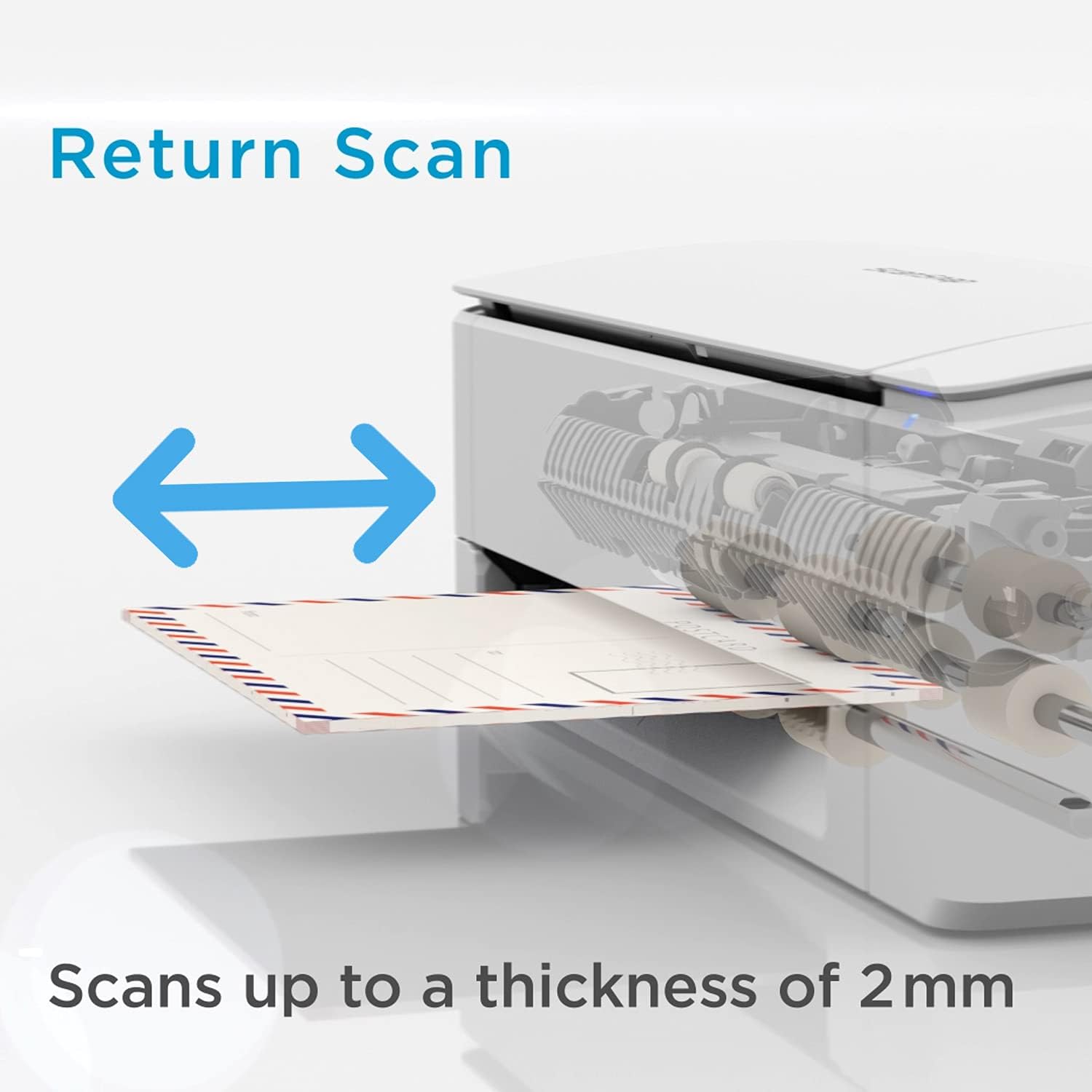
Figure 4: Return Scan Mode
3.2 Inicjowanie skanowania
Once documents are loaded, press the Scan button on the scanner or initiate a scan from the ScanSnap Home software. The scanner will automatically detect document size, color, and orientation, and perform duplex scanning.
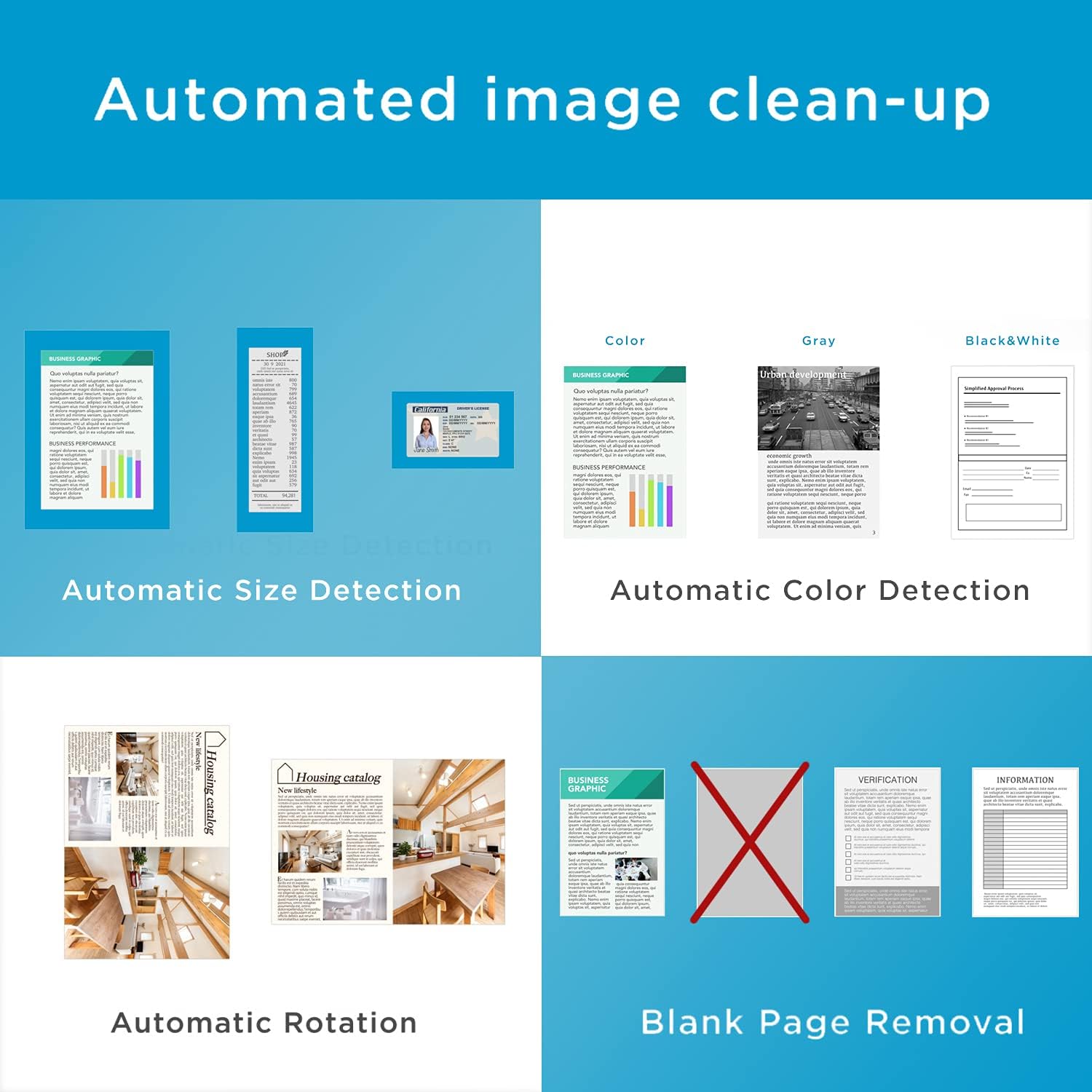
Figure 5: Automated Image Processing
3.3 Saving Scanned Documents
Scanned images can be saved in various formats, including PDF, searchable PDF, and JPEG. The ScanSnap Home software also allows conversion to editable Microsoft Word, Excel, and PowerPoint formats.

Figure 6: Supported Output Formats
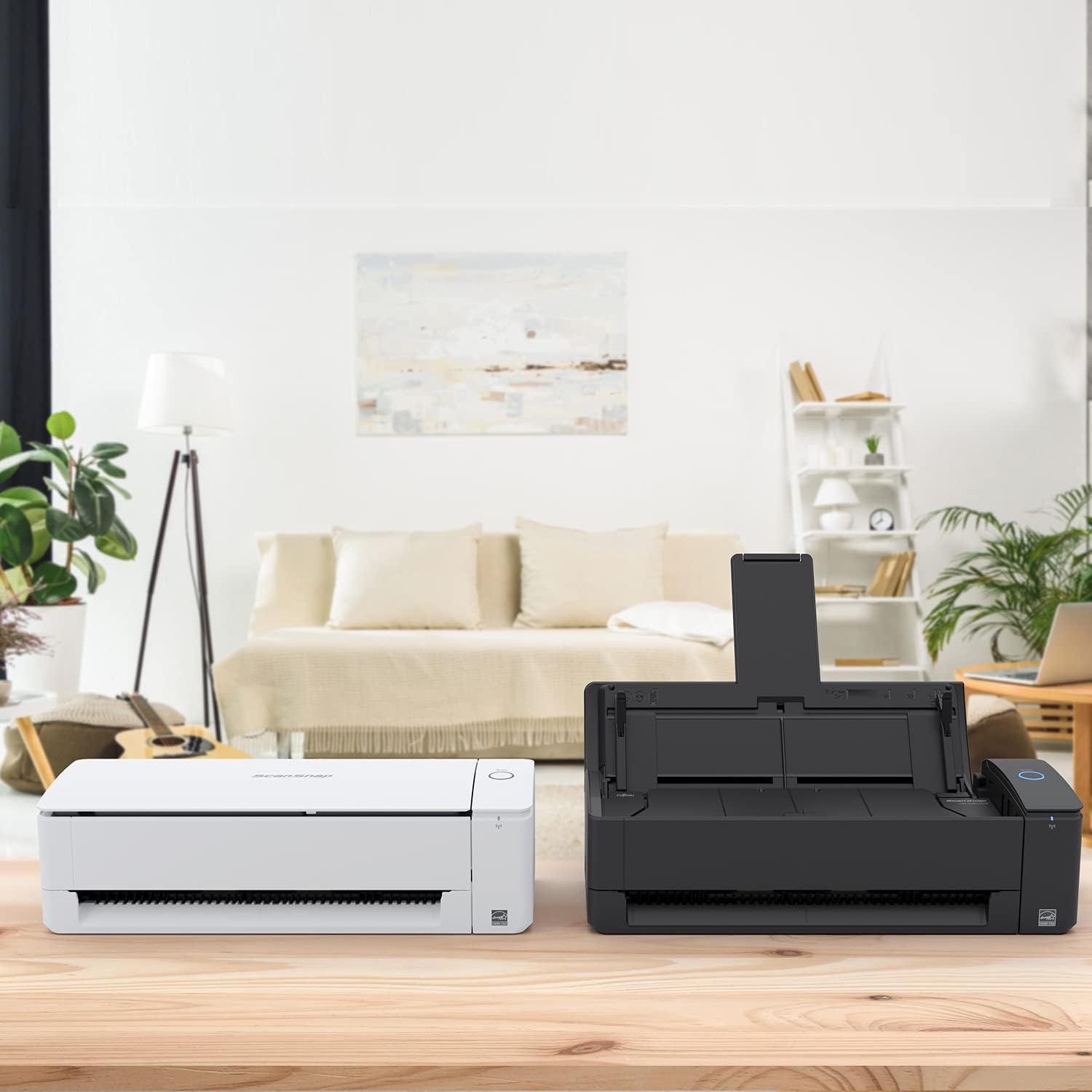
Figure 7: Scanner in Operation
4. Konserwacja
4.1 Czyszczenie skanera
Regular cleaning ensures optimal scanning performance. Use a soft, lint-free cloth to wipe the exterior of the scanner. For internal components like rollers and glass, refer to the ScanSnap Home software's maintenance section for detailed instructions and recommended cleaning kits.
4.2 Materiały eksploatacyjne
Over time, certain parts like rollers may wear out. The ScanSnap Home software can alert you when maintenance or replacement of consumables is recommended. Use only genuine ScanSnap replacement parts.
5. Rozwiązywanie Problemów
If you encounter issues with your ScanSnap iX1300, refer to the following common troubleshooting steps:
- Nie wykryto skanera: Ensure the USB cable is securely connected or that the Wi-Fi connection is active and stable. Restart the scanner and your computer.
- Zacięcia papieru: Open the document feeder cover and carefully remove any jammed paper. Ensure documents are loaded correctly and are free from staples or clips.
- Słaba jakość skanowania: Clean the scanner's rollers and glass surfaces. Ensure documents are flat and free from wrinkles. Adjust scan settings in ScanSnap Home if necessary.
- Problemy z oprogramowaniem: Ensure ScanSnap Home is updated to the latest version. Reinstall the software if problems persist.
For more detailed troubleshooting guides and solutions, visit the official ScanSnap support webstrona.
6. Specyfikacje
| Funkcja | Specyfikacja |
|---|---|
| Nazwa modelu | iX1300 |
| Typ skanera | Dokument, Wizytówka |
| Maksymalny rozmiar nośnika | A4 |
| Drukowanie dwustronne | Tak |
| Maksymalna pojemność arkuszy | 20 arkuszy (automatyczny podajnik dokumentów) |
| Scanning Speed (B&W/Color) | 30 stron na minutę |
| Maksymalna rozdzielczość | 600 punkty na cal |
| Technologia łączności | Wi-Fi, USB 3.2 |
| Wymiary (dł. x szer. x wys.) | Wymiary 29.5 x 15.2 x 16.2 cm |
| Waga | 2000 gram |
| Zawarte komponenty | 20-sheet Automatic Document Feeder, ScanSnap Home Software |
7. Gwarancja i wsparcie
7.1 Informacje o gwarancji
The ScanSnap iX1300 comes with a 3-year warranty. Please retain your proof of purchase for warranty claims. The warranty covers manufacturing defects and malfunctions under normal use. It does not cover damage caused by misuse, accidents, or unauthorized repairs.
7.2 Obsługa klienta
For technical assistance, warranty service, or general inquiries, please visit the official ScanSnap support website or contact your local ScanSnap service center. Up-to-date contact information and support resources can be found online.