
Wstęp
The Ozeri Pro Digital Kitchen Food Scale is engineered for precise measurement in culinary applications. This manual provides essential information for the proper setup, operation, and maintenance of your scale to ensure optimal performance and longevity.
Cechy produktu
- Precise Graduations: Measures with accuracy of 0.05 oz or 1 gram.
- Wide Capacity Range: Supports weights from 0.05 oz up to 12 lbs (1 gram to 5.4 kg).
- Przyjazny dla użytkownika interfejs: Features oversized buttons for easy operation.
- Duży ekran LCD: Provides clear weight readings in pounds (lbs), kilograms (kg), grams (g), and ounces (oz).
- Automatic Tare Function: Calculates net weight by subtracting the container's weight.
- Automatyczne wyłączanie: Conserves battery life with a 3-minute auto turn-off feature.
- Kompaktowa konstrukcja: Lekkie i łatwe do przechowywania.
Organizować coś
Instalacja baterii
The Ozeri Pro Digital Kitchen Food Scale requires two (2) AAA batteries for operation. These batteries are included with your purchase.
- Znajdź komorę baterii na spodzie wagi.
- Otwórz pokrywę komory baterii.
- Włóż dwie baterie AAA, zwracając uwagę na prawidłową biegunowość (+/-).
- Dokładnie zamknij pokrywę komory baterii.

Video: Demonstrating battery installation on the Ozeri Digital Kitchen Scale.
Notatka: For optimal performance, use fresh batteries. Remove batteries if the scale will not be used for an extended period.
Instrukcja obsługi
Włączanie/wyłączanie
- Naciśnij WŁ./WYŁ./TARA button to turn the scale on. The LCD will display '0.00' when ready.
- Aby wyłączyć, naciśnij i przytrzymaj WŁ./WYŁ./TARA button for a few seconds, or allow the automatic 3-minute shut-off feature to activate.
Zmiana jednostek miary
The scale can display measurements in grams (g), ounces (oz), pounds (lb), and kilograms (kg).
- Po włączeniu wagi naciśnij przycisk JEDNOSTKA przycisk, aby przełączać się między dostępnymi jednostkami.
- Select your desired unit (g, oz, lb, kg) before weighing.
Korzystanie z funkcji tarowania
The Tare function allows you to subtract the weight of a container or previous ingredients, ensuring you measure only the new item.
- Umieść pusty pojemnik na platformie wagowej. Wyświetlacz pokaże jego wagę.
- Naciśnij WŁ./WYŁ./TARA przycisk. Wyświetlacz zresetuje się do „0.00”.
- Dodaj składniki do pojemnika. Na wyświetlaczu będzie teraz wyświetlana tylko waga dodanych składników.
- Repeat the Tare function as needed for multiple ingredients.
Video: Demonstrating the unit and tare functions of the Ozeri Digital Kitchen Scale.
Wideo: Ponadview of the Ozeri Pro Digital Food Scale, highlighting its features and ease of use.
Ważenie przedmiotów
- Ensure the scale is on and displaying '0.00' in your desired unit.
- Carefully place the item(s) to be weighed onto the center of the weighing platform.
- Odczytaj wagę wyświetlaną na ekranie LCD.
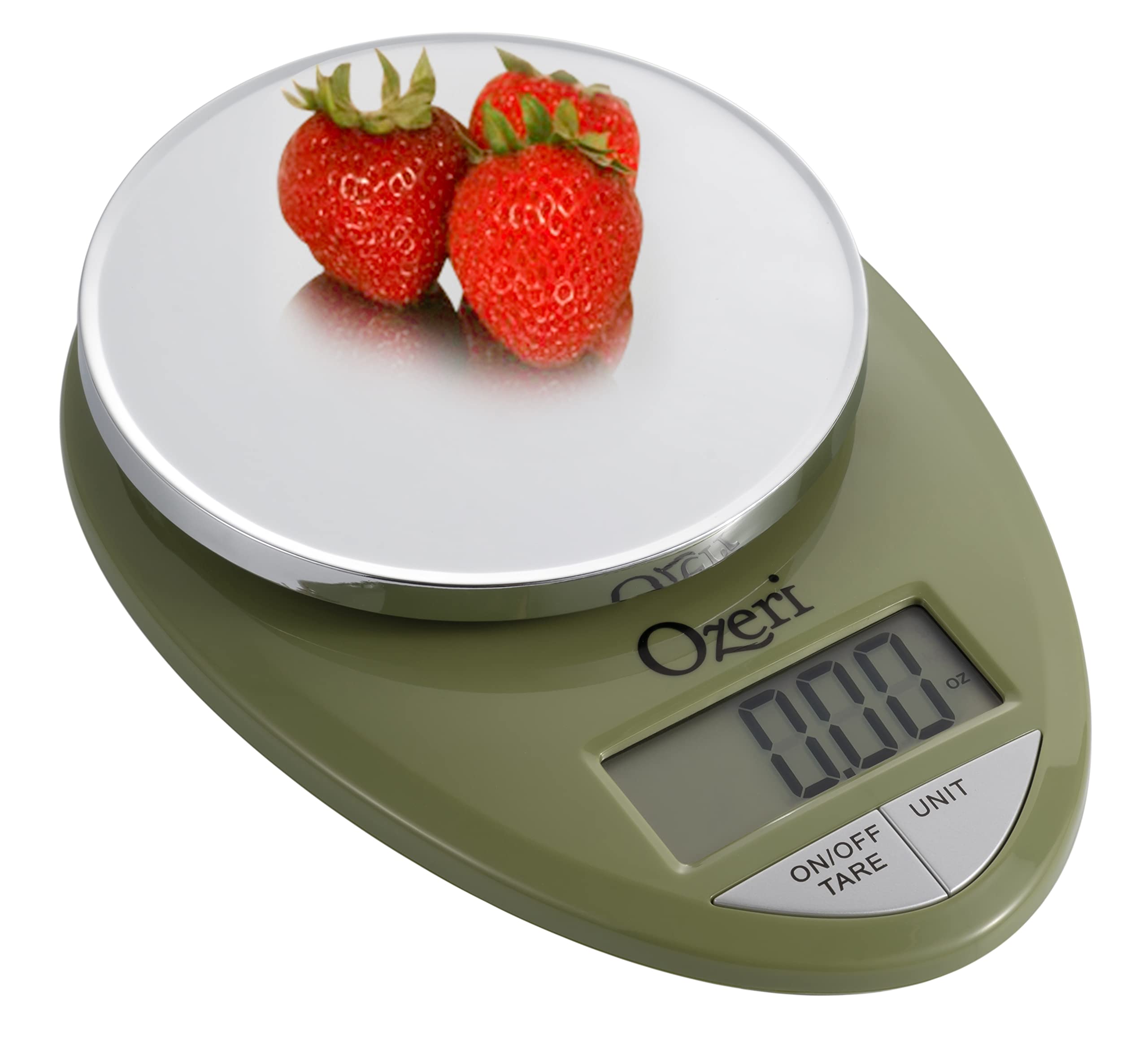
Image: The Ozeri Pro Digital Kitchen Food Scale displaying a weight with a small bowl of herbs on its platform.

Image: The Ozeri Pro Digital Kitchen Food Scale displaying a weight with a small ramekin of blueberries on its platform.
Konserwacja
Czyszczenie
- Wipe the scale surface clean with a damp cloth. Avoid abrasive cleaners or submerging the unit in water.
- Przed przechowywaniem lub następnym użyciem należy upewnić się, że waga jest sucha.
Składowanie
The compact design of the Ozeri Pro Digital Kitchen Food Scale allows for easy storage in a drawer or cabinet when not in use.

Obraz: strona A view of the Ozeri Pro Digital Kitchen Food Scale, demonstrating its slim profile dla wygodnego przechowywania.
Rozwiązywanie problemów
- Niedokładne odczyty: Ensure the scale is placed on a flat, stable surface. Avoid placing items that exceed the maximum weight capacity.
- Wyświetlacz się nie włącza: Sprawdź, czy baterie są prawidłowo zainstalowane i wystarczająco naładowane. W razie potrzeby wymień baterie.
- Wyświetl komunikaty o błędach: Refer to the full product manual (if available) or contact Ozeri customer support for specific error code interpretations.
Specyfikacje
| Funkcja | Szczegół |
|---|---|
| Marka | Ozeri |
| Numer modelu | ZK12-GN |
| Pojemność | 0.05 oz to 12 lbs (1 gram to 5.4 kg) |
| Podziałka | 0.05 oz or 1 gram |
| Typ wyświetlacza | LCD |
| Jednostki miary | grams, ounces, pounds, kilograms |
| Cechy specjalne | Automatic Tare, 3-minute Auto Shut-off, Large Display |
| Źródło zasilania | 2 baterie AAA (w zestawie) |
| Tworzywo | Poliwęglan |
| Wymiary produktu | 10 x 7 x 4 cala |
| Waga przedmiotu | 9.6 uncji |
Gwarancja i wsparcie
For information regarding product warranty, returns, or technical support, please refer to the official Ozeri website or contact their customer service directly. Details are typically provided in the packaging or on the manufacturer's official support pages.