
USHINING M2302
USHINING 2g Senior Mobile Phone User Manual
Model: M2302
1. Wprowadzenie
Thank you for choosing the USHINING 2g Senior Mobile Phone. This device is specifically designed with ease of use in mind, featuring large buttons, a clear display, and essential functions to provide reliable communication for seniors. This manual will guide you through the setup, operation, and maintenance of your new phone.

The USHINING senior phone is designed for straightforward use by the elderly.
2. Informacje dotyczące bezpieczeństwa
Przed użyciem telefonu prosimy o uważne przeczytanie tej sekcji, aby zapewnić jego bezpieczne i prawidłowe działanie. Zachowaj instrukcję na przyszłość.
- Do not attempt to disassemble or modify the phone. This can cause damage and void the warranty.
- Use only original or approved batteries and chargers. Unapproved accessories may cause fire, explosion, or other hazards.
- Trzymaj telefon z dala od wody i wilgoci.
- Unikaj wystawiania telefonu na działanie ekstremalnych temperatur.
- Do not use the phone while driving or in situations where it could distract you.
- Telefon i baterię należy utylizować zgodnie z lokalnymi przepisami.
3. Zawartość opakowania
Proszę sprawdzić, czy w paczce znajdują się następujące elementy:
- USHINING 2g Senior Mobile Phone
- Stacja ładująca
- Zasilacz
- Kabel USB
- Akumulator litowo-polimerowy
- Falrep
- Instrukcja obsługi

The package includes the USHINING senior phone, a charging adapter, a USB cable, a charging dock, a lanyard, a battery, and the user manual.
4. Koniec produktuview
Familiarize yourself with the phone's physical features and design.

The USHINING 2g Senior Mobile Phone, shown here in its dedicated charging dock, features a large display and clearly visible buttons, designed for ease of use.

Designed specifically for the elderly, the phone features large, easy-to-press buttons and large, clear fonts on the display for effortless dialing and navigation.
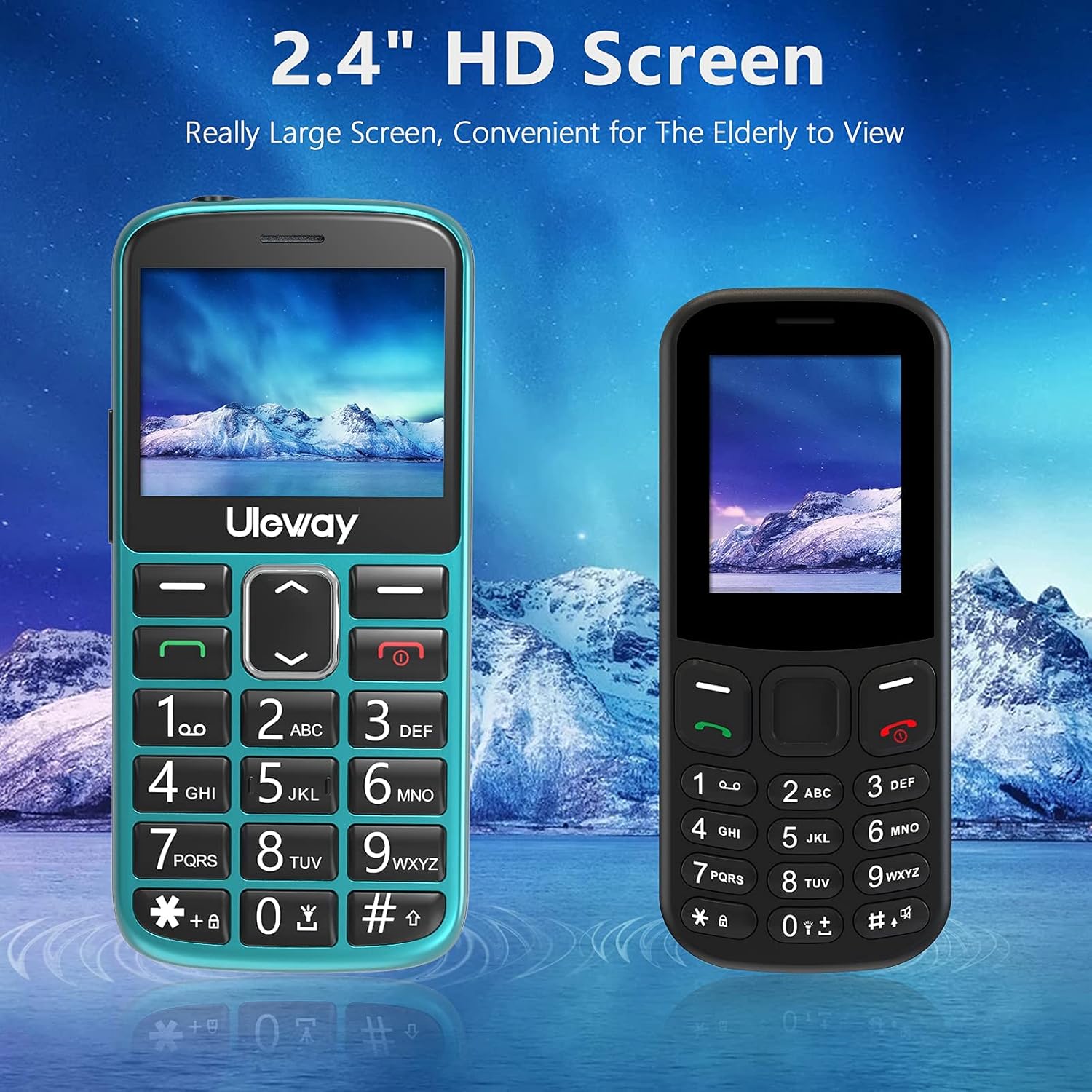
Equipped with a 2.4-inch HD screen, this phone offers a significantly larger and clearer display compared to standard smaller screens, enhancing readability for elderly users.

The phone offers high volume output and is Hearing Aid Compatible (HAC), ensuring clear communication for users with hearing aids.
5. Konfiguracja
5.1. Wkładanie kart SIM i karty Micro SD
The phone supports dual standard SIM cards and one Micro SD card (up to 32GB). Ensure the phone is powered off before inserting or removing cards.
- Zdejmij tylną obudowę telefonu.
- Ostrożnie wyjmij baterię.
- Insert the SIM cards into the designated SIM card slots (Card Slot 1 and Card Slot 2) with the gold contacts facing down.
- If desired, insert a Micro SD card into the Micro SD card slot.
- Włóż ponownie baterię i załóż tylną pokrywę.

The phone supports dual standard SIM cards and a Micro SD card (up to 32GB) for expanded storage. SIM and SD cards are not included.
5.2. Battery Installation and Initial Charging
Your phone comes with a rechargeable Lithium-Polymer battery. For optimal performance, fully charge the battery before first use.
- Ensure the battery is correctly installed as described in section 5.1.
- Connect the USB cable to the power adapter and then to the charging dock.
- Podłącz zasilacz do gniazdka ściennego.
- Place the phone into the charging dock. The phone will indicate that it is charging.
- Allow the phone to charge until the battery indicator shows a full charge. This may take several hours for the first charge.
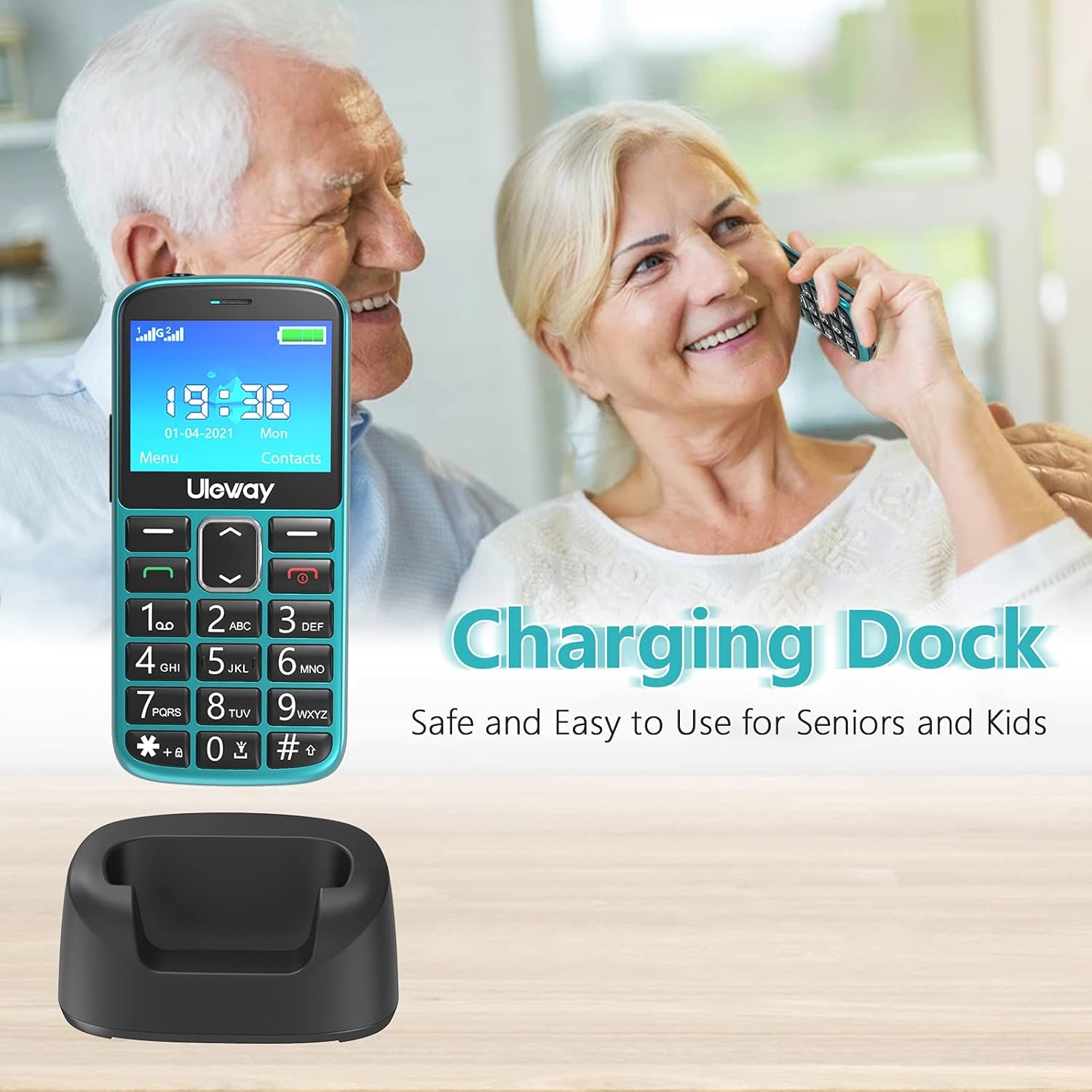
The included charging dock provides a stable and convenient way to charge the phone, making it easy for seniors to keep their device powered.

The USHINING senior phone is powered by a 1000 mAh large capacity battery, providing extended standby time and reliable performance.
6. Instrukcja obsługi
6.1. Włączanie/wyłączanie zasilania
- Włączanie: Naciśnij i przytrzymaj czerwony przycisk zakończenia połączenia/zasilania (✖) aż ekran się zaświeci.
- Aby wyłączyć: Naciśnij i przytrzymaj czerwony przycisk zakończenia połączenia/zasilania (✖) until the power off options appear, then confirm.
6.2. Wykonywanie i odbieranie połączeń
- Zadzwonić: Dial the number using the large keypad buttons and press the green Call button (✓).
- Aby odebrać połączenie: Naciśnij zielony przycisk połączenia (✓) gdy dzwoni telefon.
- Aby zakończyć połączenie: Press the red End Call/Power button (✖).
- Szybkie wybieranie: Long press a number key (2-9) to dial a pre-set contact.
6.3. Funkcja alarmowa SOS
The SOS button is located on the back of the phone and is designed for quick access to emergency contacts.
- Ustawianie kontaktów SOS: Przejdź do Ustawienia > Ustawienia SOS to add up to 5 emergency contact numbers.
- Korzystanie z SOS: In an emergency, press and hold the SOS button on the back of the phone for 3-5 seconds. The phone will automatically dial the pre-set emergency numbers in sequence until one is answered. It will also send an emergency SMS to these contacts.

The dedicated SOS button on the back of the phone allows for quick emergency calls to up to five pre-set contacts, including family members or medical professionals.
6.4. Latarka
The phone features a built-in flashlight for convenience.
- Aby włączyć/wyłączyć: Long press the '0' key on the keypad to activate or deactivate the flashlight.

A built-in highlight flashlight provides convenient illumination, activated by a dedicated button for easy access in low-light conditions.
6.5. Menu Navigation and Functions
Use the navigation keys (up, down, left, right) and the OK/Select button to navigate through the phone's menu.

The phone's user interface is designed for simplicity, featuring large icons for Contacts, Multimedia, Camera, My Files, Call Logs, Settings, Tools, and Alarm.
Główne funkcje obejmują:
- Łączność: Store and manage phone numbers.
- Dzienniki połączeń: View missed, dialed, and received calls.
- Wiadomości: Send and receive SMS text messages.
- Kamera: Capture photos.
- Multimedia: Access FM radio, MP3 player, and video player.
- Narzędzia: Includes features like Calculator, Calendar, and Alarm.
- Ustawienia: Customize phone settings such as display, sound, and network.

Beyond basic calling, the phone includes useful features such as a camera, FM radio, calculator, Bluetooth connectivity, calendar, and an alarm clock.
6.6. Regulacja głośności
During a call, use the dedicated volume buttons on the side of the phone to adjust the earpiece volume. Ringer volume can be adjusted in the Sound settings menu.
7. Konserwacja
- Czyszczenie: Use a soft, dry cloth to clean the phone's surface. Avoid using liquid cleaners or aerosols.
- Pielęgnacja baterii: To prolong battery life, avoid fully discharging the battery frequently. Charge the phone regularly, especially if it will not be used for an extended period.
- Składowanie: Przechowuj telefon w chłodnym, suchym miejscu, z dala od bezpośredniego światła słonecznego i ekstremalnych temperatur.
8. Rozwiązywanie Problemów
If you encounter issues with your phone, please refer to the following common problems and solutions:
| Problem | Możliwe rozwiązanie |
|---|---|
| Telefon się nie włącza | Upewnij się, że bateria jest prawidłowo zainstalowana i naładowana. Spróbuj ładować telefon przez co najmniej 30 minut. |
| Nie można wykonywać ani odbierać połączeń | Check if SIM card(s) are properly inserted. Ensure you have network signal. Contact your mobile carrier if the issue persists. |
| Słaba jakość połączeń | Move to an area with better network coverage. Ensure the earpiece/speaker is not obstructed. Adjust call volume. |
| Bateria szybko się rozładowuje | Zmniejsz jasność ekranu. Zamknij nieużywane aplikacje. Ogranicz użycie danych w tle. |
| Funkcja SOS nie działa | Verify that SOS contacts are correctly set up in the settings. Ensure the phone has network signal. |
9. Specyfikacje
| Funkcja | Szczegół |
|---|---|
| Numer modelu | M2302 |
| System operacyjny | System operacyjny Nucleus |
| Rozmiar wyświetlacza | 2.4 cali (6.1 cm) |
| Pojemność baterii | 1000 mAh litowo-polimerowy |
| Czas rozmowy | Około 5 godzin |
| Czas czuwania | Około 240 godzin |
| Pamięć wewnętrzna | 32 GB (likely refers to max SD card support, as internal storage for feature phones is minimal) |
| Możliwość rozbudowy pamięci masowej | Karta micro SD do 32 GB |
| Technologia sieciowa | 2G (sieć komórkowa) |
| Gniazda kart SIM | Dual-SIM (Standard SIM) |
| Wymiary | Wymiary 12 x 5.5 x 1.5 cm |
| Waga | 260 gramów |
| Kolor | Zielony |
10. Gwarancja i wsparcie
Your USHINING 2g Senior Mobile Phone is covered by a manufacturer's warranty. Please refer to the warranty card included in your package for specific terms and conditions. For technical support, troubleshooting assistance, or warranty claims, please contact USHINING customer service through the retailer where you purchased the product or visit the official USHINING webwitryna do informacji kontaktowych.
Powiązane dokumenty - M2302
 |
Manuel d'utilisation Ushining F240: Przewodnik po funkcjach i wykorzystaniu Dokument ten zawiera kompletny przewodnik do korzystania z telefonu komórkowego Ushining F240, udostępnia funkcje, konfiguracje, aplikacje, komunikaty, parametry, funkcje multimedialne i aplikacje. |
 |
Ushining Walkie Talkie DJ02 User Manual Comprehensive user manual for the Ushining DJ02 Walkie Talkie. Includes setup instructions, operation guide, safety precautions, and technical specifications. |
 |
RIGOL SPQ Array Measurement and Control System Quick Guide Quick start guide for the RIGOL SPQ array measurement and control system, covering installation, operation, safety, and maintenance procedures. |
 |
Rigol SPQ Array Measurement and Control Solution Datasheet Technical datasheet for the Rigol SPQ Array Measurement and Control Solution, featuring modular architecture, high-density microwave control, and synchronization modules for complex physical experiments. |
Ask a question about this manual
Ask about setup, troubleshooting, compatibility, parts, safety, or missing instructions. Manuals+ will review the question and use this page’s manual context to help answer it.