
ELISWEEN 72ed368d-9dff-42ae-ba96-5d07f9731cf6
ELISWEEN Presentation Remote with Air Mouse Function User Manual
Model: 72ed368d-9dff-42ae-ba96-5d07f9731cf6
Wstęp
This manual provides detailed instructions for the ELISWEEN Presentation Remote with Air Mouse Function. This wireless presenter is designed to enhance your presentations by offering flexible control, including an air mouse, laser pointer, and intuitive slide navigation. It is compatible with various operating systems and presentation software.
Zawartość opakowania
Sprawdź, czy w przesyłce znajdują się wszystkie elementy:
- 1 x ELISWEEN Wireless Presenter Remote
- 1 x odbiornik USB
- 1 x Instrukcja obsługi (ten dokument)
Cechy produktu
- Funkcja myszy powietrznej: Combines traditional clicker functions with wireless cursor control, acting like a true mouse for enhanced interaction.
- Bright Red Laser Pointer: Easily highlight key points on most backgrounds with a visible red laser.
- Rozszerzony zakres sterowania: Wireless range up to 165 feet, air mouse function range up to 50 feet, and laser light range up to 328 feet.
- Ergonomiczna konstrukcja: Shaped to fit comfortably in hand with intuitive touch-keys for seamless control without needing to look at the device.
- Full-Functionality: Includes controls for volume, window switching, hyperlinks, video playback, full/black screen toggle, page up/down, and label/eraser functions.
- Podłącz i graj: No drivers required. Simply plug the USB dongle into a compatible port.
- Szeroka kompatybilność: Supports Windows 2003/XP/Vista/7/8/10, Mac OS, Linux, Android. Compatible with software like PowerPoint, iWork (Keynote, Numbers, Pages), Prezi, MS Word, Excel, ACDSee, and web browsers. (Note: Not compatible with Google Slides).
Instrukcje konfiguracji
- Włóż baterie:
Open the battery compartment on the back of the presenter. Insert two AAA batteries (not included), ensuring correct polarity (+/-). Close the compartment securely.
- Podłącz odbiornik USB:
Locate the USB receiver stored within the presenter's battery compartment or a dedicated slot. Plug the USB receiver into an available USB-A port on your computer or laptop.
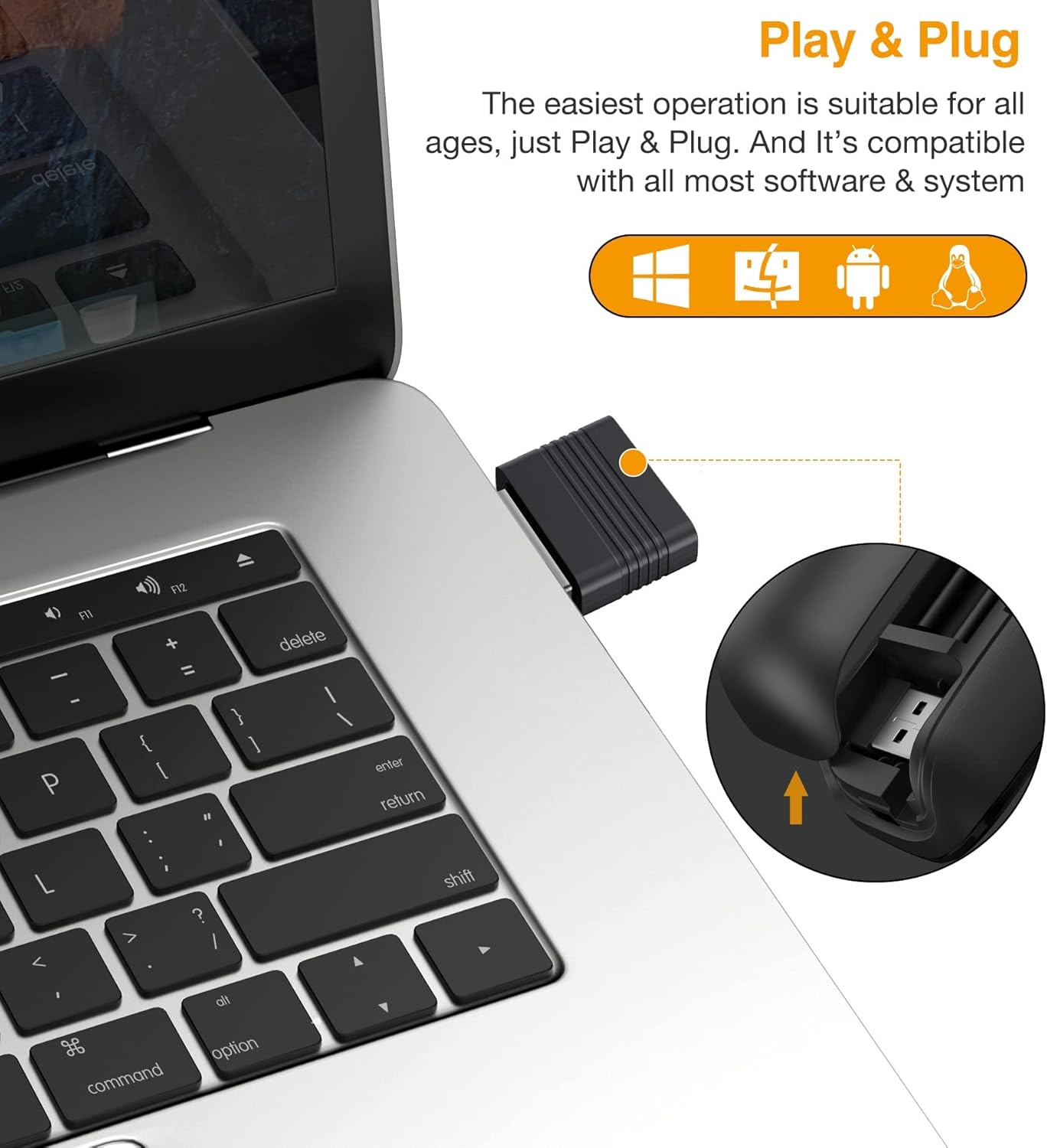
The USB receiver is designed for easy storage within the presenter and connects directly to your computer's USB-A port for instant plug-and-play functionality.
- Włączanie:
Turn on the presenter using the power switch, usually located on the side or bottom. A blue indicator light may illuminate to confirm it is powered on and connected.
- Rozpoznawanie systemu:
Your computer should automatically detect and install the necessary drivers. This process typically takes a few seconds. No manual driver installation is required.
Instrukcja obsługi
Familiarize yourself with the buttons and functions of your ELISWEEN Presentation Remote:
Funkcje przycisków Koniecview

This image illustrates the various control buttons on the presentation remote and their corresponding functions, including navigation, annotation, and screen control.
- Strona w górę/w dół: Navigate through slides.
- Left/Right Clicker: Flexible control for computer interface interactions.
- Label/Eraser: Activate annotation mode to highlight points or erase markings.
- Full/Black Screen: Toggle between full screen presentation mode and a black screen.
- Przełącz okna: Quickly switch between open applications.
- Play Slideshow: Start or pause video playback within your presentation.
- Regulacja głośności: Dostosuj wyjście audio.
- Hiperłącza: Activate embedded hyperlinks in your presentation.
Funkcja myszy powietrznej
The presenter features an air mouse function, allowing you to control the cursor by moving the remote in the air. This provides greater flexibility during presentations.
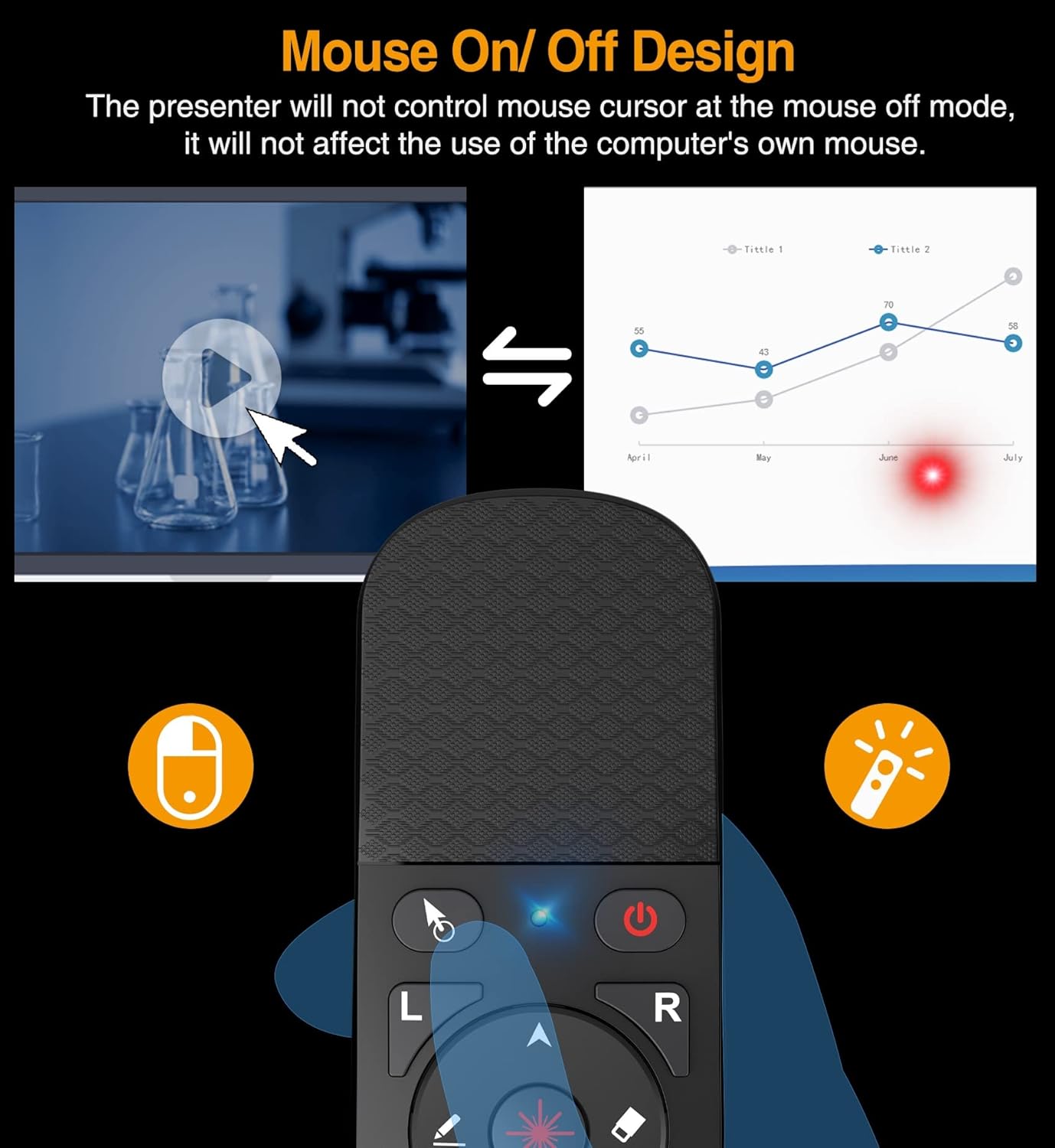
The remote includes a dedicated switch to activate or deactivate the air mouse function. When the air mouse is off, the presenter will not control the mouse cursor, allowing you to use your computer's own mouse without interference.
- Activating Air Mouse: Press the dedicated air mouse button or toggle the switch (refer to the device layout). The cursor will appear on your screen.
- Controlling Cursor: Move the presenter in the air to control the cursor's movement.
- Deactivating Air Mouse: Press the air mouse button or toggle the switch again to turn off the air mouse function. This allows you to use your computer's mouse without interference from the presenter.
Wskaźnik laserowy
Use the integrated red laser pointer to draw attention to specific areas on your presentation screen.

The bright red laser pointer is effective for highlighting content during presentations and meetings. Its visibility helps guide the audience's focus.
- Aktywacja lasera: Press and hold the laser button (typically marked with a laser icon) to emit the red laser beam.
- Dezaktywacja lasera: Puść przycisk, aby wyłączyć laser.
- Notatka: The laser pointer is designed for traditional projection screens. Its visibility may be reduced or absent on LED/LCD screens.
Zasięg bezprzewodowej

This image highlights the effective operational ranges for the laser pointer, air mouse, and general wireless control, allowing for freedom of movement during presentations.
The ELISWEEN Presentation Remote offers significant freedom of movement:
- Wireless Control Range: Do 165 stóp (50 metrów).
- Air Mouse Function Range: Do 50 stóp (15 metrów).
- Laser Light Range: Do 328 stóp (100 metrów).
Note that environmental factors and obstacles may affect the actual operating range.
Konserwacja
- Czyszczenie: Use a soft, dry cloth to clean the surface of the presenter. Avoid using liquid cleaners or abrasive materials.
- Wymiana baterii: When the indicator light dims or the presenter becomes unresponsive, replace the two AAA batteries. Ensure correct polarity.
- Składowanie: Store the USB receiver inside the presenter when not in use to prevent loss. Store the device in a cool, dry place away from direct sunlight and extreme temperatures.
- Obsługiwanie: Avoid dropping the device, as this may cause the battery cover to detach or damage internal components.
Rozwiązywanie problemów
| Problem | Możliwa przyczyna | Rozwiązanie |
|---|---|---|
| Presenter is unresponsive. | Low batteries; USB receiver not connected; presenter not powered on. | Replace batteries; ensure USB receiver is securely plugged in; turn on the presenter. |
| Laser pointer does not work. | Laser button not pressed; low batteries; pointing at an LED/LCD screen. | Press and hold the laser button; replace batteries; note that the laser is less visible on LED/LCD screens. |
| Air mouse cursor lags or is difficult to control. | Interference; distance from receiver; rapid movements. | Reduce distance to USB receiver; ensure no major obstructions; use smoother, deliberate movements. |
| Presenter disconnects frequently. | Low batteries; USB receiver interference; out of range. | Replace batteries; try a different USB port; stay within the recommended wireless range. |
| Functions (e.g., page up/down) do not work in specific software. | Software incompatibility; software not in focus. | Ensure the software is supported (e.g., not Google Slides); click on the presentation window to ensure it is the active application. |
Specyfikacje
- Numer modelu: 72ed368d-9dff-42ae-ba96-5d07f9731cf6
- Tworzywo: ABS
- Kolor światła: Red (Laser)
- Częstotliwość radiowa: 2.4 GHz
- Wireless Control Range: ≤ 165 ft (50 meters)
- Air Mouse Function Range: ≤ 50 ft (15 meters)
- Laser Light Range: ≤ 328 ft (100 meters)
- Źródło zasilania: 2 baterie AAA (brak w zestawie)
- Wymiary: 5.31 x 1.65 x 0.95 cala
- Waga przedmiotu: 1.76 uncji
- Obsługiwane systemy operacyjne: Win 2000, XP, Vista, Win7, Win8, Win10, MAC OS, Linux, Android
- Zgodne urządzenia: Komputer osobisty (laptop, komputer stacjonarny)
- Maksymalna liczba obsługiwanych urządzeń: 10
Gwarancja i wsparcie
For warranty information and technical support, please contact ELISWEEN customer service. Details can typically be found on the product packaging or the official ELISWEEN webStrona. Zachowaj dowód zakupu na wypadek roszczeń gwarancyjnych.
Manufacturer: SHENZHEN QIXUN SPACE TECHNOLOGY CO.,LTD