
1. Wprowadzenie
This manual provides essential information for the proper use and care of your Rollei Actioncam 7S Plus. Please read it thoroughly before operating the device to ensure optimal performance and longevity. The Rollei Actioncam 7S Plus is a versatile 4K action camera designed for capturing high-quality video and photos in various environments, including underwater, thanks to its robust waterproof housing.

Figure 1.1: Rollei Actioncam 7S Plus. This image shows the front view of the camera, highlighting its compact design and lens.
2. Zawartość opakowania
Sprawdź, czy wszystkie wymienione poniżej elementy znajdują się w Twojej paczce. Jeśli brakuje któregokolwiek z nich lub jest on uszkodzony, skontaktuj się z obsługą klienta.
- Rollei Actioncam 7S Plus Camera
- Obudowa podwodna
- Zdalne sterowanie
- Replaceable Lithium-Ion Battery (850 mAh)
- Rama montażowa
- Tripod Thread Adapter
- Uchwyt rowerowy
- Mocowanie Helmet
- Paski na rzepy
- Naklejki
- Opaski kablowe
- Kabel USB
- Ściereczka do czyszczenia soczewek

Figure 2.1: Included accessories for the Rollei Actioncam 7S Plus. This image displays the camera along with various mounts, straps, cables, and the remote control.
3. Konfiguracja
3.1. Montaż i ładowanie akumulatora
- Otwórz pokrywę komory baterii znajdującą się na spodzie aparatu.
- Insert the provided 850 mAh Lithium-Ion battery, ensuring the contacts align correctly.
- Dokładnie zamknij pokrywę komory baterii.
- Connect the camera to a USB power source using the supplied USB cable to charge the battery. The charging indicator light will illuminate.
- Pełne naładowanie trwa zazwyczaj około 2–3 godzin.
3.2. Instalacja karty MicroSD
The camera requires a MicroSD card (Class 10 or U3 recommended) for storing recordings.
- Znajdź gniazdo karty MicroSD z boku aparatu.
- Włóż kartę MicroSD złotymi stykami skierowanymi w stronę przedniej części aparatu, aż do zatrzaśnięcia.
- Aby wyjąć kartę, delikatnie naciśnij ją, aż wyskoczy.
3.3. Włączanie/wyłączanie zasilania
- To power on: Press and hold the Power/Mode button for a few seconds.
- To power off: Press and hold the Power/Mode button again until the camera shuts down.
3.4. Ustawienia początkowe
Upon first use, or after a factory reset, you may need to set the language, date, and time via the touchscreen menu.
4. Obsługa aparatu
4.1. Koniec kameryview i sterowanie

Rysunek 4.1: Tył view of the Rollei Actioncam 7S Plus in its waterproof housing, showing the 2-inch touchscreen display.
The Rollei Actioncam 7S Plus features a 2-inch touchscreen for intuitive navigation and settings adjustment. Physical buttons are typically for power/mode and shutter/OK functions.
4.2. Nagrywanie wideo
The camera supports various video resolutions and frame rates:
- 4K at 30 frames per second (fps)
- Full HD (1080p) at 120 fps for smooth slow-motion playback
- Other resolutions and frame rates available via settings.
Available video modes include: Normal, Time-Lapse, Idle, and Loop Recording.
4.3. Robienie zdjęć
Capture high-resolution still images up to 16 Megapixels (4608 x 3456 pixels).
Photo modes include: Single Shot, Burst, Delay, Time-Lapse, and Long Exposure.
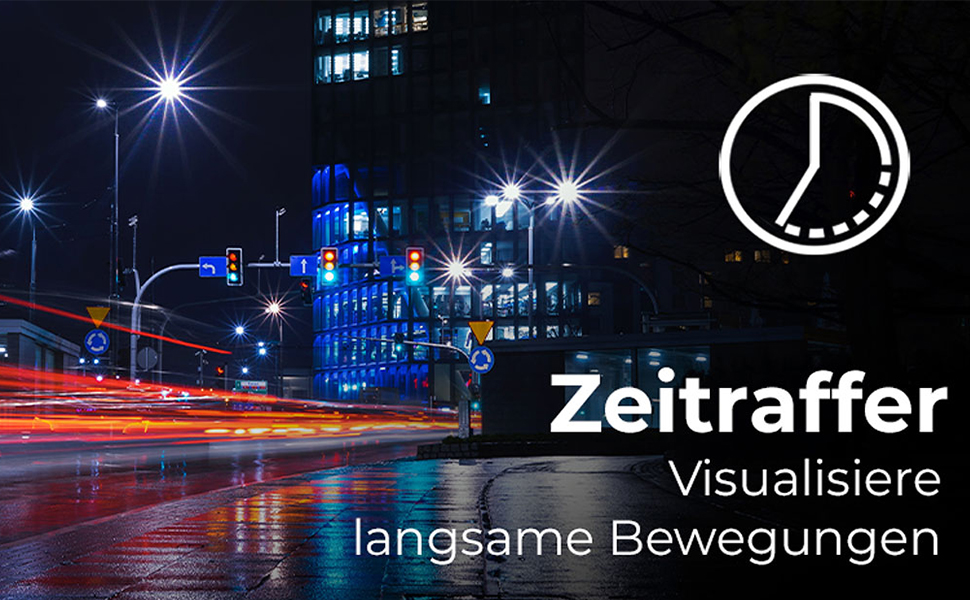
Figure 4.2: Illustration of the Time-Lapse feature. This image depicts a city night scene with light trails, demonstrating the camera's ability to capture time-lapse videos.

Figure 4.3: Illustration of the Slow Motion feature. This image shows colorful powder being thrown, emphasizing the camera's capability to capture detailed slow-motion footage.
4.4. Elektroniczna stabilizacja obrazu (EIS)
The camera features electronic image stabilization to reduce blur and shake in your recordings, especially during active use.
4.5. Wi-Fi Connectivity and WebFunkcja krzywki
Connect your Actioncam to a smartphone or tablet via Wi-Fi using the dedicated app for remote control and file transfer. The camera also supports a webcam function for live streaming or video calls when connected to a computer.
4.6. Użytkowanie pod wodą
The included waterproof housing allows the Actioncam 7S Plus to be used at depths of up to 30 meters (approximately 98 feet).

Figure 4.4: The camera in its waterproof housing being used underwater. This image shows a diver interacting with a shark, demonstrating the camera's waterproof capability up to 30m.
4.7. Pilot zdalnego sterowania
Use the included remote control to start/stop recording or take photos from a distance, enhancing convenience during various activities.
5. Konserwacja
5.1. Czyszczenie aparatu i obiektywu
- Use the provided lens cleaning cloth to gently wipe the lens and display.
- For the camera body, use a soft, dry cloth. Do not use chemical cleaners.
- Ensure the waterproof housing is clean and free of debris before each underwater use to maintain its seal. Rinse with fresh water after saltwater exposure.
5.2. Pielęgnacja baterii
- Przechowuj baterie w chłodnym, suchym miejscu.
- Unikaj całkowitego rozładowania akumulatora na dłuższy czas.
- Jeśli akumulator będzie przechowywany przez dłuższy czas, należy go ładować do około 50% co kilka miesięcy.
5.3. Przechowywanie
When not in use, store the camera and accessories in a protective case in a dry environment, away from direct sunlight and extreme temperatures.
6. Rozwiązywanie Problemów
| Problem | Możliwa przyczyna | Rozwiązanie |
|---|---|---|
| Kamera się nie włącza. | Bateria jest rozładowana lub nieprawidłowo włożona. | Naładuj akumulator do pełna. Upewnij się, że akumulator jest włożony z zachowaniem prawidłowej polaryzacji. |
| Nie można nagrywać filmów/robić zdjęć. | Karta MicroSD jest pełna, uszkodzona lub nie została włożona. | Insert a MicroSD card. Format the card (this will erase all data). Replace the card if corrupted. |
| Słaba jakość wideo/zdjęć. | Lens is dirty, insufficient lighting, incorrect settings. | Wyczyść obiektyw. Zapewnij odpowiednie oświetlenie. Dostosuj rozdzielczość i ustawienia ekspozycji. |
| Problemy z połączeniem Wi-Fi. | Incorrect Wi-Fi settings, app issues, distance from device. | Ensure Wi-Fi is enabled on camera and device. Reinstall the app. Reduce distance between camera and device. |
| Kamera zawiesza się lub przestaje reagować. | Błąd oprogramowania. | Press and hold the Power button for 10 seconds to force a shutdown. Restart the camera. |
7. Specyfikacje
| Funkcja | Szczegół |
|---|---|
| Marka | Rollei |
| Nazwa modelu | Actioncam 7S Plus |
| Technologia czujników | CMOS |
| Rozdzielczość wideo | 4K (3840x2160) at 30fps, Full HD (1080p) at 120fps |
| Rozdzielczość zdjęcia | 16 MP (4608x3456) |
| Przysłona maksymalna | Numer telefonu 2.8 |
| Typ soczewki | Szeroki kąt (120 stopni) |
| Typ pamięci flash | Micro SD (Class 10, U3 recommended) |
| Format wideo | MP4 |
| Format audio | AAC |
| Rozmiar ekranu | 2 cala (ekran dotykowy) |
| Łączność | USB, Wi-Fi (802.11b/g) |
| Cechy specjalne | Touchscreen, Time-Lapse, Slow Motion, Remote Control, WebFunkcja krzywki |
| Poziom wodoodporności | Waterproof with housing up to 30 meters |
| Stabilizacja obrazu | Elektroniczny (EIS) |
| Waga | 61 gram |
| Żywotność baterii | Up to 75 Minutes (850 mAh Li-ion battery) |
| Wymiary (gł. x szer. x wys.) | Wymiary 3.2 x 6 x 4.2 cm |
| System operacyjny | Proprietary operating system developed by Rollei |
8. Gwarancja i pomoc techniczna
8.1. Informacje o gwarancji
The Rollei Actioncam 7S Plus comes with a 24-miesięczna gwarancja from the date of purchase. This warranty covers manufacturing defects and material faults. It does not cover damage caused by improper use, accidents, unauthorized repairs, or normal wear and tear.
8.2. Obsługa klienta
For technical assistance, warranty claims, or further inquiries, please refer to the official Rollei webOdwiedź stronę internetową lub skontaktuj się z działem obsługi klienta. Zachowaj dowód zakupu, kontaktując się z pomocą techniczną.
Oficjalny Rollei Webstrona: www.rollei.com