
Pigtronix GDR
Pigtronix Gamma Drive Overdrive Pedal
Instrukcja obsługi
Wstęp
The Pigtronix Gamma Drive is a versatile overdrive pedal designed to deliver a wide range of tones, from subtle boosts to aggressive, all-out grind. Its intuitive controls allow musicians to sculpt their sound with precision, making it an essential tool for any guitarist seeking dynamic and expressive overdrive.

Rycina 1: Przód view of the Pigtronix Gamma Drive Overdrive Pedal. This image displays the pedal's blue casing, the four control knobs (Volume, Gain, Treble, Bass), the footswitch, and the DC 9V power input label.
Główne cechy
- Overdrive Pedal with Treble Bass Controls
- Wide range of gain from subtle boost to heavy distortion
- Kompaktowa i trwała konstrukcja
- True bypass switching for signal integrity
Zawartość opakowania
Po otwarciu opakowania należy sprawdzić, czy znajdują się w nim wszystkie poniższe elementy:
- Pigtronix Gamma Drive Overdrive Pedal
- Instrukcja obsługi (ten dokument)
- Kabel połączeniowy
Przewodnik po konfiguracji
Follow these steps to properly set up your Pigtronix Gamma Drive pedal:
1. Podłączenie zasilania
Connect a standard 9V DC power supply (not included) to the "DC 9V" input jack on the top of the pedal. Ensure the power supply is center-negative and provides at least 10mA of current.
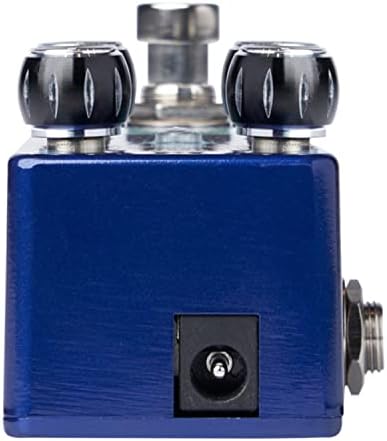
Figure 2: Close-up of the DC 9V power input jack located on the top side of the pedal.
2. Podłączenie instrumentu
Connect your instrument (e.g., guitar) to the INPUT jack on the right side of the pedal using a standard 1/4-inch instrument cable.
3. Amplifier Połączenie
Podłącz gniazdo OUTPUT znajdujące się po lewej stronie pedału do swojego ampwejście lifiera przy użyciu innego standardowego kabla instrumentalnego 1/4-calowego.
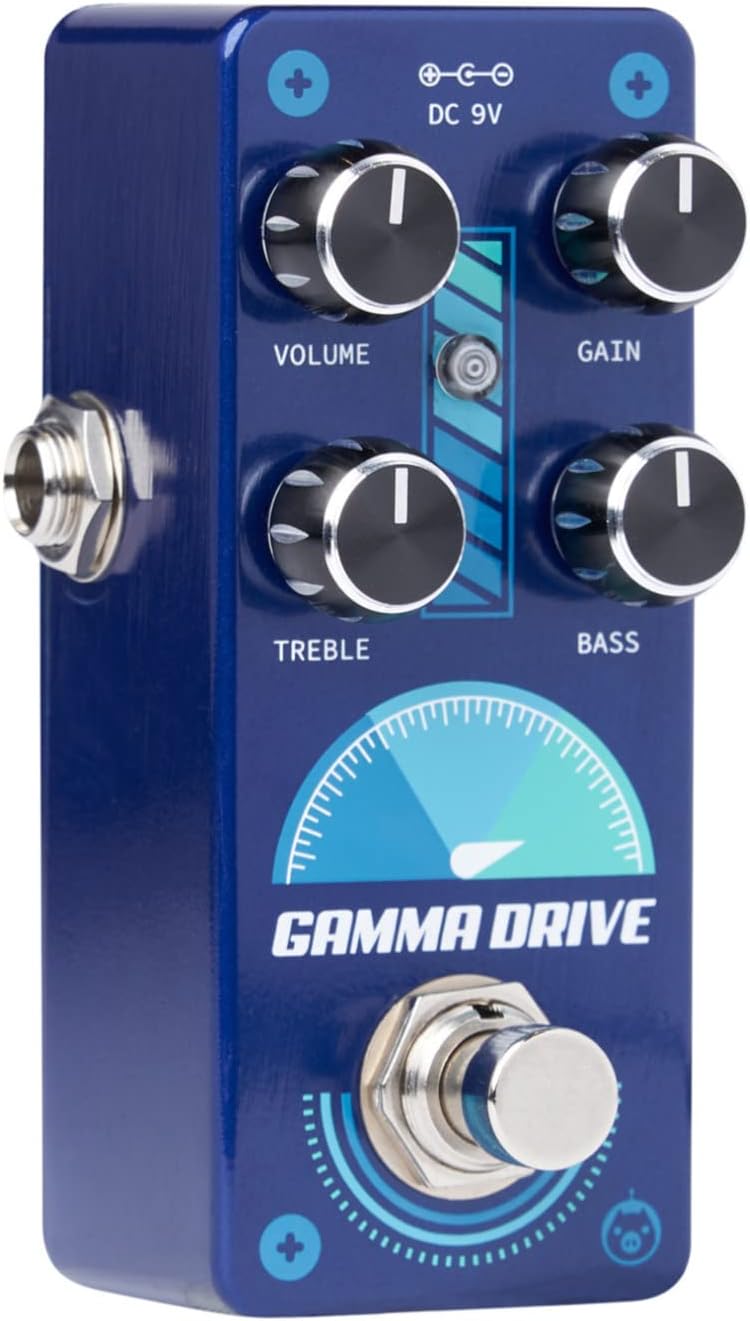
Rysunek 3: Kątowy view illustrating the input jack (right side) and output jack (left side) for instrument and amplifier połączeń.
Działanie
The Pigtronix Gamma Drive features four primary control knobs and a footswitch for intuitive sound shaping.
Kontrola nadview
Rycina 4: Przód view of the pedal showing the layout of the control knobs.
- TOM: Controls the overall output level of the pedal. Turn clockwise to increase the volume.
- ZDOBYĆ: Adjusts the amount of overdrive and distortion. Higher settings produce more saturated and aggressive tones.
- POTROIĆ: Shapes the high-frequency content of your tone. Turn clockwise for brighter sounds, counter-clockwise for warmer tones.
- GITARA BASOWA: Controls the low-frequency content. Turn clockwise to add more bass, counter-clockwise to reduce it.
Korzystanie z przełącznika nożnego
The large footswitch at the bottom of the pedal engages or bypasses the effect. When the effect is active, the LED indicator above the footswitch will illuminate. When bypassed, your signal passes through the pedal unaffected (true bypass).
Konserwacja i pielęgnacja
- Czyszczenie: Do czyszczenia powierzchni pedału używaj miękkiej, suchej ściereczki. Unikaj środków czyszczących o właściwościach ściernych i rozpuszczalników.
- Składowanie: Przechowuj pedał w chłodnym, suchym miejscu, z dala od bezpośredniego światła słonecznego i ekstremalnych temperatur.
- Moc: Always use a regulated 9V DC power supply with the correct polarity (center-negative) to prevent damage.
- Znajomości: Ensure all cables are securely connected before use. Disconnect cables when not in use to prevent accidental damage.
Rozwiązywanie problemów
| Problem | Możliwa przyczyna | Rozwiązanie |
|---|---|---|
| Brak dźwięku po wciśnięciu pedału. | Incorrect cable connections; Power supply issue; Pedal not engaged. | Check all input/output cables; Ensure 9V DC power supply is connected and functional; Press footswitch to engage pedal (LED should light up). |
| Słaby lub zniekształcony dźwięk. | Low power; Incorrect gain/volume settings. | Sprawdź napięcie zasilaniatage and current; Adjust GAIN and VOLUME knobs to desired levels. |
| Niepożądany hałas lub buczenie. | Pętla uziemienia; Wadliwe kable; Zakłócenia ze strony innych urządzeń elektronicznych. | Use isolated power supply; Try different cables; Move pedal away from power transformers or fluorescent lights. |
Dane techniczne
| Specyfikacja | Wartość |
|---|---|
| Waga przedmiotu | 9 uncji |
| Wymiary produktu | 8.4 x 6.3 x 4.7 cala |
| Numer modelu | NRD |
| Kolor | Light Blue, Black |
| Interfejs sprzętowy | HP-HSC |
| Format sygnału | Analog |
| Źródło zasilania | Battery Powered (Note: Typically refers to ability to use battery, but 9V DC adapter is standard for pedals) |
| Tomtage | 9 woltów prądu stałego |
| Ampwymazać | 10 mlnamps (minimum required) |
Gwarancja i wsparcie
For detailed warranty information, product registration, and technical support, please visit the official Pigtronix webOdwiedź witrynę lub skontaktuj się z działem obsługi klienta. Zachowaj dowód zakupu na wypadek reklamacji.
Urzędnik Webstrona: www.pigtronix.com