
1. Wprowadzenie
This instruction manual provides essential information for the safe and effective use of your Hubble Connected View Pro Twin 5-inch Video Baby Monitor. Please read this manual thoroughly before operating the device and retain it for future reference.
The Hubble Connected View Pro Twin is designed to help you monitor your baby with its dual camera system, 5-inch color display, and various features including two-way talk, night vision, and room temperature monitoring. This device operates on a secure, non-WiFi connection for enhanced privacy.
2. Konfiguracja
2.1. Zawartość opakowania
Sprawdź, czy w przesyłce znajdują się wszystkie elementy:
- 1 x Nursery View Pro Parent Unit
- 2 x Nursery Cameras
- 2 x zasilacz
- Szybki przewodnik
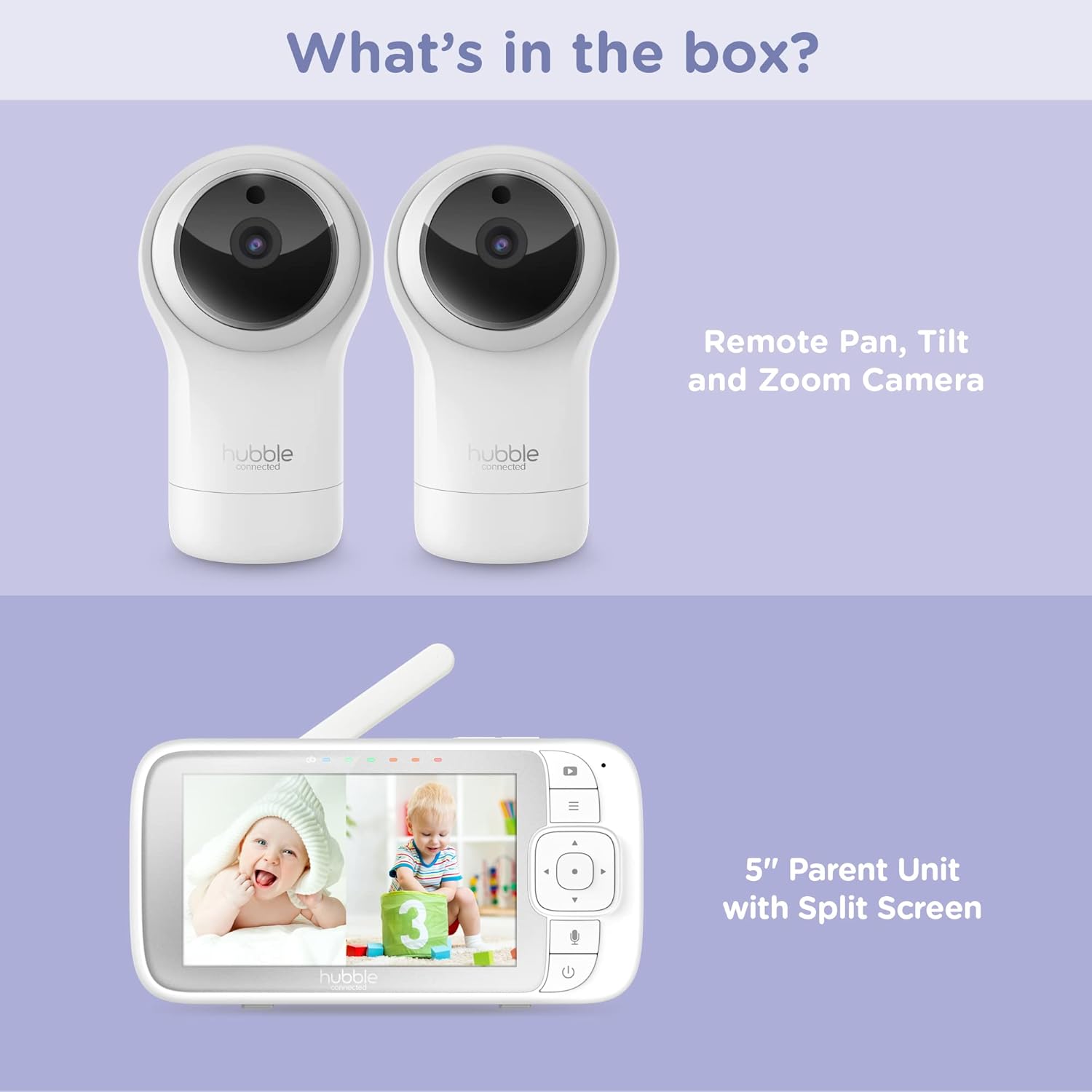
Figure 2.1: Package Contents - Parent Unit and Two Cameras
2.2. Powering On and Initial Placement
- Connect each camera to a power outlet using the provided power adapters.
- Connect the Parent Unit to a power outlet using its dedicated power adapter. The Parent Unit contains a rechargeable battery for portable use.
- Press and hold the Power button on the Parent Unit until the screen turns on.
- Place the cameras in a secure location within the baby's room, ensuring a clear view of the crib or play area. Avoid placing cameras within reach of children or near heat sources.

Figure 2.2: Hubble Connected View Pro Twin Monitor and Cameras
3. Obsługa monitora
3.1. Sterowanie jednostką nadrzędną
The Parent Unit features a 5-inch color display and intuitive buttons for navigation and control:
- Pad kierunkowy: Used to navigate menus and control camera pan/tilt/zoom.
- Przycisk menu: Dostęp do ustawień i funkcji.
- Talk Button (Microphone icon): Activates two-way talk.
- Przycisk zasilania: Włącza/wyłącza urządzenie.
- Przyciski głośności (+/-): Dostosowuje głośność dźwięku.

Figure 3.1: Parent Unit Displaying Split Screen
3.2. ViewTryby pracy
Your monitor supports multiple viewopcje:
- Pojedyncza kamera View: Displays the feed from one camera at a time. Use the menu to switch between cameras.
- Podzielony ekran View: Simultaneously displays feeds from both cameras on the 5-inch screen. This allows for monitoring two areas at once.
- Tryb skanowania: The monitor can automatically cycle through the camera feeds periodically.
3.3. Camera Control (Pan, Tilt, Zoom)
Use the directional pad on the Parent Unit to remotely adjust the camera's view:
- Chleb: Move the camera horizontally (left/right).
- Przechylenie: Move the camera vertically (up/down).
- Brzęczenie: Enlarge or reduce the image.
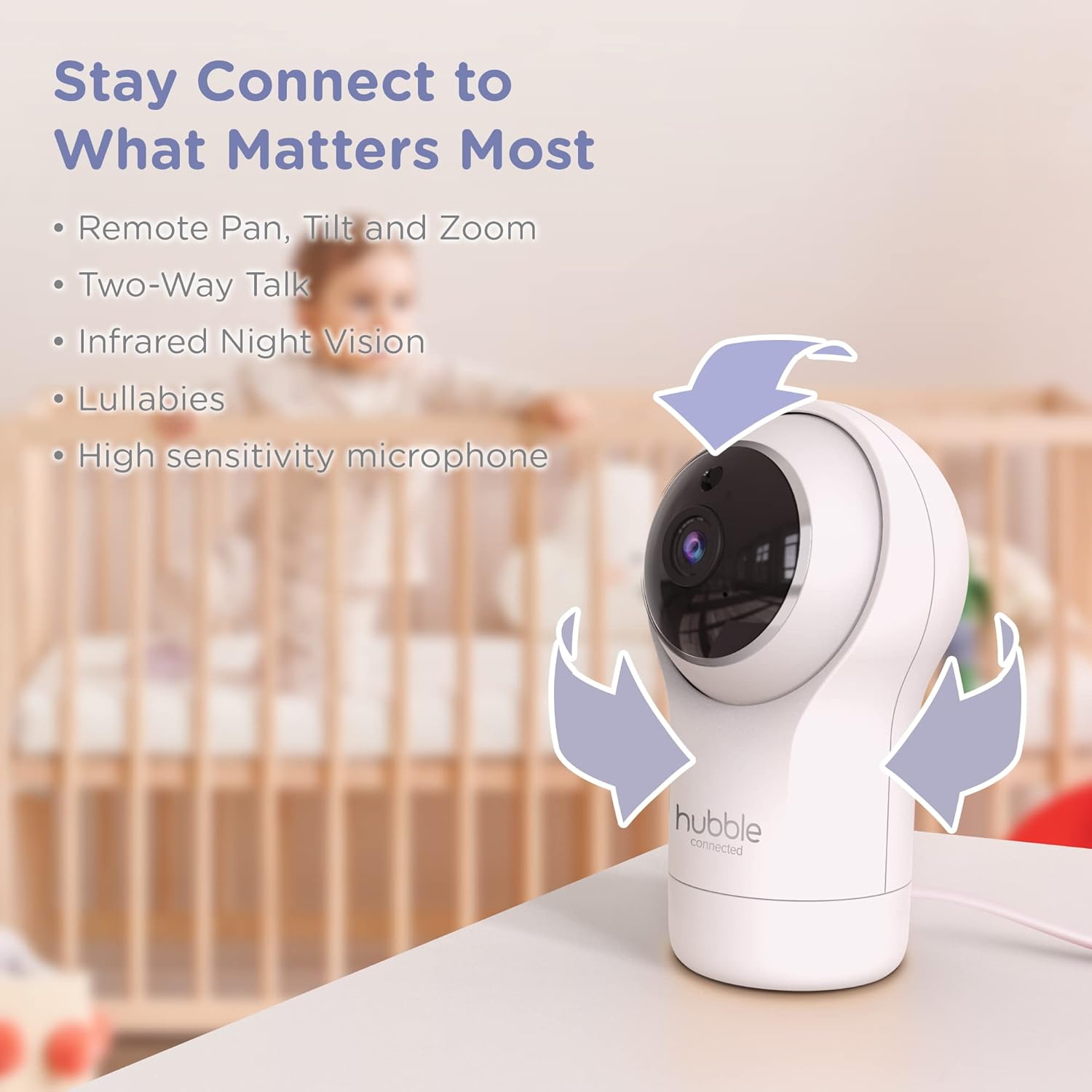
Figure 3.2: Camera Pan, Tilt, and Zoom Functionality
3.4. Rozmowa dwustronna
To communicate with your baby, press and hold the microphone button on the Parent Unit and speak. Release the button to hear your baby's response.
3.5. Wizja nocna
The cameras are equipped with infrared night vision, which automatically activates in low-light conditions, providing a clear black-and-white image of your baby.

Figure 3.3: Infrared Night Vision in Operation
3.6. Lullabies and Room Temperature Monitoring
The monitor includes preloaded lullabies to soothe your baby. Access these through the Parent Unit's menu. The system also continuously monitors the room temperature, displayed on the Parent Unit, to ensure a comfortable environment for your child.

Rysunek 3.4: Najważniejsze cechyview
3.7. Oficjalny film o produkcie
Wideo 3.1: Ponadview of the Nursery View Pro Twin features, including split screen, pan/tilt/zoom, two-way talk, night vision, and lullabies.
4. Konserwacja
4.1. Czyszczenie
To clean the monitor and cameras, use a soft, dry cloth. Do not use abrasive cleaners or solvents. Ensure the devices are unplugged before cleaning.
4.2. Przechowywanie
Jeśli monitor i kamery nie będą używane przez dłuższy czas, należy je przechowywać w chłodnym i suchym miejscu, z dala od bezpośredniego światła słonecznego i ekstremalnych temperatur.
5. Rozwiązywanie Problemów
5.1. No Signal/Poor Image
- Ensure both the Parent Unit and cameras are powered on and within range.
- Check for obstructions between the Parent Unit and cameras that might interfere with the signal.
- Relocate the Parent Unit or cameras to improve reception.
5.2. Battery Not Charging/Low Battery Alert
- Verify that the power adapter is securely connected to the Parent Unit and a working power outlet.
- Allow sufficient time for the battery to charge.
- Jeśli problem będzie się powtarzał, skontaktuj się z obsługą klienta.
6. Specyfikacje
| Funkcja | Szczegół |
|---|---|
| Nazwa modelu | Żłobek View Pro Twin |
| Numer modelu | HCNVPRO2 |
| Rozmiar ekranu | 5-calowy kolorowy ekran o przekątnej |
| Technologia łączności | Wireless (Non-WiFi) |
| Zakres | Do 1,000 stóp / 300 m |
| Rozdzielczość przechwytywania wideo | 720p |
| Cechy specjalne | Night Vision, Two-Way Talk, Soothing Nature Sounds, Room Temperature Monitoring |
| Źródło zasilania | Battery Powered (Parent Unit), AC Adapter (Cameras) |
| Baterie | Wymagane 3 baterie litowo-jonowe (w zestawie) |
| Waga przedmiotu | 2 funta |
| Wymiary produktu | 2.8 x 2.7 x 4.8 cala |
7. Gwarancja i wsparcie
7.1. Informacje o gwarancji
Your Hubble Connected View Pro Twin is covered by a One (1) year Limited Warranty from the date of purchase. Please retain your proof of purchase for warranty claims.
7.2. Obsługa klienta
For technical assistance, troubleshooting, or warranty inquiries, please contact Hubble Connected customer support. Visit the official Hubble Connected Store aby uzyskać więcej informacji i zasobów wsparcia.