
1. Wprowadzenie
This manual provides essential information for setting up, operating, and maintaining your TECLAST T60Pro 12-inch 2K Tablet. The T60Pro features a 12-inch 2K IPS display, powered by a MediaTek Helio G99 Octa-Core processor, running Android 15. It includes 20GB RAM (8GB physical + 12GB virtual expansion) and 128GB internal storage, expandable up to 1TB via Micro SD. The tablet is equipped with four stereo speakers, a 13MP rear camera, an 8MP front camera, and an 8000mAh battery with 18W fast charging.

The TECLAST T60Pro features a slim 7.9mm metal body, weighing 553g, designed for portability and comfortable handling.
2. Co znajduje się w pudełku
Sprawdź, czy w opakowaniu znajdują się wszystkie elementy:
- TECLAST T60Pro Tablet (x1)
- Ładowarka (x1)
- Kabel USB-C (x1)
- SIM Ejector Tool (x1)
- Instrukcja obsługi (x1)
This video demonstrates the unboxing process of the TECLAST T60Pro tablet and its included accessories.
3. Konfiguracja
3.1 Układ urządzenia
The image displays the side profile of the tablet, highlighting the SIM/TF Card slot, speaker grilles, and the Type-C port for charging and data transfer.
3.2 Ładowanie tabletu
Before first use, fully charge the tablet using the provided USB-C cable and charger. Connect the USB-C cable to the tablet's Type-C port and the charger to a power outlet. The battery indicator on the screen will show charging status.
3.3 Włączanie/wyłączanie zasilania
- To power on: Press and hold the Power button until the TECLAST logo appears.
- Aby wyłączyć: Naciśnij i przytrzymaj przycisk zasilania, a następnie wybierz opcję „Wyłącz” z listy opcji na ekranie.
- Aby ponownie uruchomić: Naciśnij i przytrzymaj przycisk zasilania, a następnie wybierz z opcji opcję „Uruchom ponownie”.
3.4 Instalacja karty SIM/TF
To install a SIM card for cellular connectivity or a TF (Micro SD) card for expanded storage:
- Znajdź tackę na kartę SIM/TF z boku tabletu.
- Włóż dołączone narzędzie do wyjmowania karty SIM do małego otworu obok tacki i delikatnie naciśnij, aż tacka wyskoczy.
- Umieść kartę(y) Nano-SIM i/lub kartę Micro SD w przeznaczonych do tego gniazdach na tacce, zwracając uwagę na prawidłową orientację.
- Ostrożnie wsuń tackę z powrotem do tabletu, aż zatrzaśnie się na swoim miejscu.

The tablet supports up to 1TB Micro SD card expansion for additional storage.
3.5 Początkowa konfiguracja Androida
Upon first power-on, follow the on-screen prompts to complete the initial setup, which includes selecting your language, connecting to Wi-Fi, setting up your Google account, and configuring security options.
4. Instrukcja obsługi
4.1 Wyświetlacz i wizualizacje
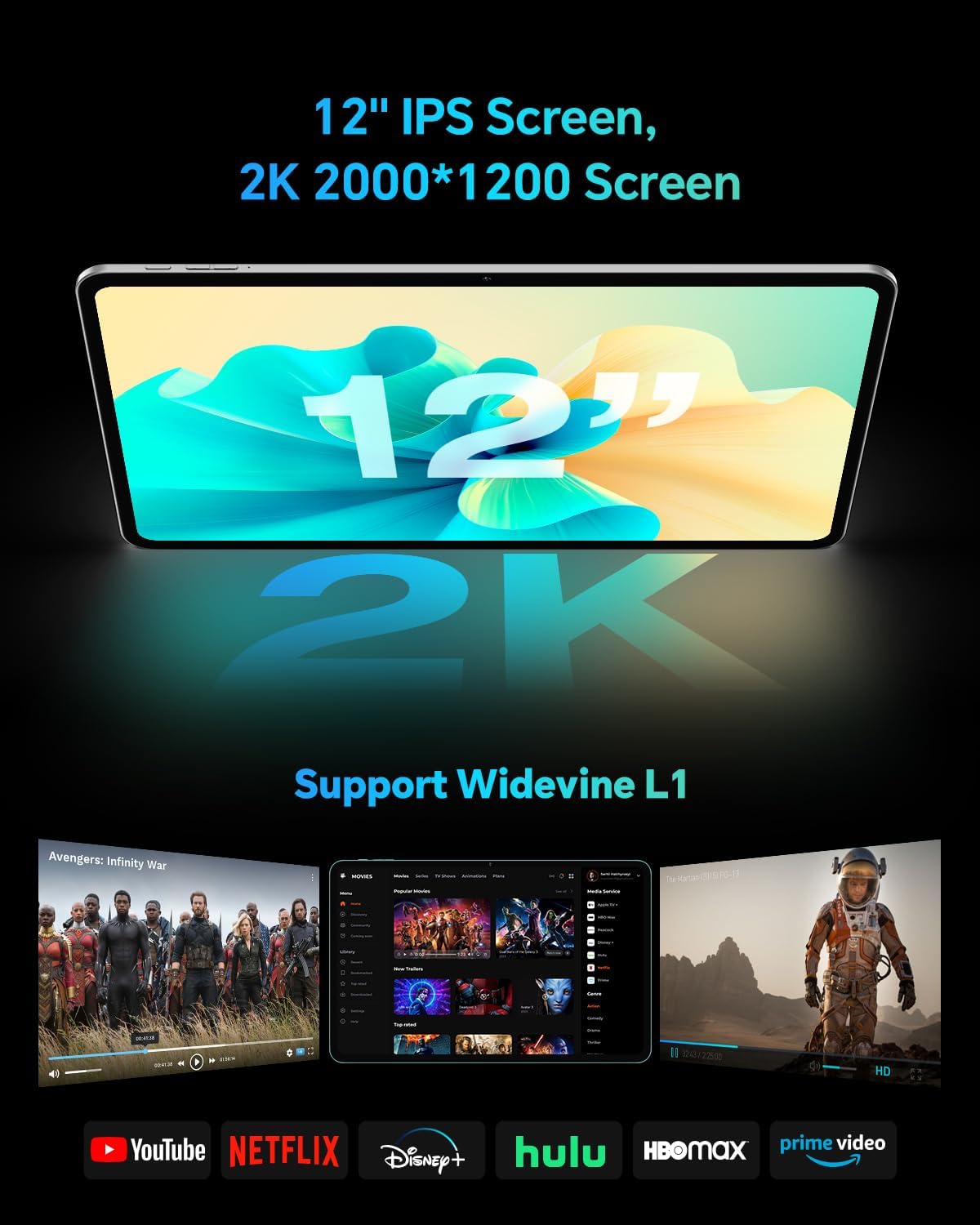
The TECLAST T60Pro features a 12-inch 2K (2000x1200) IPS TDDI full-lamination screen. It includes built-in blue light filtering for eye protection. The display supports Widevine L1 for high-definition streaming content.

Experience crisp visuals and support for HD streaming with the 12-inch 2K IPS display and Widevine L1 certification.
Dźwięk 4.2
The tablet is equipped with four high-fidelity stereo speakers, providing an immersive audio experience for media consumption and video calls.
4.3 Funkcje aparatu
The T60Pro includes a 13MP rear camera and an 8MP front camera. The rear camera is designed for clear shooting, even in low-light conditions. Utilize the camera for photos, videos, and video calls.

The tablet features a 13MP rear camera and an 8MP front camera, supporting features like Google Lens and Face Recognition.
4.4 Łączność
- Wi-Fi: Supports 2.4/5GHz dual-band Wi-Fi (802.11a/b/g/n/ac) for stable internet connection.
- Bluetooth: Posiada Bluetooth 5.2 do podłączania akcesoriów bezprzewodowych.
- Komórkowy: Supports 4G cellular connectivity with a compatible SIM card.
- GPS: Integrated A-GPS/GPS/BeiDou/GLONASS/Galileo multi-navigation system for accurate location services.

The tablet includes built-in GPS with support for multiple satellite positioning systems for reliable navigation.
4.5 Zarządzanie magazynem
The tablet comes with 128GB of internal storage. This can be expanded up to 1TB using a Micro SD card (sold separately).
4.6 Rozpoznawanie twarzy
For convenient and secure unlocking, the tablet supports face recognition. Simply hold your face in front of the front camera. If face recognition fails, use your registered password or adjust ambient lighting for better recognition.

Unlock your tablet quickly and securely using the face recognition feature.
4.7 Projekcja bezprzewodowa
Mirror your tablet's display to a larger screen, such as a TV, for an enhanced viewing experience. Refer to your TV's manual for specific wireless projection setup instructions.
4.8 Parental Controls and Kids Mode
The Android 15 system includes built-in parental controls to manage screen time and app access for children. Utilize these features to create a safe and controlled environment for younger users.
5. Konserwacja
5.1 Czyszczenie urządzenia
Use a soft, lint-free cloth to clean the tablet's screen and body. Avoid using harsh chemicals or abrasive materials that could damage the surfaces.
5.2 Pielęgnacja baterii
Aby przedłużyć żywotność baterii:
- Unikaj ekstremalnych temperatur.
- Nie należy dopuszczać do zbyt częstego całkowitego rozładowania akumulatora.
- Aby uzyskać optymalne ładowanie, należy używać dołączonej ładowarki.
5.3 Aktualizacje oprogramowania
Regularly check for and install system updates to ensure optimal performance, security, and access to the latest features. Navigate to Ustawienia > System > Aktualizacja systemu aby sprawdzić dostępność aktualizacji.
5.4 Ochrona ekranu
The tablet comes with a pre-applied tempered glass screen protector. A protective film for shipping is also applied, which should be removed after opening the package.

The tablet includes a pre-applied screen protector for immediate use and protection.
6. Rozwiązywanie Problemów
6.1 Urządzenie się nie włącza
- Upewnij się, że bateria jest naładowana. Podłącz tablet do ładowarki na co najmniej 30 minut przed próbą włączenia.
- Aby wymusić ponowne uruchomienie, naciśnij i przytrzymaj przycisk zasilania przez 10–15 sekund.
6.2 Problemy z łącznością (Wi-Fi/Bluetooth)
- Toggle Wi-Fi or Bluetooth off and on in the Settings menu.
- Restart your router or Bluetooth device.
- Zapomnij o sieci/urządzeniu i połącz się ponownie.
6.3 Low Audio Volume
- Adjust the volume using the physical Volume buttons on the tablet.
- Check media volume settings in Ustawienia > Dźwięk i wibracje.
- Ensure no external audio devices are connected via Bluetooth or Type-C that might be overriding the internal speakers.
6.4 Aplikacje ulegają awarii lub zawieszają się
- Zamknij i ponownie otwórz aplikację.
- Wyczyść pamięć podręczną i dane aplikacji w Ustawienia > Aplikacje > [Nazwa aplikacji] > Pamięć > Wyczyść pamięć podręczną/Wyczyść dane.
- Sprawdź, czy aplikacja została zaktualizowana do najnowszej wersji, pobranej ze sklepu Google Play.
7. Specyfikacje
| Funkcja | Specyfikacja |
|---|---|
| Marka | TECLASTYKA |
| Nazwa modelu | T60pro |
| System operacyjny | Android 15 |
| Rozmiar ekranu | 12 cali |
| Rozdzielczość wyświetlacza | 2000x1200 pikseli (2K) |
| Edytor | MediaTek Helio G99 Octa-Core (2.2 GHz) |
| Pamięć RAM | 20 GB (8 GB pamięci fizycznej + 12 GB pamięci wirtualnej) |
| Pojemność magazynowa | 128 GB |
| Możliwość rozbudowy pamięci masowej | Do 1 TB (Micro SD) |
| Koprocesor graficzny | Mali-G57 MC2 |
| Pojemność baterii | 8000 mAh |
| Ładowanie | 18W USB-PD Fast Charging |
| Kamera tylna | 13 MP |
| Przednia kamera | 8 MP |
| Technologia bezprzewodowa | Wi-Fi (2.4/5GHz), Bluetooth 5.2, 4G Cellular |
| Funkcjonalność GPS | GPS/BEIDOU/GLONASS/GALILEO |
| Gniazdo słuchawkowe | Typ C |
| Wymiary (dł. x szer. x gr.) | 10.97" x 6.85" x 0.31" |
| Kolor | Ciemnoszary |
8. Gwarancja i wsparcie
8.1 Gwarancja producenta
The TECLAST T60Pro tablet comes with a 1-letnia gwarancja producentaNiniejsza gwarancja obejmuje wady materiałowe i wykonawcze powstałe w wyniku normalnego użytkowania. Prosimy zachować dowód zakupu na potrzeby roszczeń gwarancyjnych.
8.2 Obsługa klienta
For technical assistance, troubleshooting, or warranty inquiries, please contact TECLAST customer support. Most questions are answered within 24 hours. Refer to the official TECLAST webodwiedź naszą witrynę lub platformę zakupową, aby uzyskać szczegółowe dane kontaktowe.
Online resources and FAQs may also be available on the TECLAST support page.